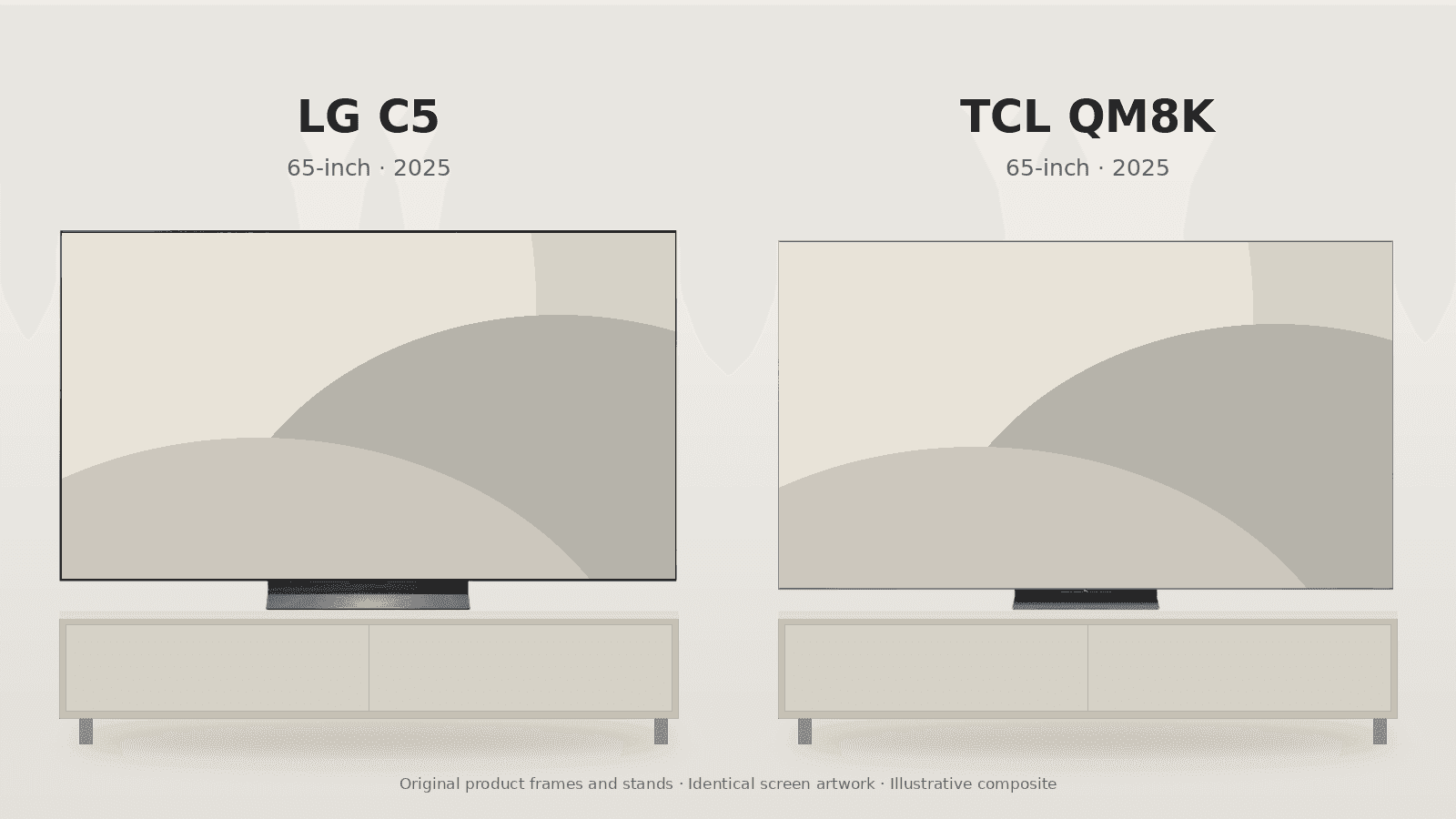
Choosing between the LG C5 OLED TV vs TCL QM8K starts with a look around your room. If you mostly watch films after dark, have a wide sofa, or plug in several high-end gaming devices, the C5 is the one. If you watch a lot during the day in a bright family room, or want a screen bigger than LG's largest 83-inch model, the QM8K makes more sense.
On the LG, every pixel makes its own light, so a bright subtitle can sit on a black background without any glow bleeding around it. The TCL uses a quantum-dot LCD panel lit by a Mini-LED backlight. It gives up that pixel-by-pixel precision, but in return it gets a lot brighter in bright HDR scenes. Whichever strength matches how you actually watch, you'll notice it right away.
Both are 2025 models, so compare the exact size and current deal rather than assuming either one is the newest TV in its range. The refresh rates are easy to misread too. LG lists the C5 as 120 Hz native with support up to 144 Hz, while TCL lists the QM8K as 144 Hz native. Either way, a compatible PC can run 4K at 144 Hz on both.
The Quick Take
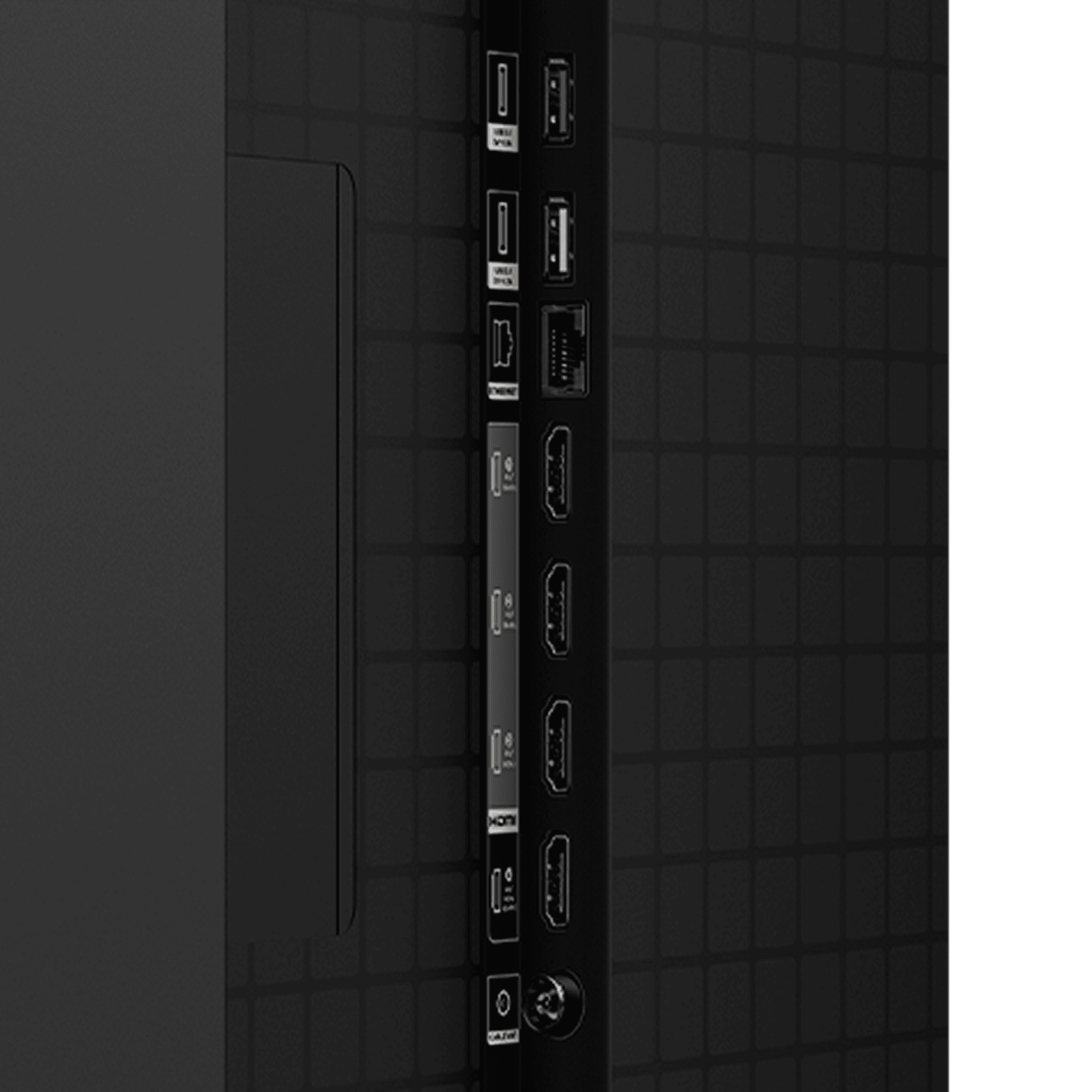
Get the C5 for movies in a dark room, seats spread off to the side, or three high-bandwidth gaming devices plus an eARC soundbar. Get the QM8K for a bright room, daytime sports, or a 98-inch screen. TCL only has two high-bandwidth HDMI inputs, but because eARC sits on a separate port, both stay free for gaming. LG has four, one of which also handles eARC.
LG C5 OLED TV
True per-pixel blacks, wide viewing angles, and four HDMI 2.1 inputs.
Check Price on AmazonLG C5 OLED TV vs TCL QM8K: Specs Comparison
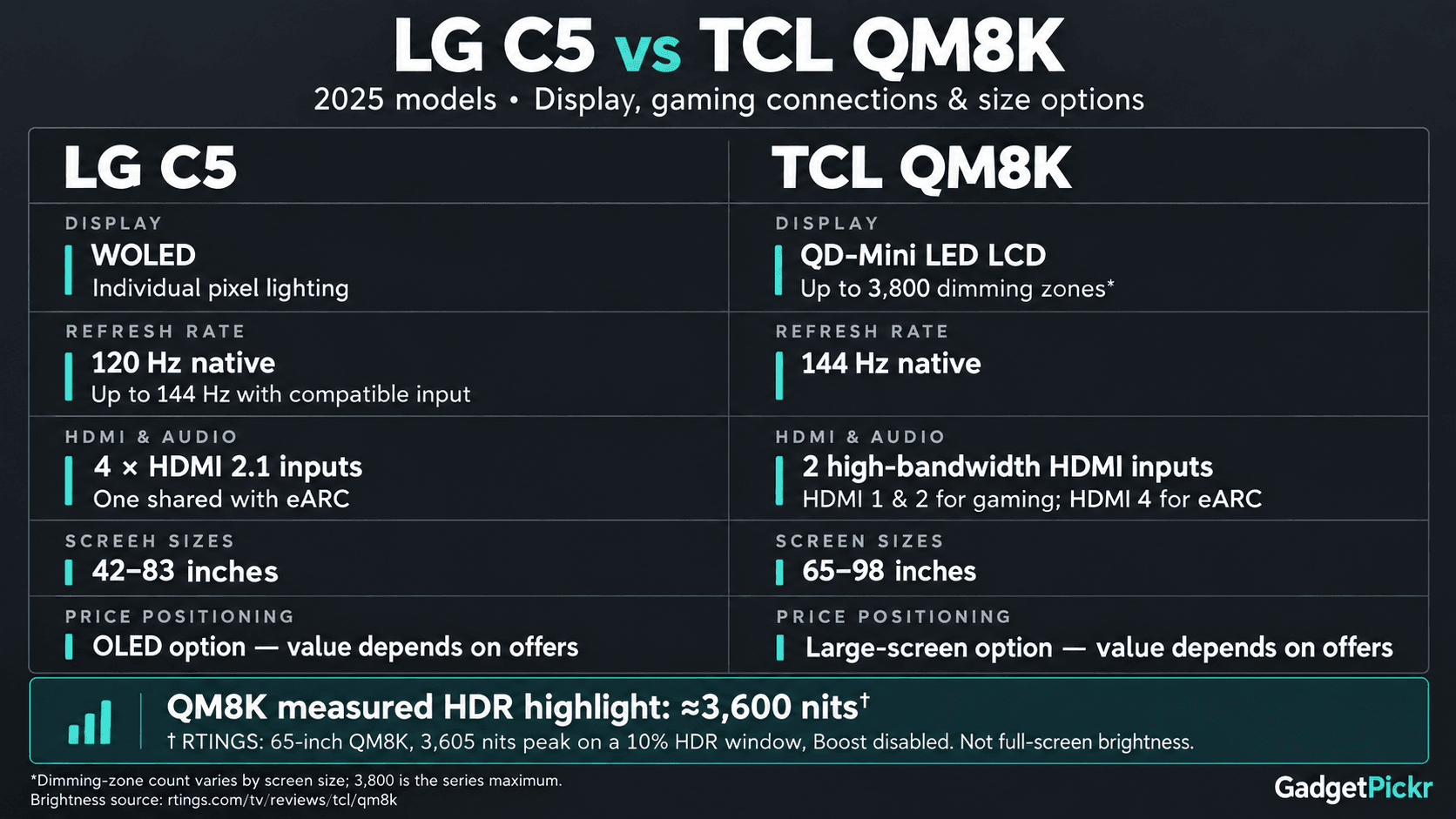
Take the brightness numbers with some context. The roughly 3,600 nits figure comes from RTINGS measuring a small HDR highlight on its 65-inch QM8K review unit, not the whole screen lit up at once. TCL's "up to 3,800 zones" is the maximum across the series too, so the actual number depends on which size you buy.
| Spec | LG C5 OLED | TCL QM8K |
|---|---|---|
| Panel type | Self-emissive WOLED | Quantum-dot Mini-LED LCD |
| Peak brightness | Lower in large, bright HDR scenes | About 3,600 nits (RTINGS, 65-inch, small HDR window) |
| Dimming | Each of 8.2 million-plus pixels controlled individually | Up to 3,800 zones across the series; varies by size |
| HDMI 2.1 ports | Four high-bandwidth; one also handles eARC | Two high-bandwidth; four total, with eARC on a separate lower-bandwidth port |
| Refresh rate | 120 Hz native; up to 144 Hz with a compatible source | 144 Hz native |
| Sizes | 42, 48, 55, 65, 77, and 83 inches | 65, 75, 85, and 98 inches |
| HDR formats | Dolby Vision, HDR10, HLG | Dolby Vision IQ, HDR10+, HDR10, HLG |
| Smart platform | webOS | Google TV |
| Variable refresh rate | G-SYNC Compatible, FreeSync Premium, HDMI VRR | FreeSync Premium Pro, HDMI VRR |
| Best for | Dark movie rooms, wide sofas, multiple gaming devices | Bright family rooms, daytime sports, 85- or 98-inch screens |
Specifications as published by LG and TCL.
Design & Build Quality
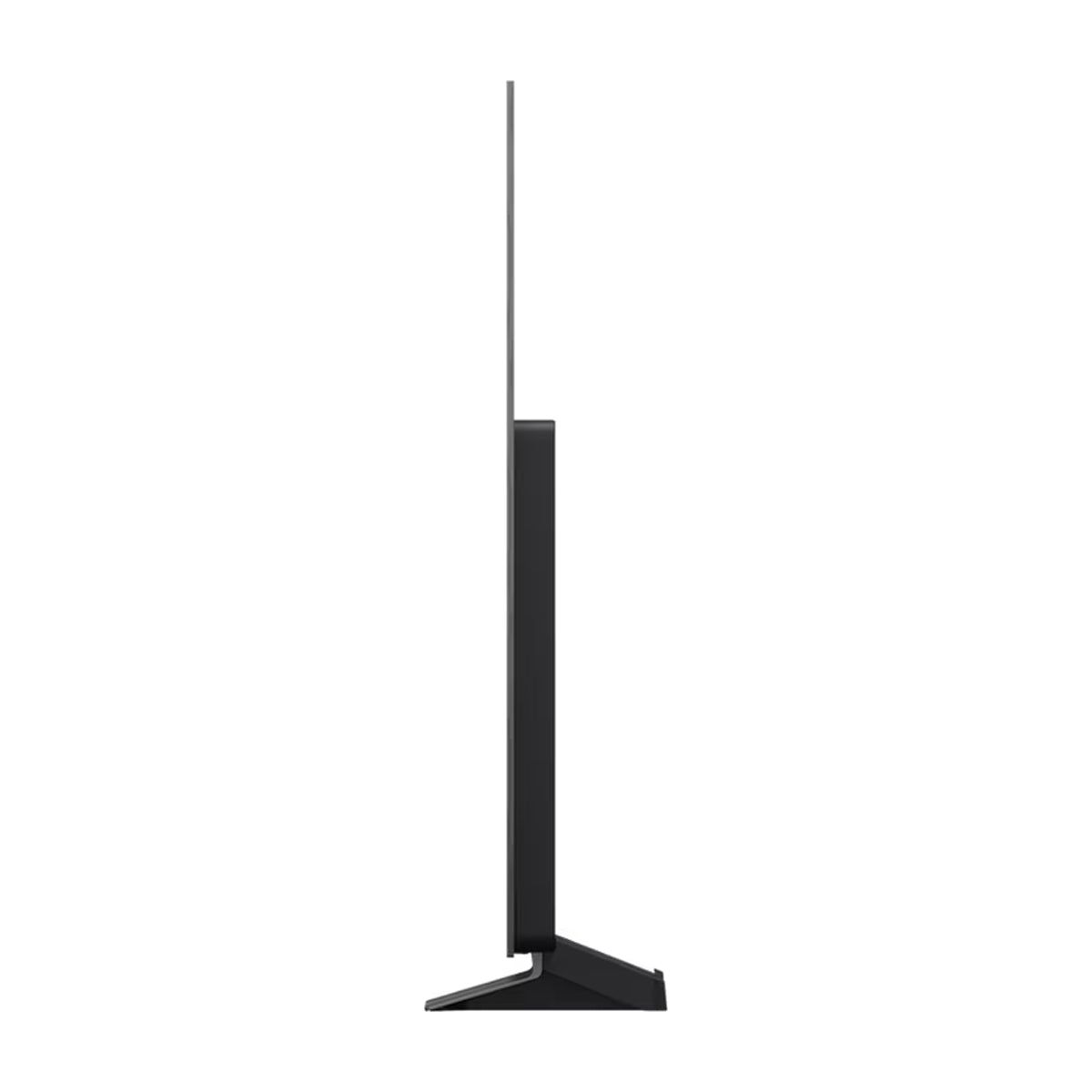
The C5's top section is very thin, which looks great from the side. The bottom part of the back is thicker, though, because that's where the electronics and ports live. So if you're wall-mounting it, plan for that extra depth. Leave room for the bracket, plugs, and cables rather than expecting the whole TV to sit flat against the wall.
The stands vary by size. Most C5 models sit on a central stand, but the 42-inch version uses two feet. TCL puts a pedestal stand on the smaller QM8K sizes and widely spaced feet on the 98-inch model. A TV unit that works for one size might not work for another, so check before you buy.
The backlight makes the TCL thicker, but the thin bezel keeps it looking clean from the front. Its anti-reflective screen and WHVA panel help with glare and viewing from the side, but they don't match how consistent an OLED looks from an angle. If people sit well off to either side of a long sofa, LG is still the better choice.
For gamers, the ports matter more than the looks. The C5's four high-bandwidth inputs leave three free for consoles or a PC even after you connect an eARC soundbar. On the TCL, eARC sits on a lower-bandwidth port, so both high-bandwidth inputs stay free. Two consoles and a soundbar fit fine, but add a high-refresh gaming PC and you'll run out of fast ports.
Performance & Key Features
Black levels are the whole reason to pick the LG here. Every OLED pixel can switch off completely on its own, so a star, a lamp, or a line of subtitles doesn't need a bigger patch of backlight turned on behind it. That's why the C5 is the better TV for films in a dark room, especially in scenes where bright details sit right next to deep black.
OLED pixels also change very quickly, which keeps fast motion in games clear. VRR support covers G-SYNC Compatible, FreeSync Premium, and HDMI VRR, and a compatible PC can push it to 4K at 144 Hz. The PS5 and Xbox Series X top out at 120 Hz, though, so a higher ceiling on the TV won't make your console run at 144 Hz.
The C5 runs LG's webOS and supports Dolby Vision, HDR10, and HLG. Its weak spot is overall brightness. Like most OLEDs, it can't match a high-end Mini-LED TV when a bright HDR scene fills most of the screen, and that's exactly where the TCL pulls ahead.
TCL's Mini-LED backlight and quantum-dot layer are built for brightness and vivid color in bright scenes. RTINGS measured around 3,600 nits on a small HDR highlight with its 65-inch review unit, which backs up our bright-room recommendation. Just remember that a quick highlight reading isn't the same as how bright the whole screen stays during a sports broadcast.
Local dimming gives the QM8K strong contrast for an LCD, but it still lights up groups of pixels rather than each one on its own. Bright subtitles on a black background can show a faint halo, and the picture shifts more than the C5's when you sit at an angle. Those trade-offs are much easier to live with in a bright living room than in a dedicated home theater.
The TCL runs Google TV and supports Dolby Vision IQ and HDR10+, along with HDR10 and HLG. Its 144 Hz native panel handles 4K gaming at that rate through the two high-bandwidth inputs. For streaming HDR content and running a couple of consoles, it's a great fit for a family room.
Pros & Cons: LG C5 OLED TV
Pick the LG if contrast, flexible seating, and connections matter most to you. Per-pixel lighting means no backlight blooming, the wide viewing angles suit a long sofa, and four HDMI 2.1 ports mean less cable swapping. If your room is small, it also comes in 42- and 48-inch sizes, which the QM8K doesn't offer.
The downsides are brightness and static images. The C5 puts out less light in large, bright HDR scenes, and like any OLED, it carries some risk of burn-in if the same fixed graphics stay on screen for long stretches over time. It also can't pass through DTS audio, so if you have a disc collection with DTS soundtracks, you'll need to route the audio through something that supports it before it gets to the TV.
Pros & Cons: TCL QM8K
Daytime viewing is where the TCL shines. More brightness in bright scenes, an anti-reflective screen, and sizes up to 98 inches make it the practical choice for a sunny family room. You also get Google TV, HDR10+ alongside Dolby Vision, and high-refresh gaming without paying for an OLED.
For dark-room precision and side seating, LG is better. Zone-based dimming can show halos, and people sitting off to the side lose more contrast and color accuracy on the TCL. Its two high-bandwidth inputs are plenty for two consoles, but a third fast device means swapping cables or buying an HDMI switch that supports it.
Real Buyer Scenarios
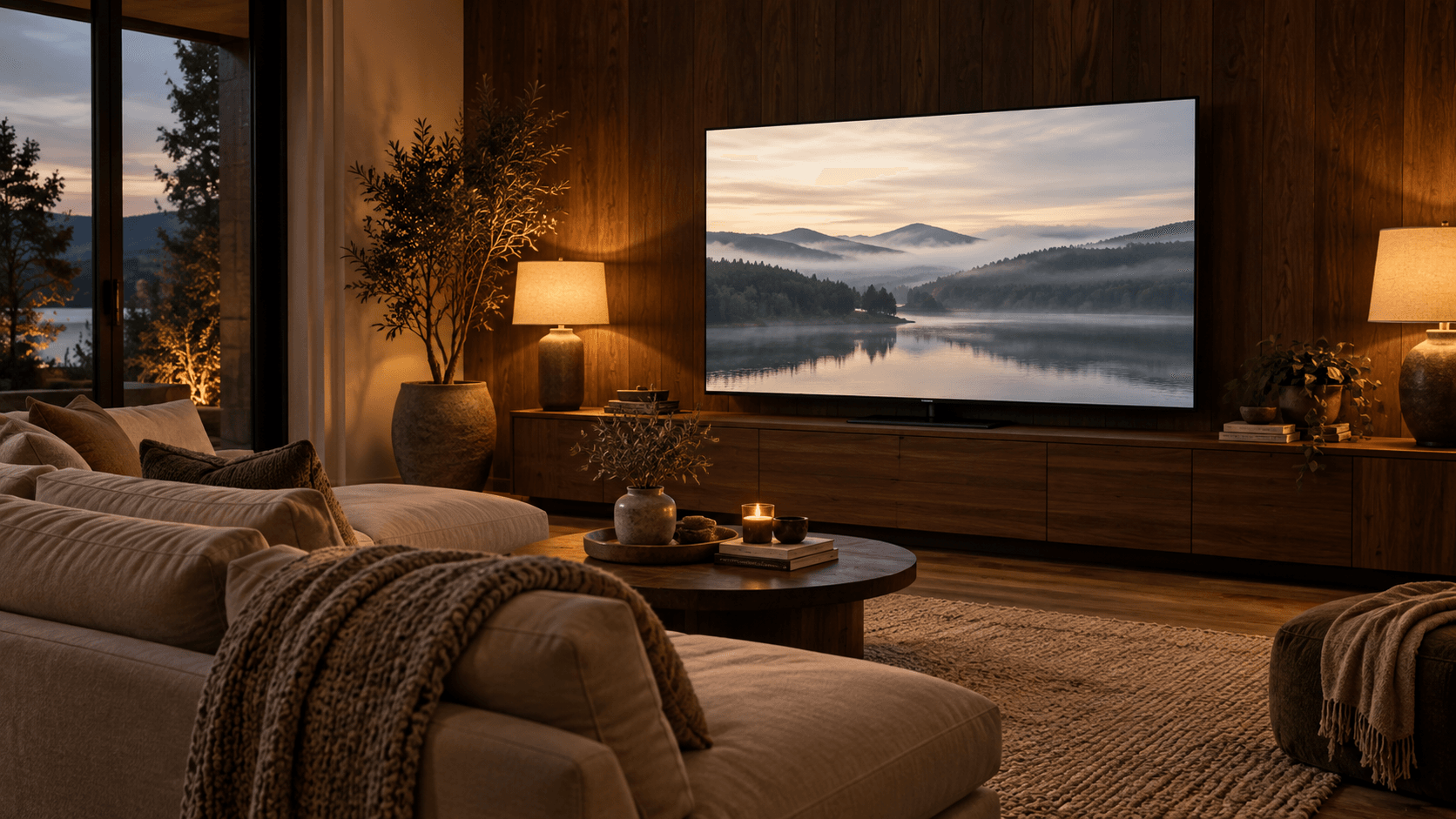
Imagine movie night with the lights off and everyone spread across a wide sofa. Get the C5. Deep blacks, no halos around subtitles, and a picture that holds up from the side matter much more here than peak highlight brightness. And if the same room also has a PS5, an Xbox Series X, a gaming PC, and an eARC soundbar, LG's extra ports solve that problem too.
Now imagine afternoon sports in a family room with big windows and not much control over the light. Get the QM8K for its extra brightness and anti-glare screen, especially if you're thinking about an 85- or 98-inch size. Placement still matters, though. A window directly across from the TV is a much tougher problem than general daylight in the room.
If you want to go bigger than LG's largest 83-inch C5, the QM8K's 85- and 98-inch sizes are the way to do it. Compare current prices at the same size before deciding, since deals on both change often. For a two-console setup, TCL's separate eARC port also means your soundbar doesn't take up a gaming input. LG's port advantage only really kicks in once you add a third high-bandwidth device.
Alternatives Worth Considering
The LG C4 OLED is the C5's 2024 predecessor, with the same self-emissive picture approach, four full-bandwidth HDMI 2.1 ports, and webOS 24. It's worth checking if you can still find one at a good discount, but as an older model, stock and pricing vary a lot, so compare it against the C5 at the same size.
Sony's BRAVIA XR8B OLED is another option to look at, with Sony's Acoustic Surface Audio+ system that uses the screen itself to produce sound. Expect to pay more for it. If you prefer Mini-LED, Sony's BRAVIA 9 with XR Backlight Master Drive is the one to compare against the TCL. Either way, match screen sizes before comparing prices.
Samsung's S95D is a 2024 QD-OLED with a Glare Free screen coating. It's worth considering if you want OLED but need something that handles reflections differently from the C5's glossy screen. Since it's an older model, keep an eye on stock and condition.
Samsung's S85H is a newer 2026 OLED. It supports 4K gaming up to 120 Hz and has Pantone-validated color, so it belongs on your list if you want OLED and don't need the C5's higher 144 Hz ceiling for PC gaming.
Final Verdict
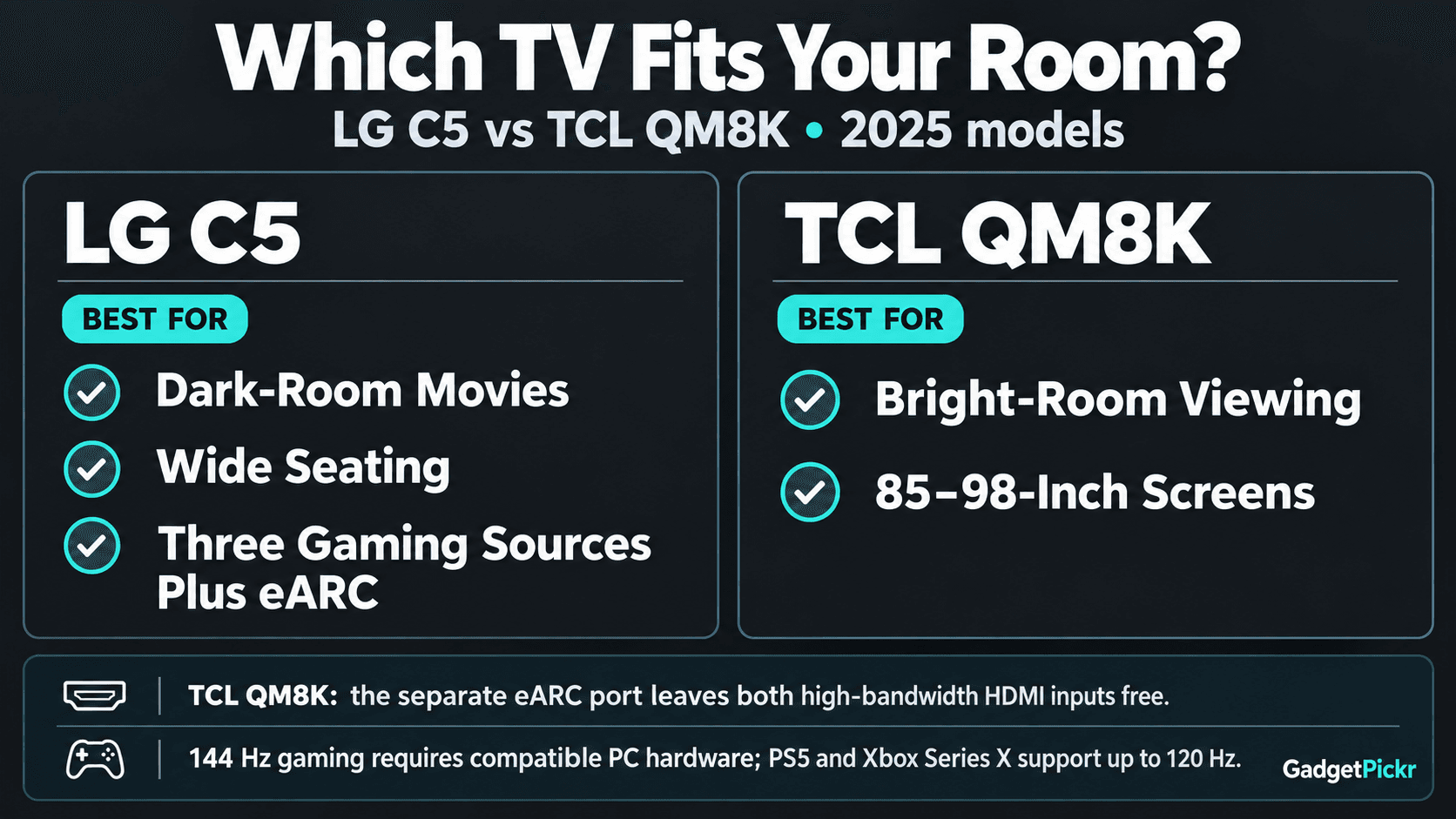
In the LG C5 OLED TV vs TCL QM8K matchup, the C5 is the pick for dark-room movies, wide seating, and running three high-bandwidth gaming devices alongside an eARC soundbar. Per-pixel lighting and more HDMI 2.1 ports are what set it apart. It's also your only option here if you want a screen smaller than 65 inches.
The QM8K is the pick for daytime sports, bright HDR, or an 85- or 98-inch screen in a family room. Its 144 Hz native panel and two high-bandwidth inputs still make for a solid gaming setup, with eARC handled on its own port. In short, LG wins on black levels and connection flexibility, and TCL wins on brightness and screen size.
Sources & References
Specifications and claims in this analysis were cross-referenced against the sources below.
- TCL 98" QM8K Series QD-Mini LED QLED 4K UHD Smart ...tcl.com
- QM8K Series QD-Mini LED QLED 4K UHD Smart TV with Google TVus.tcl.com
- Hdr Ultra With Dolby Vision...us.tcl.com
- TCL 85" QM8K Series QD-Mini LED QLED 4K UHD Smart ...us.tcl.com
- 65 inch LG OLED evo AI C5 4K Smart TV 2025 - OLED65C56LBlg.com
- TCL 65" QM8K Series QD-Mini LED QLED 4K UHD Smart TV with ...us.tcl.com
- 77 Inch Class LG OLED evo AI C5 4K Smart TV 2025lg.com
- 55 inch LG OLED evo AI C5 4K Smart TV 2025 - OLED55C5YUAlg.com
Frequently Asked Questions
The QM8K. Its higher brightness and anti-reflective screen make it the stronger choice for daytime viewing. The C5 is better if dark-room films and wide seating matter more, since its OLED panel controls light at every single pixel.