Logitech G PRO X Superlight 2 vs G502 X Plus really comes down to one question: do you want less weight or more buttons under your hand? Both use LIGHTSPEED wireless and LIGHTFORCE hybrid switches, but they head in very different directions as soon as you look at the shape. Get the Superlight 2 for competitive FPS games. Get the G502 X Plus for MMO shortcuts, scrolling through documents, and RGB lighting.
At 60g, the Superlight 2 strips a gaming mouse down to the basics: aiming and clicking. At 106g, the G502 X Plus adds a thumb rest, 13 programmable controls, and eight zones of RGB lighting. This comparison covers the original HERO 25K version of the G502 X Plus linked below, since not every mouse with the G502 name is the same.
The Quick Take
For Counter-Strike 2 and Valorant, the Superlight 2 gets the nod. Its lower weight and up to 8 kHz polling suit a setup built around aiming. If your desk switches between games and work, the G502 X Plus gives you more places to put commands and a much more flexible scroll wheel.
Logitech G PRO X Superlight 2
Pick this 60g mouse if you mostly play competitive shooters. It puts its HERO 2 sensor and up to 8 kHz wireless polling ahead of lighting and extra macro buttons.
Check Price on AmazonG502 X Plus
Pick this 106g mouse if you want MMO keybinds and work shortcuts on one device. Its 13 programmable controls, tilting wheel, and switchable scroll modes make it the better everyday all-rounder.
Check Price on AmazonLogitech G PRO X Superlight 2 vs G502 X Plus: Specs Comparison
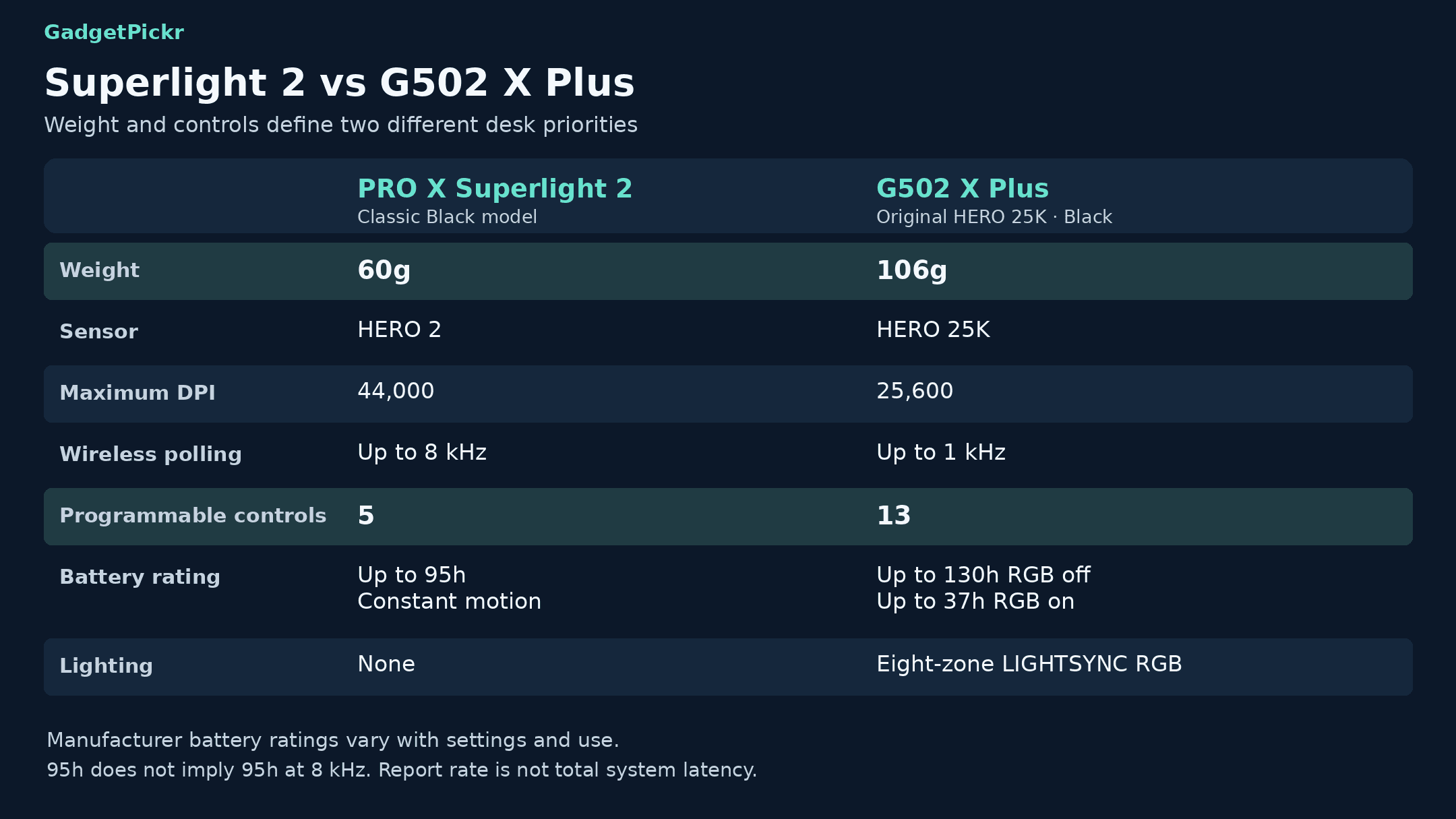
Weight and button layout matter a lot more here than max DPI. Treat the battery figures as manufacturer ratings under specific conditions, not a promise you'll get the same runtime at every setting.
| Spec | Logitech G Pro X Superlight 2 | Logitech G502 X Plus |
|---|---|---|
| Best for | Competitive FPS players who want low weight and high polling rates | MMO players and desktop users who want macros, wheel tilt, and RGB |
| Weight | 60 g; light, aim-focused shell | 106 g; sculpted shell with thumb rest |
| Sensor | HERO 2 | HERO 25K (original model) |
| Max DPI | 44,000 | 25,600 |
| Max tracking speed | Over 888 IPS | Over 400 IPS |
| Max polling rate | Up to 8 kHz wireless | Up to 1 kHz |
| Programmable controls | 5 | 13, including scroll-wheel inputs |
| Main switches | LIGHTFORCE hybrid optical-mechanical | LIGHTFORCE hybrid optical-mechanical |
| Battery life | Up to 95 hours of constant motion | Up to 130 hours with RGB off; 37 hours with RGB on |
| RGB lighting | None | 8-zone LIGHTSYNC RGB |
Specifications as published by Logitech.
Design & Build Quality
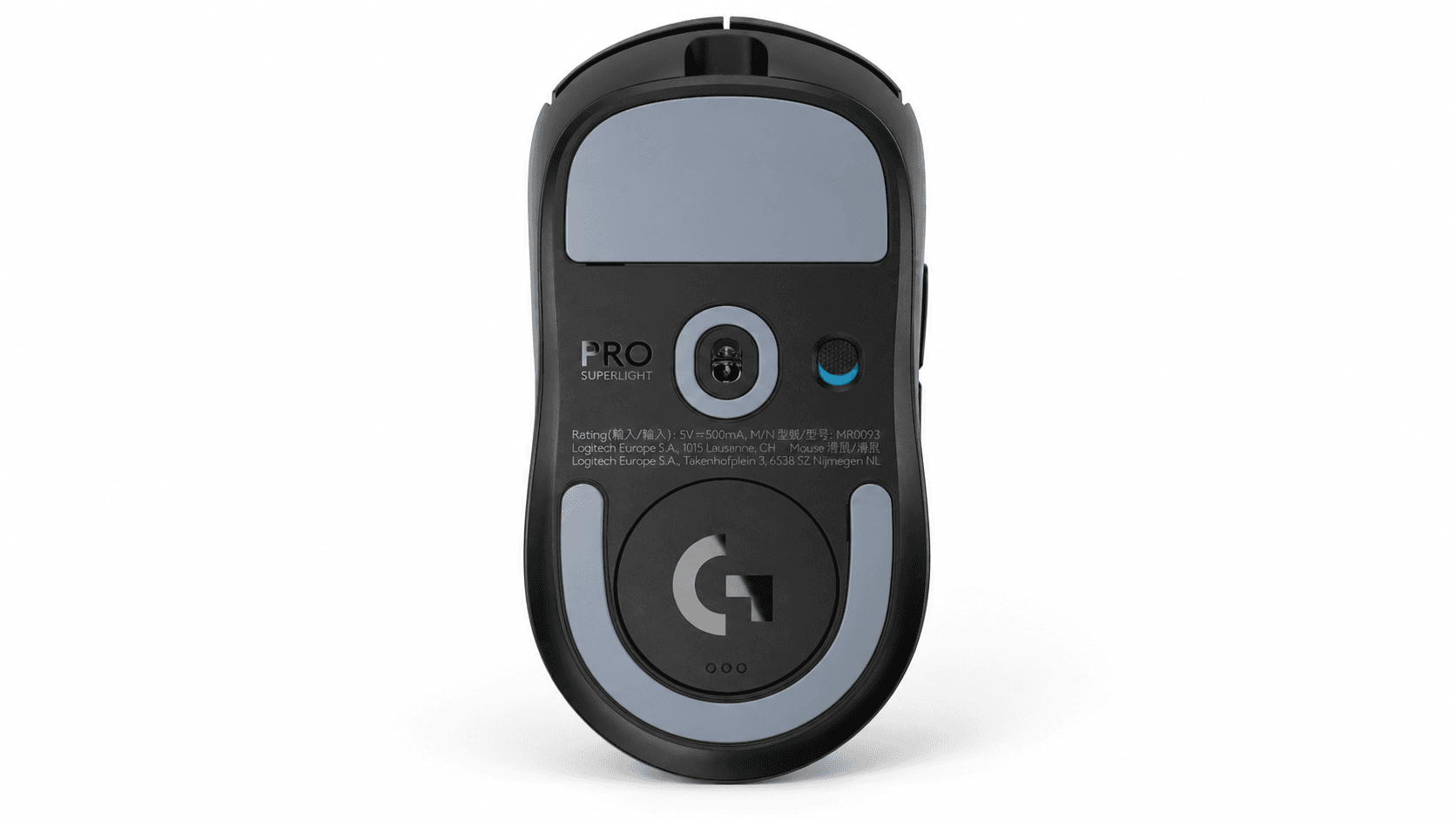
The whole point of the Superlight 2 is simplicity. Its symmetrical shell has side buttons on the left and no thumb rest sticking out, so it's really a right-handed mouse even though the shape looks balanced. There's no lighting to set up and no cluster of extra buttons around the main clicks.
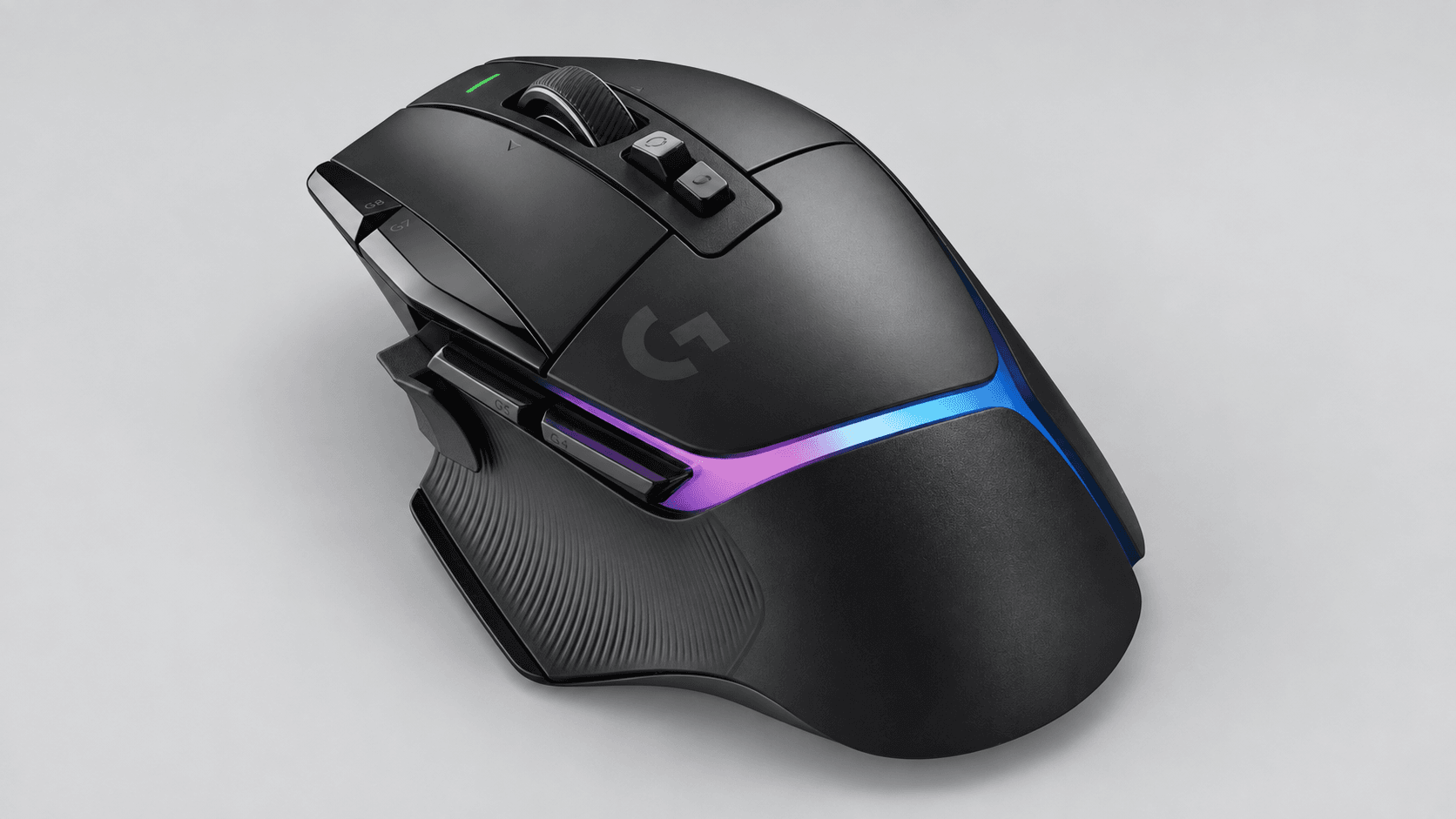
The G502 X Plus goes the other way, with a much more sculpted shape. A thumb rest on the left, rubber side grips, and asymmetrical curves set it apart from the Superlight 2's plain outline. Its LIGHTSYNC strip adds eight customizable lighting zones along the back. Pick this shape because you like that layout, and don't assume a bigger thumb rest will suit every hand.
The Superlight 2 uses zero-additive PTFE feet on the bottom. On top, the G502 X Plus has the bigger practical difference: a scroll wheel that switches between notched scrolling and free-spinning, plus left and right tilt. Its DPI-shift button is removable and reversible, and there's an included cover to put in its place if you'd rather have more grip.
Performance & Key Features
On the Superlight 2, the polling rate matters more than the headline DPI. HERO 2 supports up to 44,000 DPI and tracking above 888 IPS, and LIGHTSPEED wireless polls at up to 8 kHz. At that max, the mouse reports every 0.125 ms, but that's just the gap between reports, not your total input lag. A higher polling ceiling gives an FPS setup some headroom, but it won't automatically make your aim better.
The original G502 X Plus pairs HERO 25K with up to 25,600 DPI and 1 kHz polling. Its bigger advantage is the button layout. Its 13 programmable controls include scroll-wheel actions, so it's not 13 separate thumb buttons. G HUB handles button mapping, macros, and profiles, so different games and apps can each have their own setup. That makes the G502 X Plus the more practical pick when you need more than aiming, shooting, and a couple of side-button actions.
Both use LIGHTFORCE main switches, which combine optical actuation with a mechanical feel, and Logitech rates the Superlight 2's switches for 70 million clicks. For battery life, Logitech rates the Superlight 2 at up to 95 hours of constant motion, and the G502 X Plus at up to 130 hours with RGB off, dropping to 37 hours with the lights on. Real-world battery life varies with how you use it. Both charge over USB-C, and both also work with POWERPLAY wireless charging if you buy that system separately.
Pros & Cons: Logitech G PRO X Superlight 2
Pros: At 60 grams, there's simply less mass to move every time you swipe or lift it. Its HERO 2 sensor and up to 8 kHz polling make it the better match on paper for competitive shooters. LIGHTFORCE hybrid switches are rated for 70 million clicks. And USB-C charging plus POWERPLAY compatibility give you the choice of a cable or an optional charging pad.
Cons: With only five controls, there's less room for MMO keybinds and editing shortcuts than on the G502 X Plus. You also give up RGB, a thumb rest, wheel tilt, and free-spin scrolling. It's a specialist mouse, so if you want something that handles long documents and a crowded ability bar, its stripped-back layout works against you.
Pros & Cons: G502 X Plus
Pros: More programmable controls and a dual-mode scroll wheel make the G502 X Plus the better all-purpose desktop mouse. Its removable DPI-shift button lets you physically change the thumb-button layout, and G HUB handles the software side. It uses the same LIGHTFORCE hybrid switches as the Superlight 2. And RGB is optional, so you can keep all the extra buttons and turn the lighting off.
Cons: At 106g, it's much heavier than the Superlight 2's 60g, which works against you if you want the lightest possible mouse. Its right-handed thumb rest and extra buttons also mean holding it differently than the simpler mouse. Turn the lighting on and the rated battery life drops to 37 hours, so RGB comes with a clear charging trade-off.
Real Buyer Scenarios
If your evenings are all about Counter-Strike 2, Valorant, or Apex Legends, get the Superlight 2. Its low weight and high polling ceiling are built for exactly that kind of game. Its simple layout also makes sense if you already keep most of your game commands on the keyboard. Extra mouse buttons aren't worth much if you never assign anything to them.
For World of Warcraft, action RPGs, or a desk you use for both gaming and work, get the G502 X Plus. You can assign abilities and app shortcuts in G HUB, flip the wheel to free-spin for long documents, and use the tilt for extra commands. The DPI-shift button lets you temporarily change sensitivity without opening any menus. All of that is useful even when you're not gaming.
RGB fans have an easy pick too: the G502 X Plus has customizable lighting, and the Superlight 2 has none. If your setup already has all the lighting you want, decide based on buttons and weight instead. For a mouse that spends the day in spreadsheets and the evening in an MMO, the G502 X Plus's features are worth having. For a desk built around aiming, the Superlight 2 is still the better pick.
Alternatives Worth Considering
HyperX's Pulsefire Haste 2 Pro is a good middle ground if you want a light mouse with fast wireless polling. It weighs 61g, supports 4 kHz over 2.4GHz without needing a separate receiver upgrade, and has a sensor rated up to 26,000 DPI. Its battery is rated up to 90 hours at 1 kHz, so don't expect that runtime at the max polling rate. Look at it alongside the Superlight 2 if you want a cheaper FPS-focused option.
If you want a smaller mouse, the 59g Pulsefire Haste 2 Mini Wireless is 16% smaller than the regular Pulsefire Haste 2 Wireless. It connects over 2.4GHz or Bluetooth, and HyperX rates its battery at up to 100 hours. That Bluetooth option is something neither Logitech mouse here offers, which is handy for laptop users. Add it to your list if portability matters more to you than the G502 X Plus's extra buttons.
Razer's Viper V4 Pro is another FPS-focused rival, with a symmetrical right-handed shape and both 2.4GHz wireless and wired USB-C. Its battery is rated up to 180 hours at 1 kHz, not at its max polling rate. Compare it with the Superlight 2 if competitive shooters are your main focus. It fills the same lightweight role and doesn't replace the G502 X Plus's macro and scrolling features.
Final Verdict
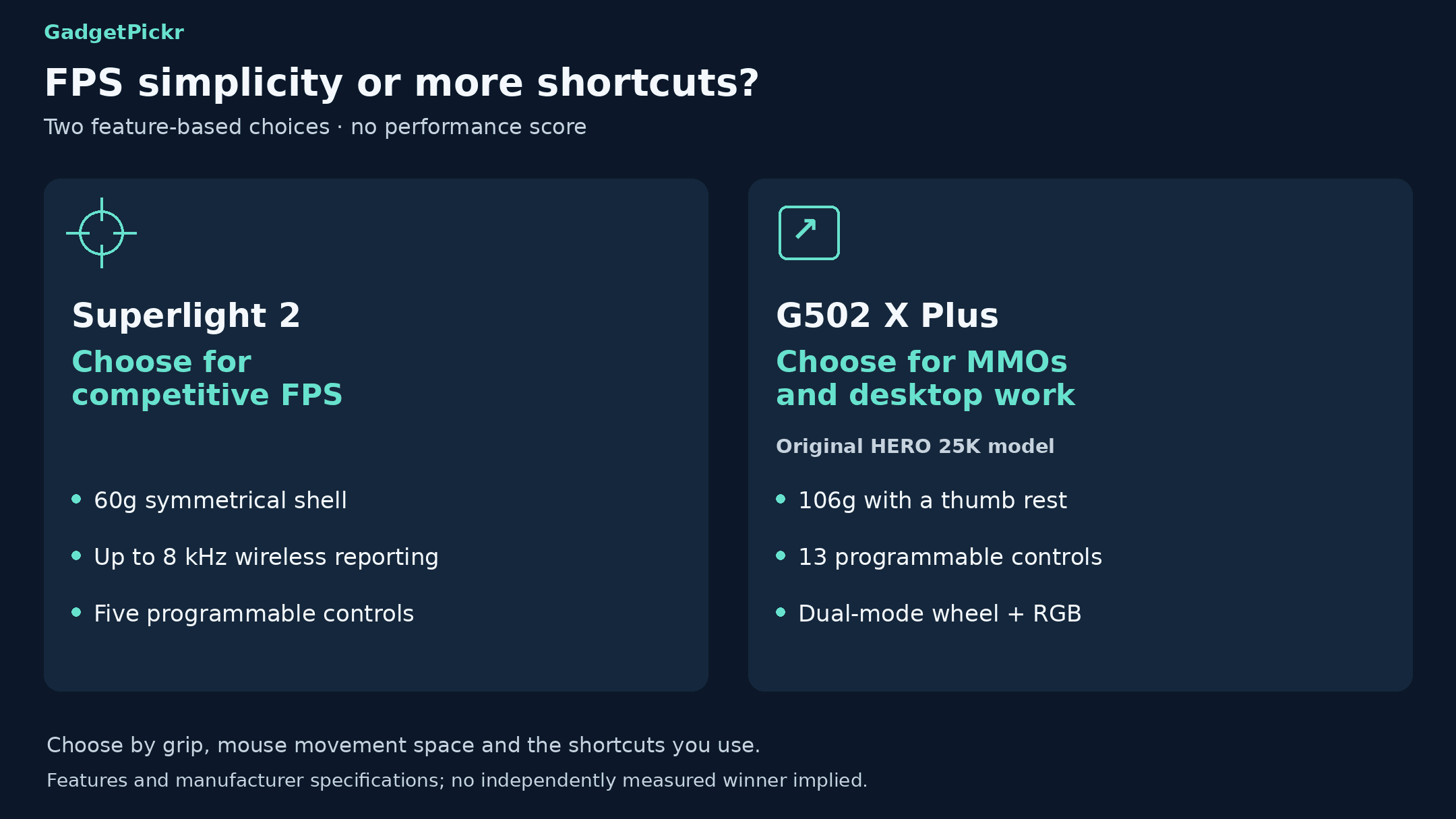
In the Logitech G PRO X Superlight 2 vs G502 X Plus matchup, the Superlight 2 wins for competitive FPS. Get it if low weight, a simple button layout, and a higher polling ceiling are at the top of your list. Its 60g body and HERO 2 sensor fit that job better than a heavier mouse full of features you'll never use.
For MMOs, action RPGs, and work, get the G502 X Plus. Its 13 programmable controls let you put more of your commands on the mouse instead of the keyboard. At 106g, it's not the pick for twitch aiming, but if you like a bigger, sculpted mouse with a thumb rest, that's exactly what you get. Its dual-mode wheel and customizable lighting round out the better all-round package for mixed use.
Sources & References
Specifications and claims in this analysis were cross-referenced against the sources below.
- Logitech G PRO X Superlight 2 Wireless Gaming Mouselogitech.com
- G502 X Plus Wireless RGB Gaming Mouse | Logitech Glogitechg.com
- Image Carousellogitechg.com
- Best Wireless Gaming Mice | Logitech Glogitech.com
- G502 X Plus Wireless RGB Gaming Mouselogitechg.com
- Specification - G PRO X Superlight 2 Lightspeed Gaming Mousesupport.logi.com
- Logitech G Pro X Superlight 2 Lightspeed Wireless Gaming ...target.com
- www.digitec.ch · g502-x-plus-vs-pro-x-superlight-12065Logitech G G502 X Plus vs Pro X Superlight comparison - Digitecdigitec.ch
Frequently Asked Questions
The Superlight 2. Its 60g weight and up to 8 kHz wireless polling make it the stronger FPS pick. Go with the G502 X Plus if MMO controls and desktop scrolling matter more to you than low weight.