Do you want a number pad, or movement keys you can fine-tune? That's the best place to start with the Apex Pro TKL Gen 3 vs ROG Strix Scope II 96. SteelSeries gives you adjustable magnetic switches in a wired tenkeyless keyboard. ASUS keeps the number pad and adds wireless connections plus swappable mechanical switches.
For competitive shooters, pick the Apex if you specifically want Rapid Trigger and adjustable sensitivity on its OmniPoint keys. For spreadsheets, writing, and gaming across several devices, pick the Scope II 96 Wireless. Its layout solves a more everyday problem: keeping a number pad without taking up as much desk space as a regular full-size keyboard.
These are two different kinds of customization. SteelSeries lets you change how supported keys register and reset through software, while ASUS lets you physically swap out the switches. Buy the feature you'll actually use, rather than assuming a magnetic keyboard automatically makes every game better.
The Quick Take
Get the Apex for adjustable actuation and Rapid Trigger on a wired, gaming-only setup. Get the Scope II 96 Wireless for a number pad, three ways to connect, and swappable mechanical switches. ASUS is the more practical pick for work and gaming, while SteelSeries wins if magnetic input settings are what you care about most.
SteelSeries Apex Pro TKL Gen 3
This link is for the Black wired TKL model with OmniPoint 3.0 switches and PBT keycaps. There's also a separate Wireless Gen 3 model, so double-check which one you're ordering.
Check Price on AmazonASUS ROG Strix Scope II 96
This link is for the Black wireless model with NX Snow linear mechanical switches and PBT keycaps. It's different from the Scope II RX and other switch versions.
Check Price on AmazonApex Pro TKL Gen 3 vs ROG Strix Scope II 96: Specs Comparison
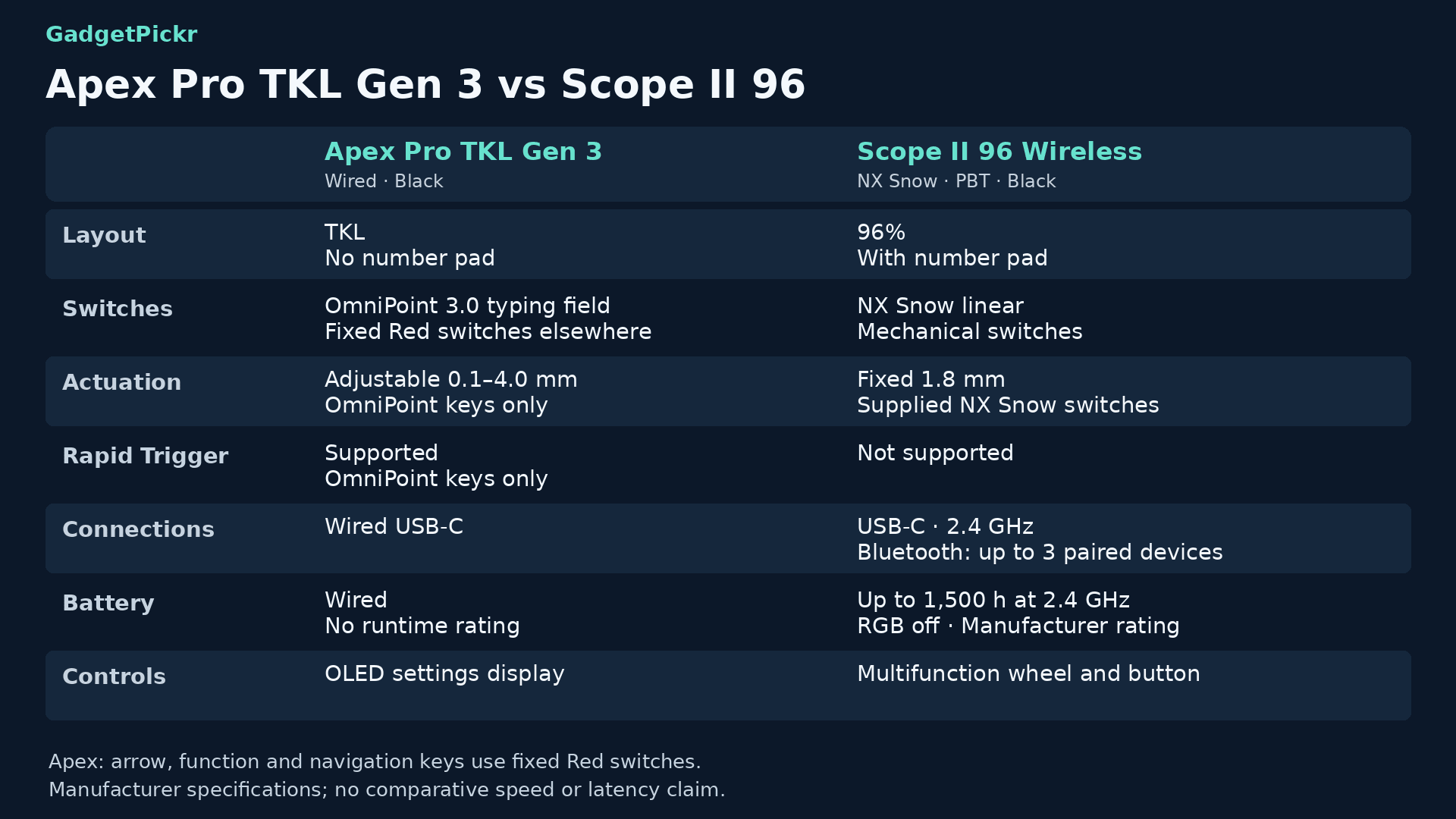
This compares the linked wired Apex with the NX Snow version of the wireless ASUS keyboard. On the Apex, adjustable actuation only applies to the OmniPoint typing keys, and ASUS's battery figure assumes the lighting is turned off.
| Spec | SteelSeries Apex Pro TKL Gen 3 | ASUS ROG Strix Scope II 96 |
|---|---|---|
| Best for | Shooter or rhythm-game setups that want adjustable actuation and more mouse space | Spreadsheet work and evening gaming with a number pad and multiple devices |
| Layout | Tenkeyless (TKL), no number pad | 96% compact layout with number pad |
| Switches | OmniPoint 3.0 HyperMagnetic on typing keys; fixed Red switches elsewhere | ROG NX Snow linear mechanical |
| Actuation point | 0.1 mm to 4.0 mm, adjustable on OmniPoint keys | 1.8 mm, fixed on the included NX Snow switches |
| Mechanical hot-swap | No; OmniPoint keys don't take regular mechanical switches | Yes (mechanical switches) |
| Connectivity | Wired USB-C | 2.4 GHz, Bluetooth, and USB-C |
| Battery life | Not applicable (wired) | Up to 1,500 hours (2.4 GHz, RGB off; manufacturer rating) |
| Keycaps | Double-shot PBT | Double-shot PBT on the linked version; varies by region |
| Rapid Trigger | Yes, on OmniPoint keys | No |
| Display and controls | OLED Smart Display with built-in settings controls | Multi-function wheel and button |
| Sound dampening | Triple-layer dampening foam | Silicone dampening foam and switch pads |
Design & Build Quality
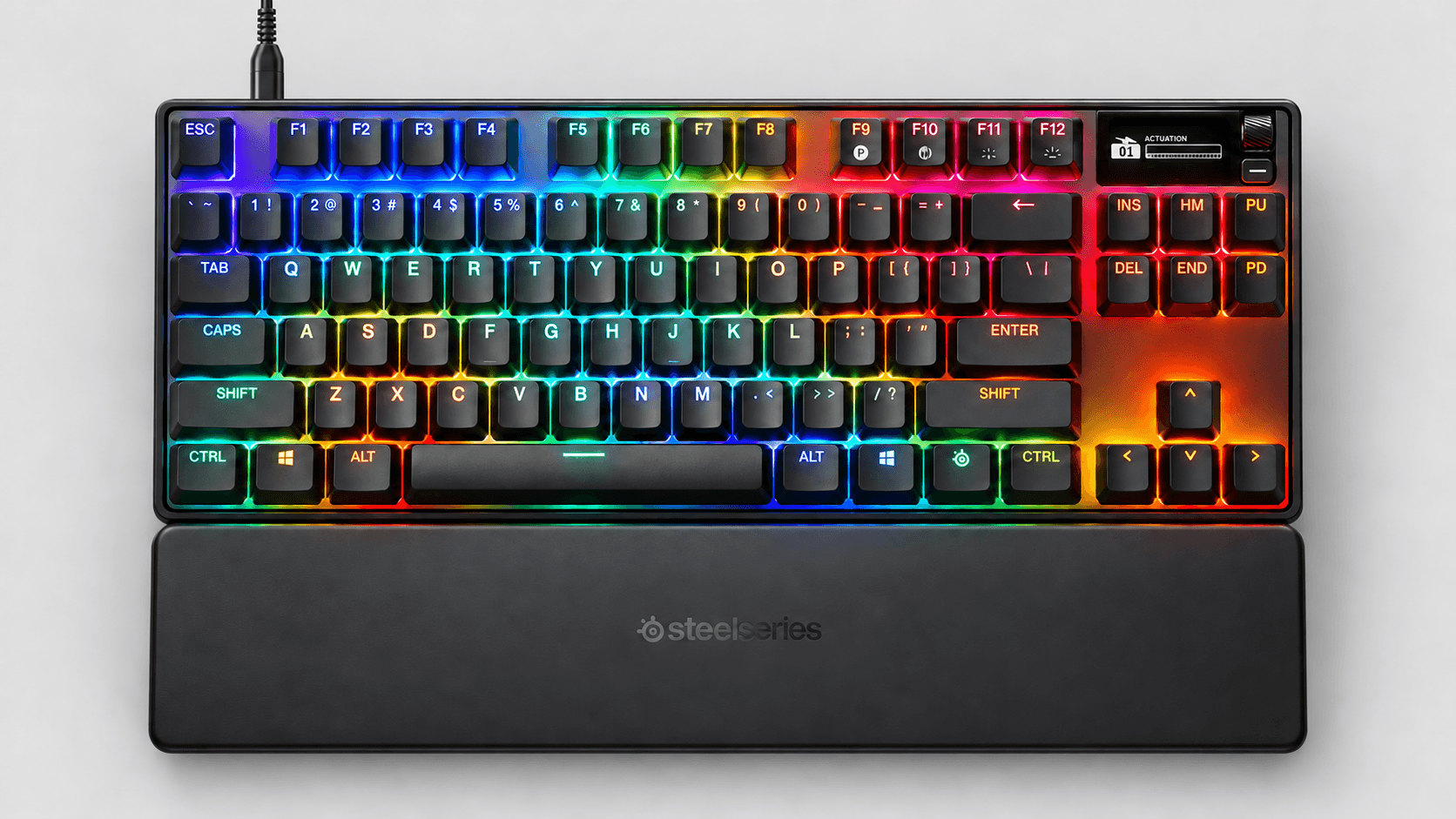
Desk space is the Apex's most obvious advantage. Its tenkeyless layout drops the number pad but keeps a separate navigation cluster, giving your mouse more room to move. Amazon lists 84 keys for the linked Black wired version.
SteelSeries pairs an aluminum top plate with double-shot PBT keycaps, lubed switches, and dampening foam inside. There's an OLED display in the top-right corner, which you can use to change settings and profiles without opening the software every time.
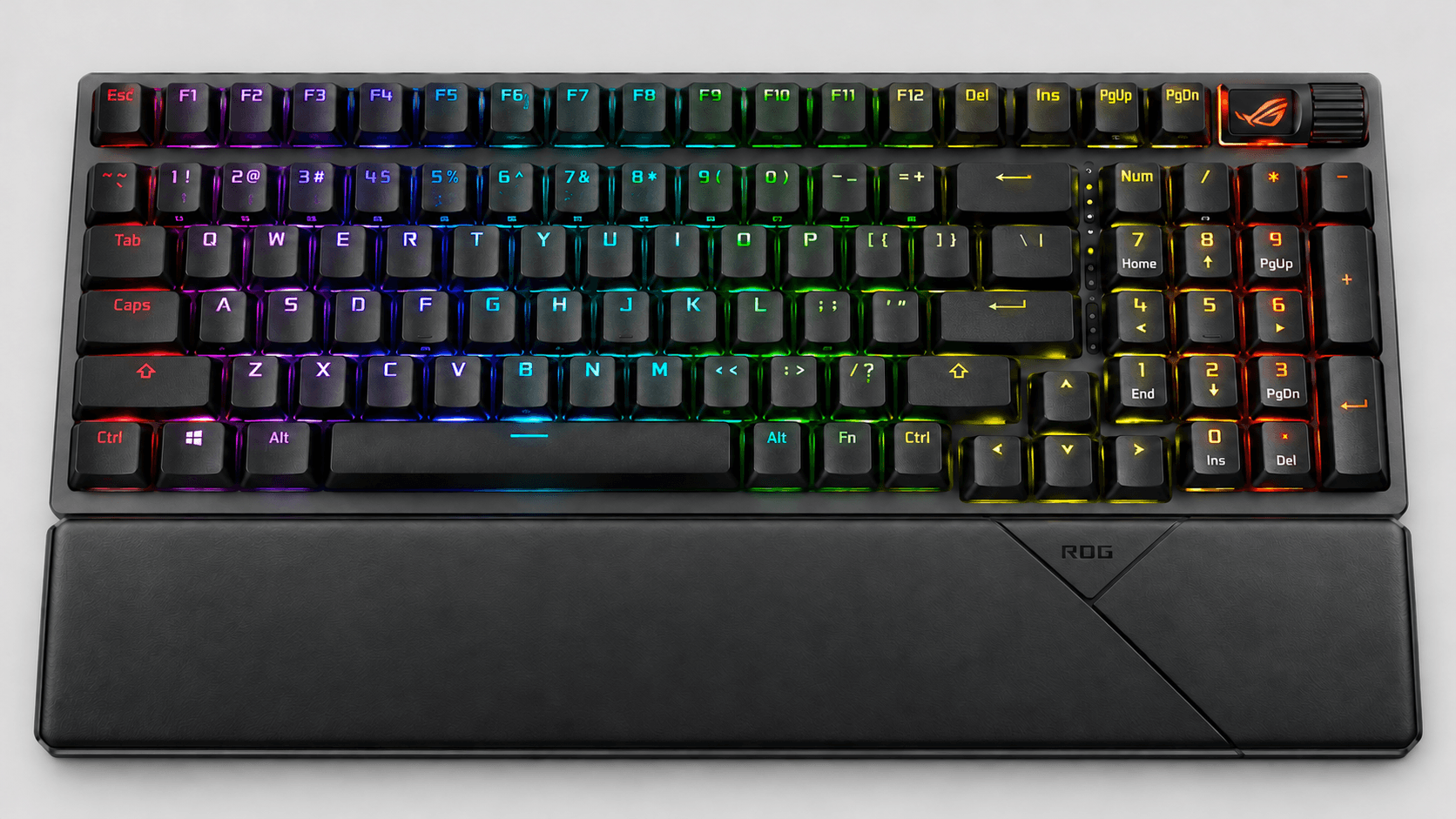
ASUS squeezes the number pad and navigation keys together in its 96% layout. It comes with pre-lubed stabilizers, pre-lubed switches, and silicone dampening foam to improve how it sounds when you type. A multi-function wheel and button handle volume, media playback, and lighting.
ASUS also includes a detachable wrist rest, and the keyboard has three tilt positions. The linked version has PBT keycaps, but some regional versions use ABS instead. Keep that in mind if you're comparing photos or buying a different language layout.
Performance & Key Features
Magnetic switches are the whole reason to buy the Apex. The OmniPoint 3.0 keys let you set the actuation point anywhere from 0.1 mm to 4.0 mm, with a 45 g bottom-out force on this standard version. SteelSeries' support pages note that only the main typing keys use these switches, while the arrows, function keys, and navigation cluster use fixed Red switches.
Rapid Trigger moves the actuation and reset points based on how far the key has traveled. That means you can lift a key slightly to reset it, instead of letting it travel past a fixed reset point like a normal switch. The spring still pushes the key back up; the difference is when the keyboard registers the release.
Rapid Tap is a separate feature. It gives priority to whichever key you pressed most recently in a pair you've set up, and it's not just another name for Rapid Trigger. SteelSeries GG handles the detailed setup, while the OLED controls let you change things like actuation and profiles right on the keyboard.
The Apex connects with a detachable USB-C cable, which handles both power and input. That means no charging or wireless pairing to deal with, though a wired keyboard still has some input latency. A cable doesn't make it instant.
ASUS uses regular NX Snow linear switches with a fixed 1.8 mm actuation point. They sit on a hot-swappable board, so you can pull them out and swap in compatible mechanical switches. Check ASUS's compatibility guidance before buying replacements. And swapping switches won't turn them into magnetic ones or give you adjustable actuation.
Connectivity is where ASUS pulls ahead. You can use the 2.4 GHz receiver, a USB-C cable, or Bluetooth with up to three paired devices. That lets one keyboard handle both your gaming PC and your work devices, and you can keep using it over USB while it charges.
Keep the lighting in mind with battery life. ASUS rates it at up to 1,500 hours in 2.4 GHz mode with RGB turned off. That's not a promise you'll get the same with the lights on.
Pros & Cons: SteelSeries Apex Pro TKL Gen 3
Pros: Adjustable OmniPoint actuation and Rapid Trigger let you control exactly how the main typing keys respond. The OLED gives you settings right on the keyboard, and the TKL layout keeps the number pad out of your mouse's way. PBT keycaps, an aluminum top plate, and dampening foam round out the build.
Cons: This version is wired only, and it has no number pad. Its OmniPoint keys won't take regular mechanical switches, and adjustable sensitivity doesn't cover every key on the board.
Pros & Cons: ASUS ROG Strix Scope II 96
For mixing work and gaming, the number pad plus wireless options is its strongest combination. You keep the number pad and can choose between USB, a 2.4 GHz receiver, and Bluetooth. Those features are useful all day, not just when you're gaming.
Being able to swap switches is another real plus. Pre-lubed NX Snow switches, lubed stabilizers, and silicone dampening come out of the box, and hot-swap support gives you the option to try compatible switches later. You're not stuck with the linear switches it ships with.
Skip the ASUS if adjustable actuation or Rapid Trigger is what you're really after. Its compact full-size layout also keeps a number pad you might not need for gaming. Wireless modes mean dealing with pairing and charging, though you can just plug it in if it's only for one PC.
Real Buyer Scenarios

If you play tactical shooters and want to tune WASD separately from the rest of the keys, get the Apex. You can set your movement keys as sensitive as 0.1 mm and turn on Rapid Trigger, so a key can reset after only a small upward movement. That's a concrete reason to buy it if you know you want that behavior, even though settings alone won't make you a better player.
If you play with low mouse sensitivity and need the space where a number pad would sit, the Apex is the better choice. Its wired connection also suits a keyboard that stays plugged into one gaming PC. You can focus on your key settings without worrying about wireless pairing.
If your day includes spreadsheets, number shortcuts, or regular data entry, get the Scope II 96 Wireless. Having a number pad matters a lot more for that kind of work than adjusting actuation. Its receiver and Bluetooth options also suit a desk shared between a gaming PC and work devices.
If you want to experiment with different mechanical switches, pick ASUS. If you want to adjust key sensitivity through software, pick SteelSeries. They suit different preferences, so start by asking yourself whether you'd rather swap hardware or tune how it responds.
Alternatives Worth Considering
If neither keyboard fits your desk, a smaller layout with magnetic switches is another option. You'd give up the ASUS number pad and get yet another layout trade-off.
Look at the Keychron Q1 HE for a 75% layout, an aluminum body, Gateron double-rail magnetic switches, adjustable actuation, and Rapid Trigger. Just note that it only works with switches from that specific Gateron double-rail family, not the wide range of regular mechanical switches that ASUS buyers might want to try.
Final Verdict
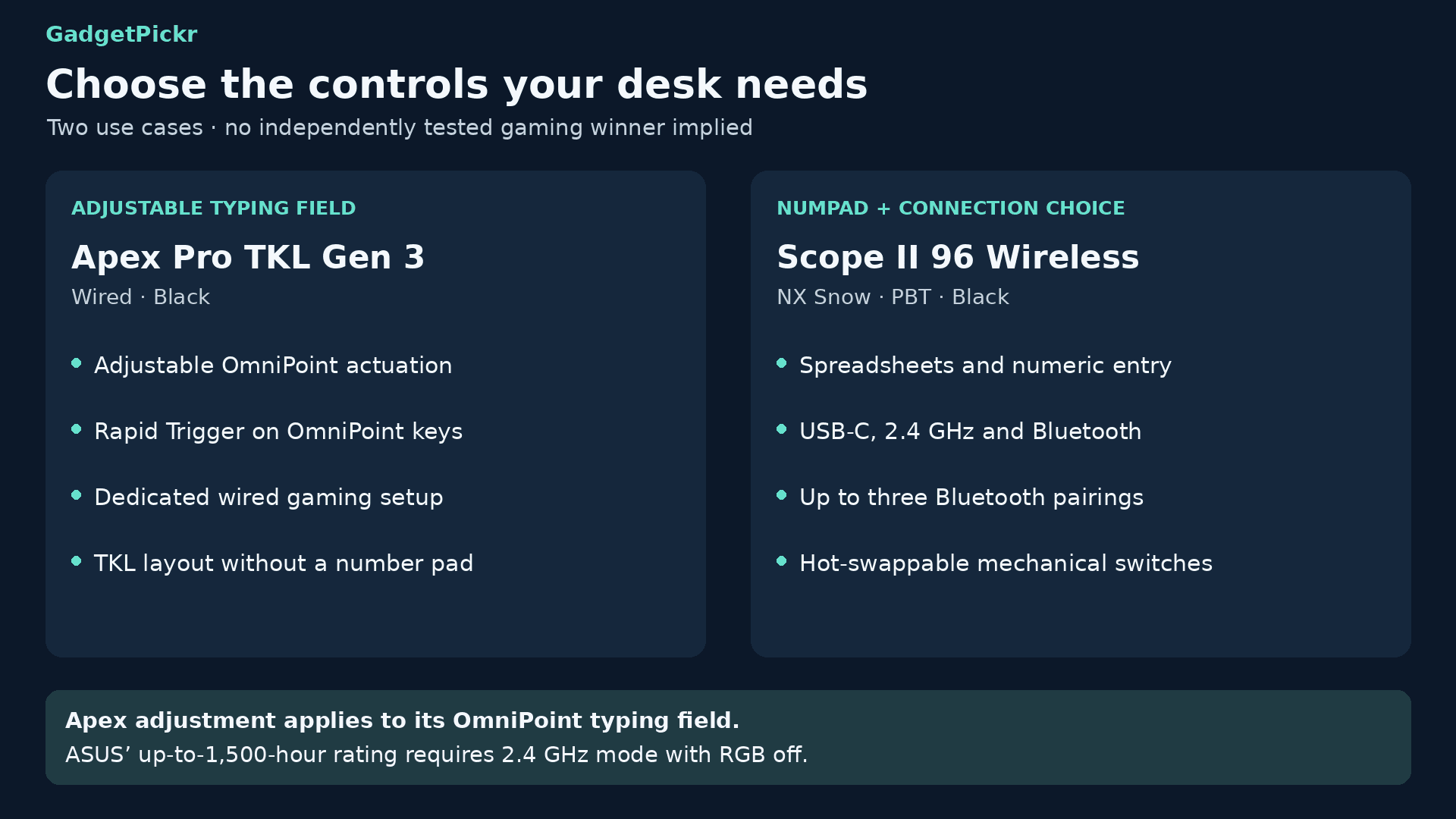
In the Apex Pro TKL Gen 3 vs ROG Strix Scope II 96 matchup, SteelSeries wins for adjustable magnetic switches on a wired gaming setup. Get it if Rapid Trigger, adjustable OmniPoint actuation, and extra mouse space matter more to you than a number pad.
ASUS wins if you want one keyboard for work and gaming. Get the Scope II 96 Wireless if you type numbers often, switch between devices, or want to swap mechanical switches. Its three connection modes and number pad handle more everyday tasks, while the Apex is the focused pick when adjustable input comes first.
Sources & References
Specifications and claims in this analysis were cross-referenced against the sources below.
- ROG Strix Scope II 96 Wireless | Keyboards - ASUSrog.asus.com
- rog.asus.com · rog-strix-scope-ii-96-wirelessROG Strix Scope II 96 Wireless Gaming Keyboardrog.asus.com
- ROG Strix Scope II 96 Wireless | Keyboards | ROG USArog.asus.com
- SteelSeries Apex Pro TKL Gen 3uk.pcmag.com
- ASUS ROG Strix Scope II 96 Wireless Review - RTINGS.comrtings.com
- Apex Pro TKL Gen 3 Cyber - USsteelseries.com
- Apex Pro TKL Wireless Gen 3 - US - SteelSeriessteelseries.com
- ROG Strix Scope II RX Gaming Keyboard - ASUSrog.asus.com
Frequently Asked Questions
No. Its NX Snow mechanical switches have a fixed 1.8 mm actuation point. Get the Apex Pro TKL Gen 3 if adjustable actuation and Rapid Trigger are your priority.