Phones shoot sharp video now. Start walking while you film, though, and the footage still bobs with every step. That's the problem the DJI Osmo Mobile 6 is built to fix, and it's why a folding three-axis gimbal can still earn a spot in your bag even if your phone has stabilization built in. So is it worth carrying? For solo vloggers who want steadier movement, subject tracking, and a wider selfie frame, mostly yes. That's the short version of this DJI Osmo Mobile 6 review.
What sells it is how much DJI fits into one handle. In the box you get a magnetic phone clamp, a 215 mm extension rod built into the grip, physical controls, and a small tripod. The catch is fit. The OM 6 only takes phones within a fairly narrow size and weight range, and its best camera features live inside the DJI Mimo app. If you shoot mostly on your phone, that's a fair trade. If your setup includes a heavy case, a clip-on lens, or a dedicated camera, you can skip this one.
Some links in this article are affiliate links, which helps support GadgetPickr at no extra cost to you.
The Quick Take
Get the OM 6 if you film yourself on a compatible phone and want smoother pans, extra reach, and tracking in one foldable kit. Skip it if you need a tripod built into the handle, support for a heavier phone, or a gimbal for a mirrorless camera. Those are jobs for different hardware.
The Osmo Mobile 6 is an easy recommendation for solo creators who shoot on their phones, especially if quick mounting, built-in reach, and smooth movement matter more to you than an integrated tripod. You'll use the 215 mm rod and the physical controls every time you change your framing, and current Mimo tracking is a real help when you're also the one on camera.
Don't buy it for an oversized phone setup or a dedicated camera. The 290 g limit is firm, the best tracking needs DJI Mimo, and iPhone users get a quicker app launch than Android users. But if your phone fits and you actually film while moving, the OM 6 is the kind of accessory that gets used instead of sitting in a drawer.
DJI Osmo Mobile 6
A compact, mid-range gimbal for phone vlogs, travel clips, and vertical video.
Check the retailer listing for the current offer and availability.
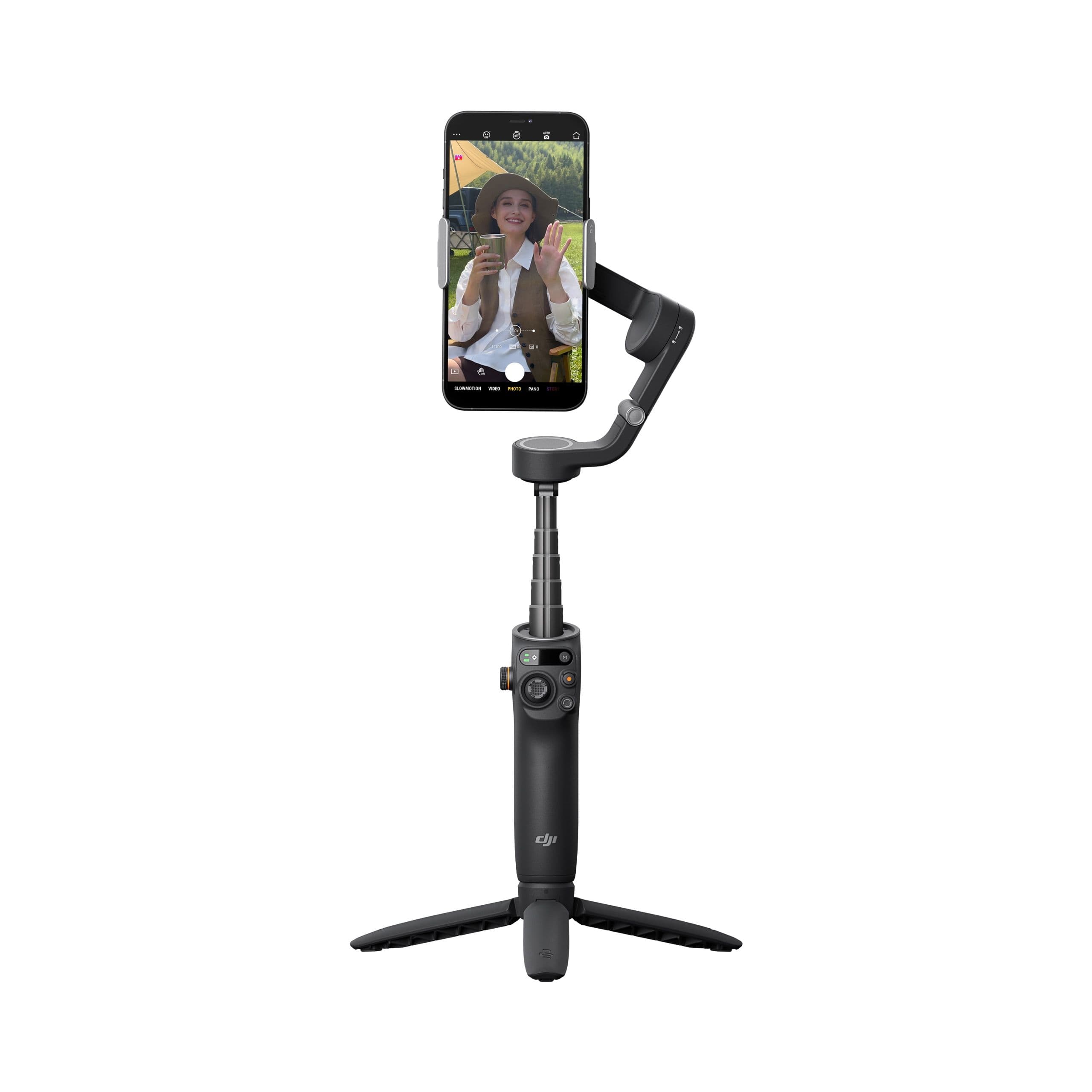
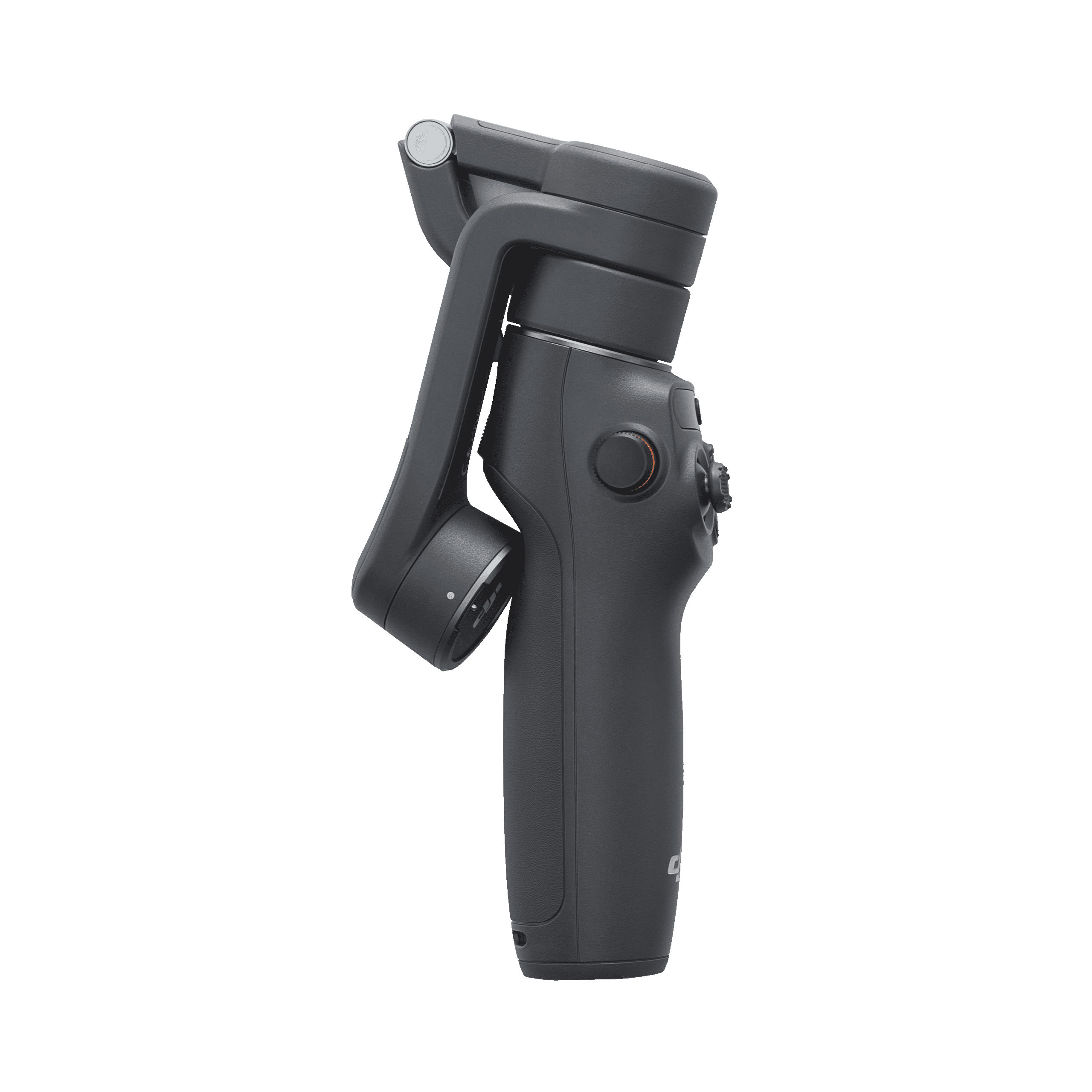
DJI released the Osmo Mobile 6 on September 22, 2022. It's a folding smartphone stabilizer with motors on the pan, tilt, and roll axes, which cancel out the little jolts that creep into handheld footage. Unfold the handle and it switches on. The phone attaches with a magnetic clamp, so you can pop it off to answer a call without fiddling with a screw mount.
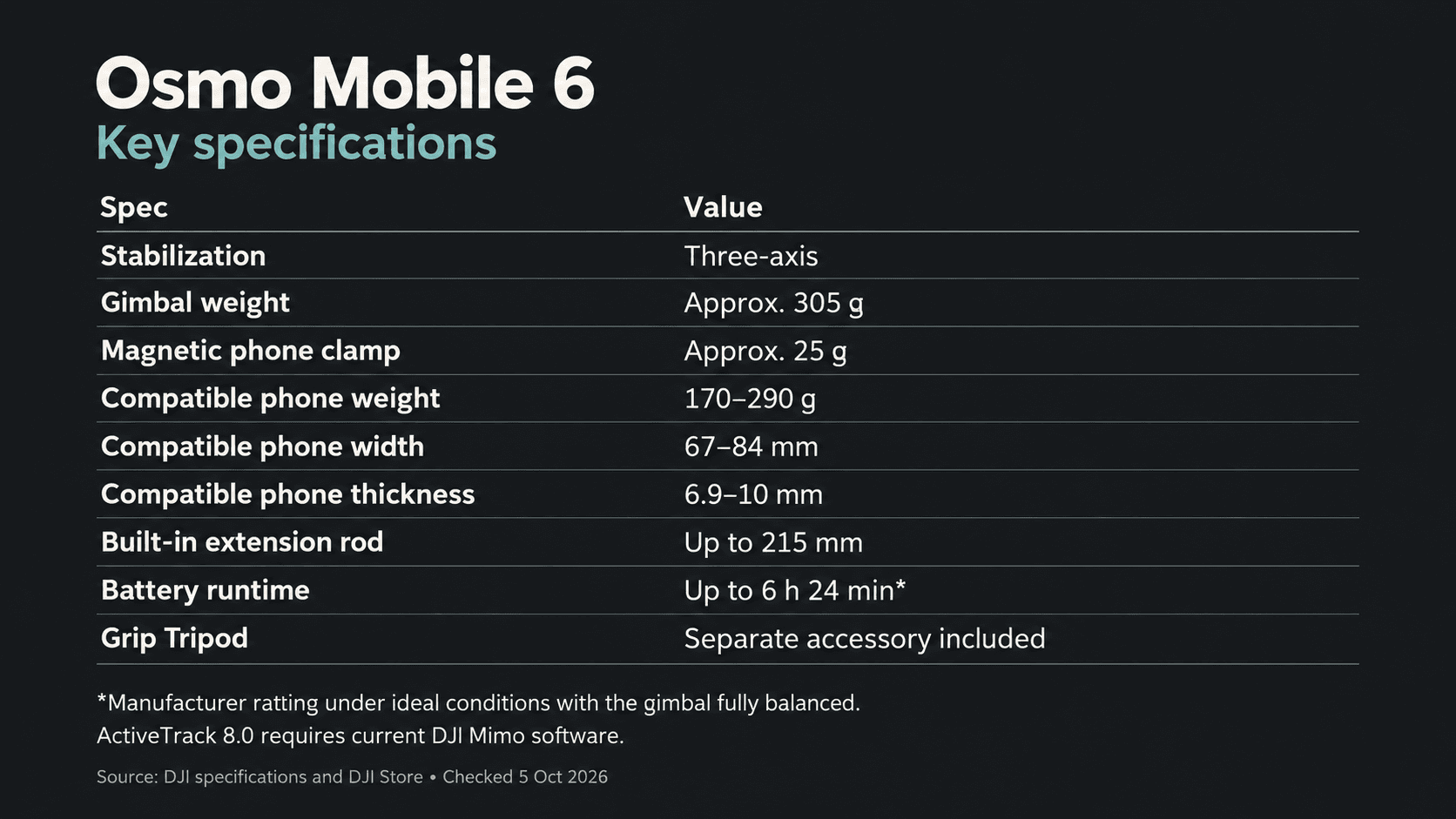
A quick word on weight, since the numbers often get quoted loosely. DJI lists the gimbal at about 305 g and the clamp at about 25 g, so you're carrying roughly 330 g before the phone goes on. Folded, it measures 189 × 84.5 × 44 mm. That's far easier to pack than a full-size camera gimbal, but it's still one more thing in your bag.
The extension rod is built into the handle and reaches 215 mm. That extra distance helps when you're talking to the camera, squeezing a group into a selfie, or going for a high or low angle, and you don't have to bring a separate pole. DJI also includes a Grip Tripod for static shots. It attaches to the bottom of the handle rather than folding out of it.
Phone compatibility is the part to check carefully. DJI supports phones weighing 170–290 g, 67–84 mm wide, and 6.9–10 mm thick. Measure your phone the way you actually use it, case and lens included. DJI also warns against large, heavy external lenses because they throw off the balance, and the phone plus lens still has to stay under 290 g.
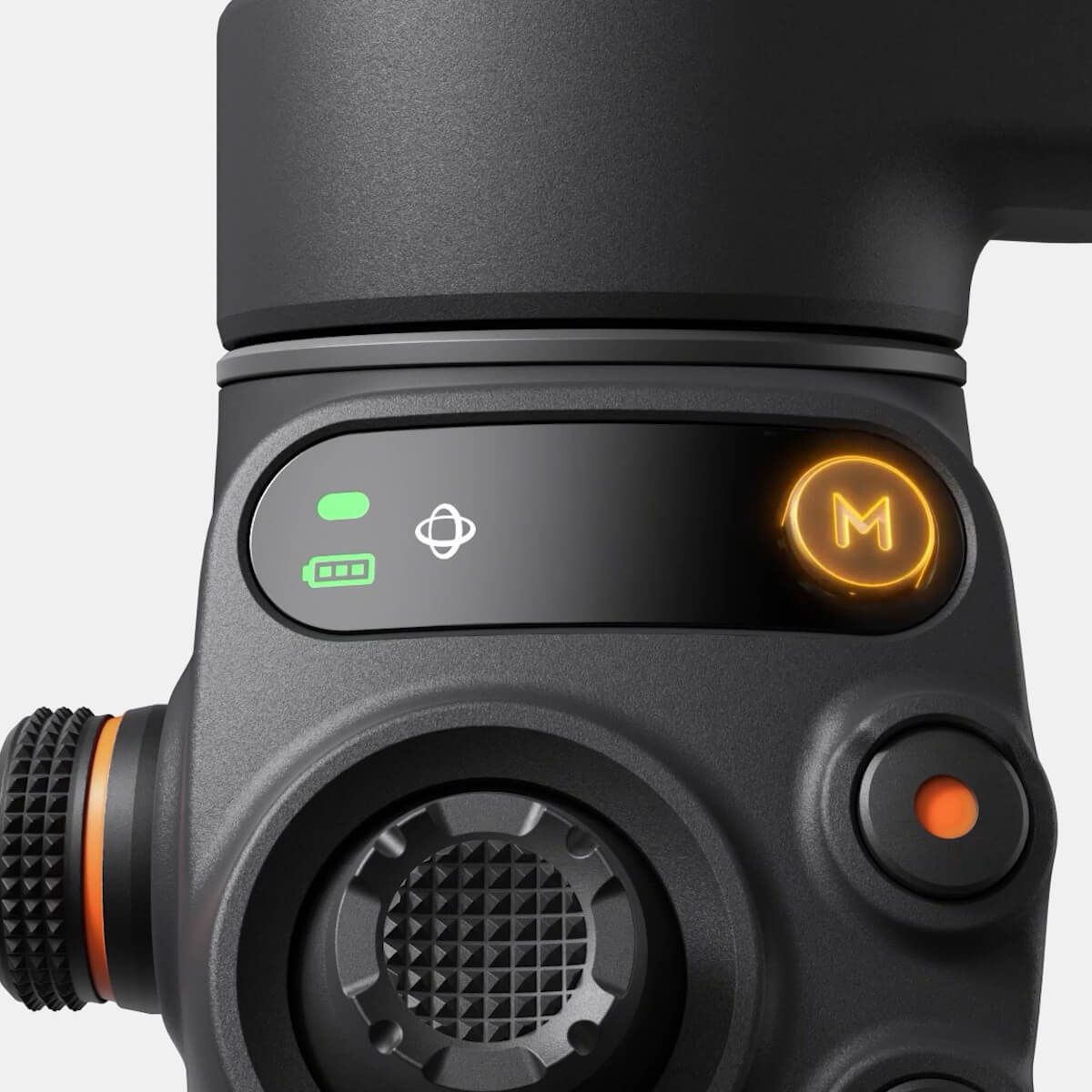
On the handle, a small status panel shows the battery level and current gimbal mode. The M button cycles through Follow, Tilt Locked, FPV, and SpinShot. The side wheel handles zoom, and a press switches it to focus control in DJI Mimo. Small details, sure, but they matter once you realize your thumb on the screen would be covering the very thing you're trying to frame.
The gimbal pairs with DJI Mimo over Bluetooth 5.1 on both iPhone and Android. iPhone owners also get Quick Launch: unfold the gimbal, mount a paired iPhone, and a prompt appears to open the app. On Android, you open Mimo yourself. Everything records to the phone, since the OM 6 has no storage of its own.
Key Specs and Compatibility
The number that matters most is 290 g. Plenty of big phones fit on paper and then go over once a case or clip-on lens is added, so weigh your real setup before you buy. The battery figures need some context too. DJI's runtime of 6 hours 24 minutes assumes ideal conditions and a perfectly balanced gimbal, and the 1 hour 24 minute charge time is with a 10 W USB-C charger.
Spec
Osmo Mobile 6
Stabilization
3-axis mechanical (pan, tilt, roll)
Gimbal weight
About 305 g, plus about 25 g for the clamp
Phone weight
170–290 g
Phone width
67–84 mm
Phone thickness
6.9–10 mm
Extension rod
Up to 215 mm
Battery life
About 6 h 24 min (ideal conditions)
Charging time
About 1 h 24 min with a 10 W charger
Connectivity
Bluetooth 5.1
Charging port
USB-C
Subject tracking
ActiveTrack 8.0 in current DJI Mimo
Gimbal modes
Follow, Tilt Locked, FPV, SpinShot
Onboard storage
None (records to your phone)
Release date
September 22, 2022
Clamp
DJI OM Magnetic Phone Clamp 3 (included)
App
DJI Mimo (iOS and Android)
One thing that trips people up is the tracking version. The OM 6 launched with ActiveTrack 5.0, picked up 6.0 in a later update, and DJI's support pages now list ActiveTrack 8.0. Tracking runs inside DJI Mimo, so what you get depends on your app version, not on what's printed on an older retail box. Check DJI's phone compatibility list while you're at it. A phone can fit the clamp and still miss out on some app features.
What Stands Out
Setup is fast, and that's a bigger deal than it sounds. Unfold it to power on, center the clamp on your phone, line up the magnetic marks, and snap it into place. DJI says this model doesn't need precise balancing. Compare that with balancing the plate and axes on a camera gimbal, and you can see why it matters when a shot is unfolding in front of you and you have seconds to catch it.
The extension rod does more for your framing than yet another software mode would. At arm's length, a talking-to-camera shot is mostly your face. Add 215 mm and your surroundings start showing up in the frame. The rod also makes overhead and low-angle shots easier, and you can angle the head to match.
The physical controls are better than they need to be. The status panel shows your mode without opening the app, and the side wheel gives you a real dial for zoom and focus. Follow mode keeps the horizon level while the camera follows your pans and tilts. FPV follows all three axes, so the shot rolls with your hand for a more dramatic look. SpinShot rotates the frame. It's fun, but a little goes a long way.
ActiveTrack is the other big reason to buy this for solo video. With current Mimo software, DJI says version 8.0 can stay locked on a subject through brief obstructions and keep tracking while you zoom. Keep your expectations realistic, though. It helps keep you in the frame. It won't guarantee your phone's autofocus keeps a moving face sharp, and it won't always find a subject again once it loses one.
Strengths
The biggest advantage over a bare phone is mechanical stabilization. The motors physically push back against pan, tilt, and roll movement, so a walk-and-talk or a slow reveal starts from a much steadier base than a handheld take. It won't fix bad lighting or a bumpy path, but it handles the movement before your phone's processing has to.
For one-person shoots, you get three setups from one kit without ever touching the phone. Hold it for moving shots, extend the rod when you want more background, and add the tripod when you need a locked-off piece to camera. The magnetic clamp ties it all together: take the phone off for a call, put it back, keep going.
You rarely need to dig through menus. The mode button and status panel make it obvious whether the gimbal will hold level or follow your movement, and the side wheel gives you smooth, controlled zooms. On iPhone, Quick Launch cuts out one more step.
The software has also come a long way since launch. Early reviews covered an older version of ActiveTrack, while DJI now lists 8.0, with subject selection and tracking in crowded scenes. That keeps a 2022 gimbal relevant for presenters and family videos, as long as you keep Mimo updated and use a supported phone.
Weaknesses
Phone fit is the dealbreaker for some people. The 170–290 g, 67–84 mm, 6.9–10 mm window doesn't leave much room for a rugged case or a big add-on lens. And if you have to pull your case off every time you film, the convenience of a magnetic mount disappears fast.
You're also tied to DJI's app. ActiveTrack only works in Mimo, and the gimbal doesn't record anything on its own. Your phone provides the camera, the storage, and most of the interface. If you'd rather shoot with a different camera app, check which buttons it actually supports before assuming tracking and the side wheel will work there too.
Android owners don't get Quick Launch. The gimbal still powers on when you unfold it, but you have to open Mimo yourself, which adds a step to a setup that's meant to be quick. It's a minor annoyance rather than a reason to pass, unless instant startup is the main thing you're paying for.
Treat DJI's 6 hours 24 minutes of battery life as a best case. On a long shooting day, plan a charging break; a full recharge takes about 1 hour 24 minutes with a 10 W charger. It also isn't waterproof, so light rain and spray are a risk, not normal shooting conditions.
Best Alternatives
If the OM 6's mix of reach and portability doesn't suit the way you shoot, three other phone gimbals are worth a look, plus one camera gimbal for a different kind of creator. Choose based on the feature you'll actually use, not on who has the longest list of modes.
The Insta360 Flow has a tripod built into the handle, which is tidier if you set the camera down often. DJI gives you a separate Grip Tripod instead, along with the status panel. The Zhiyun Smooth 5S takes phones up to 300 g and has a more hands-on control layout for filmmaking, but you lose the OM 6's compact folding design and built-in extension rod.
The Hohem iSteady M6 handles heavier phones and works with an optional magnetic AI vision sensor with a fill light, so tracking doesn't depend on an app. It's bigger, though, which counts against it if packability comes first. The DJI RS 4 is a different category altogether. It's made for mirrorless cameras, with a 3 kg payload, Teflon-coated axes, and second-generation native vertical mounting. Great for that job, but nowhere near as easy to carry around as the OM 6.
Who Should Buy It
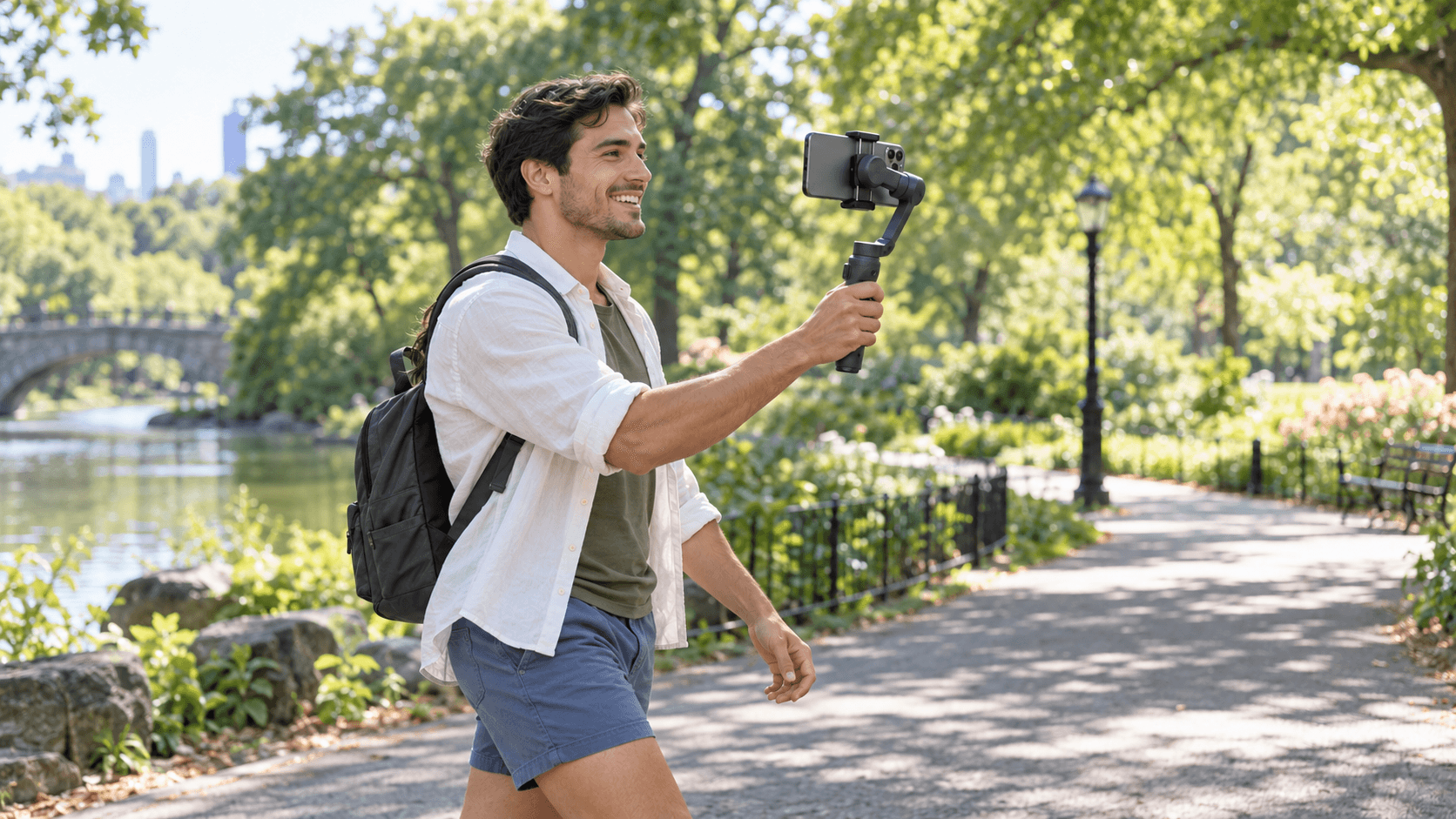
The OM 6 makes the most sense if your phone is your main video camera and you film yourself on the move. Travel vlogs, walk-throughs, short vertical explainers: they all benefit from three-axis stabilization, a longer selfie reach, and tracking that keeps you framed in Mimo. Those are solid reasons to carry a separate gadget instead of just holding the phone.
It's even more appealing if you switch between moving and static shots. The tripod covers the static ones, the rod gives you wider handheld framing, and the magnetic clamp makes it easy to go back to using your phone normally. iPhone owners get the quickest route into Mimo, but Android users still get all the core gimbal hardware.
Commission may be earned from this link, at no extra cost to you.
Who Should Skip It
Pass if your phone, case, and lens add up to more than 290 g, or fall outside DJI's width and thickness limits. A gimbal that makes you strip off your case before every clip isn't great for spontaneous shooting. The Zhiyun Smooth 5S gives you a little more weight allowance, and the Hohem M6 gives heavier setups a lot more.
Skip it, too, if you want a tripod built into the handle. The Insta360 Flow has one, while DJI's attaches separately. If you shoot on a mirrorless camera, look at the RS 4 instead. And if you only film the occasional static clip on your phone, a basic tripod will do the job without adding a powered gimbal and another app to your routine.
Sources & References
Specifications and claims in this analysis were cross-referenced against the sources below.
Check your full setup against DJI's limits: 170–290 g, 67–84 mm wide, and 6.9–10 mm thick. A slim case will often fit. A rugged case or add-on lens can push you outside the supported range.