Do you charge one laptop, or a laptop and a phone at the same time? That's really what the UGREEN Nexode 20000mAh 130W vs 100W Power Bank decision comes down to. Both hold 20,000mAh (72Wh), and both can put out up to 100W from their main USB-C port.
Get the Nexode 130W if you want 100W for your laptop and a separate 30W USB-C port running at the same time. Its TFT screen also shows more than just how much battery is left. Get the Nexode 100W if you mostly charge one laptop and like the idea of a flatter, rectangular bank with a simpler LED battery display.
Don't buy the 130W model expecting your laptop to charge faster. The extra power is for a second device, and the main port still tops out at 100W. A higher wattage number doesn't mean more battery capacity either, since both banks hold the same amount.
The Quick Take
Get the 130W model if you charge a laptop and a phone at the same time from both USB-C ports, or if you want its detailed TFT readouts. Get the 100W model for charging one device at a time and a flat shape that slides into a laptop bag. Both max out at 100W from USB-C1, so the bigger number on the 130W really buys you more power for a second device.
UGREEN Nexode 20000mAh 130W
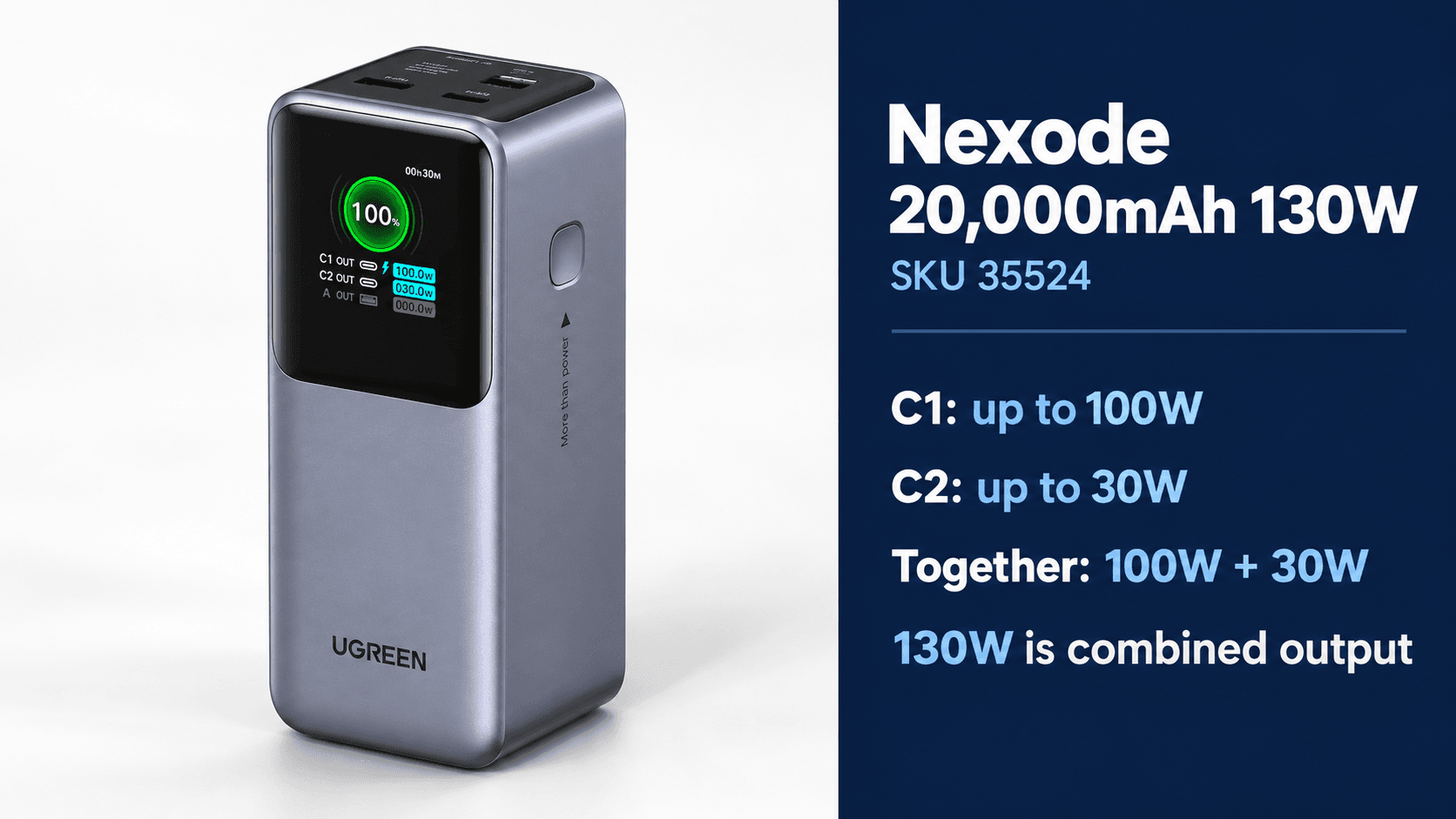
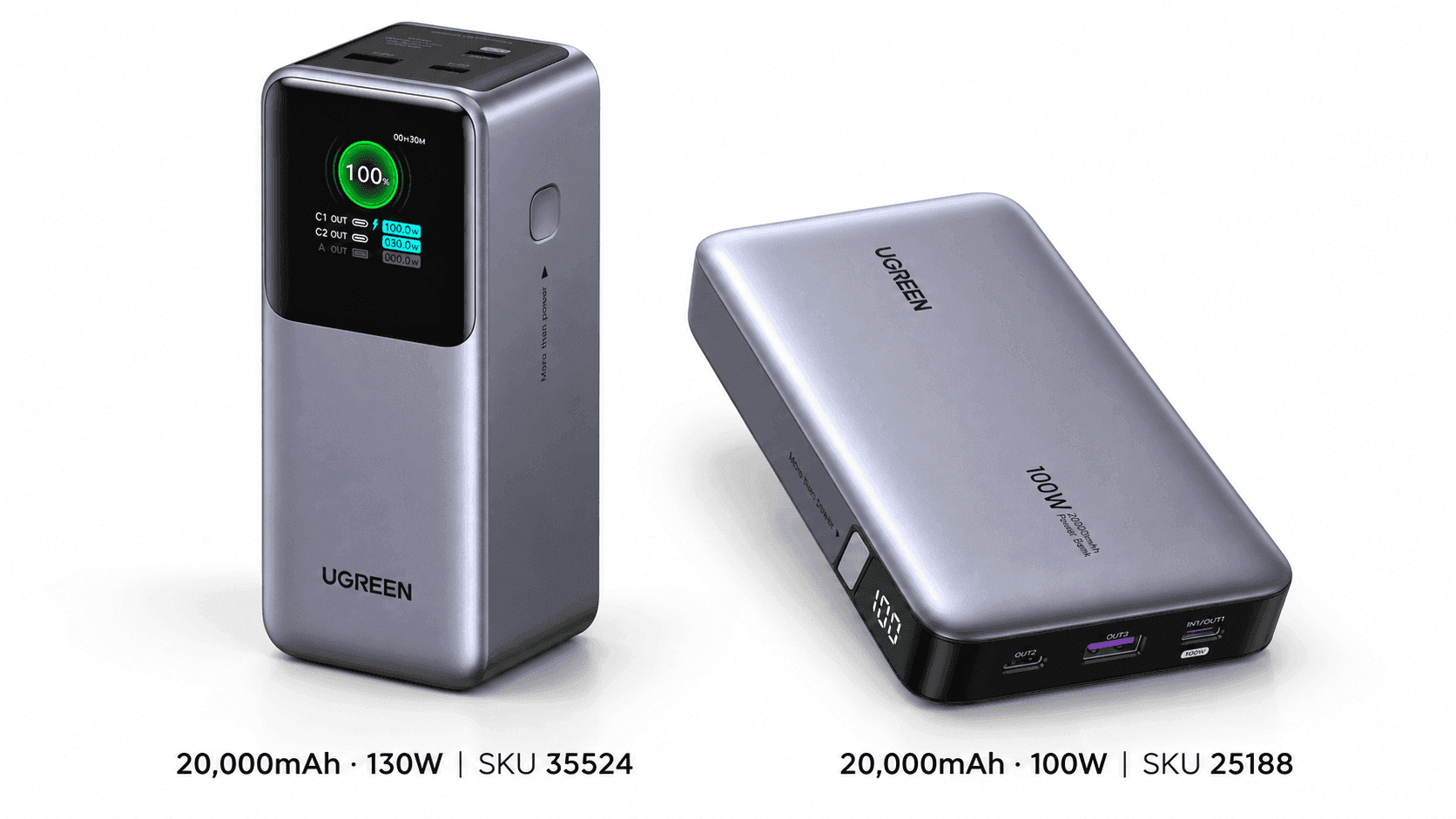
This is the three-port model with a TFT display, which UGREEN lists as SKU 35524. Its 130W rating is the combined output across ports, not what a single USB-C port can deliver.
Check Price on AmazonUGREEN Nexode 20000mAh 100W
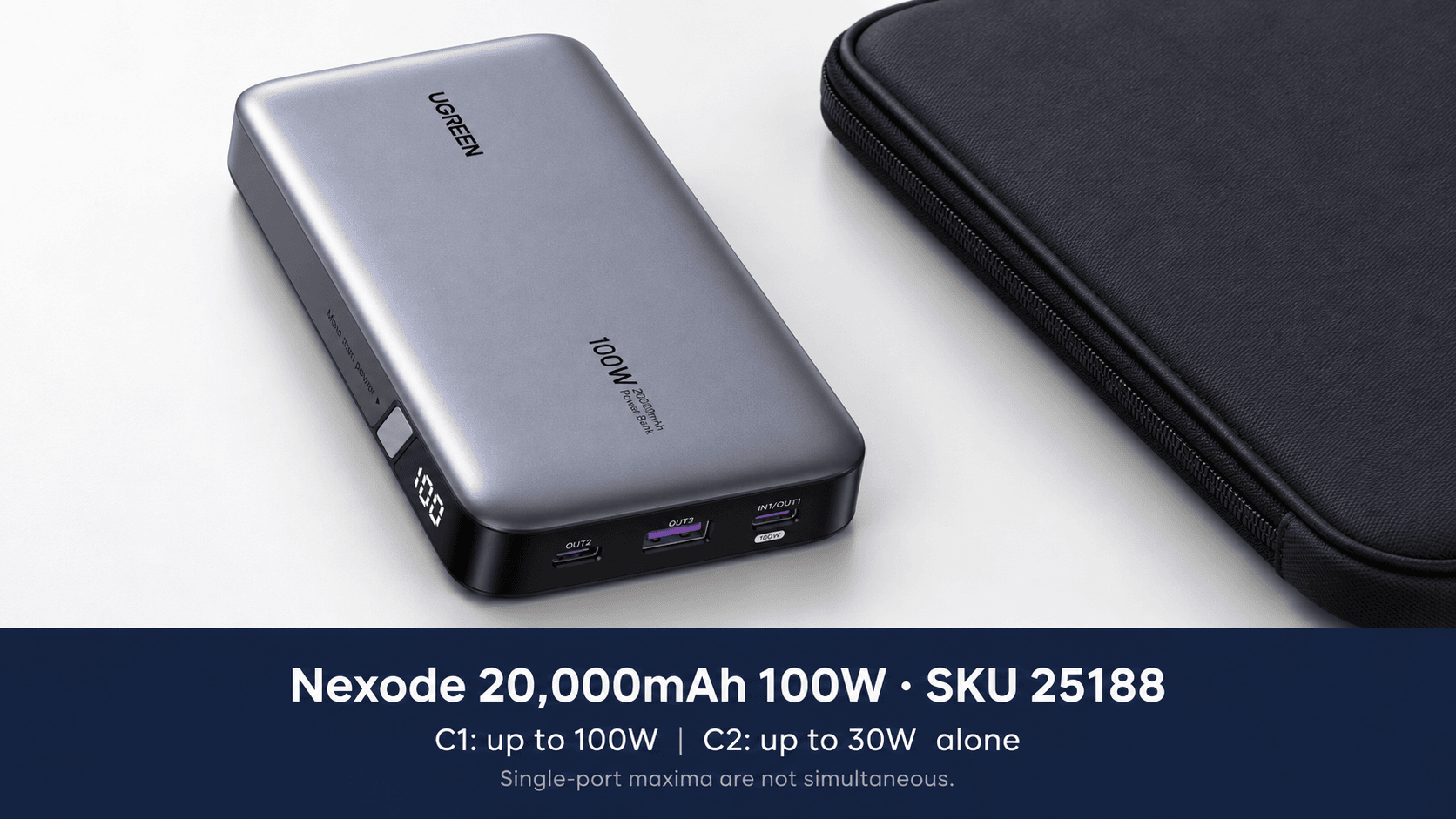
This comparison uses UGREEN's SKU 25188, the rectangular three-port model with an LED battery display. It's the 20,000mAh version, not the smaller 12,000mAh Nexode 100W.
UGREEN Nexode 20000mAh 130W vs 100W Power Bank: Specs Comparison
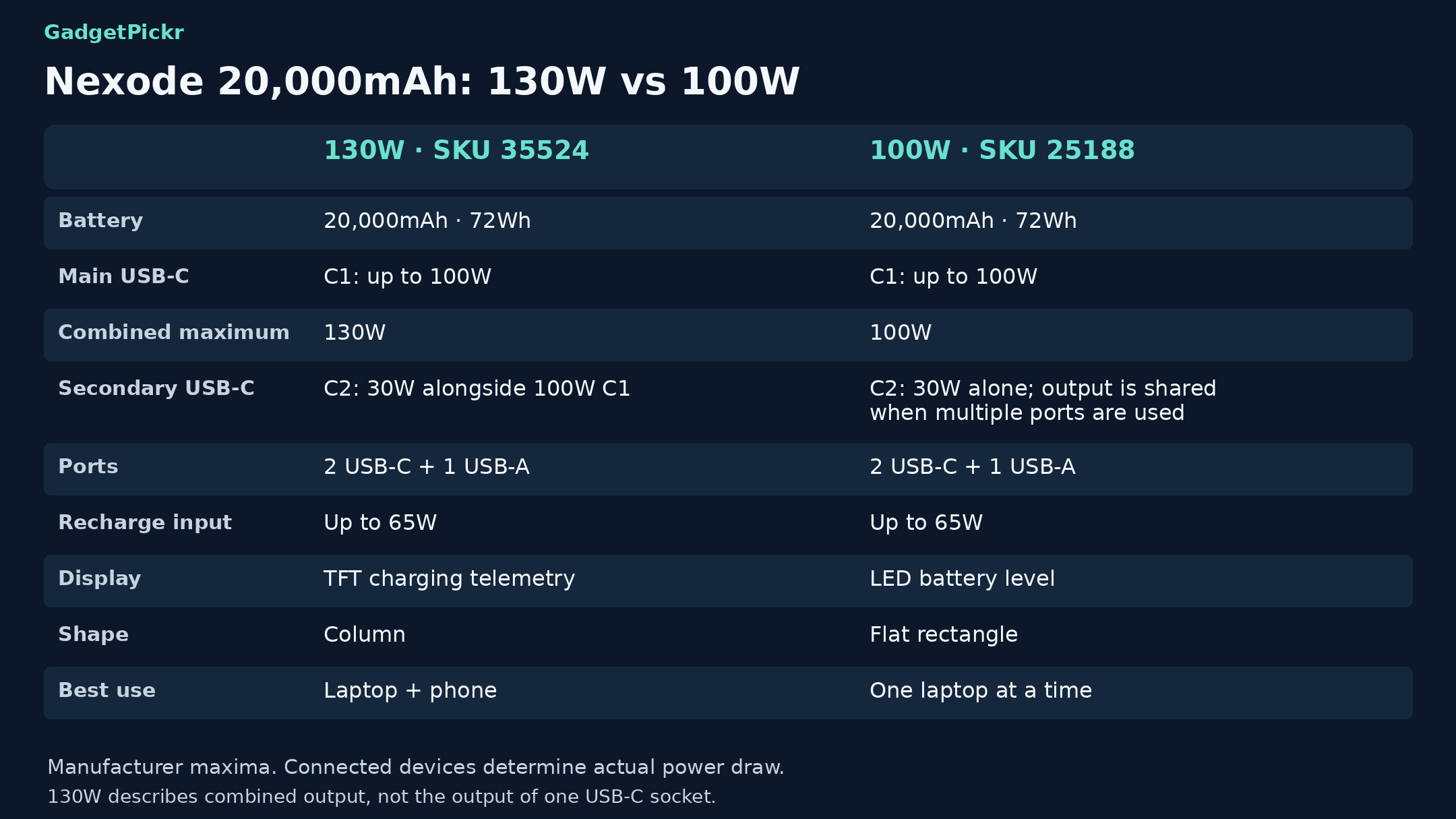
Start with the USB-C1 limit, then think about how you'll use the other ports. Battery capacity is the same on both, so the real differences are the screen, the shape, and how much power you can use across ports at once.
| Spec | UGREEN Nexode 130W (20,000mAh) | UGREEN Nexode 100W (20,000mAh) |
|---|---|---|
| Best for | Charging a 100W laptop and a USB-C phone or tablet at the same time | Charging one laptop at a time and storing the bank flat in a bag |
| Battery capacity | 20,000mAh / 72Wh | 20,000mAh / 72Wh |
| Max total output | 130W across both USB-C ports | 100W total |
| Max USB-C1 output | 100W (20V / 5A) | 100W (20V / 5A) |
| USB-C2 output | 30W, even while C1 delivers 100W | 30W on its own; shared when other ports are in use |
| USB-A output | 22.5W | 22.5W |
| Ports | 2 USB-C, 1 USB-A | 2 USB-C, 1 USB-A |
| Display | Color TFT: battery level, voltage, current, charging power | LED showing remaining battery level |
| Fast-charging standards | PD 3.0, PPS, QC 3.0/2.0, AFC, SCP, FCP; varies by port | PD 3.0, PPS on C1, QC 3.0/2.0, AFC, SCP on USB-A |
| Flying | 72Wh, under the FAA's 100Wh limit; carry-on only, airline rules apply | 72Wh, under the FAA's 100Wh limit; carry-on only, airline rules apply |
| Weight | About 480g | 420g (manufacturer-listed) |
| Dimensions | About 5.16 x 2.13 x 2.00 inches | 139 x 80 x 26.5mm (manufacturer-listed) |
Specifications as published by UGREEN.
Design & Build Quality
Shape matters when your power bank shares a bag with a laptop, charger, and cables. At about 5.16 inches tall, 2.13 inches wide, and 2 inches thick, the 130W model is shaped like an upright block. At roughly 480g, it's definitely a bag accessory, not something you'll slip into a pocket.
The TFT screen sits on the front, with the ports on top, so it has an obvious "this way up" orientation. If the charging readouts are part of why you're buying it, keep the bank somewhere you can actually see the screen.
For flatter storage, the 100W model wins. Its grey rectangular body is listed at 139 x 80 x 26.5mm and 420g, and the LED screen shows how much battery is left. That's a real advantage in a laptop bag, where a thick block would fight your wall charger for space.
Both have two USB-C ports and one USB-A port along the top edge. Just remember that the number of ports doesn't tell you how much power each device actually gets.
For flying, both 72Wh ratings are under the FAA's 100Wh limit. Pack them in your carry-on, protect them from damage and short circuits, and check your airline's rules. Being under the limit doesn't mean every airline will allow it, and you can't put either one in checked luggage.
Performance & Key Features
On both models, USB-C1 is the laptop port, maxing out at 100W (20V at 5A). Your laptop still decides how much it actually takes. A 100W bank can supply up to that limit, but it won't necessarily charge every MacBook Pro or workstation as fast as its original wall charger.
On the Nexode 130W, USB-C1 can deliver up to 100W while USB-C2 delivers up to 30W at the same time. That's the main reason to pick it for charging two devices. Your laptop keeps its full 100W, and your phone or tablet gets its own USB-C port.
Don't take 130W to mean all three ports can hit their individual maximums at once. That number only applies to the two USB-C ports used together. If you plug in a different combination, check UGREEN's power-distribution diagram instead of adding up the numbers printed on each port.
On the 100W model, USB-C2 can deliver up to 30W on its own. But since the bank's total output tops out at 100W, anything else you plug in takes power away from your laptop. If your laptop needs the full 100W, charging it by itself is the simplest setup.
The screen is the other big reason to pick the 130W bank. Its TFT display shows battery level, charging power, voltage, and current, including information for each port. The 100W model's LED display focuses on how much charge is left, so it tells you much less about what your devices are drawing.
Supported charging standards also vary by port. UGREEN lists PD and PPS support on both of the 130W model's USB-C ports, while the 100W model lists PPS on USB-C1. Check what your phone needs and plug it into the right port, rather than assuming every port works the same way.
For 100W charging, use an e-marked USB-C cable rated for 5A and at least 100W. A standard 3A cable limits you to 60W at 20V. Your laptop, cable, and power bank all need to support the same charging level.
Both banks recharge through USB-C1 at up to 65W. Using a 100W wall charger won't make them recharge any faster. UGREEN says the 130W model takes about two hours to recharge with a suitable 65W charger, so plan for a stop at an outlet when you travel. Its output rating doesn't tell you how fast it refills.
Pros & Cons: UGREEN Nexode 20000mAh 130W
Pick this one if you'll actually use both USB-C ports at the same time. Its biggest advantage is keeping 100W on the main port while also giving you 30W on the second. The TFT screen is handy if you want to see how your devices are charging, not just a battery percentage.
Pros: Both USB-C ports can charge a laptop and a phone together without the laptop losing any of its 100W. You also get a USB-A port for accessories. Capacity is the same as the 100W model, so you're paying for more flexible output, not more stored power.
Cons: Its block shape is thicker than the flat 100W model, and at about 480g, it needs room in your bag. USB-C1 still maxes out at 100W, and USB-C2 at 30W. Neither the bigger number nor the screen changes what your devices can actually accept.
Pros & Cons: UGREEN Nexode 20000mAh 100W
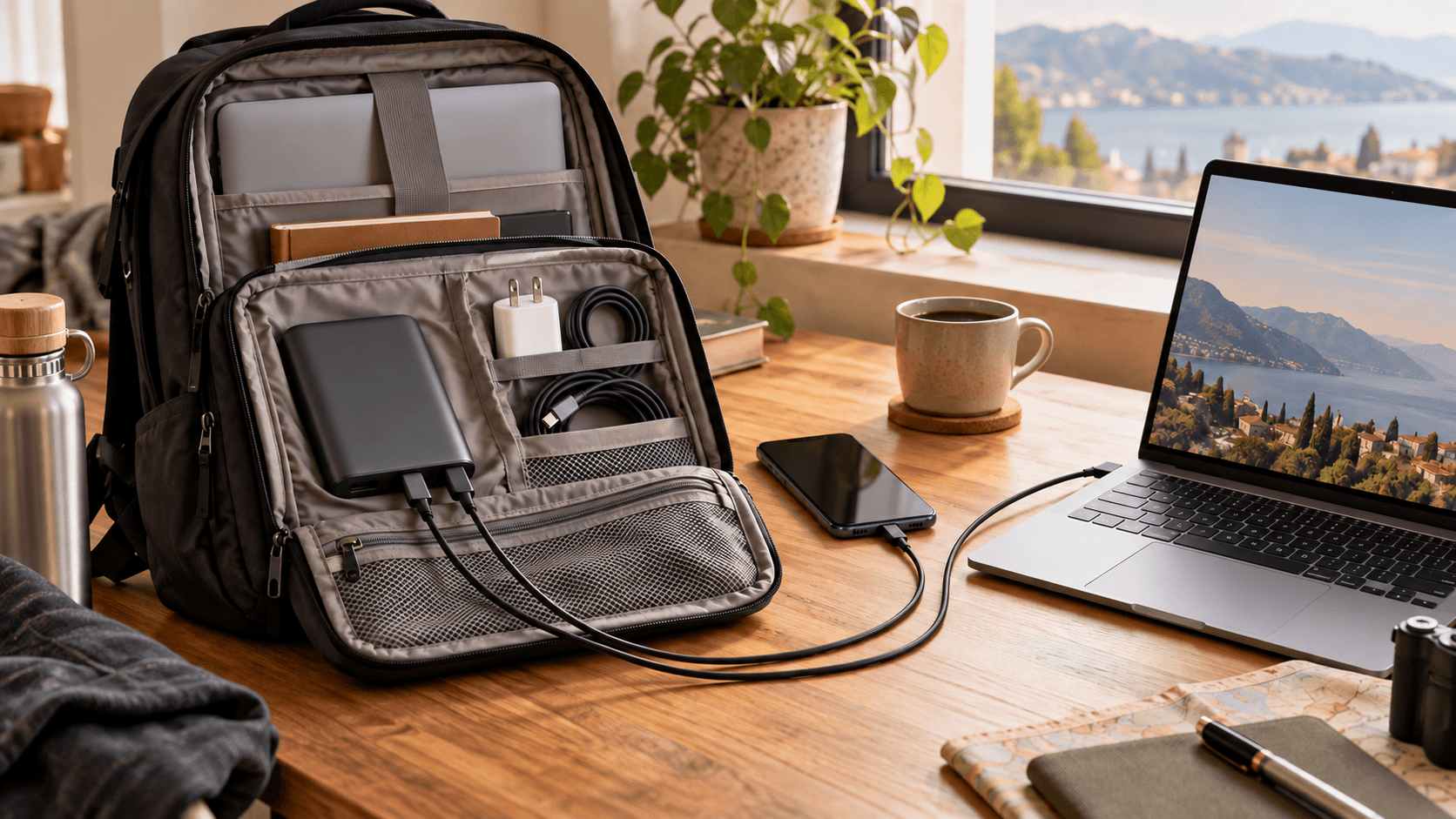
If you charge one laptop at a time, the 100W model is the simpler pick. Its main USB-C port has the same 100W limit, and its flat body fits nicely in a laptop bag. You also get the same 72Wh battery capacity without the bulkier block shape.
With three ports, you can still plug in several devices, and the LED display covers the basics of checking how much charge is left.
Cons: You don't get the 130W model's 100W-plus-30W setup on the USB-C ports. The screen also leaves out the detailed charging info that makes the TFT model useful. Buy it for its shape and single-device charging, and don't assume the simpler screen means a lower price. Compare current prices for both before you decide.
Real Buyer Scenarios
If you work away from an outlet with your laptop and phone both plugged in, get the 130W model. The same goes if you regularly run a 100W laptop alongside a tablet, handheld console, or second phone. That separate 30W USB-C port is exactly what you're paying for.
If you top up your laptop on your commute and charge your phone later, get the 100W model. You're only using one port at a time, so the extra output for a second device doesn't do much for you. The flat shape is the difference that matters more.
If you like seeing charging details, get the 130W bank. Its screen lets you watch how much power a device is drawing while it charges, instead of just watching the battery percentage. Just remember that devices often draw less power as their battery fills up, so a dropping number doesn't automatically mean your cable is bad.
If your laptop needs more than 100W over USB-C, neither of these will charge it any faster. Look for a power bank that specifically supports what your laptop needs if you want to match its wall charger's speed. Adding the second port's rating to the first won't speed up your laptop.
Alternatives Worth Considering
Built-in cables and slimmer designs are good reasons to look beyond these two. Pick an alternative based on the cable or packing problem you want to solve, not just the total wattage.
UGREEN's Nexode 145W 20,000mAh model with a built-in USB-C cable is worth a look if you keep forgetting your laptop cable. It delivers up to 100W through that cable and up to 145W total. Make sure you're buying the built-in-cable version, since UGREEN sells other capacities and configurations with similar wattage names.
Anker's 20,000mAh 87W power bank also has a built-in USB-C cable, with up to 65W for one device and 87W total. It's a good fit if 65W is enough for your laptop or tablet. The Baseus Blade 100W has a flat body and four ports (two USB-C and two USB-A), if a slim shape and extra ports matter more to you than a detailed screen.
Final Verdict
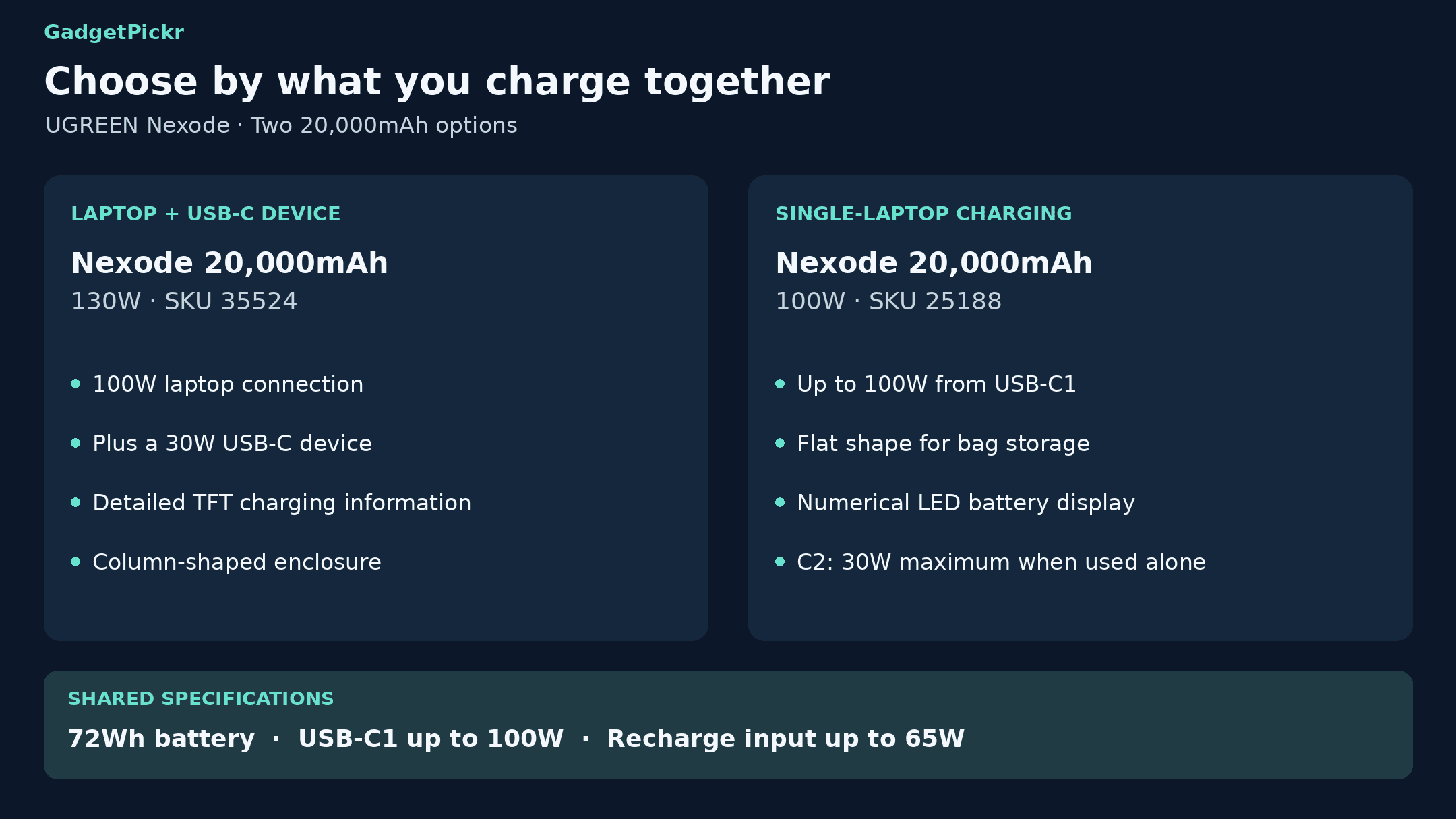
In the UGREEN Nexode 20000mAh 130W vs 100W Power Bank matchup, get the 130W model if you charge a laptop and phone at the same time and want detailed TFT readouts. Its 100W-plus-30W USB-C setup is the clear advantage there. You get more power for a second device with the same battery capacity.
Get the 100W model if you charge one laptop at a time and want a flatter bank that fits better in your bag. It has the same 100W limit on its main port and a simple LED battery display. For that kind of routine, the shape and simple screen are better reasons to buy than a wattage number you won't use.
Sources & References
Specifications and claims in this analysis were cross-referenced against the sources below.
- 100W Fast Charge Power Bank 20000mAhus.ugreen.com
- UGREEN 130W Power Bank 20000mAh - Fast Charging ...us.ugreen.com
- UGREEN Nexode Powerbank 20000mAh 130Wde.ugreen.com
- UGREEN 35524 Nexode Power Bank 20000mAh 130W PD Fast ...ugreenpk.com
- UGREEN Nexode 20000mAh 130W 3-Port Laptop Power ...ugreen.ps
- UGREEN Nexode Power Bank 20000mAh 100Wugreen.com
- UGREEN 25188 100W Power Bank 20000mAh 3-Port PD3.0ugreenpk.com
Frequently Asked Questions
No. USB-C1 tops out at 100W. The 130W rating is the combined output, with up to 100W from USB-C1 and 30W from USB-C2. Buy it for charging two devices at once, not for charging one laptop faster.