Anker 87W Power Bank Review: A Built-In Cable for 65W Laptops
Anker's A1383 pairs a 20,000mAh battery with an attached USB-C cable. Here's what its 87W shared output, 65W per-device limit, recharge needs, and flight rules mean for you.
A full power bank is useless if you forgot the cable. This Anker 87W power bank review covers a simple fix for that: a 20,000mAh battery with a USB-C cable built in, up to 65W for one device, and 87W total across all its outputs. It's a good fit if you commute with a USB-C laptop and a phone. Buy it for the attached cable and laptop-level output. Skip it if your laptop needs more than 65W.
It weighs 430.91 grams. Anker says it can charge an iPhone 15 about four times or a Galaxy S24 more than three times. How many charges you actually get depends on the device, energy lost in conversion, and whether you're using the device while it charges. Think of it as a backup that lives in your bag for a laptop-and-phone day, not a tiny battery for a night out.
Some links in this article are affiliate links, which helps support GadgetPickr at no extra cost to you.
The Quick Take
Get the Anker A1383 if you want a battery that can charge a laptop and keeps its main USB-C cable attached. The 87W rating is shared across all outputs, and a single device gets up to 65W. If your laptop needs 100W or 140W, look at a higher-output model.
Buy the A1383 if you carry a compatible laptop and phone and keep forgetting your USB-C cable. The attached cable is its biggest advantage, backed by a useful 20,000mAh battery and up to 65W for one device. The 87W rating is shared across all outputs. If that matches your gear, it's a practical mid-range pick for a work bag.
Skip it if your laptop needs more than 65W, or if you just want a light phone backup. Those are the clearest reasons to go for a more powerful model or a smaller battery. Anker's 1.5-hour recharge estimate also assumes a compatible 65W wall charger, so factor that in. It won't refill that fast from just any USB port.
Our Anker 87W power bank review recommends it for cable convenience with a laptop that charges at 65W or less. Keep it in your cabin bag when you fly and follow your airline's current power-bank rules, including the ban on recharging it onboard. Buy it for what it actually does: portable USB-C power with the main cable already attached.
Anker 20,000mAh 87W Power Bank
Best for commuters charging a USB-C laptop, a phone, and small accessories from a backpack. The built-in cable is the real draw here, more than the biggest wattage on the box.
Mid-range laptop charging with an attached USB-C cable. Check the current price before you order.
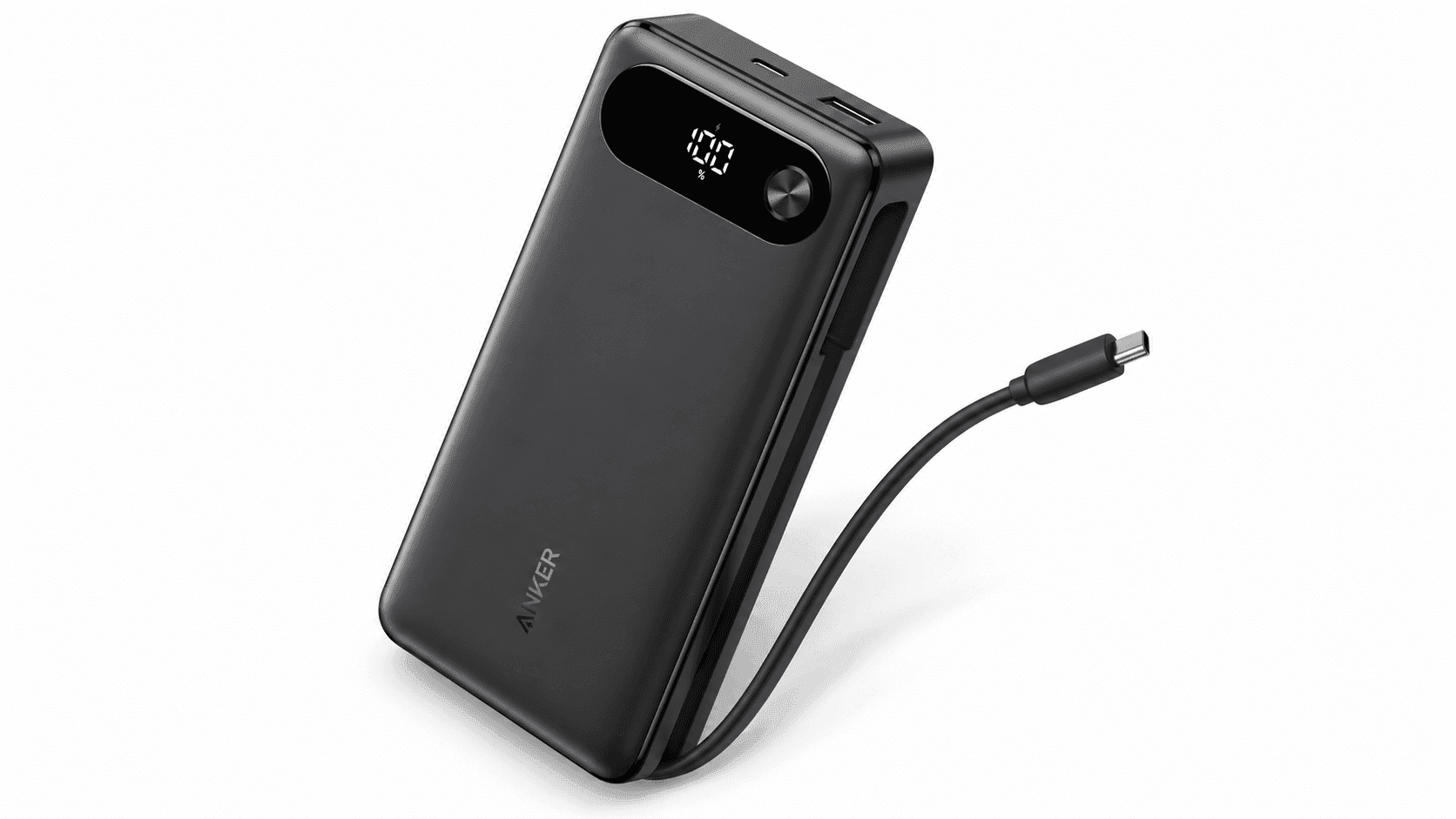
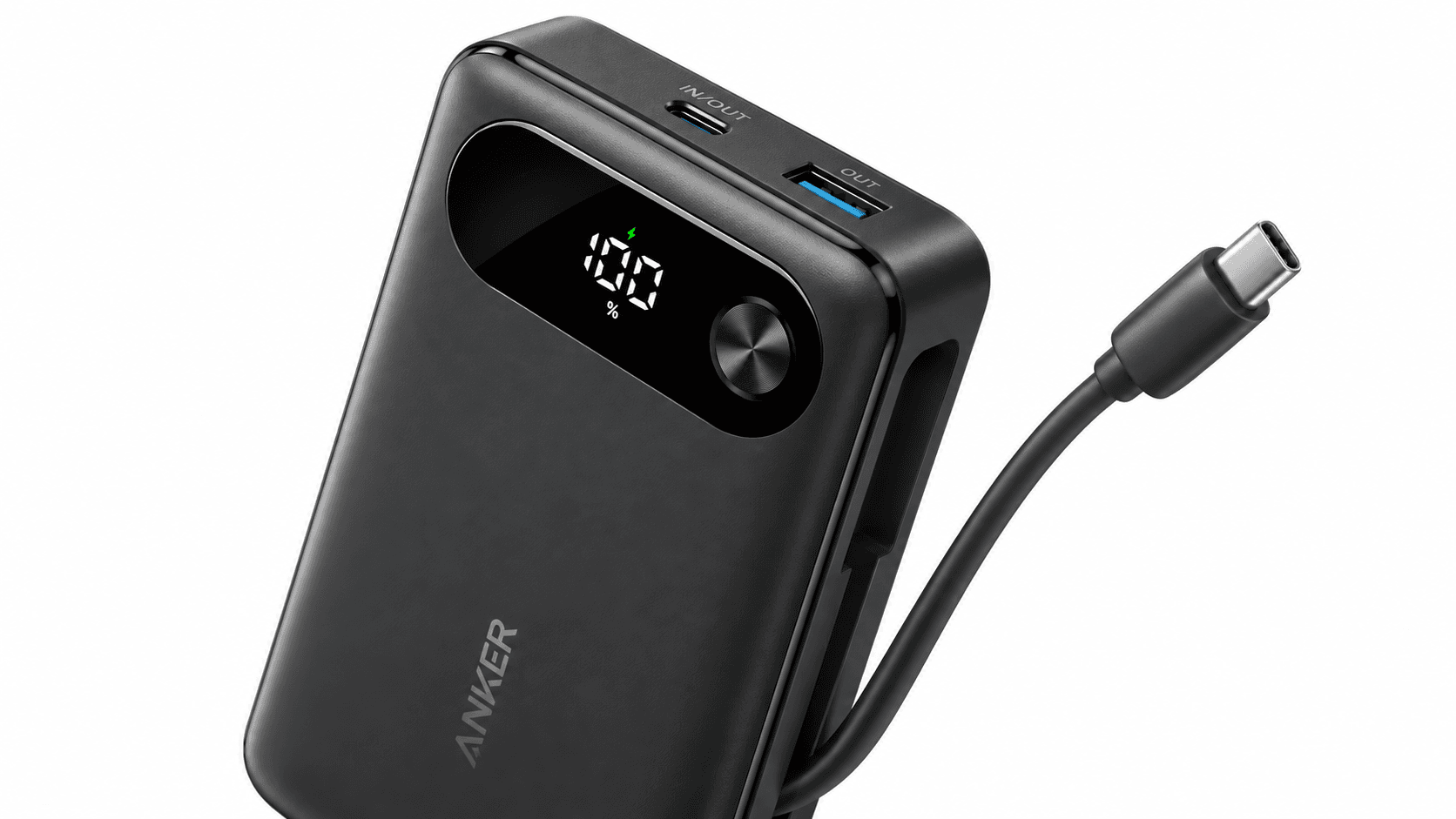
The A1383 pairs a 20,000mAh lithium-ion battery with three ways to charge: the attached USB-C cable, a separate USB-C port, and a USB-A port. Each USB-C connection can deliver up to 65W on its own, and you can recharge the bank through either one. The USB-A port needs its own cable and isn't another USB-C Power Delivery port.
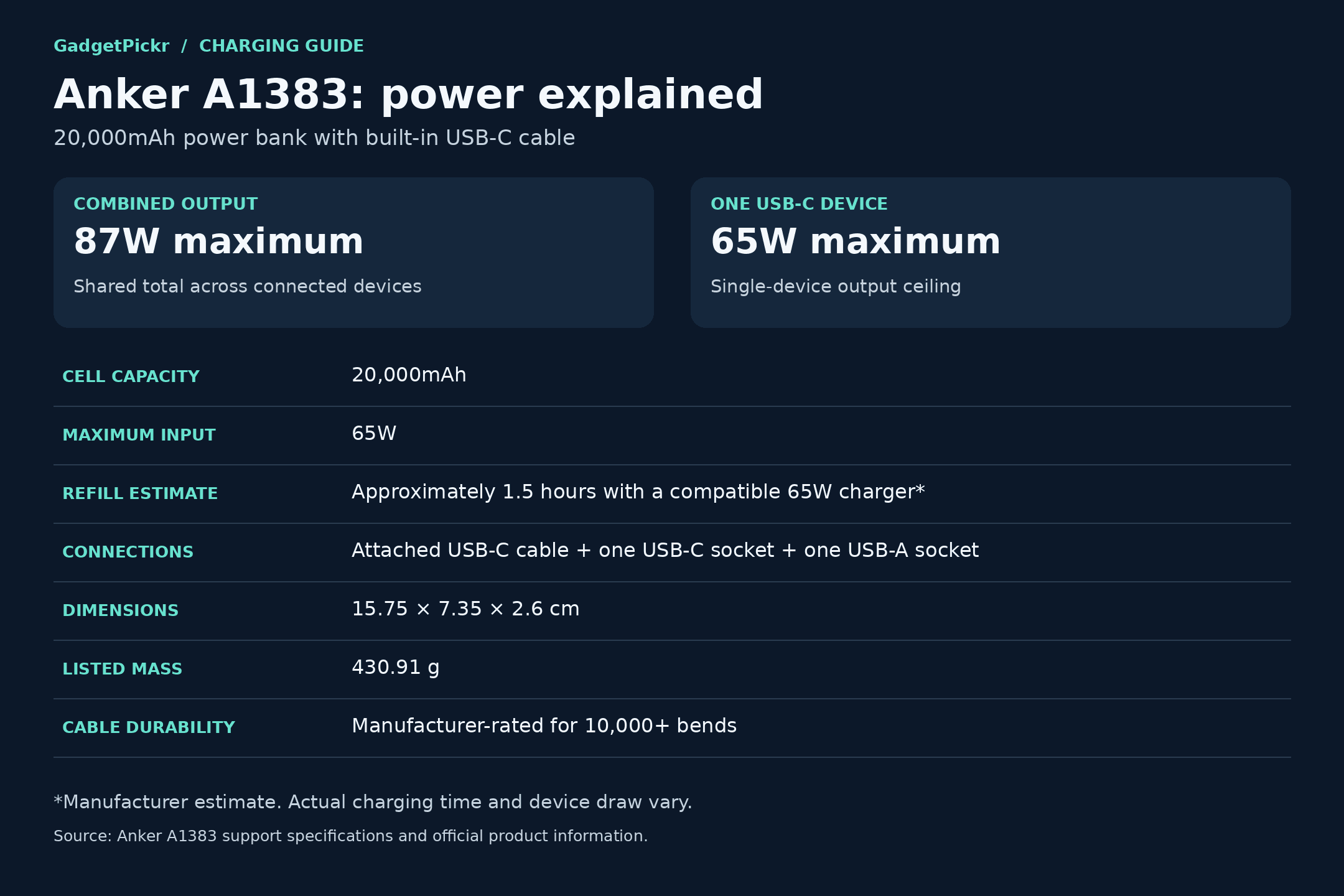
Anker lists it at 15.75 × 7.35 × 2.6 cm and 430.91g. That's a noticeable addition to a work bag, especially if you already carry a laptop charger. Measure the pocket you plan to use instead of guessing from a product photo. A slim rectangle isn't the same as a light pocket battery.
The built-in USB-C cable keeps your main charging connection attached to the pack. Anker rates it for more than 10,000 bends, which is the manufacturer's durability rating, not a promise of how many years it'll last. If you keep leaving cables at your desk, the benefit is obvious: the cable you need for a USB-C laptop is already there.
It recharges at up to 65W, and Anker says a full refill takes about 1.5 hours with a compatible 65W charger. A more powerful charger works too if its USB-C port supports the right Power Delivery profile, but the bank still won't take more than 65W. The wall charger is sold separately. If you recharge through the USB-C port instead of the built-in cable, use a cable rated for the job.
Capacity and output measure different things. The 20,000mAh figure is how much energy the battery holds, and 65W is the most power one device can get. The 87W label is the combined total, not an 87W laptop connection or three separate 65W outputs. Getting that straight is how you avoid the most expensive mistake with this purchase.
Anker 87W Power Bank Review: Key Specs and Compatibility
Check your laptop's USB-C charging needs against the 65W single-device limit first. Then think about what else you'll plug in, because all the outputs share one power budget.
Spec
Anker A1383
Model
A1383
Capacity
20,000mAh
Battery type
Lithium-ion
Total output
87W combined across outputs
Max output to one device
65W via either USB-C connection used on its own
Recharge input
65W via built-in USB-C cable or USB-C port
Recharge time
About 1.5 hours with a compatible 65W charger (Anker estimate)
Ports
Built-in USB-C cable, 1x USB-C, 1x USB-A
Devices at once
Up to 3; output is shared
Size
15.75 x 7.35 x 2.6 cm
Weight
430.91g
Cable bend rating
10,000+ bends (Anker rating)
Warranty
18 months; regional terms apply
USB-C Power Delivery support matters more than the brand of your laptop. Make sure your computer can charge over USB-C at this power level, since having a USB-C port doesn't mean it charges through it. Phones and tablets work out their own charging speeds. For Lightning devices, you'll need a separate cable, since the attached plug is USB-C.
What Stands Out
The convenience comes from keeping a useful cable with the battery, not just from having another port. For one USB-C laptop or tablet, you plug in the attached cable without digging through a pouch. Add a phone through one of the ports and you'll still need a second cable. So the built-in cable cuts down on loose gear, but it doesn't make the bank cable-free.
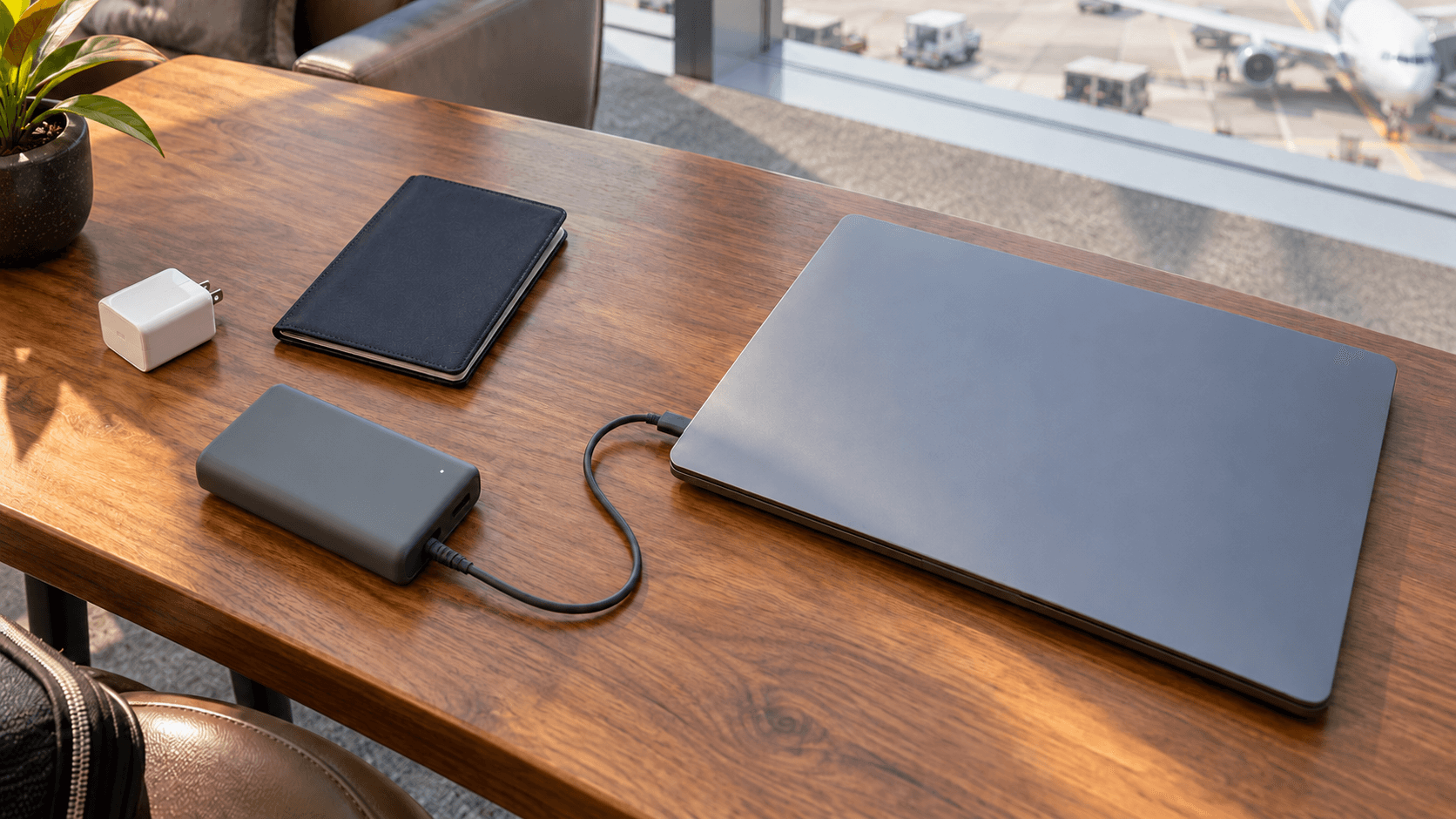
Up to 65W over USB-C makes it more than a phone charger. It's meant for computers that can take that much power, including compatible MacBook Air and Windows ultraportable models. It also works for compatible tablets and handheld gaming PCs. Check each device's charging requirements, because models within the same family can differ.
Fast recharging helps if you travel. With Anker's roughly 1.5-hour refill estimate, it's worth packing a compatible wall charger too, especially if you need to top up between meetings. Just know that a quick stop near an outlet isn't the same as a full recharge.
For flights, whether you can bring it and whether you can use it onboard are separate questions. It's under the usual 100Wh limit for carry-on power banks, but it has to go in your cabin bag, not checked luggage. Under ICAO rules in effect since March 2026, you can bring up to two power banks and you can't recharge a power bank during the flight. Check your airline's rules too, since they may be stricter.
Strengths
First, the attached cable fixes a real packing problem. You can leave the bank in your work bag without relying on the cable that normally lives next to your bed or monitor. For a USB-C device, that's one less thing to remember. It's the main reason to pick this design over a similar battery with ports only.
Second, the capacity works for people carrying more than a phone. Anker's phone-charge figures give you a sense of what 20,000mAh means, and the USB-C output lets you put that energy into a laptop instead. On a long day, decide which device needs it most. Charging several devices splits the same battery. It doesn't give you more of it.
A laptop plus a phone is the most likely two-device combo for this bank. The 87W total is shared between them, so whether both get their full charging speed depends on how each device negotiates power and which ports you use. Check your laptop's and phone's charging specs before you count on full speed for both.
You can add a third device, like earbuds, a smartwatch, or an e-reader, on the USB-A port. Anker also has a low-current mode for small USB-A accessories, which you turn on by pressing the button twice. Use the right cable for each accessory instead of assuming every small device plugs in directly. Three outputs give you options for different kinds of gear.
Weaknesses
The 65W single-device limit is the first thing to take seriously. If your laptop draws more than 65W during heavy work, its own battery can still drain while plugged in, because the bank can't make up the difference. Screen size doesn't tell you how much power a laptop needs. Check its charging spec and how you use it before you treat this as a replacement for its wall charger.
Shared output is the other compromise. With three devices plugged in, they're all splitting the same 87W budget, so don't assume every one gets its fastest charging speed. If you regularly need to charge two power-hungry laptops at once, get a model with a bigger total output.
Weight is the simplest reason to skip it if you only charge a phone. At 430.91g and 2.6 cm thick, it belongs in a bag, not a pocket. If you just need to get your phone home, look at something smaller. Only carry laptop-level output if you'll actually use it.
An attached cable also means the most convenient part is one you can't swap out like a loose cord. The spare USB-C port gives you another way to charge if the cable gets damaged, but follow Anker's instructions if that happens. The 18-month warranty has its own terms and doesn't promise to cover normal wear. That's separate from the cable's bend rating.
Best Alternatives
Pick an alternative based on the limit you actually need to get around. Anker's 737 has 24,000mAh and up to 140W from a USB-C port. You lose the A1383's attached cable and get a bigger, heavier battery with more power for a single device.
The Anker Prime 26,250mAh 300W adds more capacity and total output for several power-hungry devices, but it's heavier and costs more. Baseus's EnerFill FC41 25,000mAh 145W has more capacity, higher total output, and two built-in USB-C cables, so Anker isn't the only brand with attached cables.
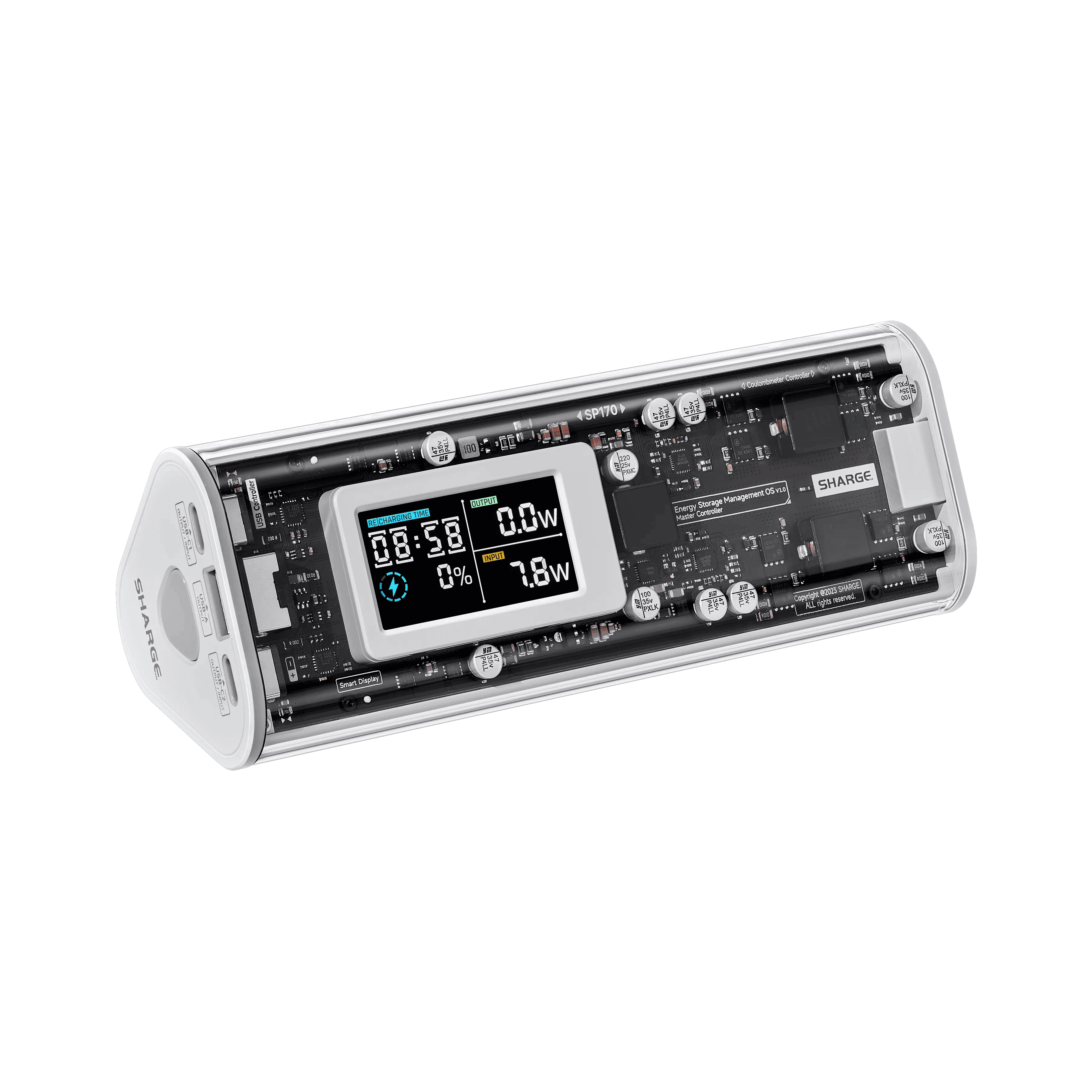
Sharge's Storm 2 has a see-through case and an IPS screen that shows charging info, which suits you if you want detailed stats. For normal commuting, get the A1383 if its attached cable and 65W limit already cover your gear, and skip paying for output or screens you won't use.
Who Should Buy It
Buy it if you usually carry a USB-C laptop that charges at 65W or less, a phone, and a bag with room for the battery. The 20,000mAh capacity covers several phone charges by Anker's own figures, or a top-up for a compatible laptop, depending on its battery size. The attached USB-C cable is the main reason to pick it over a model with ports only. It removes one of the most common packing mistakes: leaving the right cable behind.
Students moving between classes and remote workers who switch desks are a natural fit. You can use the battery where an outlet is hard to reach, then recharge it from a compatible wall charger when you sit down somewhere. Check your laptop's supported input before ordering. A laptop with modest power needs is a better match than a workstation running heavy tasks at full speed.
If you travel with several USB gadgets, the three outputs are useful too. Bring an extra cable for the second device and remember the power is shared when you charge things together. When you fly, pack the bank somewhere you can keep it with you in the cabin, in case your main carry-on gets gate-checked. Whether it's allowed and what your airline lets you do with it are separate checks.
Commission may be earned from this link, at no extra cost to you.
Who Should Skip It
Skip the A1383 if you need 100W or 140W for one device. Its biggest limit is the 65W USB-C ceiling, and neither the second port nor the 87W total changes that. A higher-output option like the Anker 737 fits that need. Base the decision on your laptop's charging specs, not its brand or screen size.
Skip it too if you only need to top up your phone and earbuds now and then from a light pocket kit. The capacity and laptop output add weight you might not use, and the extra ports still need their own cables. If you need reliable fast charging on several demanding devices at once, check how each model splits its power between ports. A high total wattage is only part of the story.
Sources & References
Specifications and claims in this analysis were cross-referenced against the sources below.