A laptop power bank has to do something a small phone battery can't, or it's just dead weight. So here's the short version of this Sharge S170 review: buy it if you need 140W USB-C charging on trips where your laptop matters more than packing light. Skip it if you only ever top up your phone on the commute. Lugging around 680g to rescue a smartphone just isn't worth it.
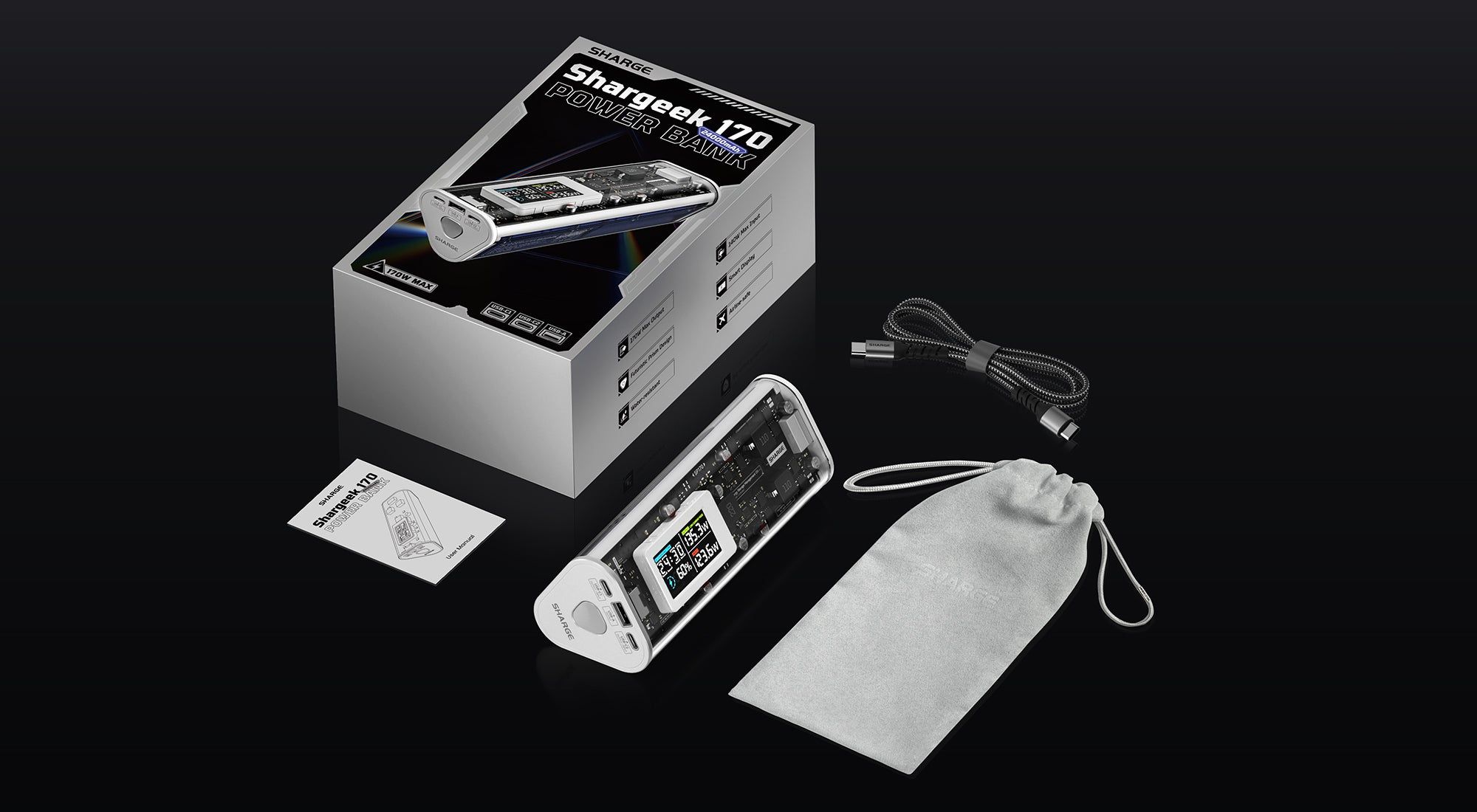
SHARGE sells it as the Shargeek 170. Inside the see-through triangular shell is a 24,000mAh (86.4Wh) battery, and on the outside you get two USB-C ports, one USB-A port, and a small status screen. Either USB-C port can put out up to 140W on its own. The 170W headline figure only applies to one specific combination of ports, though, so the more you plug in, the more the power gets split.
That detail matters a lot more than the visible circuit boards. What you're really buying is a laptop-bag battery with IP66 protection and enough output for power-hungry gear. Whether that's worth the weight depends on what you actually need to charge between wall outlets.
Some links in this article are affiliate links, which helps support GadgetPickr at no extra cost to you.
The Quick Take
Buy it if your main device can take 140W over USB-C and you'd like a battery with a screen and IP66 protection. That single-port output is its biggest strength, and its 680g weight is its biggest drawback. Three ports are handy, but plugging in three devices doesn't give each one the same power.
Verdict
That's the takeaway from this Sharge S170 review: buy it for one main laptop that can use 140W USB-C charging, and skip it for phone-only travel because of the 680g weight. High single-port output, a status screen, and IP66 protection give it a clear job in a laptop bag.
The 24,000mAh capacity is useful, but make sure the port count and total wattage match how you actually charge. SHARGE's current listing reserves 170W for USB-C plus USB-A, with lower shared totals for other combinations. And if you're flying, follow current airline rules rather than assuming a battery under 100Wh can be used freely on board.
Get it if laptop charging and water resistance are worth the space it takes up. If you'd rather have something flatter, cheaper with built-in cables, or capable of much more total output, the alternatives above each give you a solid reason to look elsewhere.
Sharge S170
Best for laptop travelers who need up to 140W from a single USB-C port and have room in their bag for a hefty battery.
Priced above basic phone chargers; you're paying for laptop charging and IP66 protection.
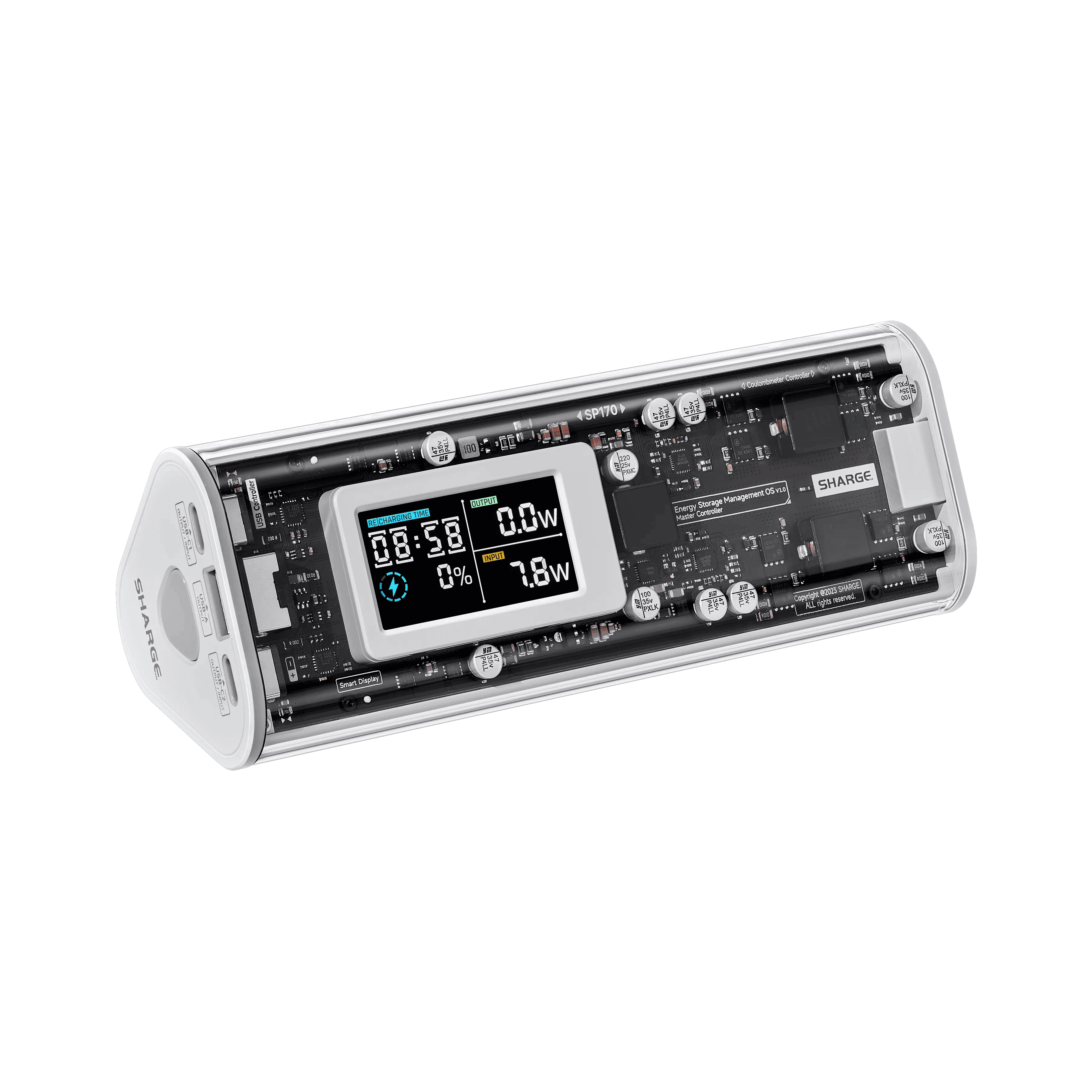
At 164.9 × 62.8 × 59.6mm, the S170 is a chunky triangular bar, not a flat slab that slides in next to your laptop. The clear shell shows off the circuitry and battery layout, which is a big part of its appeal if you're tired of plain black bricks.
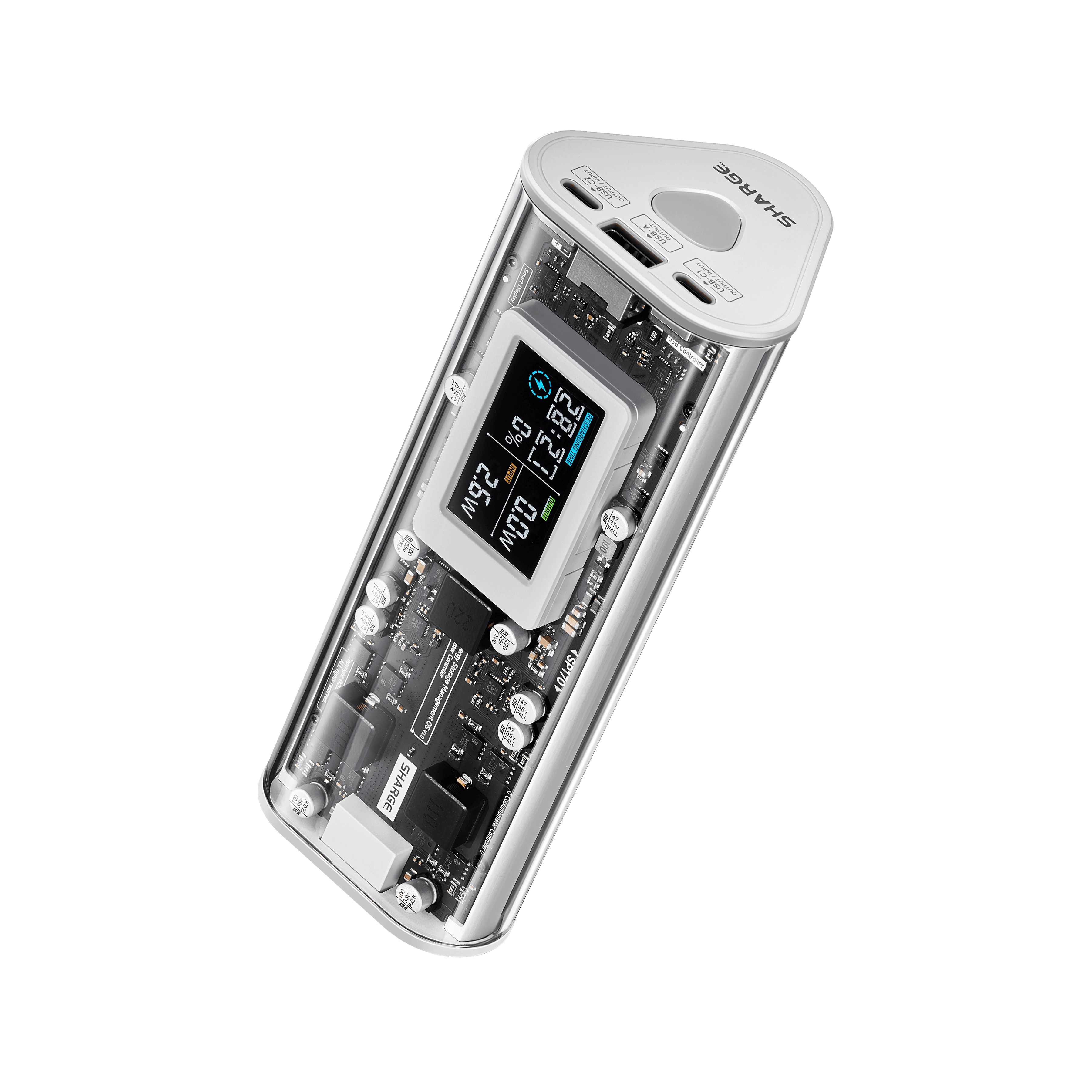
Through that transparent housing, you can see the internal boards and the small status screen. The screen shows the battery level and the total wattage going in or out, and it warns you if the bank gets too hot.
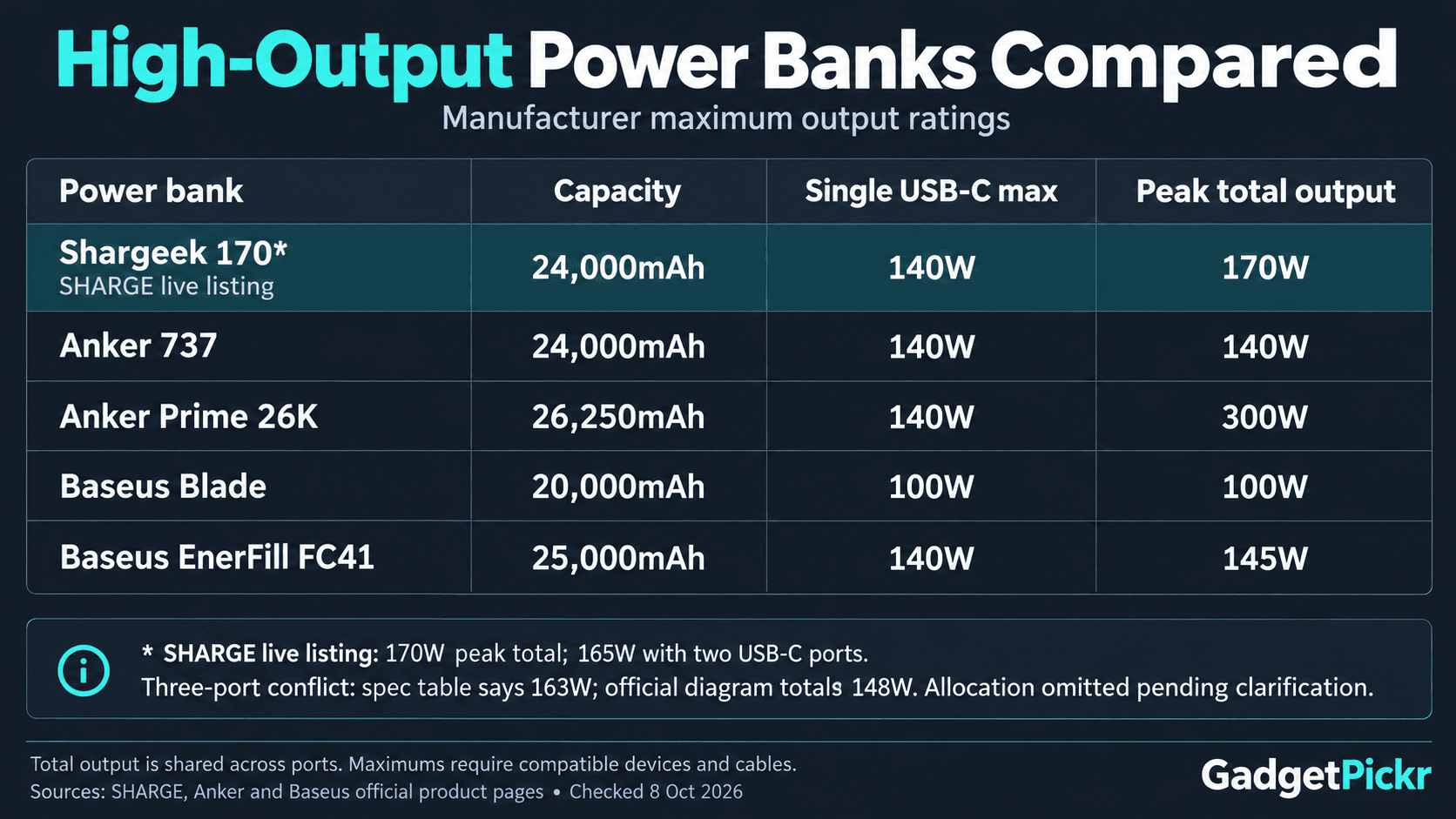
The ports are simple: two USB-C and one USB-A. Both USB-C ports handle up to 140W in and out, so you don't have to remember which one is for charging the bank itself. SHARGE's current product page lists 165W total for two USB-C devices, 170W for USB-C plus USB-A, and 163W with all three ports in use.
It comes with a 240W-rated USB-C cable, so that's one less thing to buy, plus a carrying bag to protect the clear shell. You'll still need a compatible wall charger to recharge it at full speed. A cable's rating tells you how much power it can handle, but it won't make a weaker charger any faster.
IP66 protection is a real reason to consider it if you work outside a tidy office. SHARGE markets it as protected against dust and splashes, but its safety instructions say not to use it after it's been submerged. Treat the rating as protection against accidents, not permission to leave it out in the rain.
Key Specs and Compatibility
Start with the single-port maximum, then check what you get with the ports you'll actually use together. Battery capacity, charging speed, and port count each tell you something different, and none of them replaces checking your laptop's own USB-C charging requirements.
Spec
Sharge S170
Battery capacity
24,000mAh / 86.4Wh
Max total output
170W (USB-C + USB-A); SHARGE lists 165W for two USB-C and 163W for all three ports
For laptops, the first thing to check is whether yours charges over USB-C Power Delivery, and at what wattage. A 140W output means a compatible laptop can ask for that much, but it doesn't mean every Windows laptop will actually charge at 140W. SHARGE also lists the Steam Deck and ROG Ally as supported, so those are good uses for the USB-C ports too.
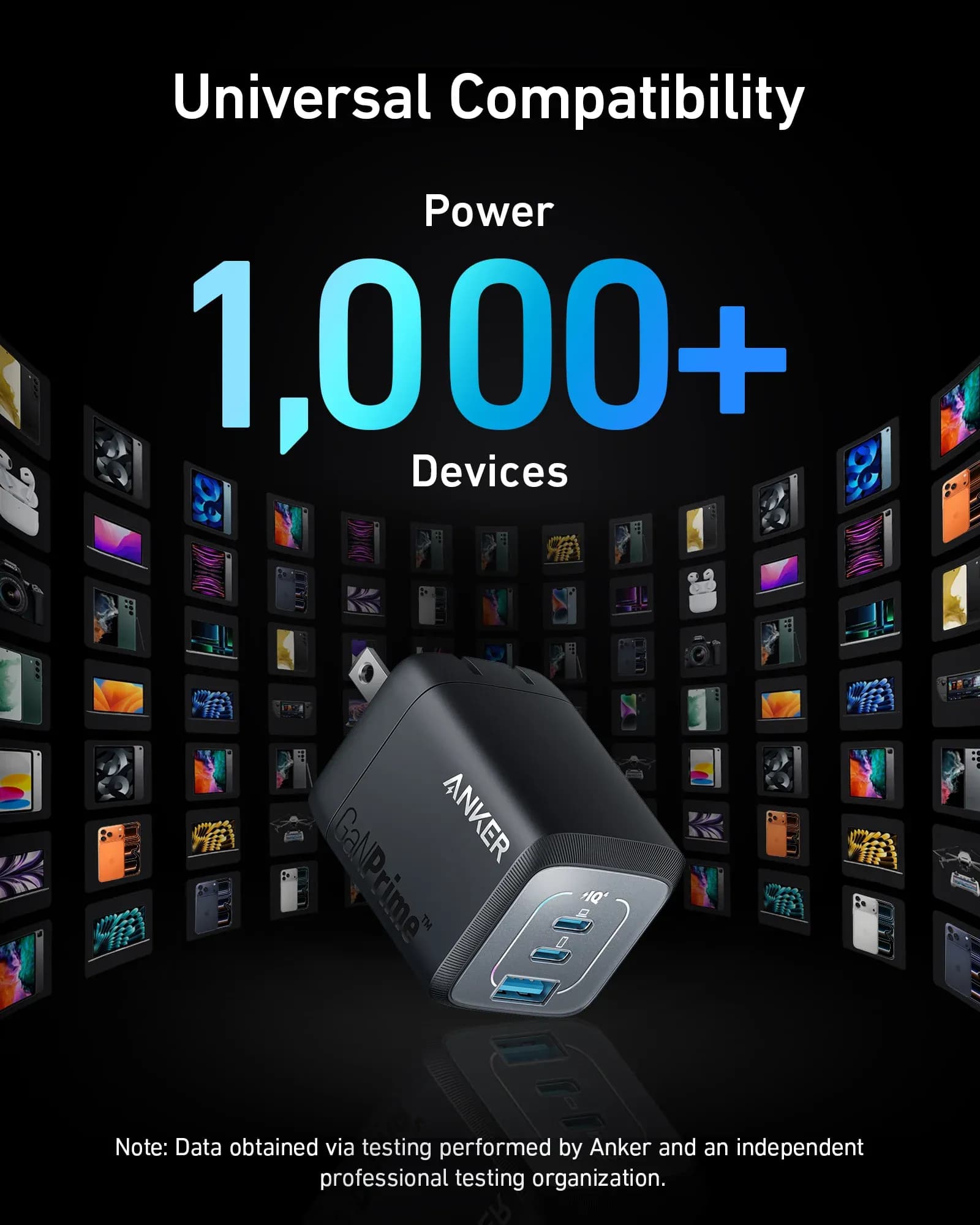
Phones and tablets will charge at whatever speed they support. Independent testing confirmed PPS support, which helps with compatible Android phones, and Quick Charge support keeps the USB-A port useful for older gear. Make sure the device, charging standard, and cable all line up before expecting the maximum wattage.
Sharge S170 Review: What Stands Out
The big draw is that both USB-C ports can hit 140W on their own. Plug a compatible laptop into either one and you get full single-device power. That's handy when the same battery is also charging your phone or handheld console on a trip.
Just keep in mind that speed and capacity aren't the same thing. The 86.4Wh figure is how much energy the battery holds, while 140W is how fast it can deliver it. Some energy is lost in conversion, and a laptop uses power while it's running, so don't assume the battery will fully recharge your laptop just because the numbers seem to line up.
Recharging the bank itself is quick too, with up to 140W input over USB-C. SHARGE says it goes from empty to 50% in 20 minutes with a compatible charger. Full-recharge figures vary, though. One retailer listing advertises 45 minutes, while an independent test by Smartzone measured just over an hour. Either way, the wall charger you use matters far more than the cable, since a suitable cable is already in the box.
That fast partial charge is really useful if you only have a short window near an outlet, like a layover or a quick coffee stop.
It's also airline-friendly on paper. At 86.4Wh, it's under the FAA's usual 100Wh limit, and power banks have to go in your carry-on. IATA's 2026 guidance limits personal power banks to two per person and says you shouldn't recharge the bank itself during the flight. Check your airline's rules before you fly.
Strengths
Charging a single laptop is where it really shines. Up to 140W over USB-C is something a basic phone battery simply can't do, and having it on either port makes it easy to set up. If you're always moving between hotel rooms, client offices, and your laptop bag, that's a much better reason to buy it than the clear shell.
Pairing USB-C with USB-A is what unlocks the full 170W. That gives you a practical way to charge something smaller over USB-A while your main device uses USB-C. If your setup works like that, you'll actually use the top rating rather than just seeing it on the box.
Fast input matters just as much. A powerful battery isn't much use if it spends your whole layover recharging, and 140W input lets a compatible charger fill it back up quickly. Since both USB-C ports accept input, you don't have to think about which port to plug the wall charger into.
IP66 protection and the status screen round things out. One protects against dust and water, and the other shows you what's happening with the battery. Both are worth weighing against a simpler power bank if your workday takes you between indoor and outdoor spots.
Weaknesses
Weight is the first objection, and it's a big one. At 680g, it's a serious extra load on top of your laptop, charger, and everything else in your bag. Its triangular shape is also almost 60mm thick, so it won't slip into a slim laptop sleeve. It's better suited to its own pocket in your bag.
Things change when you charge more than one device. Two USB-C devices share a listed 165W total, so each one won't get 140W. With all three ports in use, SHARGE's product page lists 163W, but the manual gives a lower split of 65W + 65W + 18W. If you mainly want to charge two demanding laptops at once, look at a higher-output option before buying this one.
The USB-A port tops out at 30W. It's useful for older cables and accessories, but it's nowhere near a second 140W USB-C port. Plugging something into every port is convenient, but it doesn't mean each device gets its full charging speed.
There's no DC barrel port, either. Everything runs over USB, which is fine for modern USB-C gear but rules out equipment that needs a barrel connector. Buy it for the ports it actually has.
Its water resistance also has limits you should know about before heading outdoors. SHARGE's manual says liquid damage isn't covered by the warranty and tells you not to use the bank after it's been submerged. IP66 is good protection, but it doesn't mean you can get it soaked or be careless with it around water.
Best Alternatives
Pick an alternative based on the one thing you want to change: total output, shape, or built-in cables. These make more useful comparisons than a list of sale prices, especially once you know what you mainly need to charge.
The Anker 737 has the same 24,000mAh capacity in a smaller, rectangular body, and it also has a display. The trade-off is a lower 140W total output compared with SHARGE's higher combined rating.
The Anker Prime 26,250mAh 300W gives you more capacity and a lot more total output for charging several demanding devices at once, but it costs more than SHARGE's current price.
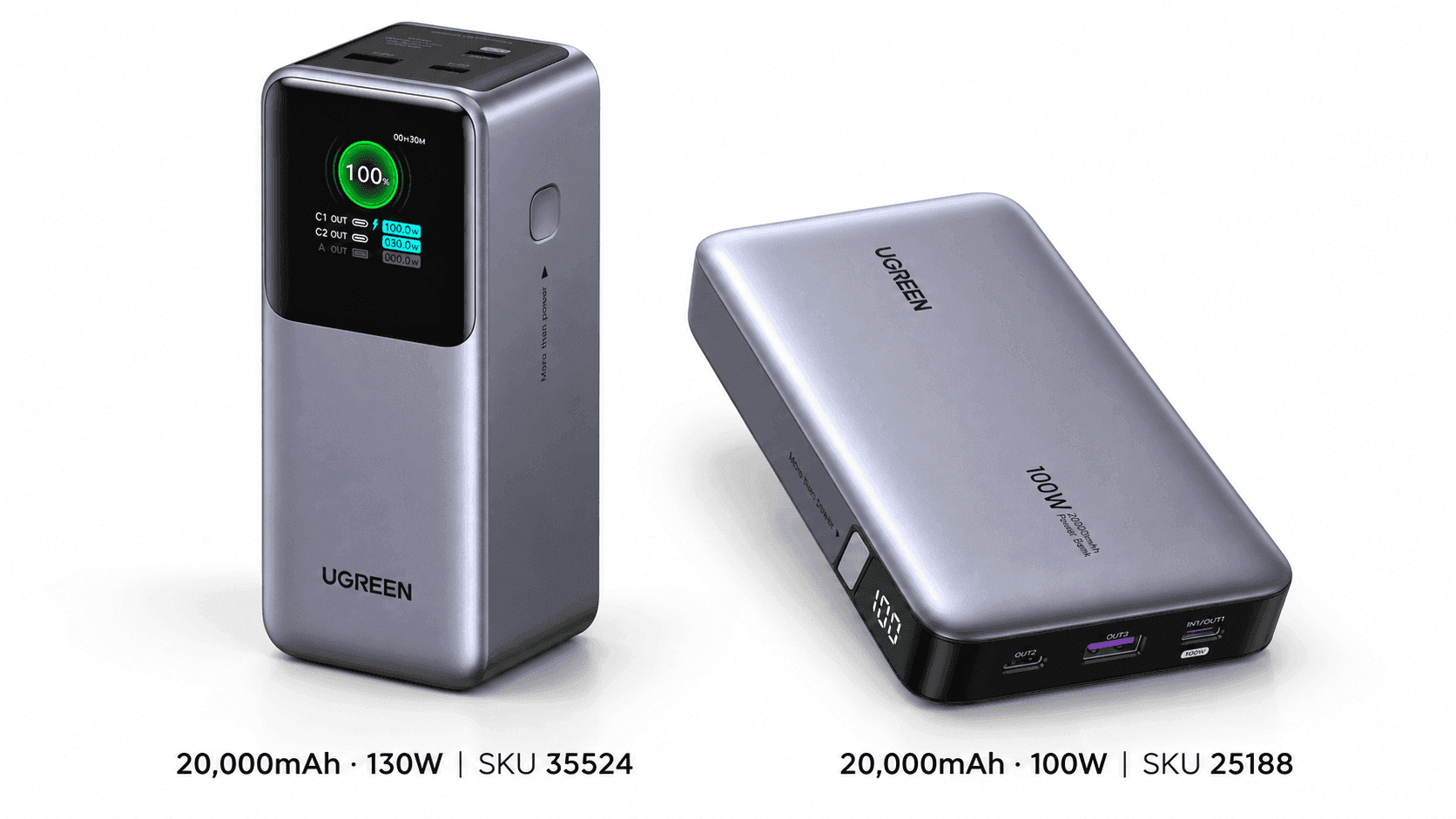
The Baseus Blade 100W is a flat 20,000mAh battery that fits slimmer laptop bags, but it tops out below SHARGE's 140W single-port output. Baseus currently lists it as sold out.
The Baseus EnerFill FC41 25,000mAh 145W has two built-in USB-C cables and still offers 140W from a single port. It has a lower total output than the SHARGE, but you get the convenience of built-in cables and a lower current price from the manufacturer.
Who Should Buy It
Buy it if your travel setup revolves around a laptop that can actually use its high USB-C output. That's what makes the size and weight worth it: you need more than an emergency phone top-up between outlets. Once that box is ticked, the status screen, included cable, and splash protection are nice extras.
Photographers and people who work on the go can make the same case if their laptop comes with them to outdoor locations. IP66 protection is a specific feature you can compare across options, rather than a vague promise of toughness. Just keep it protected in your bag, and buy it because that rating suits where you'll actually use it.
The port layout also works well for a mixed bag of devices. If you charge one main USB-C device and something smaller over USB-A, you're using the 170W combination. With two USB-C devices, plan around the shared total instead of the headline number.
Commission may be earned from this link, at no extra cost to you.
Who Should Skip It
Skip it if your day mostly involves a phone, earbuds, and not much else. Carrying 680g for the occasional small top-up just makes your bag heavier, and your phone won't charge any faster from a laptop-grade battery. Save a battery this size for when you really need it.
Light packers should pass too, even if they love the see-through look. A chunky triangular bar fights for space in a daypack, while a flat battery can slip into a different pocket. Looking cool won't change its size.
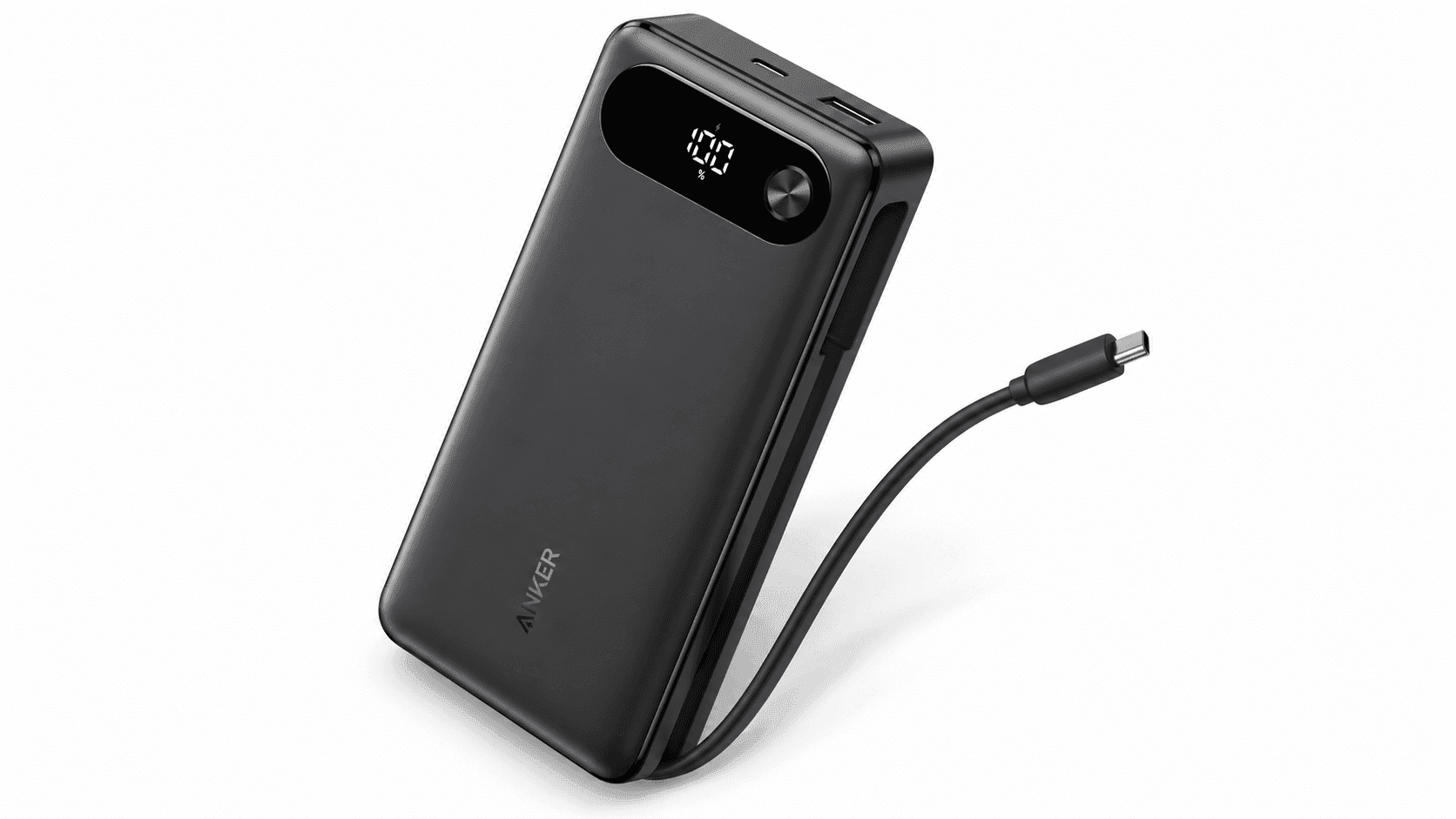
If you mainly charge small devices, Anker's 20,000mAh 87W Power Bank is cheaper and has a built-in USB-C cable. You give up SHARGE's maximum output, but you get a simpler setup for travel. There's little point paying for 140W laptop charging you won't use. Buy for the devices you own now, not one you might buy later.
And if you need two separate 140W USB-C outputs at the same time, look elsewhere. The ports share their power when used together, and adding a third device doesn't bring back each port's full single-device output. The same goes for gear that needs a dedicated DC port.
Sources & References
Specifications and claims in this analysis were cross-referenced against the sources below.
Yes. Either USB-C port can deliver up to 140W when it's the only one in use. Your laptop has to support that Power Delivery level, and your cable has to handle it. The included 240W-rated USB-C cable takes care of the cable side.