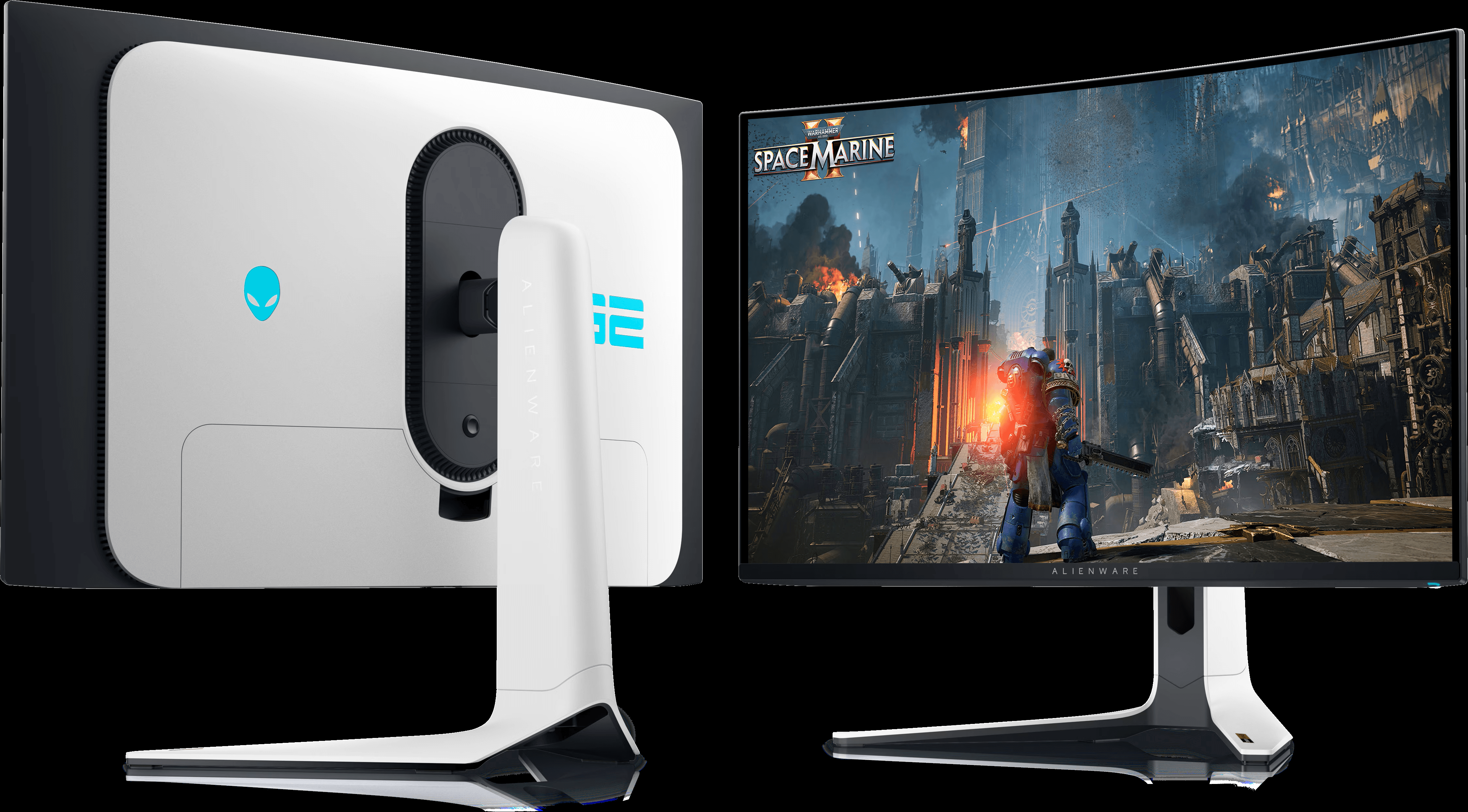
An analysis of the Alienware AW3225QF: 4K QD-OLED contrast, native 240Hz motion clarity, HDMI 2.1 console readiness, burn-in trade-offs, and who it actually suits.
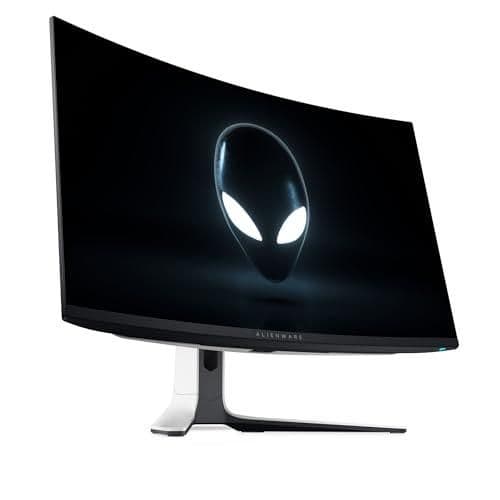
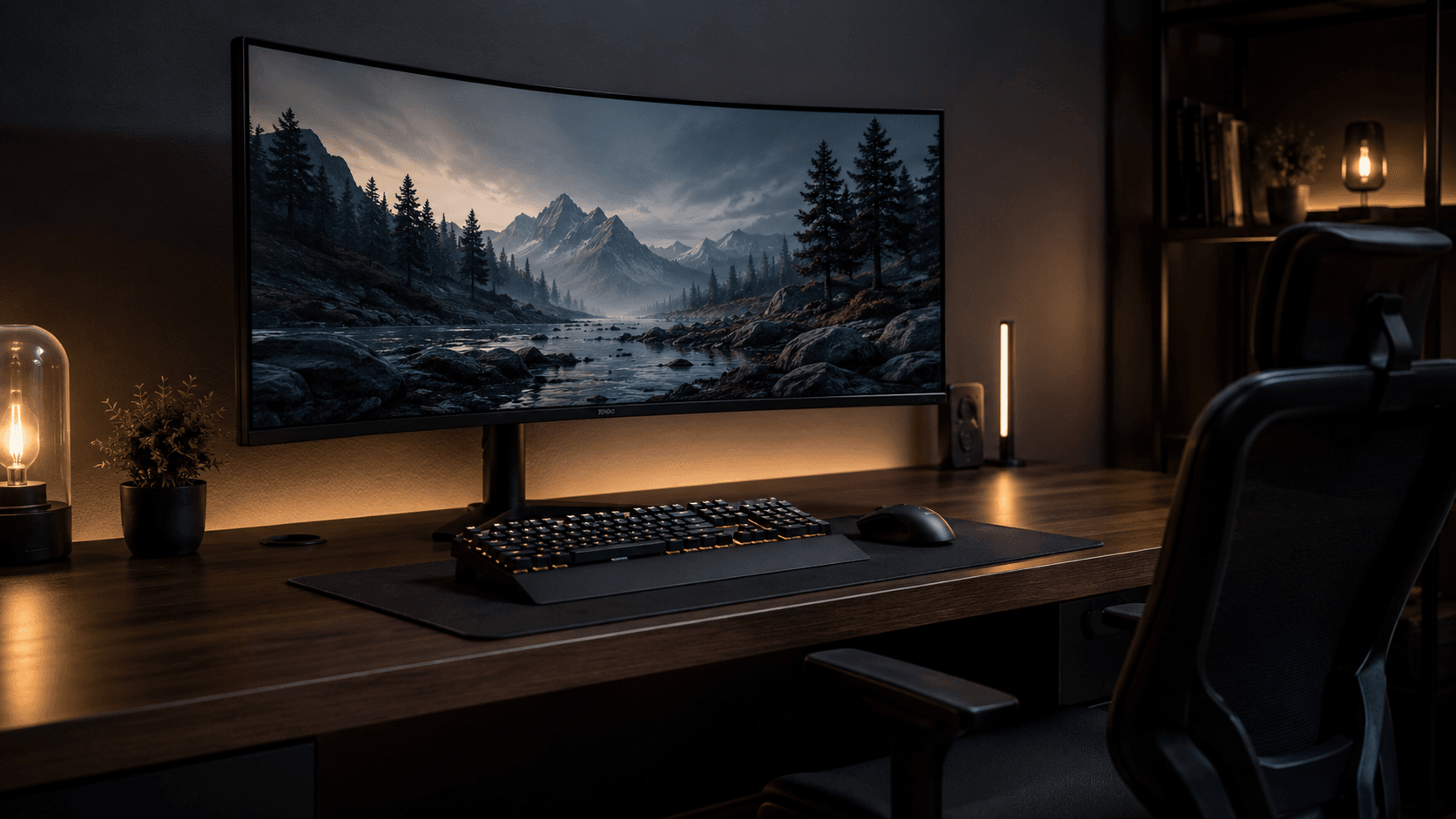
For years, 4K meant surrendering refresh rate, and 240Hz meant surrendering pixels. This Alienware AW3225QF review looks at the monitor that collapses that choice into one panel: 3840 x 2160 stretched across a 32-inch curved QD-OLED running at 240Hz. Quantum-dot OLED has moved out of the halo-product bracket and into the range that serious gaming rigs and creative desks actually shop in. That gentle 1700R curve keeps the edges of the screen about as far from your eyes as the center, which trims reflection angles and pulls more of the picture into your peripheral vision during long sessions.
Dell wires this model for modern signal chains, standardizing on HDMI 2.1 and DisplayPort 1.4 to carry high-bandwidth video. So the target buyer is easy to identify: PC builders running heavy graphics cards, plus PS5 and Xbox Series X owners who want 4K at 120Hz. Sub-millisecond response, the pixel-level contrast that comes free with organic light-emitting diode technology, wide color gamut coverage. What follows breaks down the panel architecture, the port layout, the chassis, and exactly where this display lands in the current market.
Some links in this article are affiliate links, which helps support GadgetPickr at no extra cost to you.
The Quick Take
Market consensus lands the Alienware AW3225QF at a strong 9.1 out of 10 for PC gamers and content creators chasing high-end visual performance. A 32-inch 4K UHD (3840 x 2160) QD-OLED panel, native 240Hz refresh, and 0.03ms response times put it squarely between competitive motion clarity and cinematic immersion — a rare spot for a single screen to occupy.
Buy it if you have the GPU. That is the whole calculus in this Alienware AW3225QF review: a 32-inch 4K UHD (3840 x 2160) QD-OLED panel at native 240Hz with 0.03ms response times, carrying a market consensus score of 9.1 out of 10, gives enthusiast gamers and creators the single strongest reason to spend here — nothing with a backlight matches pixel-level black paired with this much motion clarity. Skip it if you park static windows on screen all day, because burn-in risk is the one weakness no firmware routine fully erases. The 1700R curve stays gentle enough to keep horizontal lines honest, so productivity, video editing, and immersive single-player play all coexist on it.
Strengths are concrete: pixel-level contrast backed by DisplayHDR True Black 400, wide Quantum Dot color coverage, two HDMI 2.1 ports for high-bandwidth console output, and VRR spanning AMD FreeSync Premium Pro and NVIDIA G-Sync compatibility. Weaknesses are equally concrete: no built-in KVM switch, no USB-C display input or power delivery, real burn-in exposure during long static desktop use, and a high-end market position that only makes sense next to a high-end GPU. Competition is genuine — the LG 32GS95UE counters with dual-mode refresh switching — but Alienware answers with QD-OLED color saturation and a curve that earns its place. For enthusiast-tier gamers and creators who want the deepest black levels and fluid 4K motion in one panel, this is one of the most complete high-performance monitors you can put on a desk.
Alienware AW3225QF
Best for PC gamers and console owners weighing 4K sharpness, motion clarity, and OLED contrast on a 32-inch desk display.
Positioned at the high end of the 32-inch 4K OLED category.
Alienware AW3225QF Review: Panel and Design Overview
Start with the panel. Quantum Dot OLED layers blue self-emitting OLED material underneath quantum-dot color converters, and it drops the white subpixel that standard WOLED panels lean on. That single design choice buys color luminance — saturation holds together as brightness climbs instead of drifting toward pale. Spread 3840 x 2160 across an 81.3 cm diagonal and you land near 140 pixels per inch, dense enough that typography and hairline detail stay clean without heavy OS scaling.
Speed is the other half of the pitch. Native 240Hz, with a manufacturer-rated 0.03ms gray-to-gray response time. Because pixels here switch on and off almost instantly rather than waiting on liquid crystal overdrive, smearing and trailing artifacts stay minimal through fast camera pans. Adaptive-sync coverage runs NVIDIA G-Sync Compatible certification plus VESA AdaptiveSync, holding tearing off the screen anywhere between 48Hz and 240Hz.
Dimming happens at the pixel, not in zones. No edge-lit array, no mini-LED grid waiting to bloom. Certification covers VESA DisplayHDR True Black 400 alongside Dolby Vision HDR support, and blacks drop to 0.0005 nits, which pushes contrast to effectively infinite bounds and removes the halo that rings small bright objects on zone-dimmed screens.
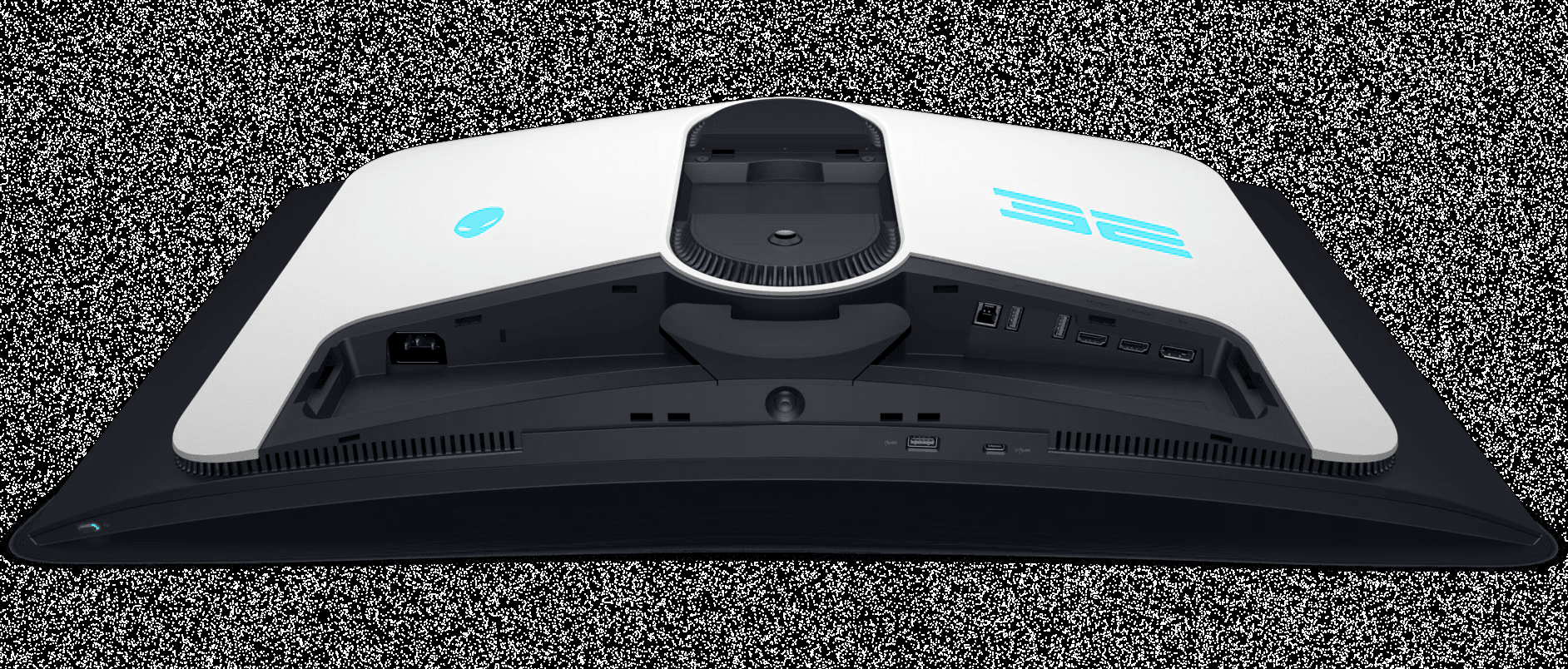
Physical construction follows Alienware's Legend 2.0 design language: dark front bezel, white rear shell. An active cooling fan and an internal heat sink pull heat off the drive electronics and the OLED layer during sustained high-brightness output. Port loadout is one DisplayPort 1.4 connection with DSC and two HDMI 2.1 inputs, plus a USB 3.2 Gen 1 hub.
Key Specs and Compatibility
Here is the short version of what you are buying, pulled straight from the published specification sheet.
Hooking it up is straightforward: DisplayPort 1.4 with Display Stream Compression or HDMI 2.1 bandwidth covers modern graphics cards and current consoles, and the chassis takes standard VESA 100x100mm mounting hardware.
What Stands Out
Resolution and refresh rate no longer pull in opposite directions here. Older setups pushed you toward one of two compromises — a dense productivity panel capped at a sluggish refresh, or a fast 1080p and 1440p display that gave up fine detail. This monitor refuses that split, holding crisp text, sharp textures, and clean motion across 32 inches. For a desk that handles competitive shooters in the evening and detailed visual work during the day, that combination carries real weight.
Quantum-dot OLED is what makes it possible. Backlit IPS panels shine light through a filter; this one doesn't have a backlight at all. Each pixel generates its own light, so black is genuinely black, contrast runs effectively without limit, and there is no bleed or haloing around a bright object sitting on a dark field. Quantum dots push saturation and color volume across wide spaces like DCI-P3. Add a 0.03ms pixel response and ghosting essentially stops being part of the conversation.
HDR handling gets support from two directions — VESA DisplayHDR True Black 400 certification and Dolby Vision. Highlights punch, shadows hold their detail, and high-contrast cinematic scenes keep separation instead of collapsing into gray. That 1700R curve does quiet work too, wrapping the edges of a screen this wide into your peripheral vision without bending straight lines in a spreadsheet.
Connectivity keeps pace with a multi-device desk. HDMI 2.1 handles 4K 120Hz from current-generation consoles and carries eARC out to a soundbar or AV receiver. DisplayPort unlocks the full 4K 240Hz ceiling on a modern GPU through Display Stream Compression. Variable refresh rate support spans NVIDIA G-SYNC Compatible and not AMD FreeSync Premium Pro., so tearing and stutter stay off the screen across a wide frame-rate band.
Strengths
Day to day, this display balances speed and clarity in a way few panels manage. Pair 240Hz with near-instant pixel response and motion handling gets clean: in a fast shooter, a rapid flick or a hard camera pan stays legible instead of dissolving into trails and overshoot.
Story-driven and open-world games gain the most from the contrast. Dark environments in horror and sci-fi titles keep detail that IPS and VA panels wash into muddy gray. Because pixels shut off entirely, a night scene reaches actual black — dramatic dynamic range, and no glow creeping around bright UI elements or light sources.
Outside gaming, 32 inches of 4K real estate is a capable workspace. Side-by-side windows, a video timeline, a full-resolution photo at 100% — all of it has room to breathe. Early OLED desktop panels had a reputation for color fringing on text; the subpixel layout on modern QD-OLED improves that considerably, which matters if you read documents or write code for hours.
Weaknesses
Now the trade-offs, and they are real. OLED's known liability is permanent image retention — burn-in. Static taskbars, fixed window layouts, and unchanging UI elements held at high brightness for long stretches accelerate pixel wear. Alienware counters with pixel refresh routines and pixel-shifting cycles, but those maintenance passes need standby time to run, and skipping them shifts the risk back onto you.
Full-screen brightness behaves differently than the HDR headline suggests. Small specular highlights hit high peak levels, but fill the screen with white — a browser window, a word processor — and Auto Brightness Limiting steps in to cap power draw and heat. The result is a subtle dimming shift as you resize bright windows.
Room lighting matters more here than on most panels. QD-OLED skips the traditional polarizer to maximize color purity and light output, so direct sun or a bright overhead fixture raises perceived black levels. In a brightly lit room, deep blacks can pick up a dark magenta or purple cast. Light-controlled or dim spaces suit this screen best.
Best Alternatives
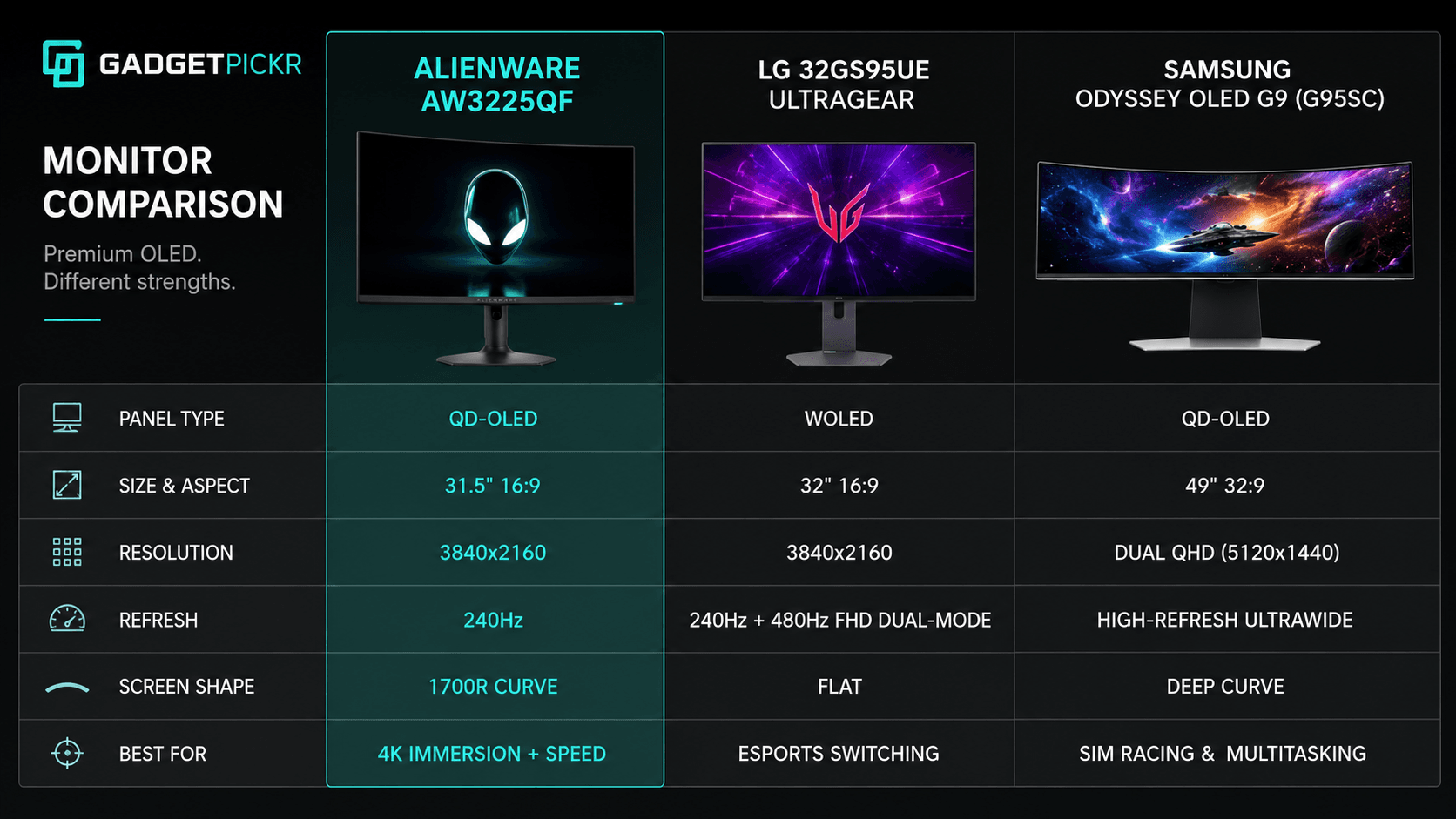
The real question when shopping this tier is curved QD-OLED versus flat panel with dual-mode flexibility. The LG 32GS95UE UltraGear is the obvious rival in the 32-inch 4K OLED bracket, and it takes the flat WOLED route instead of a curve. Its differentiator is dual-mode refresh: native 4K at 240Hz for cinematic play, or Full HD at 480Hz for competitive esports. If your week splits evenly between narrative titles and ranked shooters, that switch is worth more than Alienware's single-minded 4K high-refresh focus.
Prefer ultrawide to 16:9? The Samsung Odyssey OLED G9 (G95SC) answers a different question entirely. Its 49-inch 32:9 dual QHD panel uses OLED technology, with the same color response and instant pixel switching. What you give up is vertical space and clean 4K desktop scaling; what you gain is enormous horizontal room. The trade-off is practical: the AW3225QF is easier to drive and easier to fit on a normal desk, while the G9 serves sim racers, flight sim pilots, and heavy multitaskers.
If color-critical work pays the bills and high refresh is a luxury, step outside OLED. The BenQ DesignVue PD2770U 4K Professional Monitor swaps refresh rate for workflow tools — broad Adobe RGB and DCI-P3 coverage, hardware calibration support, and up to 96W USB-C power delivery from a single cable. Gamers chasing zero motion blur and true black will take the Alienware; retouchers who need calibration stability and rock-steady static text will be happier on IPS.
Who Should Buy It
Enthusiast PC gamers and current-generation console owners are the clear fit. If you already own a graphics card that can push demanding titles at 3840 x 2160, this panel pays that hardware back in picture quality — QD-OLED color, true black, and the kind of high-dynamic-range depth that single-player worlds are built to show off.
Competitive players get their side of the bargain too, through 240Hz and 0.03ms response times that keep fast action free of ghosting and trailing. PS5 and Xbox Series X owners are well served: full HDMI 2.1 support carries uncompressed 4K at up to 120Hz with variable refresh rate along for the ride. And if you sit centered at your desk, that 1700R curve adds peripheral immersion without warping straight lines when you drop back to the desktop.
Commission may be earned from this link, at no extra cost to you.
Who Should Skip It
Not every desk should take this monitor home. Anyone who lives in static text, spreadsheets, or line art all day should treat OLED carefully. Between the QD-OLED subpixel arrangement and the long-term static-image risk, someone keeping the same application windows open eight to ten hours a day is better served by a conventional 4K IPS display.
Tight desks and tight budgets argue against it as well. A 32-inch footprint plus a curved stand demands real depth and a surface that can carry it. Multi-monitor builders and graphic designers who want perfectly flat alignment will find the 1700R curve an irritation rather than a feature. And if a mid-range graphics card is driving your rig, a high-refresh 4K panel will spend most of its life idling below its ceiling until you upgrade the GPU.
Sources & References
Specifications and claims in this analysis were cross-referenced against the sources below.
Yes. Two HDMI 2.1 inputs carry uncompressed 4K at up to 120Hz with variable refresh rate from either console, and eARC passes audio out to a soundbar or receiver without a separate cable run.