Alienware AW3426DW Review: Fast OLED, Limited USB-C
The AW3426DW pairs a 280Hz ultrawide QD-OLED panel with improved desktop text rendering. Its downstream-only USB-C port rules out one-cable laptop docking.
Buy the Alienware AW3426DW if you want fast OLED gaming in a 34-inch ultrawide format. Its strongest feature is that combination: 280Hz refresh, 3440 x 1440 resolution, and individual pixel control for deep blacks. Skip it if you need a one-cable laptop workstation, because its USB-C port cannot accept video.
The Penta Tandem QD-OLED panel uses an RGB V-stripe subpixel layout that improves text rendering compared with earlier triangular-layout QD-OLEDs. That matters when documents and browser windows share the desk with games. It makes the monitor more useful for mixed use, while static desktop content remains an OLED ownership consideration.
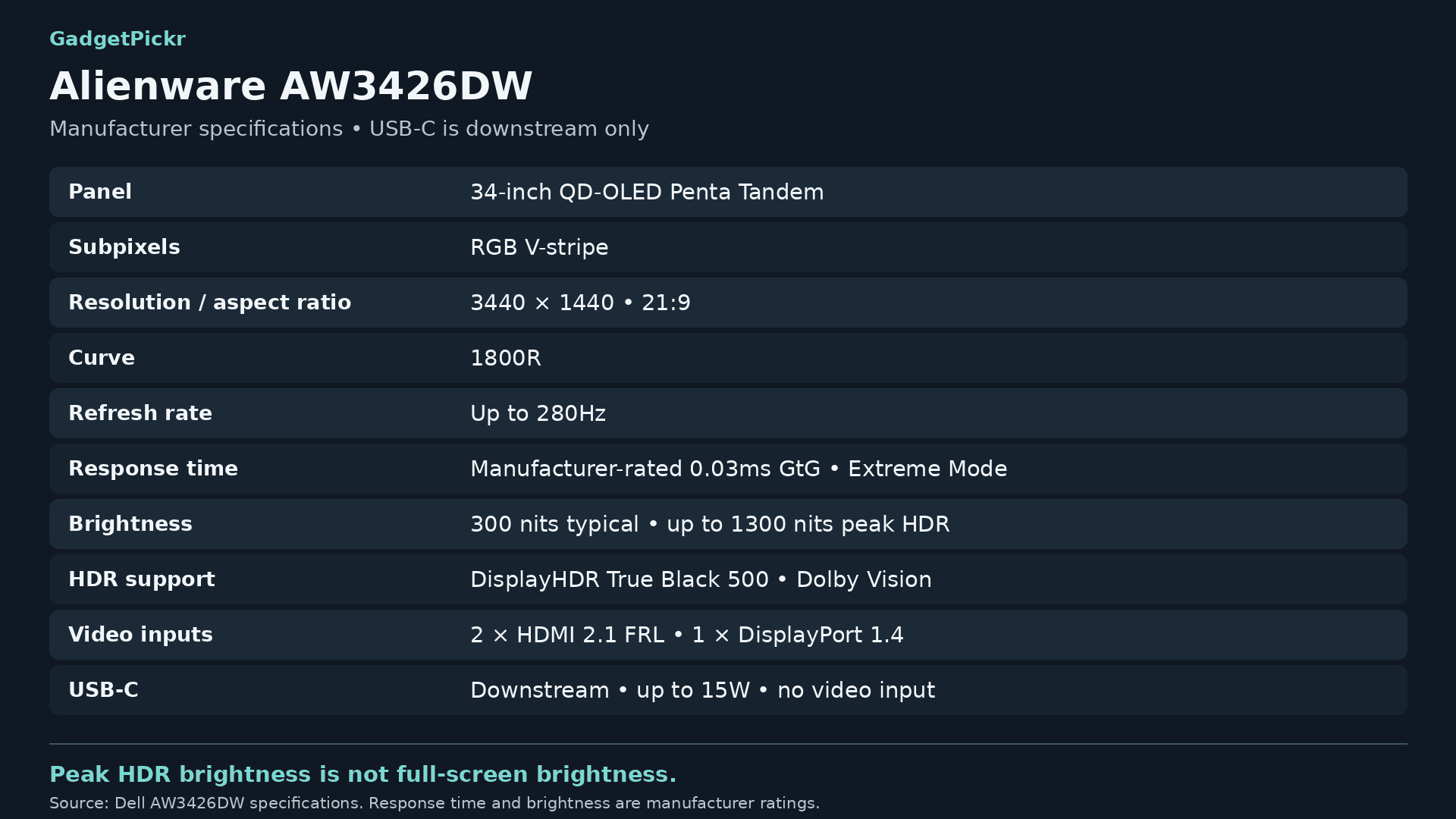
Keep the brightness figures in context. Dell specifies 300 nits typical output and up to 1300 nits peak HDR brightness, with the peak applying to small highlights rather than the whole screen. Dolby Vision and VESA DisplayHDR True Black 500 certification round out a display aimed primarily at PC gaming.
Some links in this article are affiliate links, which helps support GadgetPickr at no extra cost to you.
The Quick Take
Choose the AW3426DW for high-refresh ultrawide OLED gaming and improved desktop text rendering. Its clearest limitation is laptop connectivity: USB-C is a 15W downstream accessory port, not a video input. Console-only use also leaves its full ultrawide 280Hz format unused.
Verdict
Buy the Alienware AW3426DW for fast OLED gaming in a 34-inch ultrawide format. That is its strongest reason for purchase. The 280Hz ceiling, pixel-level contrast, and improved RGB V-stripe text rendering make it a gaming-first screen that can also handle everyday desktop work.
Skip it for a laptop workstation built around one-cable docking. USB-C serves accessories here and provides no video input. Console-only use also leaves much of the monitor’s distinctive format unused.
The design makes sense for a PC gamer who wants the wide OLED picture and can use the refresh headroom. Keep its headline figures in context: 1300 nits is peak HDR output, 0.03ms is Dell’s quoted pixel-response figure, and burn-in coverage is warranty support. The deciding factors are the games you play, the PC driving them, and whether separate video, USB, and laptop-power connections suit your desk.
Alienware AW3426DW
Best for PC gamers who want high-refresh ultrawide OLED gaming alongside everyday desktop use.
An enthusiast gaming monitor with a basic USB hub.
Alienware AW3426DW: Product Overview
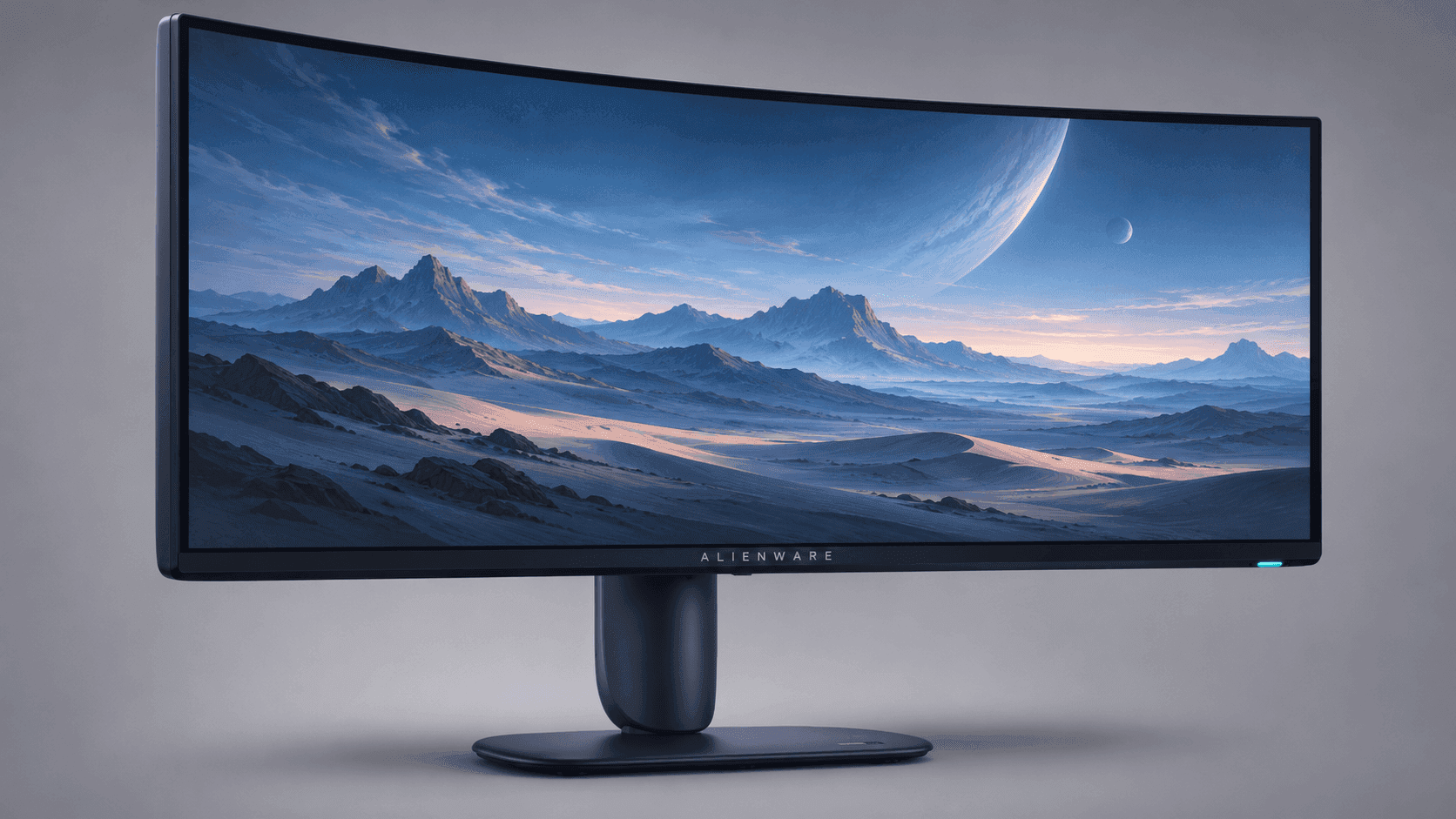
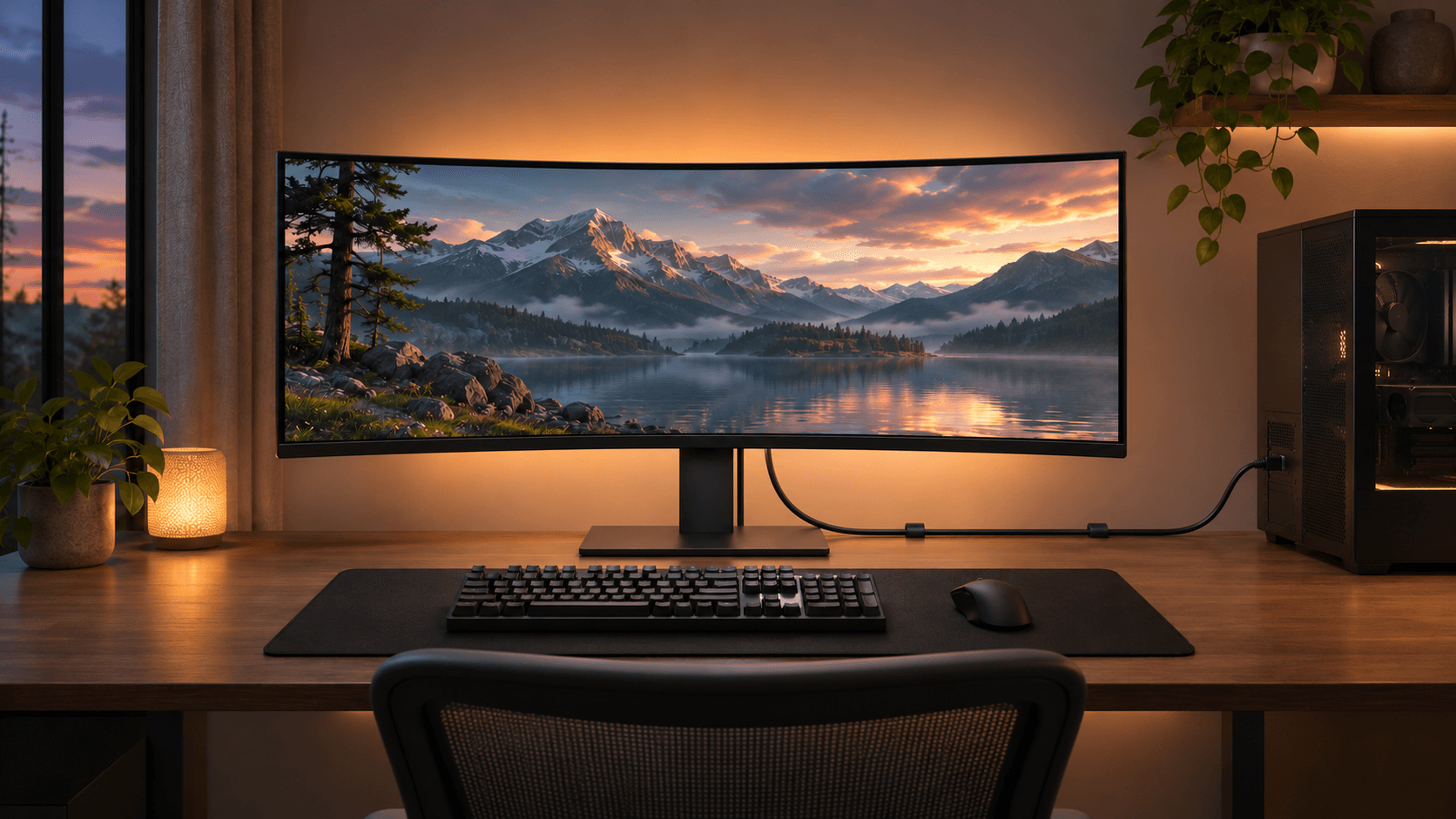
The 34-inch QD-OLED panel has a 21:9 aspect ratio and an 1800R curve. Each pixel produces its own light and can switch off independently, giving it OLED black levels without local-dimming backlight halos.
Penta Tandem names the panel technology; RGB V-stripe describes the arrangement of its red, green, and blue subpixels. The panel update brings increased brightness capabilities, while the revised subpixel layout better suits conventional desktop font rendering.
Dell quotes 0.03ms gray-to-gray response in Extreme Mode and up to 280Hz at native resolution. The response figure is a manufacturer specification, not a measurement of every possible transition. Pixel response, refresh rate, and the frame rate your PC supplies all contribute to motion performance.
HDR support includes Dolby Vision and DisplayHDR True Black 500 certification. Bright objects can sit beside black pixels without illuminating a surrounding backlight zone. A large bright scene places a different demand on the panel, so the 1300-nit peak does not describe a full white desktop or a screen-filling snowy landscape.
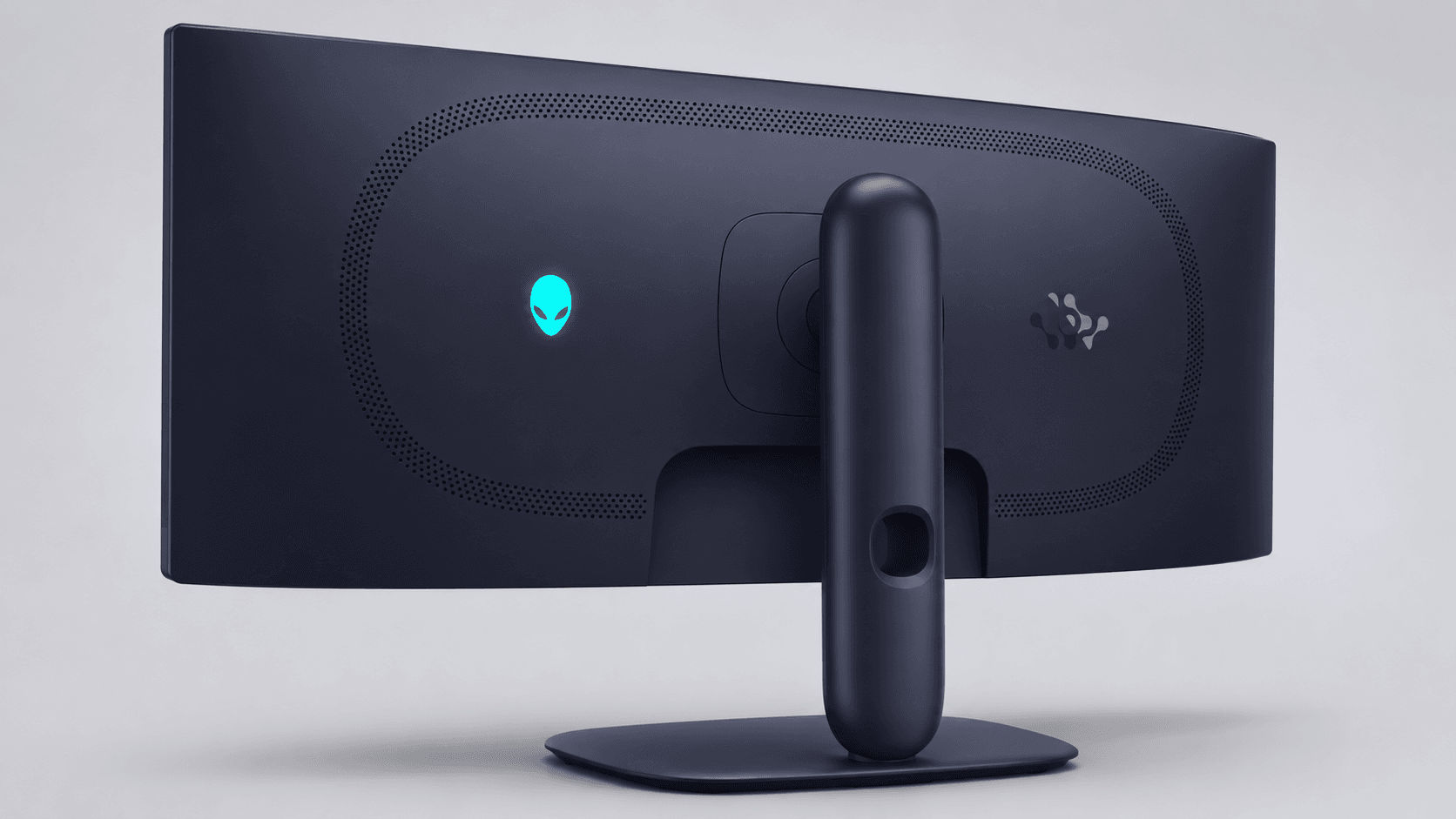
The 1800R curve brings the panel’s outer edges inward. Dell’s Interstellar Indigo finish, rear AlienFX lighting, ventilation detailing, and cable routing give it a distinct gaming-oriented design. The supplied stand adjusts for height, tilt, and swivel, and the monitor supports a 100 x 100 mm VESA mount.
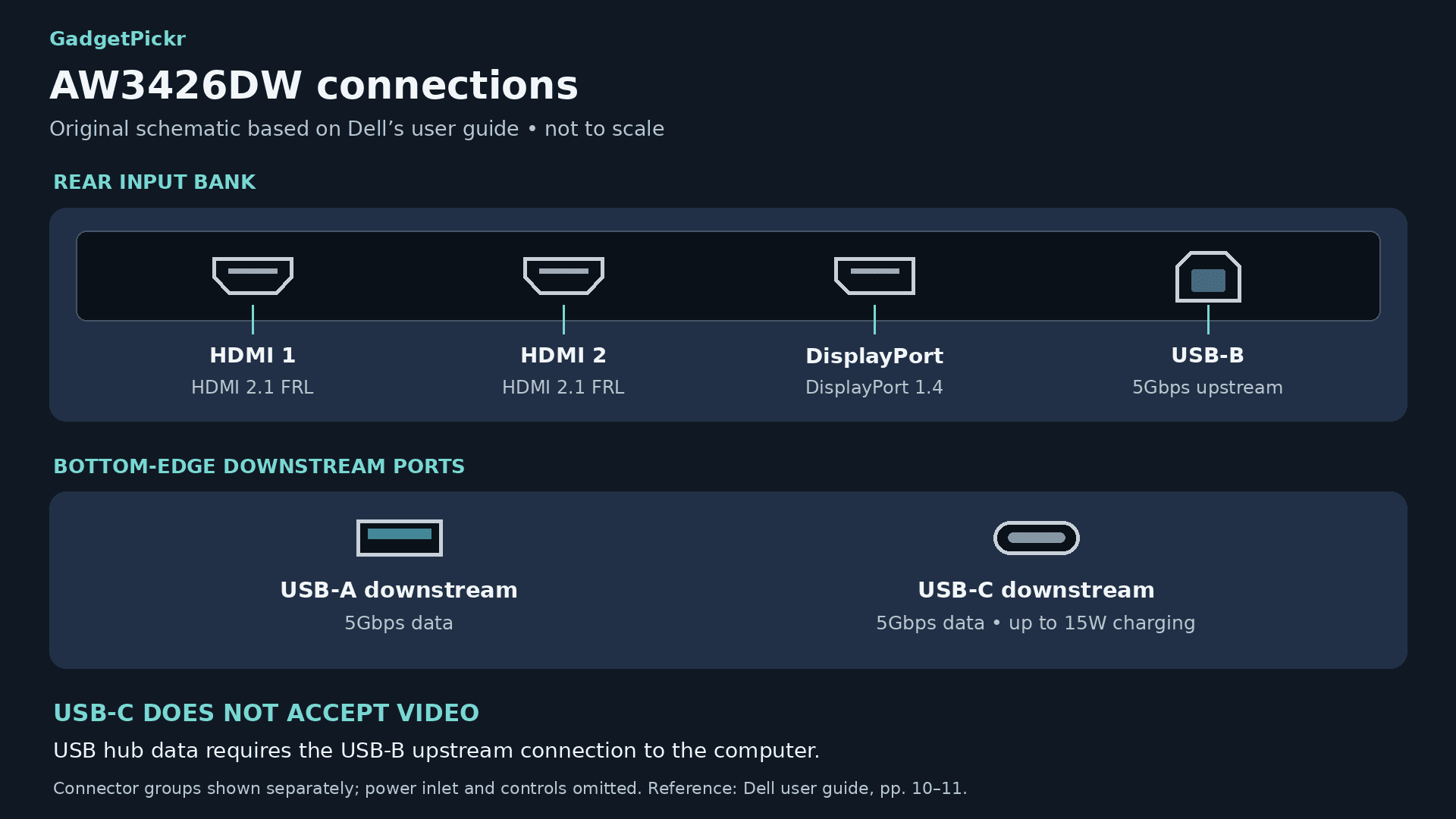
Video inputs comprise one DisplayPort 1.4 and two HDMI 2.1 FRL connections. USB-B upstream links the accessory hub to your computer, serving one USB-A and one USB-C downstream port. USB-C supplies up to 15W but has no DisplayPort Alt Mode, so a separate video connection is required.
Key Specs and Compatibility
Connect the picture through HDMI or DisplayPort and the USB hub through USB-B. The downstream USB-C socket is for an accessory; connecting a laptop there will not send its picture to the monitor.
Specification
Value
Screen Size
34 inches
Panel Technology
QD-OLED Penta Tandem; RGB V-stripe subpixels
Resolution
3440 x 1440 (UWQHD)
Aspect Ratio
21:9
Curvature
1800R
Refresh Rate
Up to 280 Hz at native resolution
Response Time
0.03 ms GtG, manufacturer rating in Extreme Mode
Brightness
Up to 1300 nits peak HDR / 300 nits typical
HDR Support
VESA DisplayHDR True Black 500, Dolby Vision
Variable Refresh Rate
AMD FreeSync Premium Pro, NVIDIA G-SYNC Compatible, VESA AdaptiveSync
Display Inputs
2x HDMI 2.1 FRL, 1x DisplayPort 1.4
Manufacturer Warranty
3-year limited warranty, including OLED burn-in coverage
Both HDMI and DisplayPort support native-resolution high-refresh PC operation with compatible hardware and settings. DisplayPort uses Display Stream Compression for the full specification. Consoles cannot output the monitor’s native ultrawide 280Hz format, even though they can connect to it.
What Stands Out
Text rendering is the upgrade you notice outside a game. Earlier triangular QD-OLED layouts could create colored fringes around fine text. TFTCentral and other independent reviews identify an improvement with the AW3426DW’s RGB V-stripe layout, making it a more practical screen for games and everyday applications.
The resolution remains 3440 x 1440, so cleaner rendering does not add desktop pixels. If text already looks clear on your current monitor at that resolution, OLED contrast and the higher refresh ceiling are more compelling reasons to upgrade.
Fast pixel response is another strength. RTINGS reports sharp motion across refresh rates, supporting the gaming case beyond Dell’s quoted response figure. That does not establish equal tracking performance with every esports display or eliminate all perceived motion blur. There is no black-frame-insertion mode.
Dell specifies 99% DCI-P3 coverage using CIE 1976. Naming the color space matters: gamut coverage describes the range of colors available, rather than guaranteeing accurate reproduction of every source or the absence of banding.
NVIDIA G-SYNC Compatible, AMD FreeSync Premium Pro, and VESA AdaptiveSync support provide compatible systems with variable-refresh operation. This helps reduce tearing as frame delivery changes. It cannot fix pauses caused by the game engine, shader compilation, or other parts of the PC.
Strengths
The main gaming advantage is getting OLED contrast and a high refresh ceiling in one wide image. Cockpit games can use the horizontal view, while fast multiplayer titles can benefit from short pixel transitions and higher frame rates when the PC can supply them.
Pixel-level control also benefits HDR. Small lamps, reflections, and bright effects can appear against dark surroundings without visible rectangular backlight zones. The 1300-nit specification concerns peak highlight output; the self-lit panel provides the separation from neighboring dark pixels.
Improved text rendering makes the workspace more useful between gaming sessions. A document can sit beside reference material, and an editing timeline can stretch across the screen without a central bezel. The curve remains a screen-shape preference, rather than an established way to reduce neck movement or fatigue.
The adjustable stand gives you height, tilt, and swivel control without immediately buying an arm. VESA compatibility offers another mounting route, while rear cable routing and accessible accessory ports help organize a single-PC setup.
Dell’s three-year limited warranty includes OLED burn-in coverage and its stated exchange services. That is useful ownership support, subject to the applicable terms. It provides a remedy for covered problems rather than preventing burn-in.
Weaknesses
The 280Hz ceiling needs a suitable workload to justify it. Rendering 3440 x 1440 at very high frame rates demands more than rendering a lower-resolution image. The game, settings, processor, and graphics card all affect how close you get to 280 frames per second.
A mid-range PC can still be a sensible match, particularly for lighter games. The important check is performance in your actual library. Demanding single-player games and competitive titles may use very different amounts of the available refresh headroom.
USB-C is the decisive limitation for laptop users. It is downstream-only, supplies up to 15W, and cannot accept video. A laptop needs HDMI or DisplayPort for the picture and an appropriate power connection, so the monitor cannot serve as a one-cable dock.
The hub is small, with one USB-A and one USB-C accessory port. There is no KVM switch for conveniently sharing peripherals between computers and no headphone output on the monitor. Route wired audio and additional accessories through the computer or separate equipment.
Lighting and static content still matter. Independent reviews identify visibility limits in sunny rooms and raised black levels under ambient light. Long periods of fixed desktop elements also remain a burn-in consideration despite the improved text layout and warranty coverage.
Measure the desk before ordering. The panel takes up substantial width, with a rounded stand beneath its center. An arm can free the stand’s footprint but cannot reduce the width of the screen itself.
Best Alternatives
Alienware’s AW2725DF trades the 34-inch ultrawide for a 26.7-inch 2560 x 1440 QD-OLED with 360Hz through DisplayPort, offering a higher refresh ceiling and fewer pixels to render at the expense of the panoramic format; Dell’s US store currently lists it as unavailable.
MSI’s MPG 271QRX offers a 27-inch-class 2560 x 1440 QD-OLED screen at 360Hz with DisplayHDR True Black 400 and USB-C video and charging, exchanging the AW3426DW’s wide format for a higher refresh ceiling and a more useful laptop connection.
The HP Omen 34c G2 retains 3440 x 1440 ultrawide resolution but uses a 180Hz VA LCD, trading the Alienware’s self-lit pixel control and fast OLED transitions for a conventional backlit panel.
Who Should Buy It
Choose the AW3426DW when ultrawide PC gaming is the main job and you want OLED contrast with high-refresh motion. That combination is its strongest buying argument. Racing, flight-sim, and cinematic games can use the width, while supported fast-paced titles can exploit more of the refresh ceiling.
It also suits a gaming desk used for documents and browsing between sessions. RGB V-stripe addresses a text-rendering weakness of earlier QD-OLED panels, and the adjustable stand makes positioning easier. Static-content habits still deserve attention.
Make sure the rest of the setup supports what you want from it. Your PC must render the frames, games must support ultrawide output, and Dolby Vision needs a compatible source. Those requirements determine how much of the specification you will use.
Who Should Skip It
Skip it if your main goal is connecting a work laptop with one USB-C cable. The missing USB-C video input settles that question. Look for a monitor with upstream USB-C video and power delivery suited to your laptop.
Console-only buyers should consider a screen whose shape and refresh rate better match their source. Consoles do not provide native 21:9 output, leaving black bars at the sides. The full ultrawide 280Hz format is a PC benefit.
Sources & References
Specifications and claims in this analysis were cross-referenced against the sources below.
No. USB-C is downstream-only, provides up to 15W for accessories, and lacks DisplayPort Alt Mode. Connect video through HDMI or DisplayPort and use an appropriate power source for the laptop.