Samsung Odyssey G5 34-Inch Ultrawide Review: Buy for the Curve
The Odyssey G5 G55T pairs a 1000R curve with 3440 x 1440 resolution and 165Hz DisplayPort support. Buy for the ultrawide format, while weighing motion, HDR and stand limitations.
Buy the Samsung Odyssey G5 34-inch ultrawide for a curved PC gaming setup where a broad view matters more than the cleanest motion. Its 3440 x 1440 resolution, 165Hz refresh rate, and tight 1000R curve suit racing games, flight simulators, and open-world adventures. If competitive motion clarity leads your shopping list, look elsewhere: the quoted 1ms MPRT figure does not describe every pixel transition.
This review covers the G55T, model LC34G55TWWNXZA. Samsung uses the Odyssey G5 name across several different monitors, so check that code when comparing listings. Here, you get a 34-inch VA panel with AMD FreeSync Premium, a tilt-only stand, and basic HDR10 support rather than a display built around bright HDR highlights.
The wider desktop is useful beyond games. Compared with 2560 x 1440, its 3440 x 1440 resolution provides about 34 percent more horizontal pixels while keeping the same vertical resolution. That gives side-by-side windows more room without a central bezel, provided you want a strongly curved screen for work as well as gaming.
Some links in this article are affiliate links, which helps support GadgetPickr at no extra cost to you.
The Quick Take
Choose the G5 for its 1000R ultrawide format and VA contrast in controlled lighting. Skip it if competitive motion clarity is your main priority. Limited HDR capability and a tilt-only stand are the other compromises to weigh before buying.
Verdict
Buy the Samsung Odyssey G5 34-inch ultrawide for its 1000R curved format. The broad 3440 x 1440 image is its strongest selling point for a centered sim-racing, flight-sim, or open-world setup. Its 165Hz ceiling and VA contrast support that role.
Skip it when competitive motion clarity matters more than the panoramic view. Pixel-transition behavior is the clearest reason to choose another monitor. Limited HDR capability and the tilt-only stand are further constraints for bright rooms or desks that need more adjustment.
Connect through DisplayPort and judge the G55T as an SDR ultrawide gaming monitor. Choose between FreeSync and Fastest (MBR) with their restrictions in mind. Its value depends on wanting this screen shape enough to accept the specific motion, connectivity, and ergonomic compromises.
Samsung Odyssey G5 34-Inch Ultrawide
Best for PC sim racers and open-world gamers who want a strongly curved, high-refresh ultrawide.
A strongly curved ultrawide with tilt-only stand adjustment.
The VA panel has a specified 2500:1 static contrast ratio and 250 cd/m² typical brightness. Contrast is the more persuasive part of that pairing, supporting deeper blacks than many conventional IPS displays. The brightness rating is less compelling for a sunlit desk and should not be mistaken for a measured HDR peak.
Refresh rate and response time describe different things. The panel refreshes at up to 165Hz, while Samsung’s 1ms MPRT claim concerns motion persistence and its blur-reduction mode. It does not promise that every gray-to-gray transition finishes in 1ms or that moving objects will show no trailing.
FreeSync Premium varies refresh timing with a compatible graphics card’s output to reduce tearing. Use DisplayPort for that feature and the full native refresh rate. Samsung’s manual lists 3440 x 1440 at 165Hz through DisplayPort and 100Hz through HDMI.
HDR10 support means the monitor accepts HDR signals. Its lack of local dimming and wide HDR color coverage limits what it can reproduce, however. Treat HDR as input compatibility rather than the main reason to choose this display.
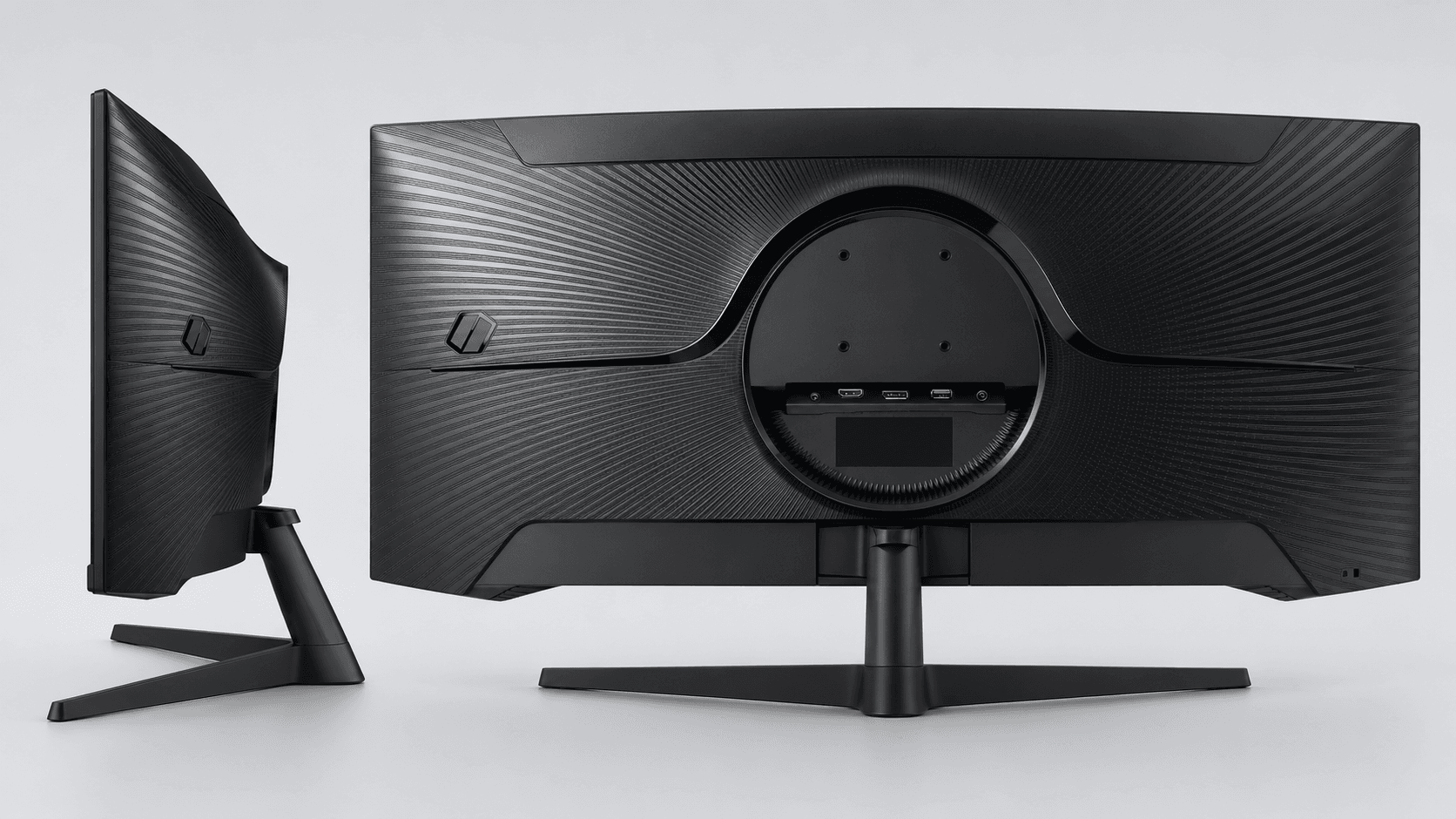
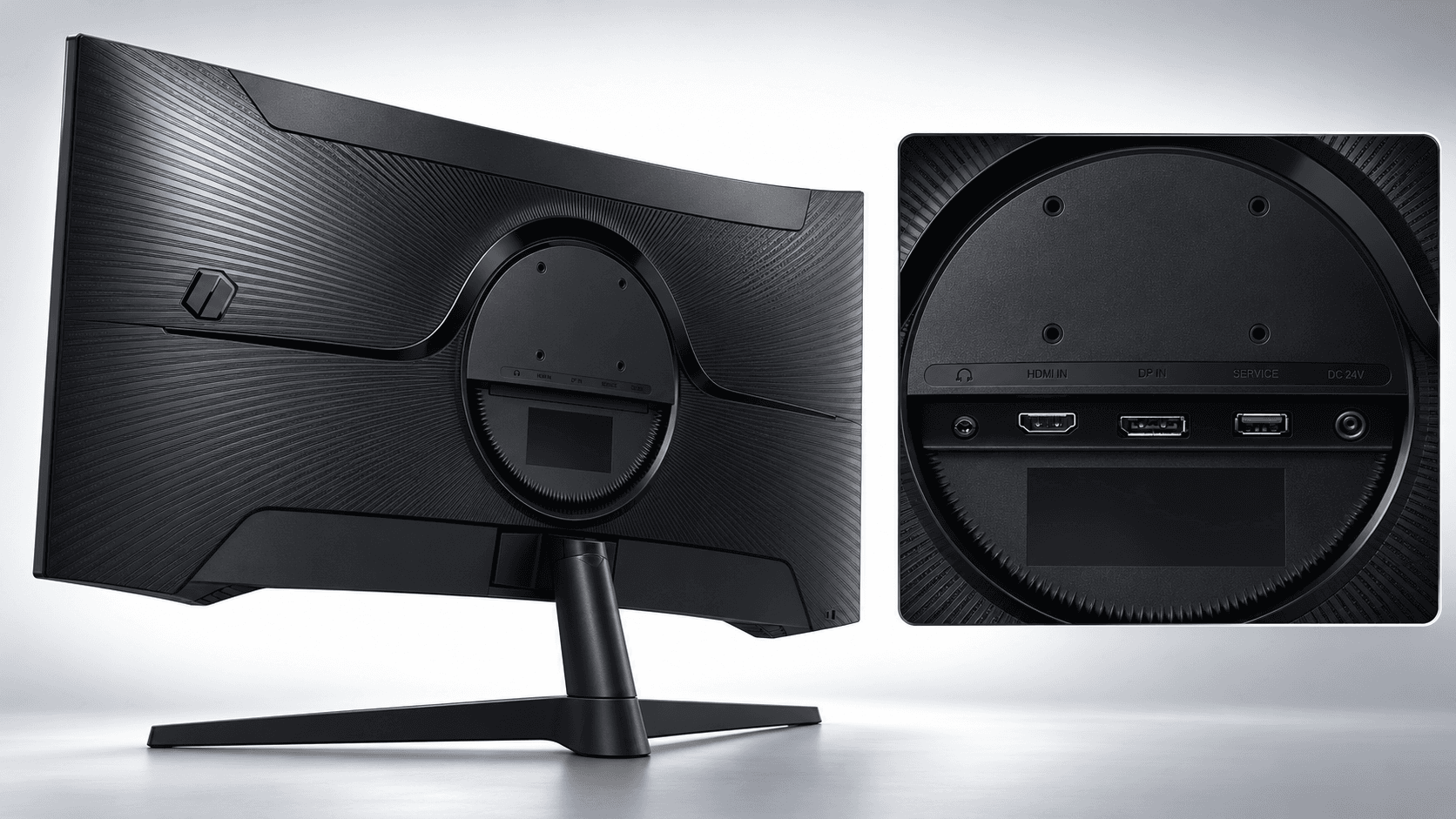
The 1000R curve is the most obvious physical feature, bringing the ends of the panel inward toward a centered viewer. Whether you prefer that shape is a personal choice, rather than an established ergonomic benefit. Connections are straightforward: one DisplayPort 1.4 input, one HDMI input, and a headphone output.
The stand tilts from roughly -2 to +18 degrees but offers no height, swivel, or pivot adjustment. A 75 x 75 mm VESA mount provides another positioning option. Include an arm in the setup budget if the stock height does not suit your chair and desk.
Key Specs and Compatibility
Use DisplayPort for native-resolution 165Hz gaming. Check the output capabilities of a laptop, adapter, or dock before buying: an HDMI connection does not provide the same refresh-rate or FreeSync support on this monitor.
Specification
Value
Screen Size
34 inches
Panel Type
VA LED
Curvature
1000R
Native Resolution
3440 x 1440 (Ultra-WQHD)
Aspect Ratio
21:9
Refresh Rate
Up to 165 Hz through DisplayPort; 100 Hz through HDMI at native resolution
Response Time
1 ms MPRT, manufacturer specification
Static Contrast Ratio
2500:1
Typical Brightness
250 cd/m²
Adaptive Sync
AMD FreeSync Premium through DisplayPort
High Dynamic Range
HDR10 signal support; no local dimming
Video Inputs
1x DisplayPort 1.4, 1x HDMI
VESA Mount Compatibility
75 x 75 mm
There are no integrated speakers, so use the headphone jack or connect audio equipment to your computer. The monitor also lacks USB-C and a general-purpose USB hub. A work laptop therefore needs separate charging and peripheral connections.
What Stands Out
The curve should be central to the buying decision. At 1000R, it bends more tightly than the 1800R LG alternative below. For a centered racing or flight-sim setup, that pronounced shape is the G5’s main attraction.
Plan desk placement around the curve as well as the screen width. The ends project toward you, making this a different physical fit from a flat panel. Leave enough room for the viewing position and keyboard arrangement you want.
The 3440 x 1440 resolution is useful for games with ultrawide support, long editing timelines, and wide spreadsheets. You retain 1440 vertical pixels while gaining width. Your graphics card also has more pixels to render than it would at 2560 x 1440.
A 165Hz ceiling does not mean every game will run at 165 frames per second. The game, graphics settings, and PC determine the frame rate; the monitor displays it within its supported modes. Consider resolution and refresh rate together when planning the rest of the system.
VA contrast gives the G5 a stronger case for evening use than its brightness specification gives it for a sunlit room. The 2500:1 rating is relevant to darker scenes, but does not establish perfect shadow detail or strong HDR performance.
FreeSync and backlight strobing are separate options here. Samsung’s manual restricts Fastest (MBR) to the 165Hz setting and disables response-time controls when FreeSync is active. You must choose between variable refresh and that blur-reduction mode.
Strengths
The uninterrupted desktop is a practical benefit for a single-PC setup. A document can sit beside reference material, or an editing timeline can stretch across the screen without a central bezel. Full-screen applications also have one continuous display surface.
Keeping 1440 vertical pixels gives documents and browser windows familiar working height while adding space for columns or a second window. The number of windows you can use comfortably still depends on scaling and how much room each application needs.
For evening gaming, VA contrast and the curved format suit a centered player who values a broad image and dark-scene depth. Atmospheric RPGs and cockpit games are a more convincing fit than a purchase focused entirely on competitive target tracking.
The 165Hz limit gives a capable PC more room to display high frame rates than a basic 60Hz screen. FreeSync adds variable-refresh support through DisplayPort. Those are useful features even though they do not resolve the panel’s motion limitations.
The 75 x 75 mm VESA pattern offers an alternative to the limited stand. A compatible arm can provide the positioning flexibility missing from the box, while the headphone output is useful when your computer’s audio socket is awkward to reach.
Weaknesses
HDR is easy to overvalue on this model. Signal support cannot supply the local dimming, wide color coverage, or bright highlights missing from the hardware. Choose it primarily for SDR use if the ultrawide format otherwise meets your needs.
The specified 250 cd/m² typical brightness also calls for sensible light control. It is not a guarantee of enough output to overcome sunlight across the screen. Desk placement matters more here than the HDR10 badge.
Motion clarity is the more important compromise for competitive players. Dark transitions can leave visible trails, and MPRT does not measure the full range of pixel transitions. FreeSync reduces tearing but cannot eliminate slow pixel response.
Connection restrictions narrow your options further. HDMI cannot provide native-resolution 165Hz or FreeSync, and the blur-reduction mode cannot run alongside FreeSync. RTINGS also reported input-lag and VRR bugs in its review, adding another qualification to the gaming feature list.
The tilt-only stand limits screen placement relative to your chair. An arm can add height and swivel flexibility, but it must suit both the monitor and your desk, and it adds to the total cost.
Compare that complete setup cost with alternatives. If you need an arm and separate audio equipment, a display that already includes suitable adjustment and speakers may offer a better package for your budget.
If your design workflow requires a flat reference surface, the 1000R screen is the wrong format. Narrow viewing angles are another limitation for shared work: this is a better fit for one centered user than for frequent side-by-side viewing.
Best Alternatives
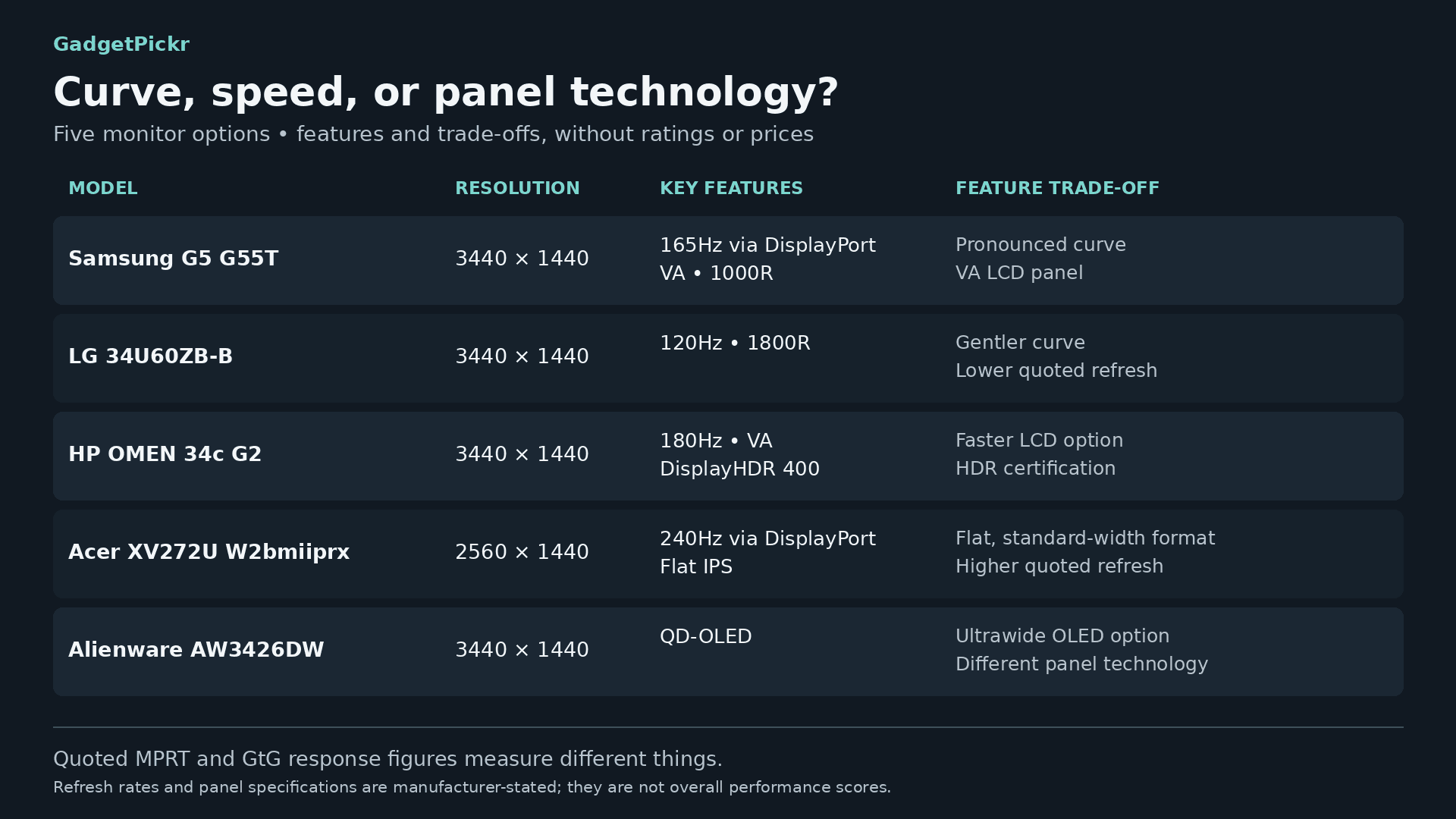
LG’s 34U60ZB-B keeps the 3440 x 1440 ultrawide resolution but trades the G5’s 165Hz ceiling for 120Hz and a gentler 1800R curve. Consider it if you prefer a less pronounced bend and can accept the lower maximum refresh rate.
The HP Omen 34c G2 offers another 3440 x 1440 VA ultrawide, with 180Hz and DisplayHDR 400 certification instead of the G5’s 165Hz ceiling and basic HDR10 support. It is worth comparing when higher refresh and stronger specified brightness are priorities.
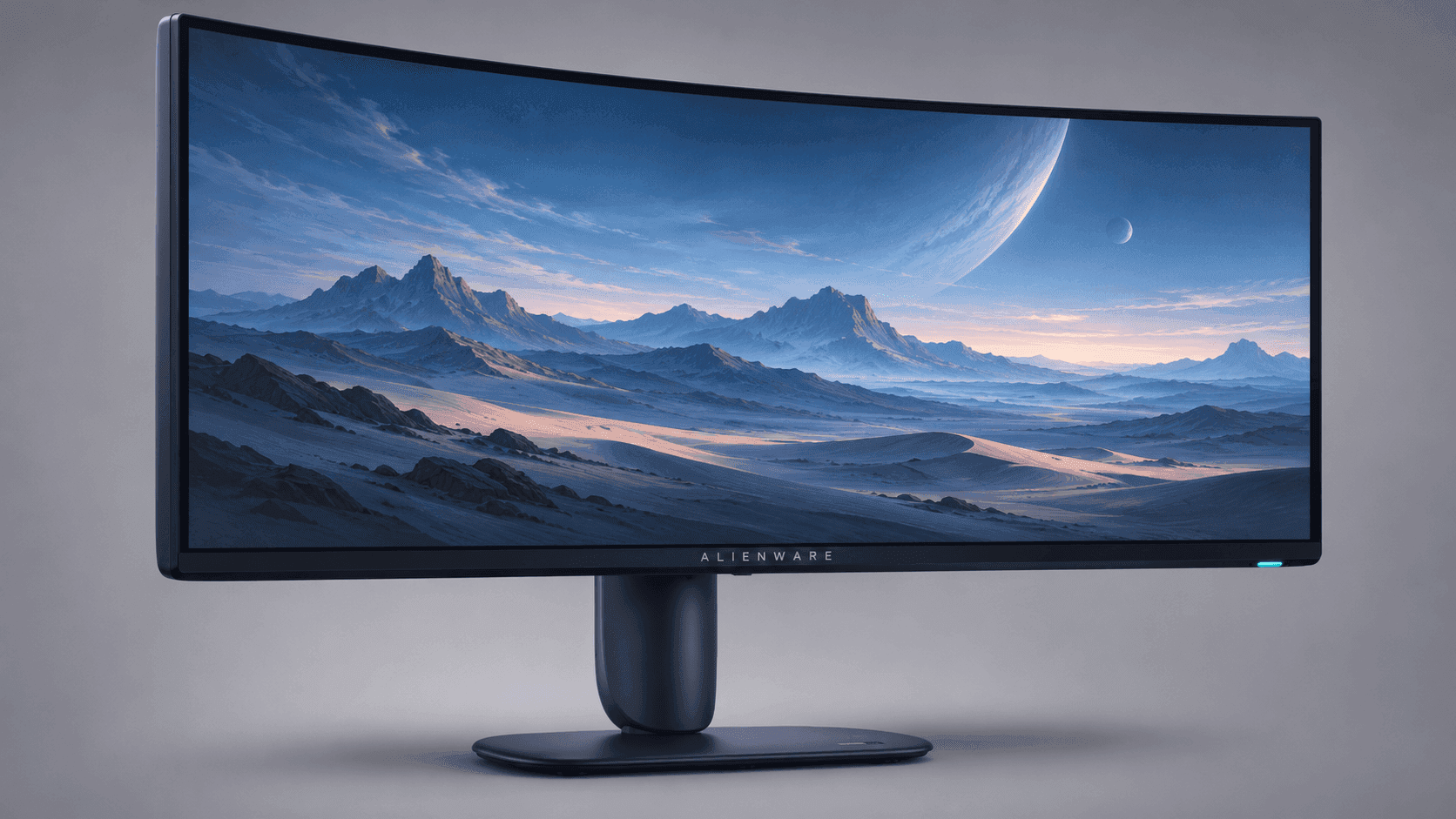
Acer’s Nitro XV272U W2bmiiprx exchanges the curved ultrawide format for a flat 2560 x 1440 IPS panel, with up to 240Hz through DisplayPort and a quoted 1ms GtG response. Alienware’s AW3426DW retains the ultrawide format but moves to self-lit QD-OLED with a quoted 0.03ms GtG response. MSI’s MPG 271QRX also quotes 0.03ms GtG but uses a flat 16:9 QD-OLED screen. These GtG figures are not directly comparable with Samsung’s MPRT specification.
Who Should Buy It
Choose the G55T for PC racing games, flight simulators, or open-world adventures when you specifically want a tightly curved ultrawide. Its strongest reason for purchase is the combination of 3440 x 1440 resolution and a 1000R bend.
It also suits a centered work-and-play desk where side-by-side windows matter more than USB-C docking. The same screen can handle office applications and ultrawide gaming, provided the stand height works for you or you have allowed for a compatible arm.
Controlled lighting plays to its strengths. VA contrast is useful for evening entertainment, while the modest brightness is less suitable for direct sun. Buy it for the wide SDR gaming view rather than HDR impact.
Who Should Skip It
Skip the G5 if competitive shooters dominate your gaming and clear fast transitions are the priority. Look for an alternative with stronger verified motion performance rather than relying on a refresh-rate ceiling or response-time label alone.
HDR-focused entertainment and work requiring wide color coverage deserve another shortlist. This monitor lacks local dimming and a wide HDR gamut. For CAD or architectural work, also decide whether a strongly curved surface suits your workflow instead of assuming the gaming-oriented shape will suit every task.
Pass if you need height and swivel adjustment from the supplied stand or USB-C for a work laptop. Those are absent hardware features. Adding an arm and separate laptop connections may weaken the appeal of an otherwise straightforward purchase.
Sources & References
Specifications and claims in this analysis were cross-referenced against the sources below.
No. Use DisplayPort for 3440 x 1440 at 165Hz. Samsung’s manual lists 100Hz at native resolution through HDMI, and FreeSync does not work over HDMI on this model.