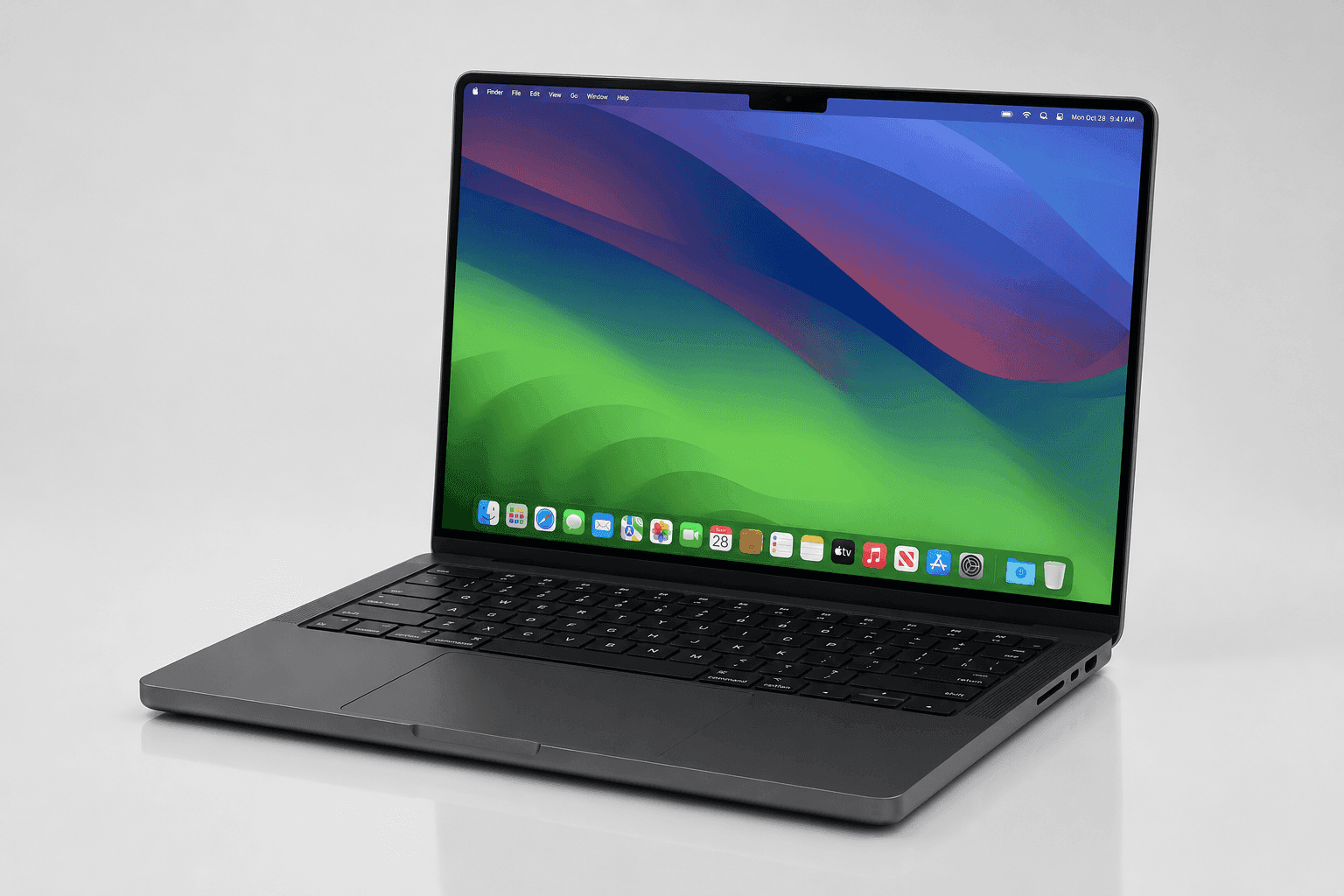
Apple's late-2024 laptop refresh did something quietly important: it made the mid-tier chip the interesting one. The MacBook Pro M4 Pro sits between the entry M4 and the top-end M4 Max, and it targets people who need sustained multi-threaded muscle but don't want to pay for the flagship silicon.
In this Apple MacBook Pro M4 Pro review, we look at how the 12-core CPU, the wider memory, and Thunderbolt 5 turn into real daily work rather than benchmark bragging rights. The 24GB unified memory baseline is the headline. That bump answers the memory pressure created by local AI models and heavy creative apps. Space Black still looks the part — but the real story is inside, in processing efficiency and the balance between sustained output and battery life.
Some links in this article are affiliate links, which helps support GadgetPickr at no extra cost to you.
The Quick Take
The 2024 MacBook Pro with M4 Pro is a capable workstation for professionals who need sustained performance without staying tethered to an outlet.
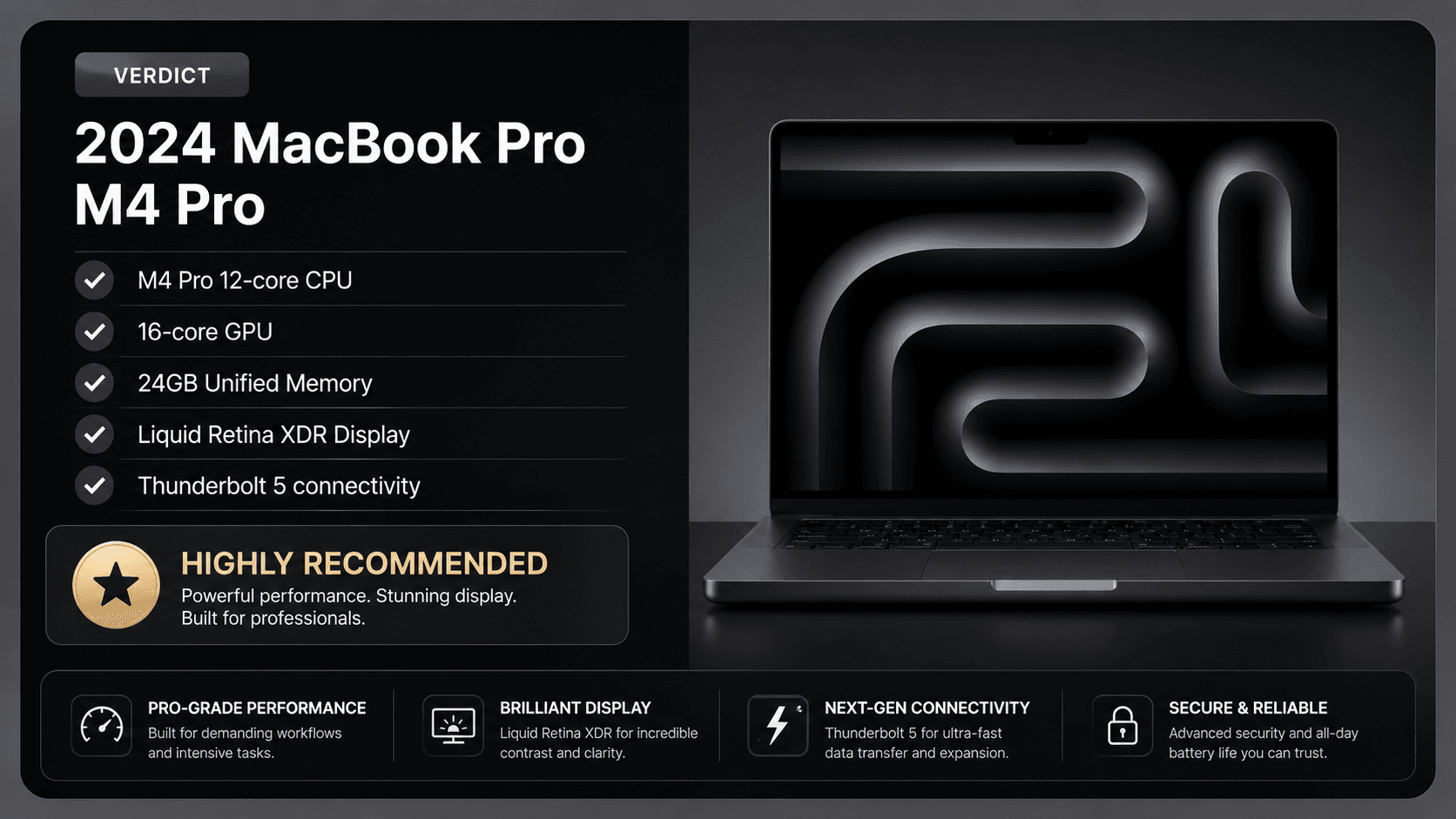
This MacBook Pro M4 Pro review comes down to one question: do you actually push a laptop hard? If you do, this is a capable workstation that keeps performing away from the wall. The 12-core CPU, 16-core GPU, and 24GB of unified memory out of the box land on the price-to-performance sweet spot for developers, editors, and power users.
Making that the baseline is the win here — multitasking across heavy apps or running local development environments stays smooth without early memory pressure. The M4 in the latest Air is lighter and silent for everyday work, but this 14.2-inch Pro is built for sustained output and heavy loads. The Liquid Retina XDR panel holds up for color-accurate work, and the connectivity keeps your peripheral setup ready for years.
Heavy compiling, multi-stream 4K editing, or complex 3D? The M4 Pro brings thermal headroom and graphics power a fanless Air can't match. Coming from Intel or a base M1, the efficiency and speed gains are easy to see. It's a solid investment that balances power, reliable battery life, and a bright display in a body that stays easy to carry.
Apple MacBook Pro M4 Pro
Best for buyers who want a portable everyday computer with the specs covered in this review.
At the center sits the M4 Pro system-on-chip: a 12-core CPU paired with a 16-core GPU. Apple splits that CPU into eight performance cores and four efficiency cores. Compile a large codebase, spin up local Docker containers, or push a vector illustration around, and the background chores land on the efficiency cores while your real work grabs the fast ones. The 16-core GPU adds hardware-accelerated ray tracing, which sharpens lighting math in 3D apps and the game engines that support it.
Feeding all of that is 24GB of unified memory, which operates at an increased bandwidth of 273 GB/s. That's a real step up over the standard M4 and the older M3 Pro. Because the CPU and GPU share one memory pool, nothing gets copied across a slow bus. Edit multi-stream 4K, wrangle big datasets, or run a local language model, and the layout keeps things from choking as memory fills up.
The screen is a 14.2-inch Liquid Retina XDR panel built on mini-LED backlighting. It runs a native resolution of 3024 by 1964 pixels and supports a 120Hz adaptive refresh rate. Brightness reaches up to 1,000 nits of sustained full-screen brightness for HDR content and 1,600 nits of peak brightness. For colorists and photo editors, that means tight control over highlights and shadows across the wide P3 gamut.
The recycled aluminum body keeps the familiar Pro look. It weighs a relatively light 3.5 pounds (1.60 kg) and hides a dual-fan cooling system that gives the M4 Pro thermal headroom to hold its clocks through long renders. Storage starts at a 512GB SSD — fast, but limited for large media libraries, and a higher-capacity configuration costs more at checkout and can't be added later.
Key Specs and Compatibility
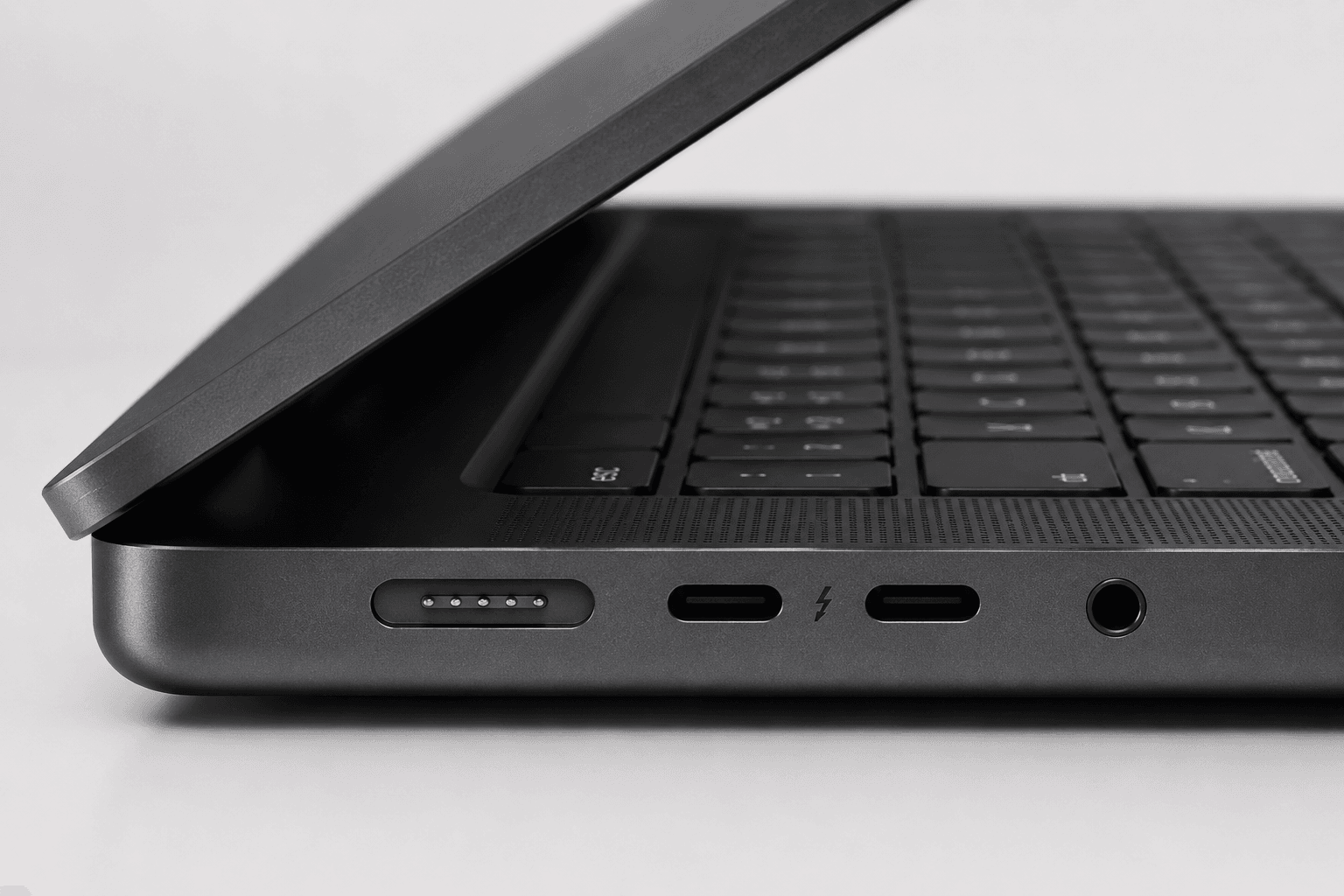
Connectivity is where this body pulls ahead: three Thunderbolt 5 ports. Each moves data at up to 120 Gb/s — more than double, not double, Thunderbolt 4 throughput. One cable can drive several high-resolution monitors, a fast RAID array, or an external PCIe chassis. Rounding it out are an HDMI port supporting 8K displays, an SDXC card slot for quick media transfers, a MagSafe 3 charging port, and a high-impedance 3.5mm headphone jack.
On power, the lithium-polymer battery teams with the 3-nanometer M4 Pro to deliver up to 22 hours of video playback on Apple's numbers. Set it against Windows rivals running Intel Core Ultra 9 or AMD Ryzen AI 9 chips and the difference is consistency: this platform holds full performance whether it's plugged in or on battery. The 12MP Center Stage camera cleans up video calls, with Desk View and automatic framing for remote sessions.
What Stands Out in This MacBook Pro M4 Pro Review
What stands out first is the architecture, not any single number. The 12-core CPU and 16-core GPU do the heavy lifting, but the generous baseline memory is what you feel day to day — more headroom for multitasking, right out of the box.
Shared memory is the quiet advantage here. CPU and GPU read the same pool with very low latency, so there's no shuffling data between separate VRAM and system RAM. Render a dense 3D scene, compile a big project, or juggle 4K streams, and it stays quick.
Then there's the 14.2-inch Liquid Retina XDR display: bright enough for HDR grading, controlled enough for everyday SDR work, accurate enough for color-critical jobs. Apple Intelligence runs on dedicated on-chip hardware, handling machine-learning and language tasks without leaning on the main cores. Space Black adds a fingerprint-resistant finish. Add a port layout that drives multiple external displays and fast storage without a dock, and you get a machine for people who've outgrown the plain M4 but don't need the specialized reach of the M4 Max.
Strengths
On paper, the payoff shows up as steadiness. For developers, the 12-core CPU is rated for shorter compile times and tight iteration loops. Photo editors and vector designers can push large, multi-layered files around because the ample unified memory keeps the system from swapping out to the SSD.
The 16-core GPU has the throughput for heavy rendering and real-time timeline scrubbing. The dual-fan cooling gives the chip room to sustain its clocks without throttling. And the display's high brightness spec helps keep text legible in bright sun or under harsh office lighting.
The 12MP Center Stage camera keeps you framed on calls with Desk View and auto-framing, and the backlit Magic Keyboard and Force Touch trackpad carry over unchanged from the Pro line. It's a familiar, capable layout for long work sessions.
Weaknesses
None of that erases the trade-offs. The biggest one is upgradability — there isn't any. Memory and the 512GB SSD are soldered to the board, so you buy for the next few years today, not later. Heavy media libraries will find the base storage restrictive, pushing you toward external SSDs or the cloud.
The 14.2-inch frame is easy to carry but gives you less room than the 16-inch model; power users who live in side-by-side windows may want an external monitor. On the software side, Apple silicon has matured, yet some legacy enterprise apps or x86 Windows tools still need emulation or won't run at all — a real hurdle for PC switchers.
Repairs and out-of-warranty parts aren't cheap, so protective coverage becomes another cost to weigh. And if your day is web, email, and light media, the M4 Pro's power and cooling mostly sit idle — the lighter, cheaper MacBook Air with the standard M4 makes more sense.
Best Alternatives
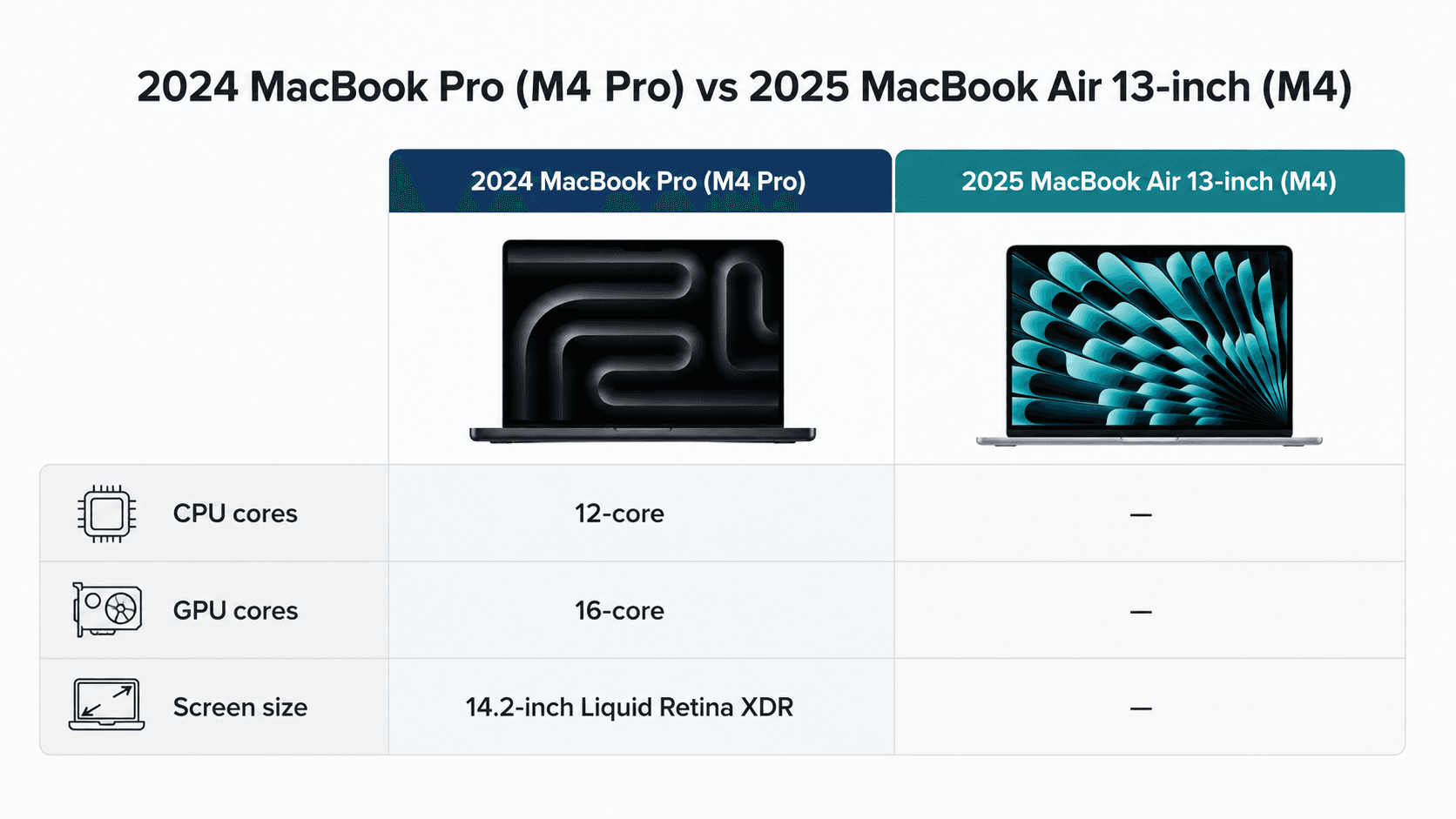
The closest in-house rival is the 2025 MacBook Air 13-inch with the standard M4. It trades the Pro's active cooling, extra ports, and CPU and GPU headroom for a thinner, silent, fanless body — the right pick when portability and battery matter more than sustained rendering. It handles office work, light photo edits, and coding comfortably; it just can't feed the same memory bandwidth or drive a triple-monitor setup.
For Windows shops, machines like the Dell XPS 16 or the ASUS ROG Zephyrus G16 make their case with discrete NVIDIA GeForce RTX graphics, which can beat the M4 Pro in CUDA work, real-time 3D, and mainstream gaming. The catch is what you give up: weaker sustained performance off the charger, a bigger power brick, and a clear drop when unplugged. If your world is Final Cut Pro, Logic Pro, or Xcode, staying on macOS — the Pro here or the lighter M4 Air — is the cleaner path.
Who Should Buy It
This one is for people who need desktop-class output in a bag. Developers running local containers, compiling large codebases, or juggling virtual machines get real value from the 12-core CPU and its generous unified memory. Video editors on multi-stream 4K or 8K, colorists, and audio engineers with dense multi-track sessions lean on the 16-core GPU and the dedicated media engines.
It also fits people who work far from an outlet and can't trade away speed, since the M4 Pro holds its full performance profile on battery. Coming from an older Intel MacBook or a base M1? The jump in sustained speed, brightness, and responsiveness pays for itself quickly.
Commission may be earned from this link, at no extra cost to you.
Who Should Skip It
Plenty of buyers don't need this much machine. If your day is browsing, documents, streaming, and spreadsheets, the M4 Pro's ceiling goes unused — the 2025 MacBook Air with the standard M4 does the job for less, in a lighter shell.
Dedicated PC gamers should look elsewhere too; ray tracing has improved, but the macOS game library still trails Windows rigs with NVIDIA or AMD graphics. And budget-minded students or pros who never touch heavy software gain little from the extra fans, ports, and memory bandwidth — a standard M4 machine is the smarter spend.
Sources & References
Specifications and claims in this analysis were cross-referenced against the sources below.
The M4 Pro supports multiple external displays through its three Thunderbolt 5 ports and the HDMI output, which handles 8K. That's enough for a multi-monitor desk setup from a single machine, no dock required.