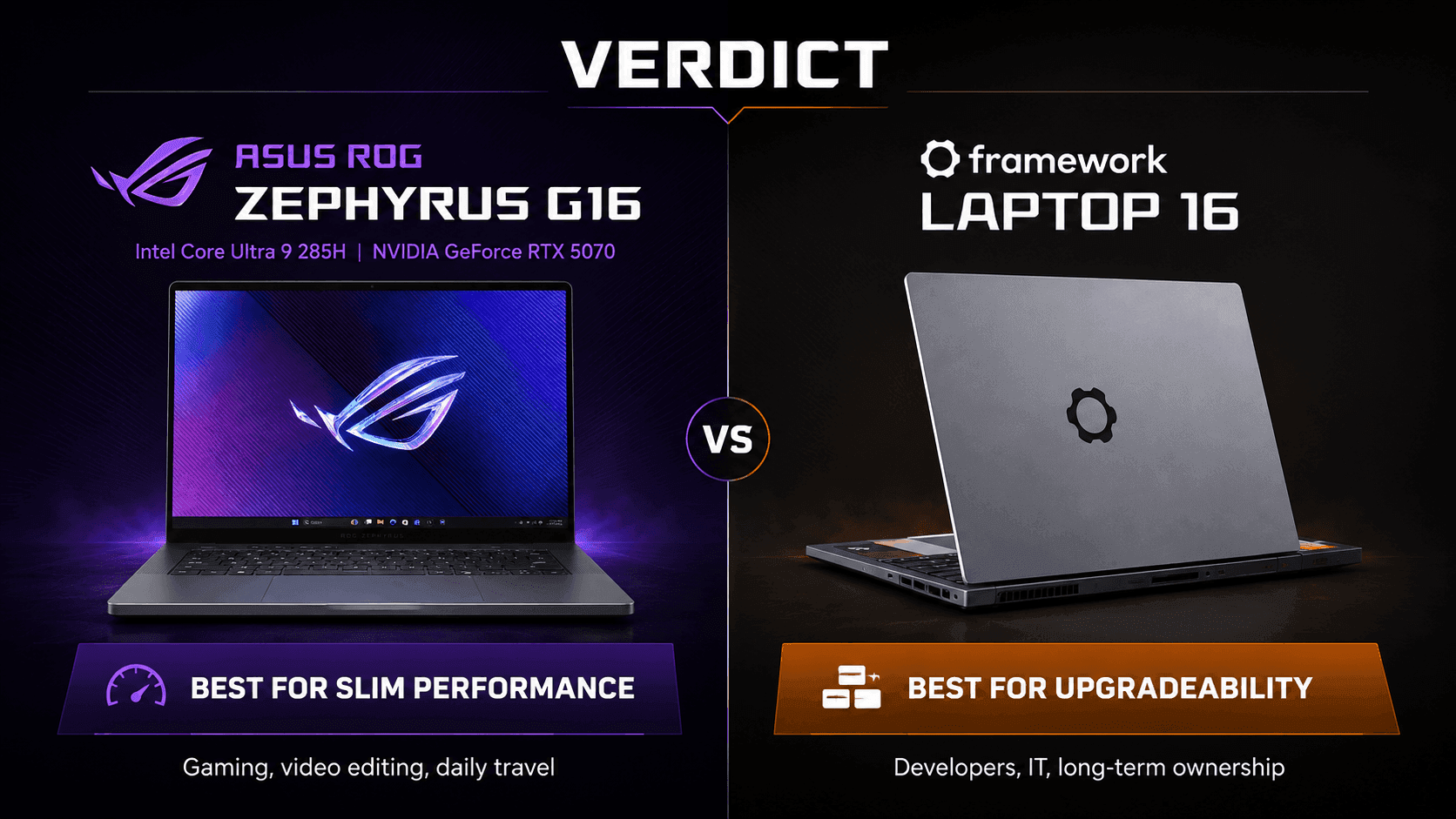
Two machines, two completely different answers to the same question: what should a 16-inch laptop actually be? The ASUS ROG Zephyrus G16 vs Framework Laptop 16 matchup pits a thin, sealed, fast notebook against one built to be opened, rebuilt, and kept.
ASUS drops an Intel Core Ultra 9 285H and an NVIDIA GeForce RTX 5070 into a slim aluminum shell, then bolts a 2.5K OLED panel to the front. Framework went the opposite direction. Swappable expansion cards, a replaceable mainboard, a modular graphics bay — the whole thing is a kit you keep feeding.
So this isn't really a benchmark argument. It's a question about time. Do you want the strongest sealed package on day one, or a chassis you can still justify owning in five years?
The Quick Take
Gaming and colour-critical creative work in a bag-friendly body? Take the ASUS ROG Zephyrus G16. Want a laptop you can service, re-port, and upgrade for years without replacing the whole machine? That's the Framework Laptop 16, and nothing else in this size class comes close on that front.
ASUS ROG Zephyrus G16
Thin aluminium chassis, OLED panel, RTX 5070 graphics. Built to be finished, not modified.
Check Price on AmazonFramework Laptop 16
Hot-swappable ports, socketed memory, dual M.2 bays, and a graphics module you can pull out.
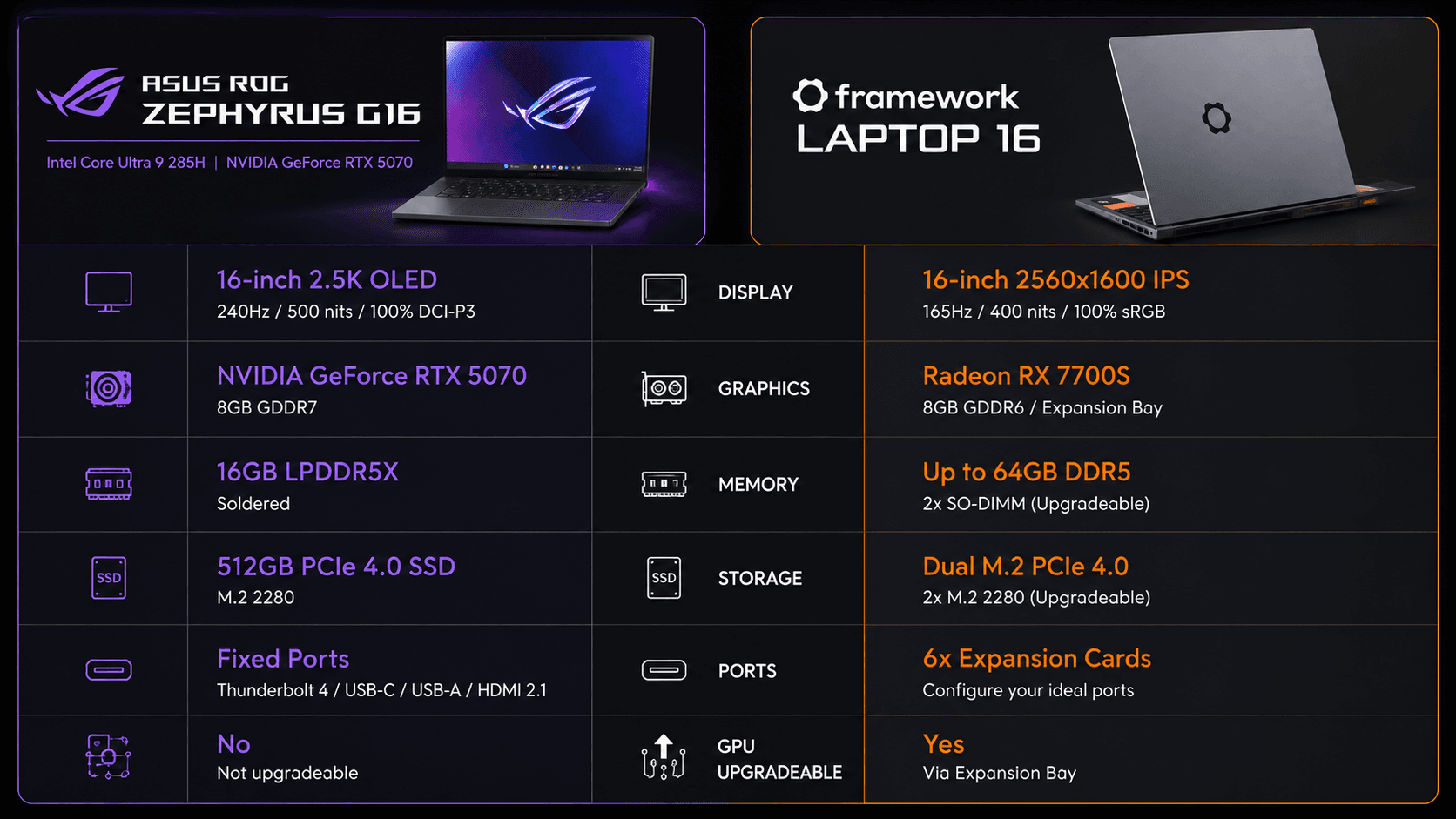
ASUS ROG Zephyrus G16 vs Framework Laptop 16: Specs at a Glance
Read this table twice. The first pass tells you which laptop is quicker right now; the second tells you which one still has room to grow. Almost every meaningful difference between these two lives in the bottom three rows.
| Specification | ASUS ROG Zephyrus G16 | Framework Laptop 16 |
|---|---|---|
| Display | 16-inch 2.5K OLED (240Hz) | 16-inch 2560x1600 IPS (165Hz) |
| Processor | Intel Core Ultra 9 285H | AMD Ryzen 7 7840HS / Ryzen 9 7940HS |
| Graphics | NVIDIA GeForce RTX 5070 | AMD Radeon RX 7700S / Expansion Bay |
| System Memory | 16GB LPDDR5X (Soldered) | Up to 96GB DDR5 (2x SO-DIMM) |
| Storage | 512GB PCIe 4.0 SSD | Dual M.2 PCIe 4.0 NVMe SSD |
| Modular Ports | Fixed (Thunderbolt 4, USB-C, USB-A, HDMI) | 6x Customizable Expansion Cards |
| Memory Upgradability | No (Soldered LPDDR5X) | Yes (User-replaceable SO-DIMM) |
| GPU Upgradability | No (Soldered BGA) | Yes (Modular Graphics Expansion Bay) |
| Best For | Small desks, dorm rooms and frequent flyers — high-refresh gaming and colour-accurate editing from one sealed, backpack-friendly machine | Home offices and workbenches — developers and IT buyers spreading spend across years of RAM, storage and GPU upgrades |
Specifications as published by ASUS.
Design & Build Quality
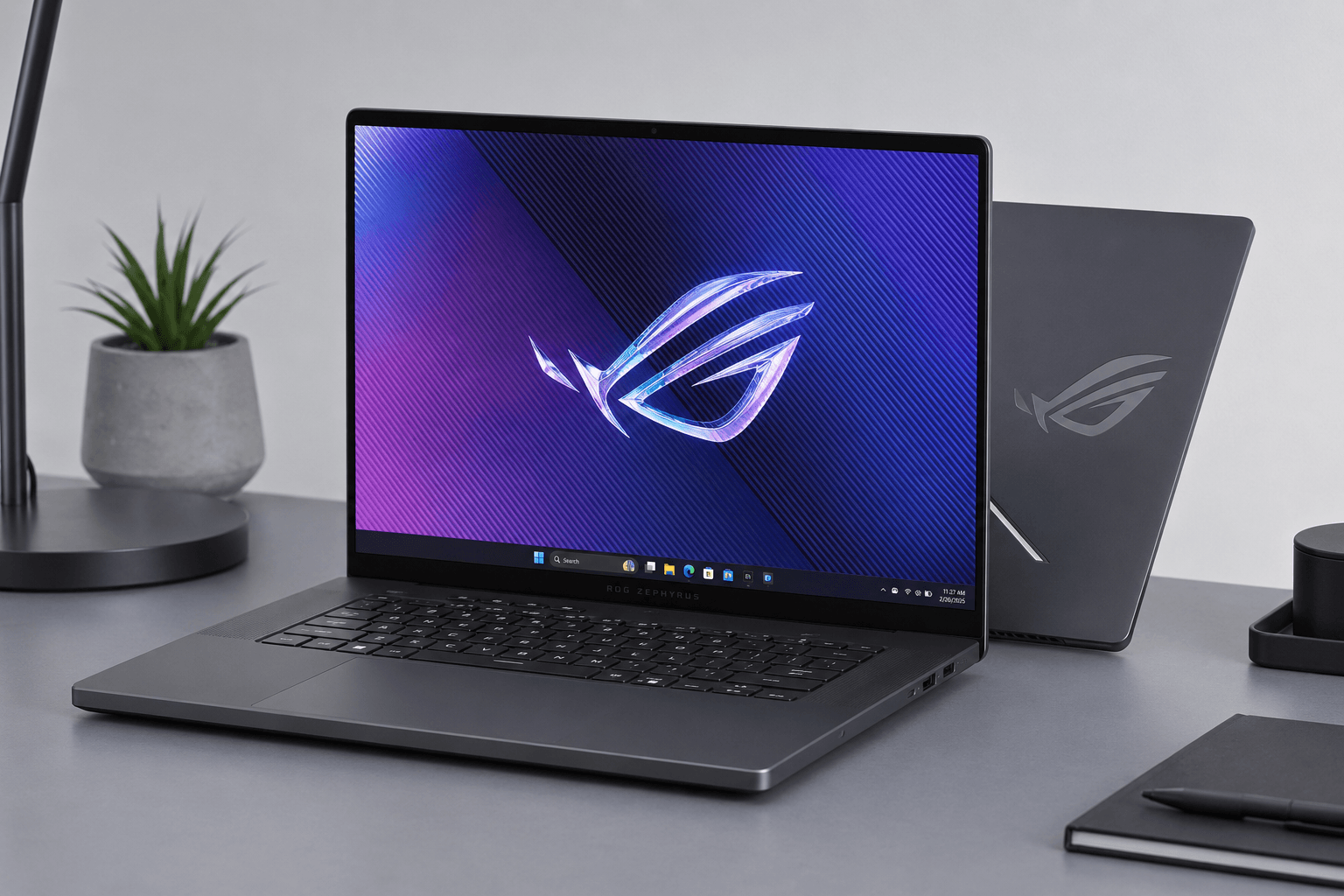
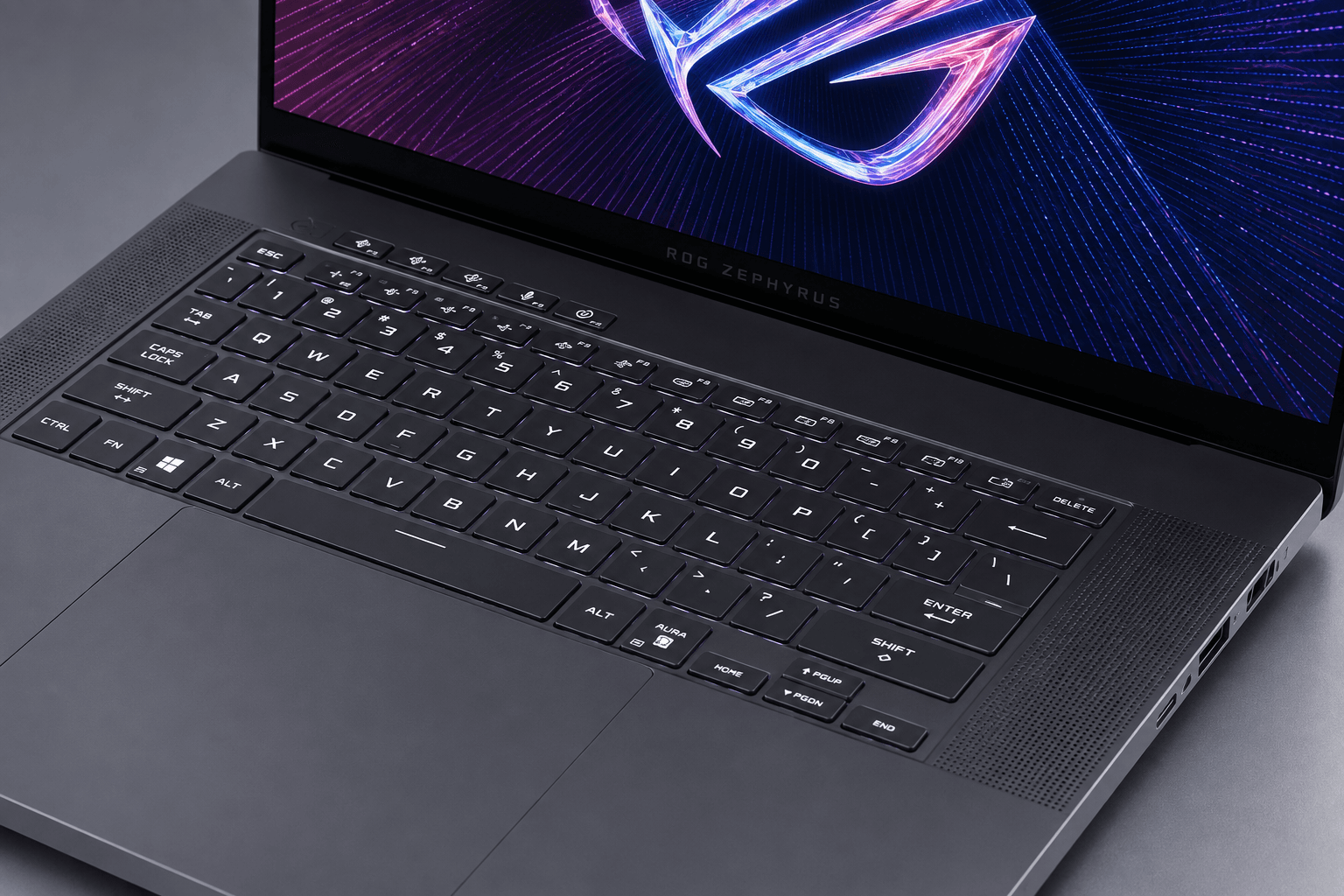
Pick these two up and the philosophies announce themselves immediately. ASUS wrapped the G16 in a thin-and-light aluminium unibody with the thermal layout folded in around fixed dimensions — rigid, slim, and easy to slide into a normal backpack alongside everything else you carry.
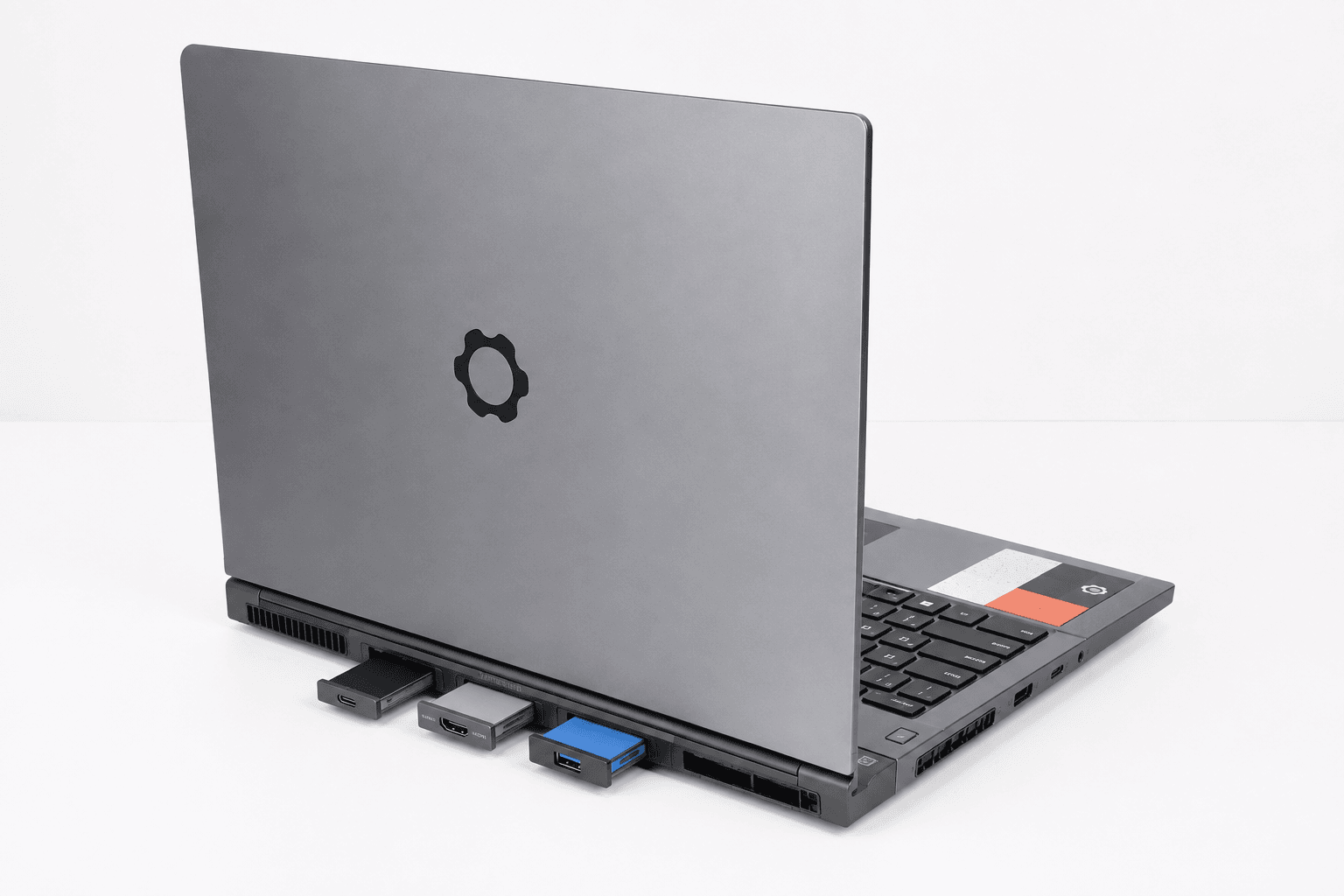
Framework's chassis exists to be taken apart. Aluminium and magnesium alloy, hot-swappable Expansion Cards that let you pick your own USB-C, USB-A, HDMI or storage layout, and a modular Expansion Bay at the rear that accepts discrete graphics modules or a passive cooling shell instead. Change your ports at a desk in about ten seconds. No tools, no service centre.
That flexibility costs something physical. The Framework 16 is thicker, heavier, and blunter-looking than the Zephyrus, and it never pretends otherwise. Your call: a refined, finished ultra-portable, or a platform that stays fixable.
Performance & Key Features
Screen first, because it's the loudest difference. The G16's 16-inch 2.5K OLED runs at 240Hz, which buys you true black levels, quick pixel response and saturated colour — the combination competitive players and video editors actually care about.
Inside, this configuration runs an Intel Core Ultra 9 285H alongside an NVIDIA GeForce RTX 5070, 16GB of LPDDR5X and a 512GB PCIe 4.0 SSD. One catch, and it's a real one: that LPDDR5X is soldered. Whatever memory you buy is the memory you own for the life of the machine, so configure it with the next three years in mind, not next Tuesday.
Framework attacks the same problem from the other side. Its 16:10 panel runs at 160Hz and targets bright, sharp productivity work as much as gaming — a capable screen rather than a showpiece.
Component access is where this design earns its keep. Memory sits in user-replaceable DDR5 SO-DIMM slots. Storage uses ordinary M.2 NVMe drives, so adding a second one is a screwdriver job. And the graphics module connects through a custom expansion interface, meaning a future GPU could drop in without the rest of the laptop going to landfill.
Neither approach is wrong. One gives you more performance per pound today; the other gives you more machine per decade.
Pros & Cons: ASUS ROG Zephyrus G16
What works: the 2.5K OLED at 240Hz is the kind of panel you notice within about four seconds of opening the lid, and the Core Ultra 9 285H plus RTX 5070 pairing puts serious silicon in a chassis that genuinely travels. Thin, rigid, quiet-looking. It doesn't shout gamer at a client meeting.
What doesn't: soldered LPDDR5X kills any RAM upgrade path, full stop. The 512GB baseline drive fills fast if you keep a large Steam library or edit 4K footage, so budget for an early SSD swap. And this sits at the expensive end of the 16-inch market — you're paying for the panel and the graphics up front, all at once.
Pros & Cons: Framework Laptop 16
Repairability and durability are the whole pitch here, and Framework delivers on both. Swap mainboards, fill dual M.2 slots, replace memory modules, reconfigure ports with expansion cards. The customizable Input Deck and open documentation turn upgrades into ordinary maintenance instead of warranty-voiding surgery.
Those wins come with real costs. Accommodating hot-swappable modules makes the Framework 16 thicker and heavier than sealed competitors, and its industrial look won't win anyone over on aesthetics alone. Sustained performance and power delivery are also more constrained than in fixed-chassis systems built around one tight thermal envelope.
Buying into a modular ecosystem also means a higher upfront outlay and long-term dependence on the manufacturer shipping drop-in upgrades. Repair advocates will consider that a fair trade. Someone who flies twice a month, less so.
Real Buyer Scenarios
Think about how the machine actually moves through your week. Frequent travellers, creators and gamers who want maximum output the moment the box opens are the natural G16 audience — client presentations, airport lounges, high-frame-rate play on the OLED panel, timeline scrubbing in Premiere, zero interest in hardware tinkering.
Now the other profile. Developers, engineers, sysadmins and sustainability-minded buyers get more from the Framework 16: a serial port card today, dual Ethernet next month, 64GB of RAM when the containers get greedy, a new mainboard in year four instead of a new laptop.
You give up the slim profile and the OLED contrast. You get control over the entire hardware lifecycle. Both are legitimate ways to spend the same money.
Alternatives Worth Considering

These two sit at opposite ends of the 16-inch spectrum, which means the answer for some buyers is neither of them.
Creators anchored in Apple's ecosystem should weigh the 2024 MacBook Pro 14.2-inch featuring the M4 Pro chip. Outfitted with a 12-core CPU, 16-core GPU, 24GB of Unified Memory, and a 512GB SSD in Space Black, it delivers strong power efficiency and holds performance well on battery. The Liquid Retina XDR display is the better colour reference of the group — but you lose native Windows gaming and any meaningful repairability.
Final Verdict
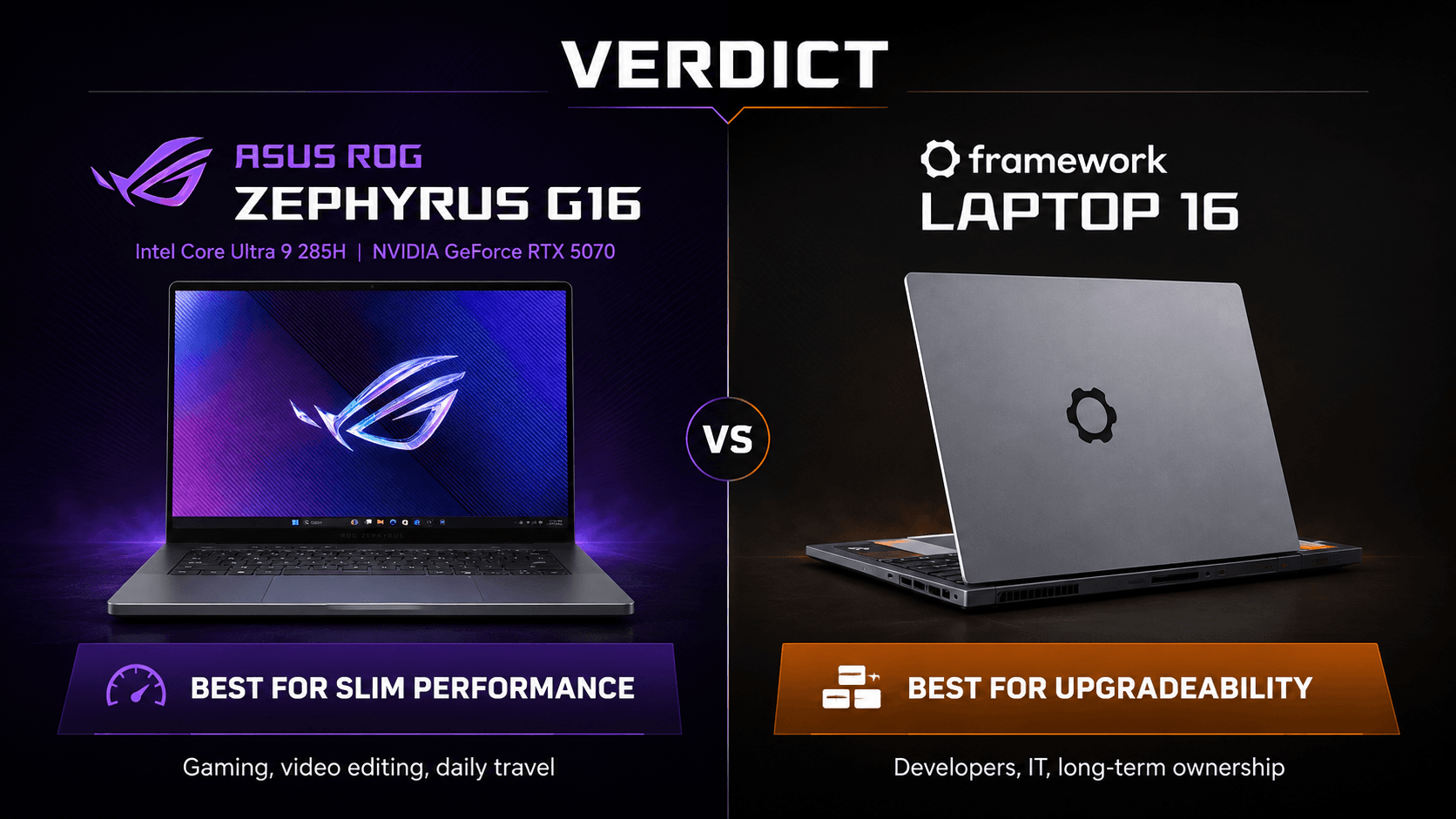
The ASUS ROG Zephyrus G16 vs Framework Laptop 16 decision splits cleanly, and it splits by use case rather than by budget.
Choose the ROG Zephyrus G16 if you game seriously, edit video, or grade photos, and you want that capability in a body you can carry daily. Its OLED panel delivers contrast and pixel response that IPS screens can't reach, and the Core Ultra 9 285H plus RTX 5070 combination gives you more graphics performance per pound carried.
Choose the Framework Laptop 16 if you write software, run Linux, or manage IT hardware. Swapping mainboard generations, replacing a worn keyboard, and rebuilding your I/O layout with expansion cards are things you'll do here — and things the Zephyrus will never let you do.
Best sealed package today: ASUS. Best machine to still be using in 2031: Framework.
Sources & References
Specifications and claims in this analysis were cross-referenced against the sources below.
- ASUS ROG Zephyrus G16 (2025) GU605 | Gaming Laptop | ROG USArog.asus.com
- ROG Zephyrus G16 (2025) GU605 | Gaming Laptops|ROGrog.asus.com
- ROG Zephyrus G16 (2025) GA605 - Gaming Laptops - ASUSrog.asus.com
- Order a Framework Laptop 16 with AMD Ryzen™ AI 300 Seriesframe.work
- ASUS Republic of Gamers Announces 2025 Zephyrus G14 and G16 Lineupwww.asus.com › newsasus.com
- Framework Laptop 16 - AMDamd.com
- Zephyrus G16 2025 GU605 | ROG Gaming Laptops | ASUS Canadaasus.com
- Introducing the new Framework Laptop 16 with NVIDIAframe.work
Frequently Asked Questions
The Zephyrus G16. Its RTX 5070 and 2.5K OLED panel target high-frame-rate play straight out of the box. Framework's modular graphics bay is the smarter long-term bet, not the faster one today.


