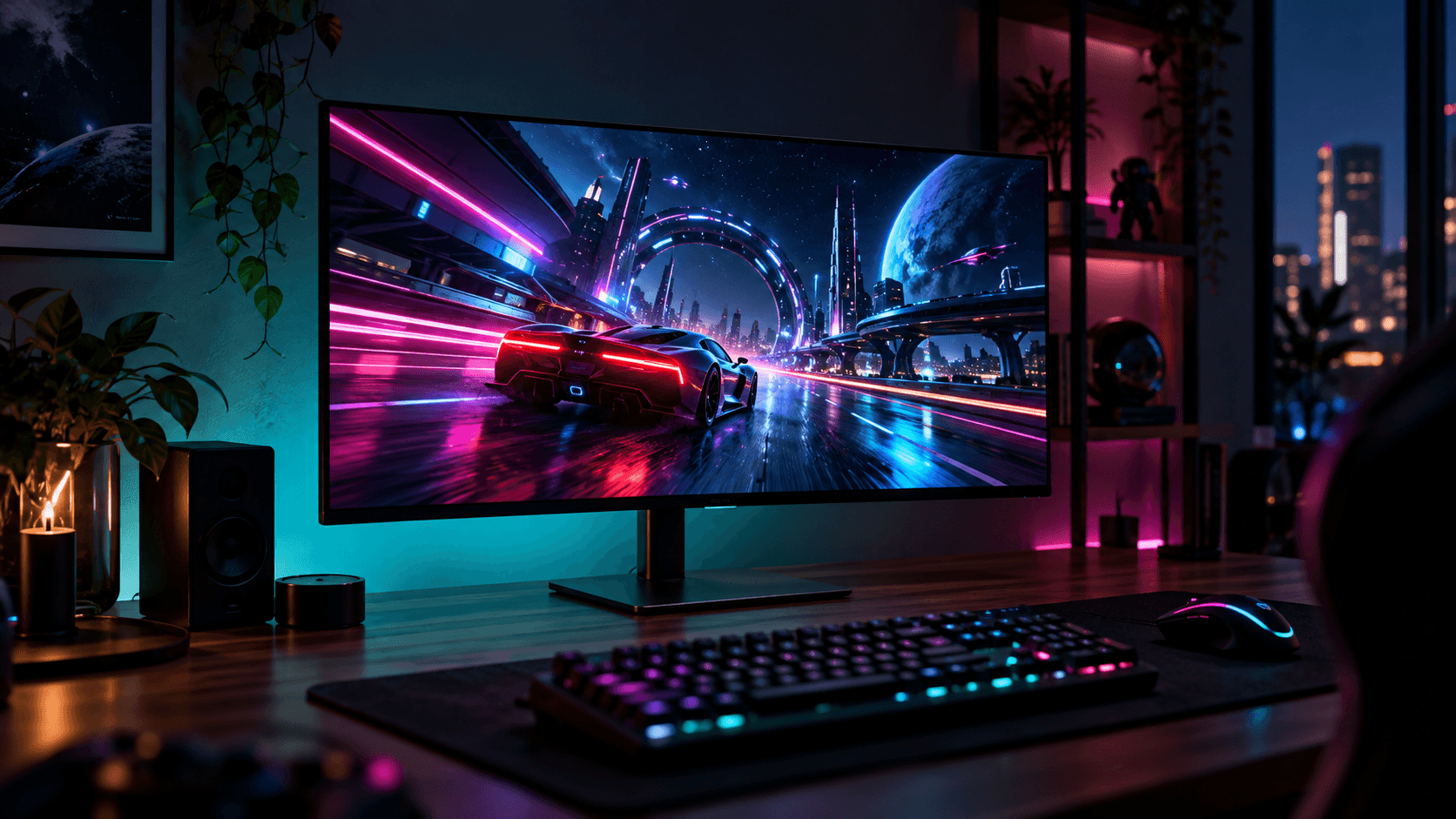
LCDs had a good run. Every IPS, VA, or TN panel still relies on an LED backlight, and that backlight causes the motion blur, the light bleed, and the dark scenes that turn grey instead of black. OLED has no backlight. Each pixel makes its own light and switches fully off, so you get true blacks, effectively infinite contrast, and response times as low as 0.03ms GtG.
We ranked the best OLED gaming monitors 2026 has to offer on four things: refresh rate, resolution weighed against the GPU needed to drive it, panel type, and how well each screen fits a real desk. That's why a 180Hz Samsung sits at #1 and a 360Hz Alienware sits at #5. Raw speed only wins if your graphics card can keep up with it.
One pick isn't an OLED at all. The Acer is here as a budget benchmark, so you can see what the jump to OLED costs and what you get for it.
The Quick Take
Most people should buy the Samsung Odyssey OLED G5 (G50SF): 1440p QD-OLED at 180Hz, and a mid-range GPU can run it at full speed. If you want the whole desk to be a screen, get the G9. If you only play competitive shooters, get the AW2725DF. If you're not ready to pay for OLED yet, the Acer holds you over.
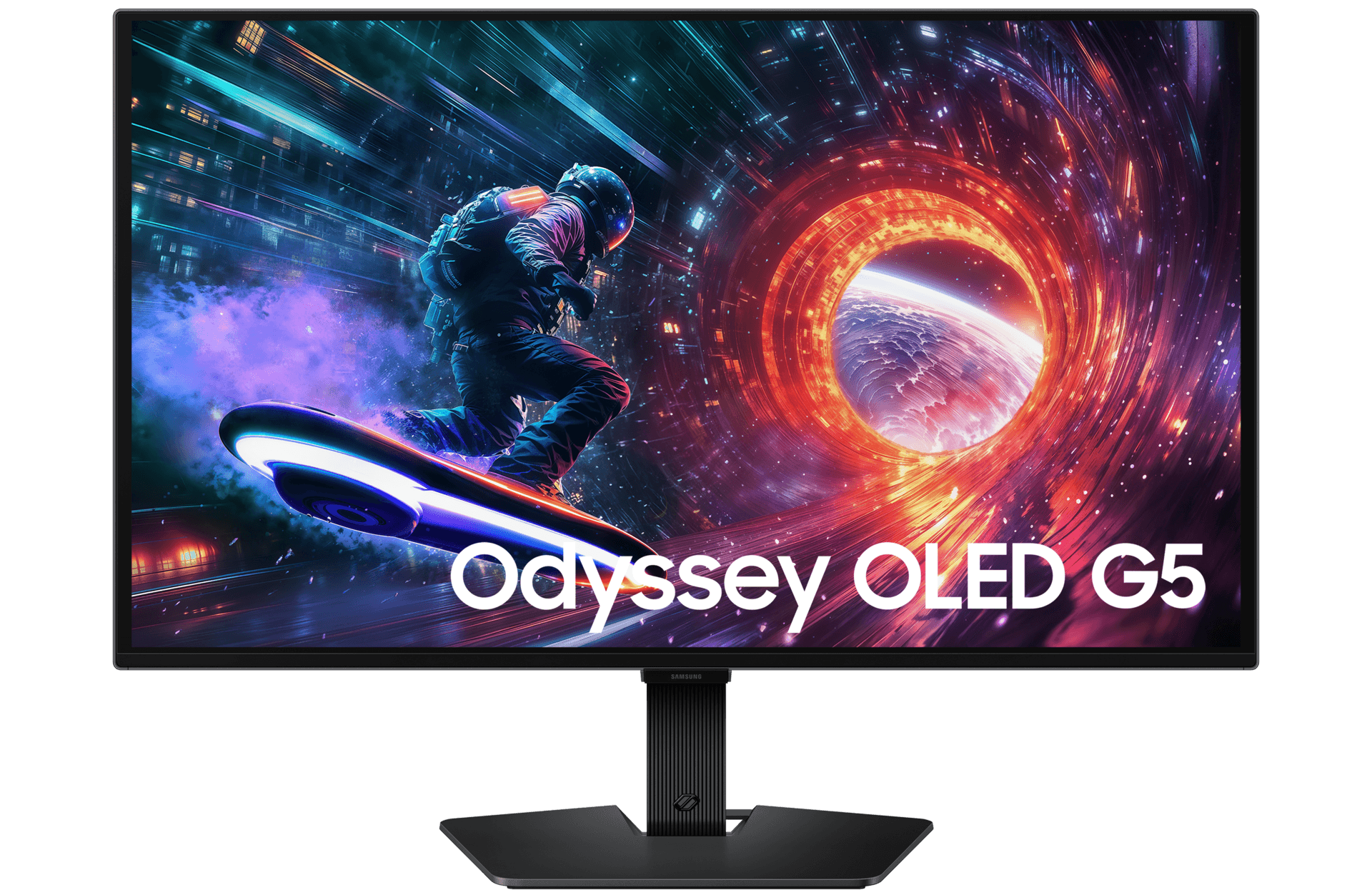
Samsung Odyssey OLED G5 (G50SF)
This is the OLED to recommend to almost anyone. Samsung fits a 27-inch 2560x1440 OLED panel, 180Hz refresh rate, 0.03ms response time, and G-Sync compatibility into an entry-tier 1440p OLED, which makes it the easiest way onto this list for most buyers.
Why 180Hz instead of 360Hz? A mid-range graphics card can realistically hold 1440p frame rates in that range across modern games. A monitor your GPU can keep fed beats one that runs half-idle. You still get self-lit pixels, true blacks, and the same 0.03ms response time as the 360Hz Alienware further down.
It beats the G9 at #2 for a simple reason: it fits. A 27-inch flat panel works on a standard desk or in a dual-monitor setup. It also doesn't need a flagship GPU to look its best.
Pros
- 180Hz at 1440p is a frame-rate target mid-range GPUs can actually hit
- Self-emissive QD-OLED pixels deliver true blacks and 0.03ms response
- A 27-inch flat footprint fits standard desks and multi-monitor setups
Cons
- 180Hz is half the refresh rate of the 360Hz picks
- Like any QD-OLED, blacks can look slightly raised under strong ambient light
Samsung Odyssey OLED G9 (G95SC)
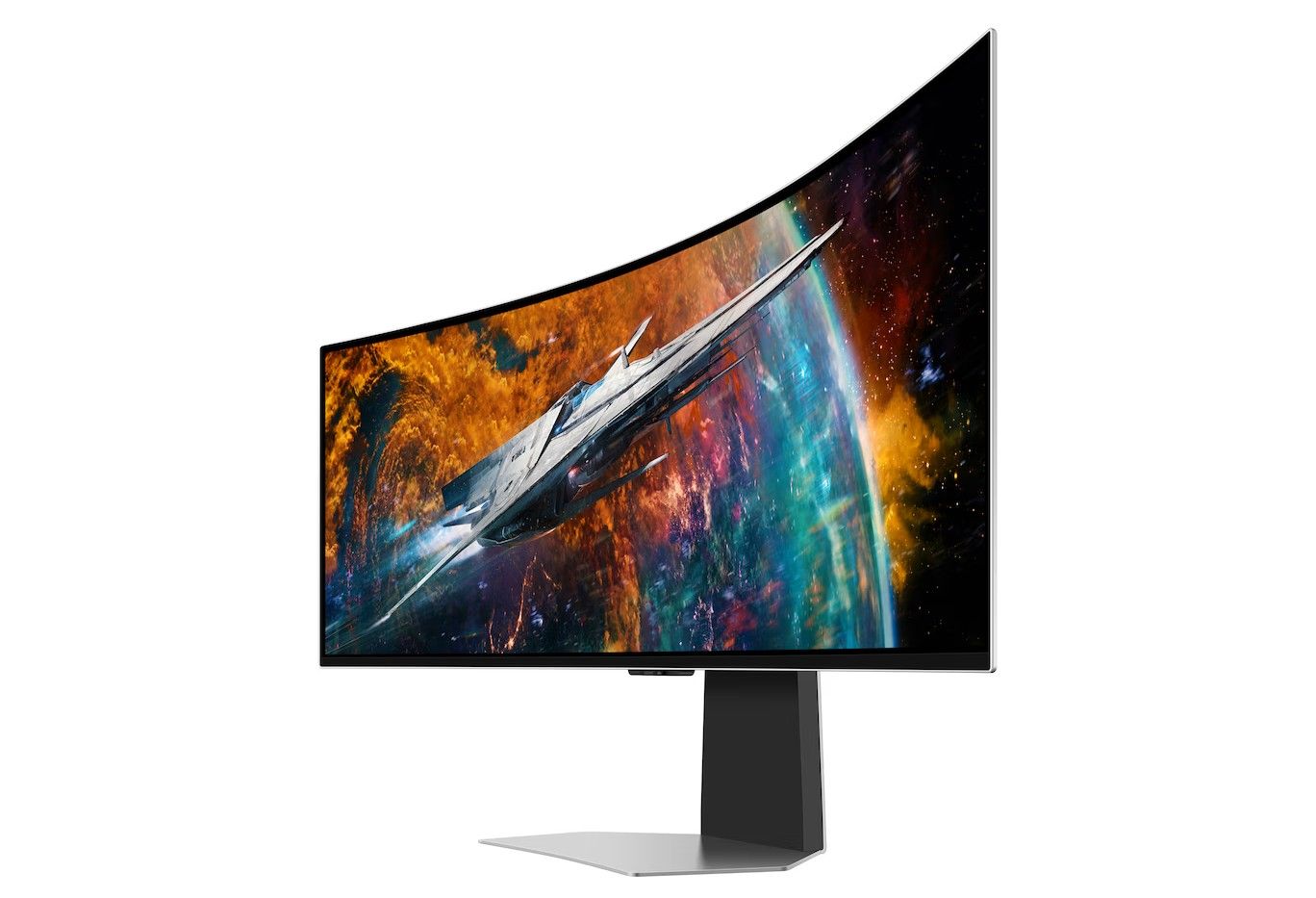
If you want one screen to replace two, this is it. The spec sheet reads like two monitors glued together: a 49-inch 5120x1440 32:9 curved QD-OLED panel, 240Hz refresh rate, 0.03ms response time, and Neo Quantum Processor.
Next to the G5, you get 22 more inches, twice the horizontal pixels, and 60Hz more refresh, with the same 0.03ms response. That's the pixel count of two 1440p screens side by side, minus the bezel down the middle. Flight sims and racing games benefit most, because the curve wraps into your peripheral vision in a way a 16:9 panel like the Alienware AW2725DF can't.
Outside of games, it holds three or four windows side by side without a second monitor. On top of that, the G95SC model includes integrated Smart TV capabilities and onboard gaming hub software, distinguishing it from non-smart variants.
The catch is a big one. Running 5120x1440 at high frame rates takes a high-end graphics card, and the curved chassis needs a deep desk or a sturdy mount. It ranks above the Acer because it's a real OLED with per-pixel contrast. It ranks below the G5 because far fewer desks, and far fewer GPUs, can handle it.
Pros
- 5120x1440 on one 32:9 panel replaces a dual-monitor setup
- 240Hz and 0.03ms response keep fast motion clear across the full width
- Smart TV and gaming hub software built in
Cons
- Needs a high-end GPU to push high frame rates at 5120x1440
- The 49-inch curve needs a deep desk or a heavy-duty mount
Acer Nitro XV272U
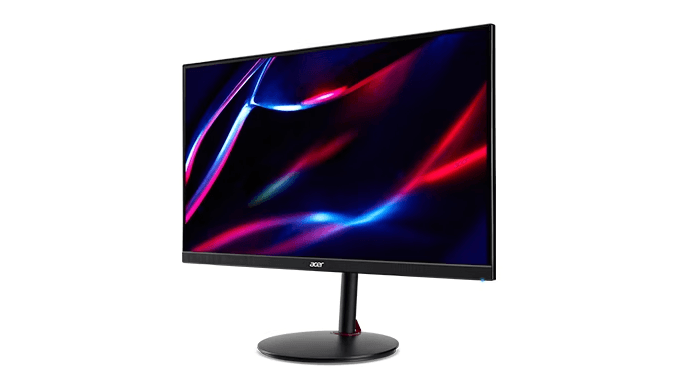
To be upfront: this one isn't an OLED. The Acer Nitro XV272U uses a fast IPS panel and is the lowest-priced pick here, which makes it a useful yardstick for what OLED actually adds.
What you give up is everything the intro described. An IPS panel needs an LED backlight, so dark scenes lose depth, light bleed creeps in at the edges, and motion clarity can't match a 0.03ms OLED pixel. What you gain is peace of mind: no pixel-refresh cycles, and no worrying about a static HUD burning in.
It beats the Alienware 34 on one point, and that point is cost. If your budget or your GPU isn't ready for OLED, this keeps you gaming at high refresh while you save up.
Pros
- The cheapest way into a high-refresh gaming monitor in this guide
- IPS panels don't suffer from OLED-style image retention
- No pixel-refresh cycles or static-content habits to manage
Cons
- An LED backlight means weaker dark-scene contrast and possible light bleed
- Pixel response can't match the 0.03ms of the OLED picks
Alienware 34
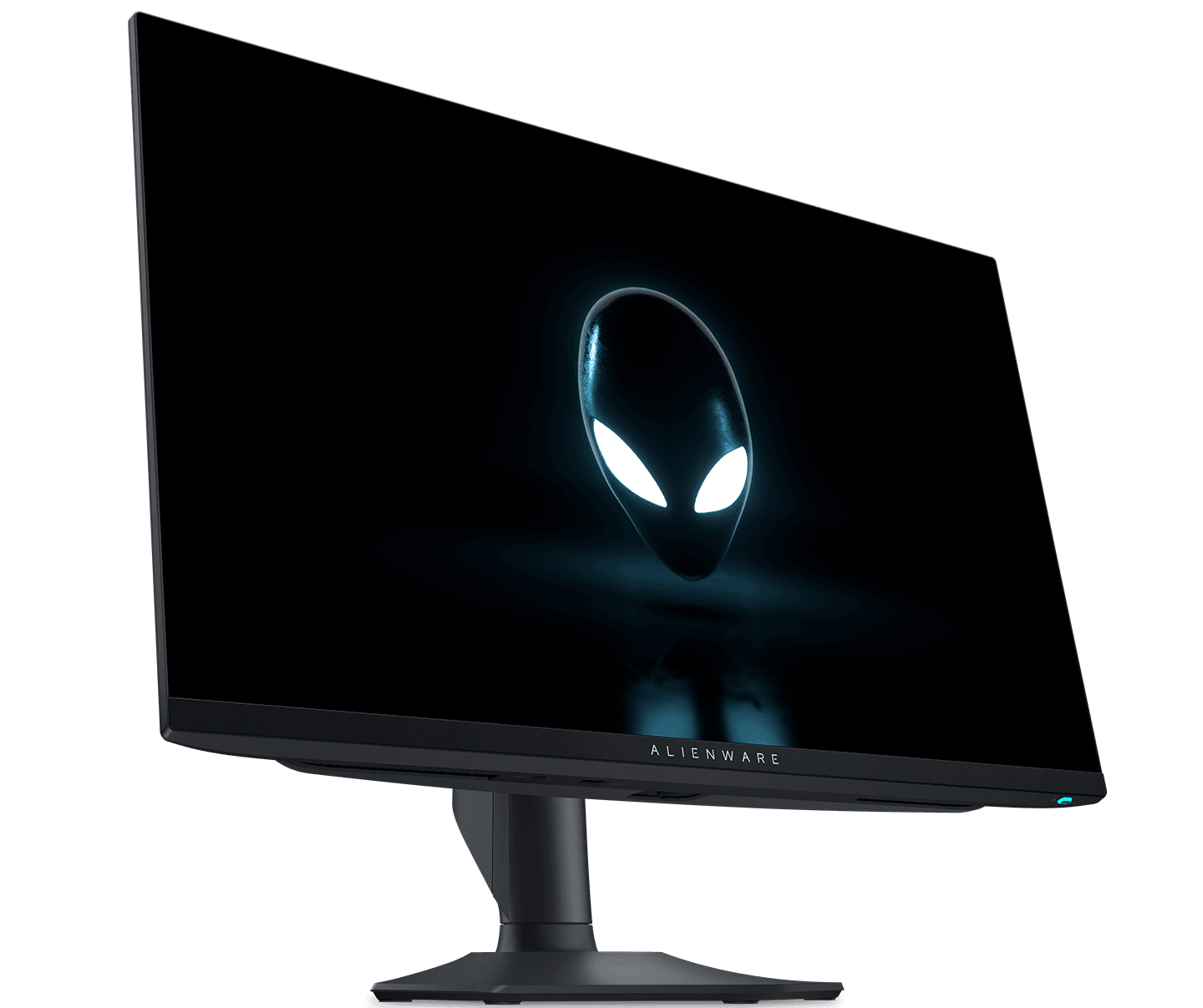
Think of this as the middle child. The Alienware 34 sits between the 27-inch picks and the 49-inch G9, so it suits players who want a bigger screen than a 27-inch monitor but can't give up the desk space the Samsung needs.
Alienware has sold several 34-class monitors with nearly identical names over the years. Before you buy, match the model number on the listing to the one you've researched. That one check matters more here than on any other pick.
For most buyers, it edges out the AW2725DF. A bigger screen improves every game you play, while 360Hz only pays off in competitive shooters, and only with a GPU fast enough to use it.
Pros
- A middle ground between the 27-inch picks and the 49-inch G9
- Takes up far less desk than the Samsung super-ultrawide
- Fits into Alienware's gaming hardware lineup
Cons
- Several similarly named Alienware 34-class models exist, so check the model number
- No speed advantage over the 360Hz AW2725DF for competitive play
Alienware AW2725DF
This one is all about speed. The Alienware AW2725DF features a 26.7-inch 2560x1440 QD-OLED panel, 360Hz refresh rate, 0.03ms response time, and AMD FreeSync Premium Pro. That's double the G5's 180Hz at the same resolution.
In competitive shooters, that extra headroom is the whole point. Against fast IPS alternatives like the 240Hz Acer Nitro XV272U W2bmiiprx, the AW2725DF offers much higher contrast and faster pixel response, without the ghosting and inverse trailing LCDs are prone to. FreeSync Premium Pro prevents tearing when frame rates dip.
Its closest rival is the MSI MPG 271QRX, with a 27-inch 2560x1440 QD-OLED panel, 360Hz refresh rate, 0.03ms response time, USB-C DP Alt Mode with power delivery, and firmware-level MSI OLED Care. Pick the MSI if you want a single cable to a work laptop. Pick the Alienware for Alienware's hardware packaging and specialized cooling architecture.
So why is it last? 360Hz is only useful if your GPU can push frame rates that high, and most buyers get more out of a bigger or cheaper screen. Esports players are the exception, and for them this belongs at the top. Like any QD-OLED, it looks best in a light-controlled room, because strong ambient light lifts its blacks slightly.
Pros
- 360Hz is double the G5's refresh rate at the same 1440p resolution
- 0.03ms response and self-lit pixels keep fast motion free of ghosting
- AMD FreeSync Premium Pro for tear-free play
Cons
- You need a GPU that can push very high frame rates to use all 360Hz
- Blacks look slightly raised in rooms with strong ambient light
Best OLED Gaming Monitors 2026 Compared
Here's the whole lineup side by side. Rank reflects fit for most buyers, not raw speed.
| Pick | Product | Score | Best For |
|---|---|---|---|
| #1 | Samsung Odyssey OLED G5 (G50SF) | Spec pick | First OLED on a mid-range GPU |
| #2 | Samsung Odyssey OLED G9 (G95SC) | Spec pick | Sim racing, flight sims, and multitasking |
| #3 | Acer Nitro XV272U | Spec pick | Budget high refresh with no burn-in concerns |
| #4 | Alienware 34 | Spec pick | A mid-size step up from 27 inches |
| #5 | Alienware AW2725DF | Spec pick | Competitive esports at 360Hz |
Buying Guide
Start with your graphics card, not the monitor. A 360Hz 1440p QD-OLED only makes sense if your GPU can feed it frames that fast in the games you play. If your card is happier holding steady mid-range frame rates, a 180Hz 1440p panel like the Samsung Odyssey OLED G5 gives you the OLED picture without the flagship GPU bill.
Next, measure your desk. A 27-inch flat panel fits almost anywhere, including next to a second screen. A 49-inch curved super-ultrawide needs serious desk depth or a sturdy mount.
Room lighting matters more than most spec sheets admit. OLED's infinite contrast comes from pixels that switch off completely, but peak brightness doesn't match what traditional backlit monitors can reach. QD-OLED panels in particular can show slightly raised blacks when a window or lamp hits the screen directly, so think about placement.
Finally, look at panel care and connectivity. Automatic pixel-refresh cycles, static-image dimming, and firmware you can update yourself all help keep an OLED healthy over the long run. If the screen will be shared between a gaming PC and a work laptop, a USB Type-C input or a built-in KVM switch saves you a lot of cable swapping.
Key specs to evaluate
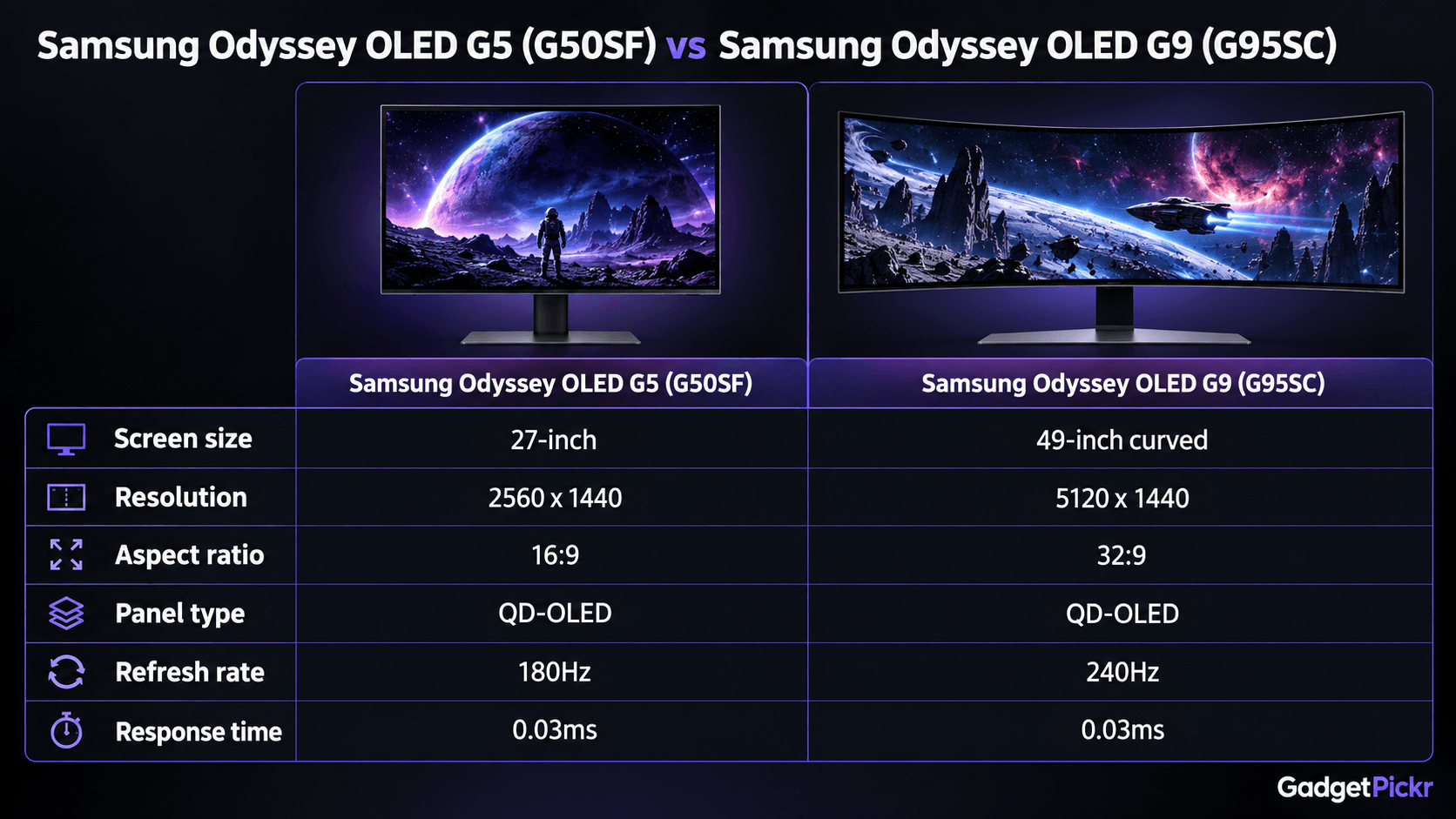
Refresh rate and response time come first. Nearly every OLED here lists a 0.03ms response time, so ghosting is effectively gone across the board. That leaves refresh rate, which ranges from 180Hz to 360Hz on this list, as the main motion spec that separates them.
Resolution and screen size decide how hard your GPU has to work. A 27-inch 1440p panel is a dense, easy-to-drive target for high frame rates. A 49-inch 32:9 ultrawide at 5120x1440 has exactly twice as many pixels, and your graphics card will feel it.
For connectivity, look for DisplayPort 1.4 or HDMI ports that can carry full native resolution at full refresh. USB Type-C with power delivery lets a single cable handle a laptop's video and charging.
Bottom line: among the best OLED gaming monitors 2026 has produced, the Samsung Odyssey OLED G5 fits the most setups. Move up to the G9 for immersion or the AW2725DF for esports speed, and only if your GPU and desk can support either one.
Sources & References
Specifications and claims in this analysis were cross-referenced against the sources below.
- Alienware AW2725DF reviewpcgamer.com
- The Alienware AW2725DF blends stunning visuals with competitive speedreviewed.com
- Alienware AW2725DF review: “Dell’s QD-OLED monitor is winning me over”gamesradar.com
- 27 Inch Odyssey G5 G50SF 180Hz Gaming Monitor | Samsung USsamsung.com
- Alienware AW2725DF Review: 360Hz QD-OLED Testedtheplayjournal.com
- Alienware AW2725DF review: OLED's refresh rate cranked up to 360Hzpcworld.com
- Samsung Odyssey OLED G9 49" Reviewtechspot.com
- Dell Alienware AW2725DF Review 2026: All You Need To Knowdisplayninja.com
Frequently Asked Questions
Yes, but it's manageable. Modern OLEDs use automatic pixel-refresh cycles, static-image dimming, and updatable firmware to reduce image retention. If you leave static HUDs on screen for hours every day, check the warranty terms, or consider the IPS-based Acer.