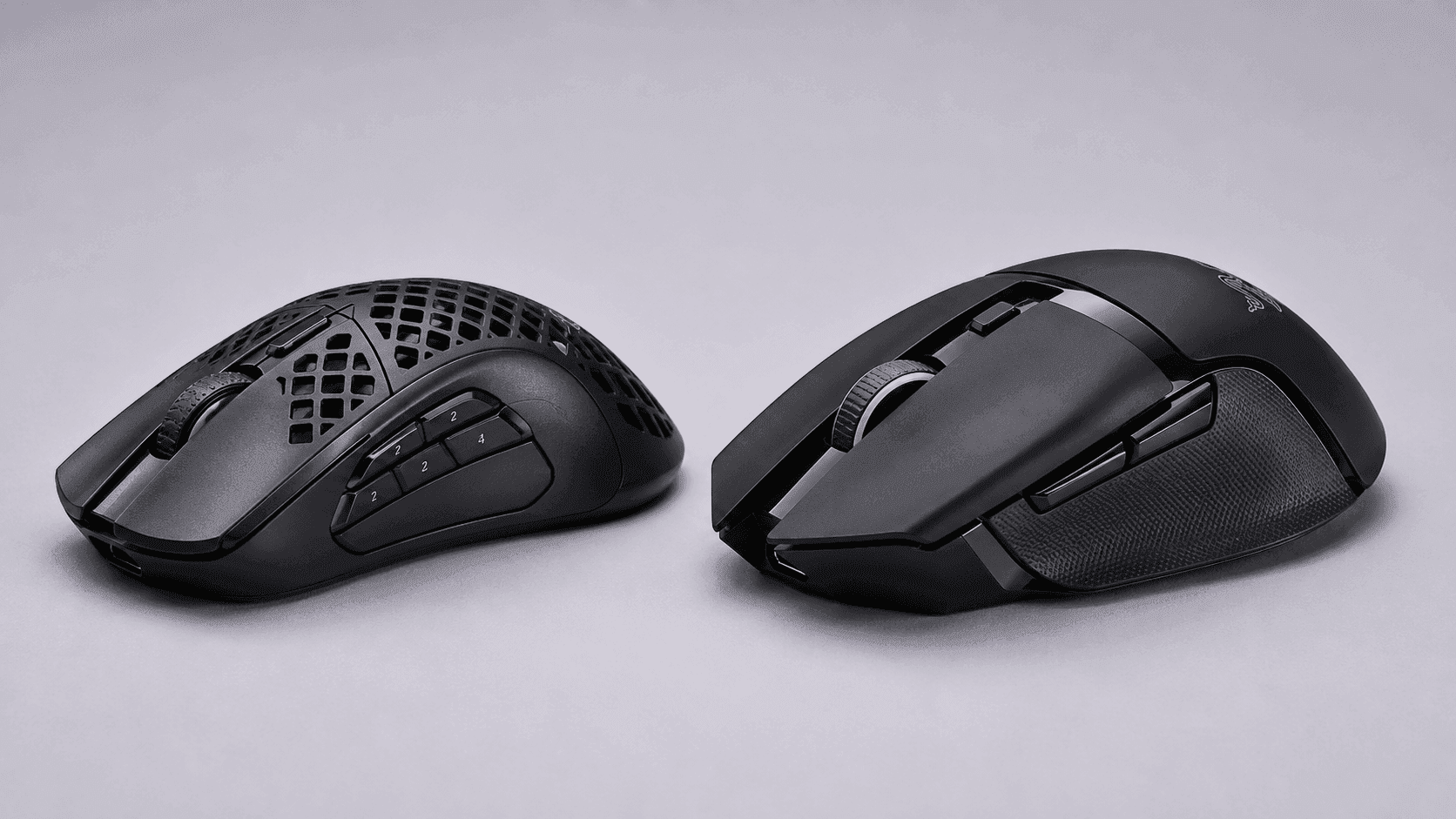
Two wireless mice, two opposite bets. One strips itself down to 74 grams and punches holes in its own shell to get there; the other piles on buttons, motors and a moulded thumb rest until it becomes a control surface. That, in a sentence, is the SteelSeries Aerox 5 Wireless vs Razer Basilisk V3 Pro question, and it decides more than most buyers expect.
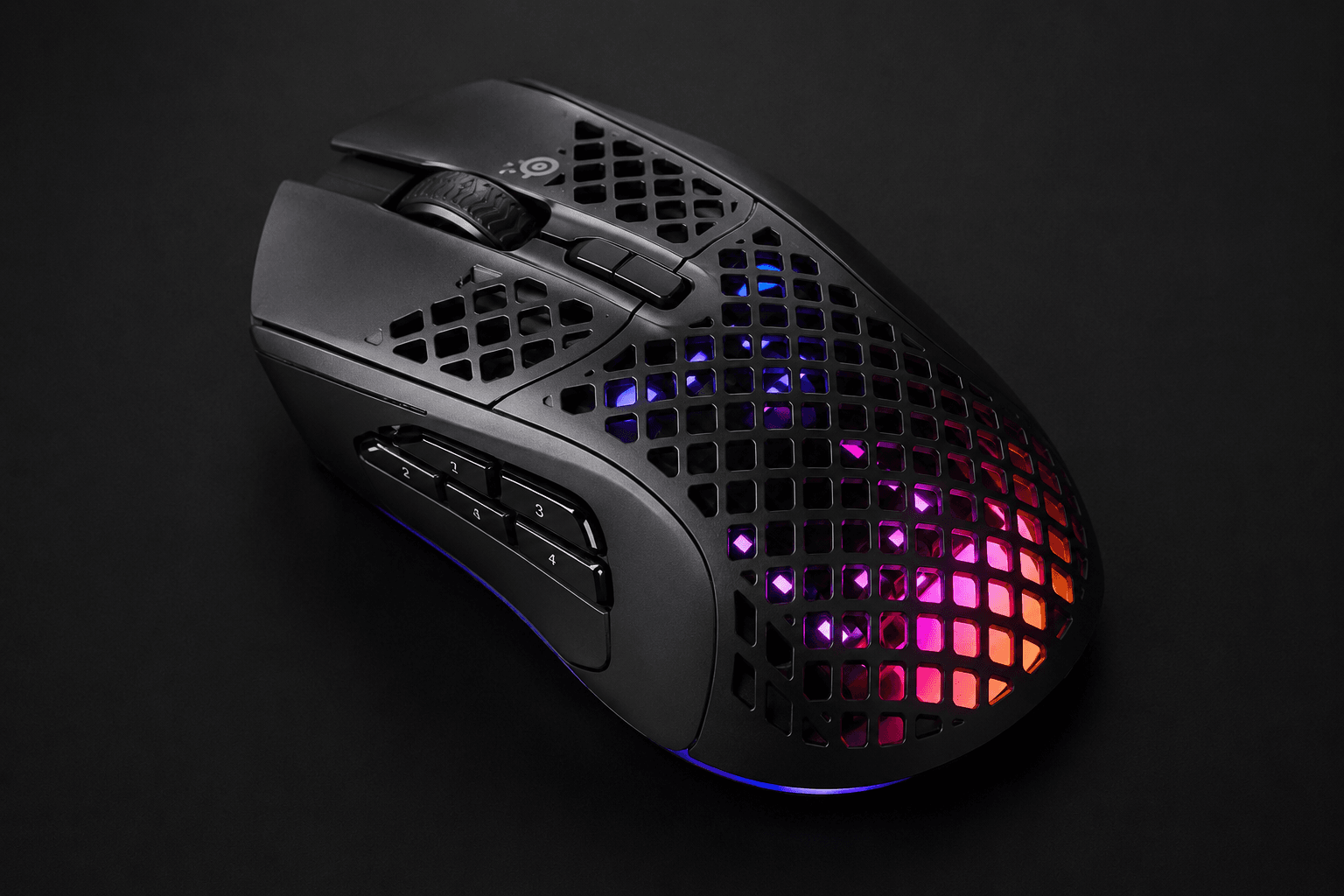
Mass is the SteelSeries pitch. A ventilated honeycomb shell, an IP54-rated AquaBarrier sealing the circuitry against dust and spills, and a 9-button layout pointed straight at shooters and MOBAs. Speed first, everything else second.
Razer went the other way. Its Basilisk V3 Pro runs an 11-button layout, a Focus Pro 30K optical sensor and a multi-function HyperScroll tilt wheel that flips between stepped and free-spinning modes. All that hardware costs grams, and the scale shows it. So the real question is whether you want sweeping speed or hand support with macro depth — and the sections below split that decision by genre, grip and workload.
The Quick Take
Three specs decide this one: mass, button count, and how the scroll wheel behaves. Match those to the games actually installed on your drive and the winner picks itself.
SteelSeries Aerox 5 Wireless
Lightweight pick. 74g honeycomb shell, IP54 protection, dual-mode wireless and the longer battery rating of the two. Built for flick-heavy shooters.
Check Price on AmazonRazer Basilisk V3 Pro
Feature-dense pick. Eleven programmable inputs, a 30,000 DPI sensor and a wheel that free-spins on command. Built for RPGs, sims and mixed desk work.
Check Price on AmazonSteelSeries Aerox 5 Wireless vs Razer Basilisk V3 Pro: The Spec Sheet
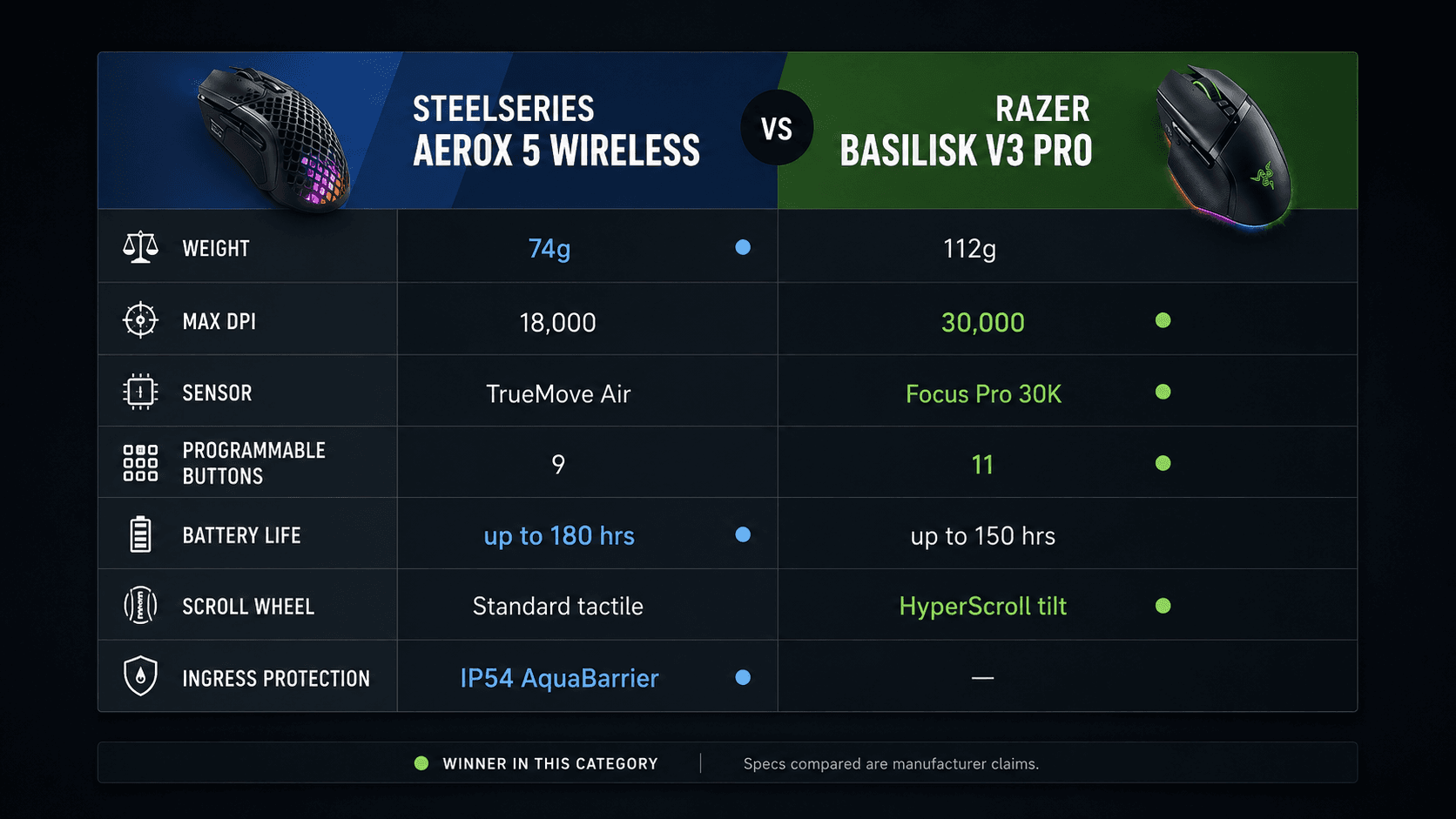
Numbers first. Everything below comes from published manufacturer specifications, and the gaps between these two columns run wider than the shared "wireless gaming mouse" label suggests.
| Specification | SteelSeries Aerox 5 Wireless | Razer Basilisk V3 Pro |
|---|---|---|
| Maximum DPI / Resolution | 18,000 DPI | 30,000 DPI |
| Sensor Model | TrueMove Air | Focus Pro 30K Optical Sensor |
| Programmable Buttons | 9 | 11 |
| Battery Life | Up to 180 Hours | Up to 150 Hours |
| Mouse Weight | 74g | 112g |
| Switch Type | IP54 Water/Dust Resistant Switches | Optical Switches Gen-3 |
| Scroll Wheel Type | Standard Tactile Wheel | HyperScroll Tilt Wheel |
| Ingress Protection | IP54 AquaBarrier | — |
| Wireless Connectivity | 2.4 GHz / Bluetooth 5.0 | HyperSpeed Wireless / Bluetooth |
| Best For | Flick-heavy FPS and MOBA players on a large low-friction pad, plus anyone gaming on a cluttered desk or hauling the mouse to LANs | Right-handed palm-grip players who mix RPGs, MMOs and sims with editing work, and will pay more for buttons and a tilt wheel |
Specifications as published by Razer.
Design & Build Quality
Look at the Aerox 5 Wireless and the brief is obvious: remove material. The honeycombed top drops the mouse to 74g, and SteelSeries covers the exposed circuitry with an IP54-rated AquaBarrier layer so dust and liquid never reach the electronics. Nine programmable buttons sit on a semi-ambidextrous body, including an up/down flick switch on the thumb side for quick toggling mid-fight. Claw, fingertip, palm — the profile handles all three without a bulky footprint.
Razer solved a different problem. A solid right-handed shell with an integrated thumb rest anchors the Basilisk V3 Pro, shaped to cut hand strain across long sessions rather than to shave grams. Extra scroll wheel motors and lighting zones add up, and at 112 grams this is a mouse built for deliberate, grounded aiming rather than wrist flicks. Eleven programmable buttons, including the multi-function trigger thumb button, ride on that frame.
One side gives you debris protection and agility. The other gives you structural rigidity and control density. Your call is a straight trade between strain reduction and sweeping velocity.
Performance & Key Features
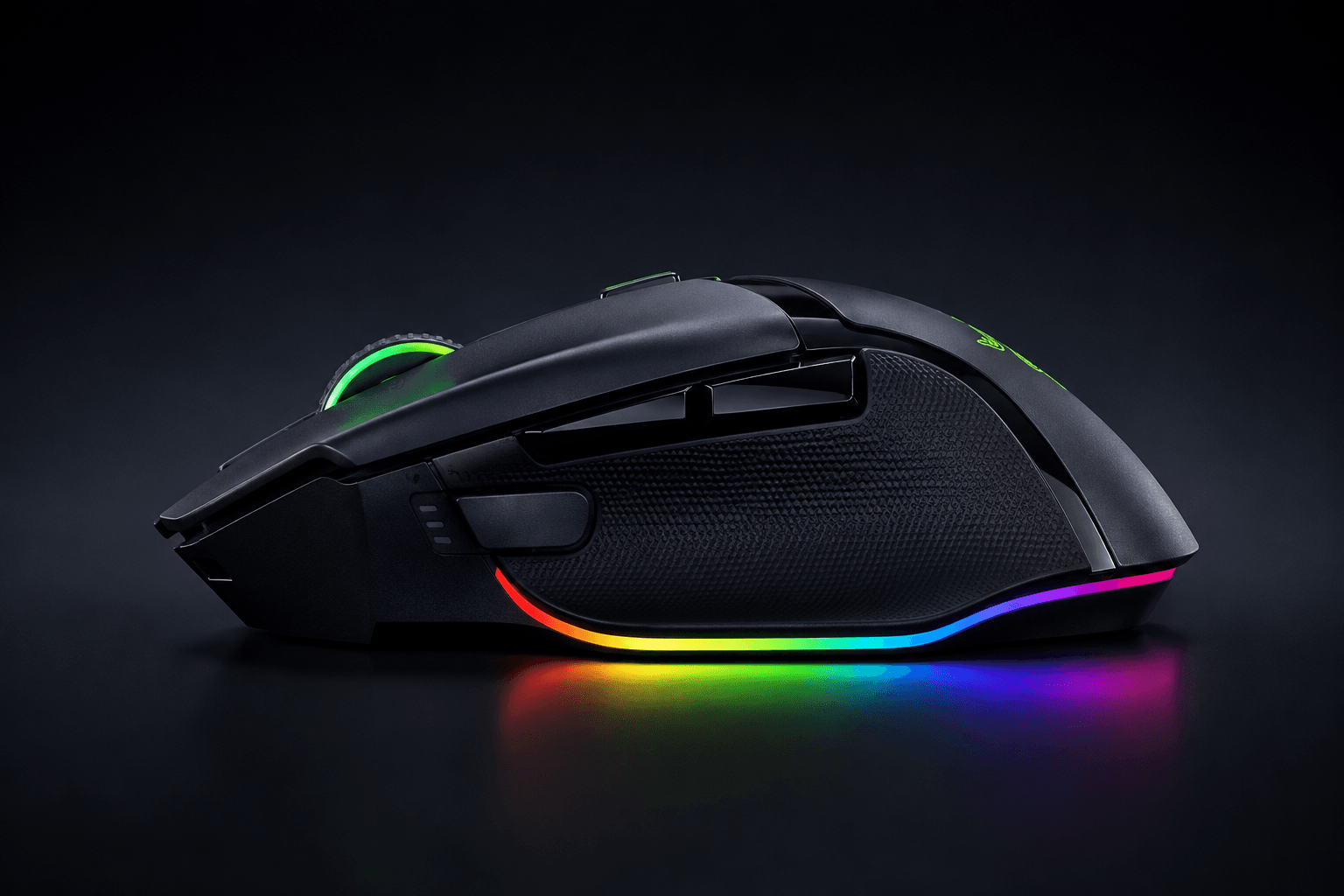
Start with the sensor gap: 30,000 DPI against 18,000 DPI. Razer's Focus Pro 30K tracks across cloth mats and glass alike, and its Gen-3 Optical Switches actuate with light beams, which kills debounce delay and the double-click failures that eventually plague mechanical switches. The HyperScroll Tilt Wheel is the other headline. One press moves it from stepped scrolling for weapon swaps to free-spin for tearing down a timeline or spamming a macro. Spec databases back the responsiveness angle too — mousespecs.org records the Aerox 5 at roughly 8.3 ms more click latency than the Basilisk V3 Pro.
SteelSeries answers with efficiency. The TrueMove Air sensor, tuned in partnership with PixArt, targets 1-to-1 tracking with low power draw, and its DPI ceiling is far higher than any competitive player actually dials in. Connectivity runs on Quantum 2.0 Wireless over low-latency 2.4 GHz, with Bluetooth 5.0 for a laptop or tablet. Battery ratings land at up to 180 hours for the Aerox 5 Wireless against up to 150 hours for the Basilisk V3 Pro under standard use.
Switch durability and scroll versatility go to Razer. Runtime and dual-mode wireless flexibility go to SteelSeries. Pick the advantage you will actually use on a Tuesday night.
Pros & Cons: SteelSeries Aerox 5 Wireless
The wins are easy to list. At 74g with a honeycombed shell, this mouse asks less of your arm on every reset across a big pad. IP54 AquaBarrier keeps dust, crumbs and spills out of the hardware. Battery life is rated up to 180 hours per charge. You also get both low-latency 2.4 GHz and Bluetooth 5.0, so a single mouse covers the gaming rig and the work laptop.
Now the compromises. That open shell lets debris collect inside the casing, so periodic cleaning is part of ownership. Its 18,000 DPI ceiling sits below the highest-resolution optical sensors on the market. And the side flick switch is unusual enough that your thumb needs an adjustment period before it stops hunting for the button.
Pros & Cons: Razer Basilisk V3 Pro
Feature density is the entire argument here. Eleven programmable buttons and the HyperScroll Tilt Wheel cover macro-heavy genres and desktop work in equal measure, while the Focus Pro 30K sensor and Gen-3 Optical Switches handle tracking and click response. Battery life is rated up to 150 hours. The right-handed ergonomic shell and its thumb rest support palm and claw grips through long sessions instead of fighting them.
Weight is the cost of admission. This frame is heavy next to the current ultralight class, which makes it a poor match for games decided by fast repositioning, and continuous rapid movement will tax your wrist. It also sits below the Aerox 5 Wireless on price, which matters if extra buttons are not the thing holding your gameplay back.
Real Buyer Scenarios
Say your week is Valorant, Apex and a few League games. Then the Aerox 5 Wireless is the pick. A 74g frame means less arm work on every reset across a large pad, the 9 programmable buttons — flick switch included — keep abilities within thumb reach without crowding the shell, and IP54 AquaBarrier covers you if you eat at your desk or throw the mouse in a bag for weekend LANs.
Different week, different answer. If you rotate between story-driven RPGs, sim titles and a few hours of video editing, the Basilisk V3 Pro wins the desk. Eleven inputs absorb a lot of hotkeys, the thumb rest holds a palm grip steady through a long session, and one click of the HyperScroll wheel takes you from ratcheted precision to free-spin scrolling. That combination does more for a mixed workload than any weight saving.
Alternatives Worth Considering
Neither of these is the lightest thing you can buy. If speed is your only metric, the Razer Viper V3 Pro is the obvious detour. Weighing just 55g, the Viper V3 Pro pairs a Focus Pro 35K Optical Sensor Gen-2 with 8,000 Hz polling rates — pure movement, with no macro cluster or weighted wheel adding drag in a low-DPI shooter.
Prefer a cable and no charging routine at all? The Razer DeathAdder V3 Wired is worth a look. At 59g, it combines an ergonomic right-handed shell with a Focus Pro 30K sensor and native 8000Hz HyperPolling over a flexible Speedflex cable. Weight, button density, transmission speed: choose whichever one limits you today. Tactical shooters point toward the lightweight route, while mixed genres with heavy macro use point back to multi-button designs.
Final Verdict
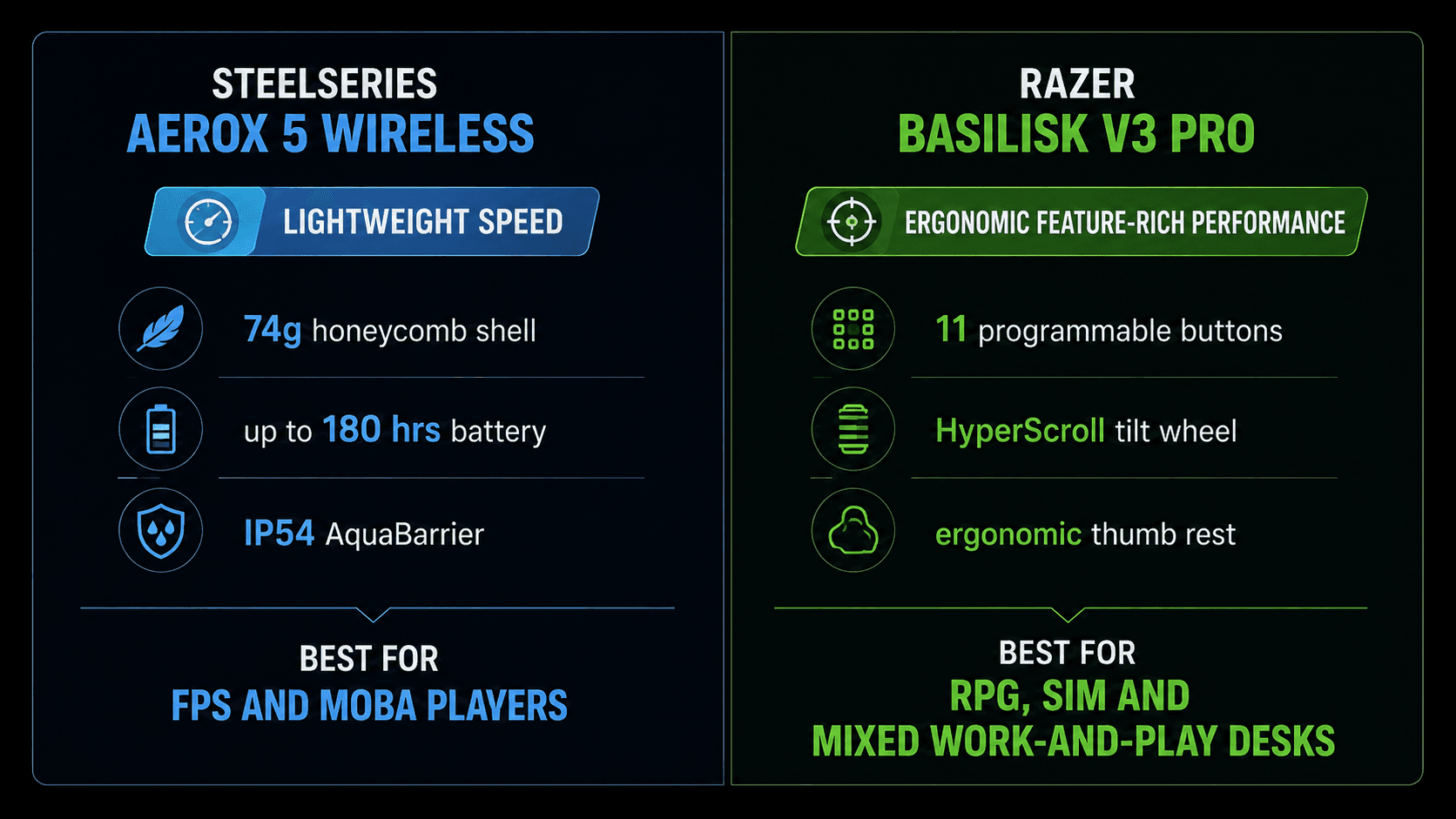
Boiled down, the SteelSeries Aerox 5 Wireless vs Razer Basilisk V3 Pro decision splits by genre, not by which mouse is better built.
Choose the Aerox 5 Wireless if you live in flick-heavy shooters and MOBAs, or if your desk is a hazard zone. Its 74-gram mass takes the effort out of large sweeping movements, the 180-hour rating keeps it off the charger through a tournament weekend, and IP54 AquaBarrier handles the spills and dust that kill exposed circuitry.
Choose the Basilisk V3 Pro if your library leans toward RPGs, MMOs and sims, if you work on the same mouse you game on, or if click response ranks above mass for you. Eleven buttons, the tilt wheel and that thumb rest earn their keep in those hours — a 38-gram saving never will.
Sources & References
Specifications and claims in this analysis were cross-referenced against the sources below.
- Razer Basilisk V3 Pro 35K | Razer United Statesrazer.com
- SteelSeries Aerox 5 Wireless Review (2026): Worth the Holes?bestgamingmice.net
- Aerox 5 Wirelesssteelseries.com
- Razer Basilisk V3 Prorazer.com
- Buy Razer Basilisk V3 Pro - White | Gaming Micerazer.com
- Razer Basilisk V3 Pro vs SteelSeries Aerox 5 Wirelessversus.com
- Buy Razer Basilisk V3 Pro - Black | Gaming Mice | Razer.comrazer.com
Frequently Asked Questions
The Aerox 5 Wireless. At 74g it takes far less effort to reposition across a large pad, and its 9-button layout keeps the shell uncluttered. The Basilisk V3 Pro's 112-gram frame works against fast flicks.


