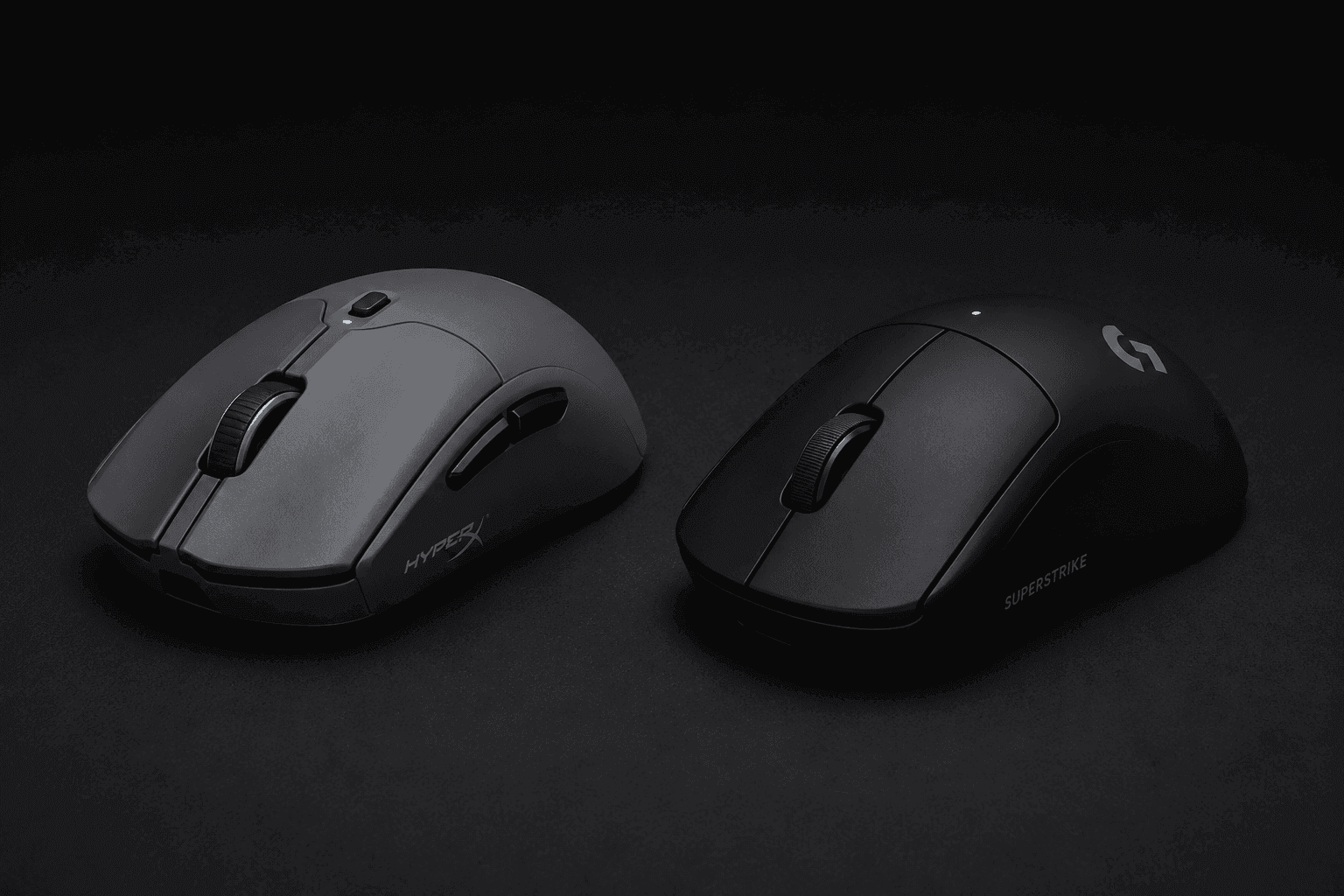
Weight used to be the whole argument in wireless gaming mice. Not anymore. Once two mice land on the same number, the conversation moves to switch mechanics, polling headroom, and how many machines the thing can actually talk to — which is exactly where HyperX Pulsefire Haste 2 Pro vs Logitech G Pro X2 Superstrike gets interesting. Both hit 61g. Both chase the same competitive buyer. Neither gets there the same way. HyperX went wide: a native 4kHz polling rate, a 26K sensor, and three ways to connect — 2.4GHz, Bluetooth, and wired USB-C — backed by a 90-hour battery rating. Logitech went deep instead, building the Superstrike around magnetic analog switches with rapid trigger, adjustable click haptics, and polling that climbs to 8kHz. So the deciding question isn't which mouse is faster. It's whether your desk needs one mouse that travels between machines, or one mouse that does a single job with more mechanical control than anything else you'd plug in.
The Quick Take
Play tactical shooters? Take the Logitech G Pro X2 Superstrike. Its magnetic analog switches unlock rapid trigger functionality, and polling runs up to 8kHz — that pairing resets actuation the instant you release, which is the entire game in counter-strafing. Everyone else should keep reading, because the HyperX makes a strong case on a different axis.
HyperX Pulsefire Haste 2 Pro
Logitech G Pro X2 Superstrike
HyperX Pulsefire Haste 2 Pro vs Logitech G Pro X2 Superstrike: Specs Comparison
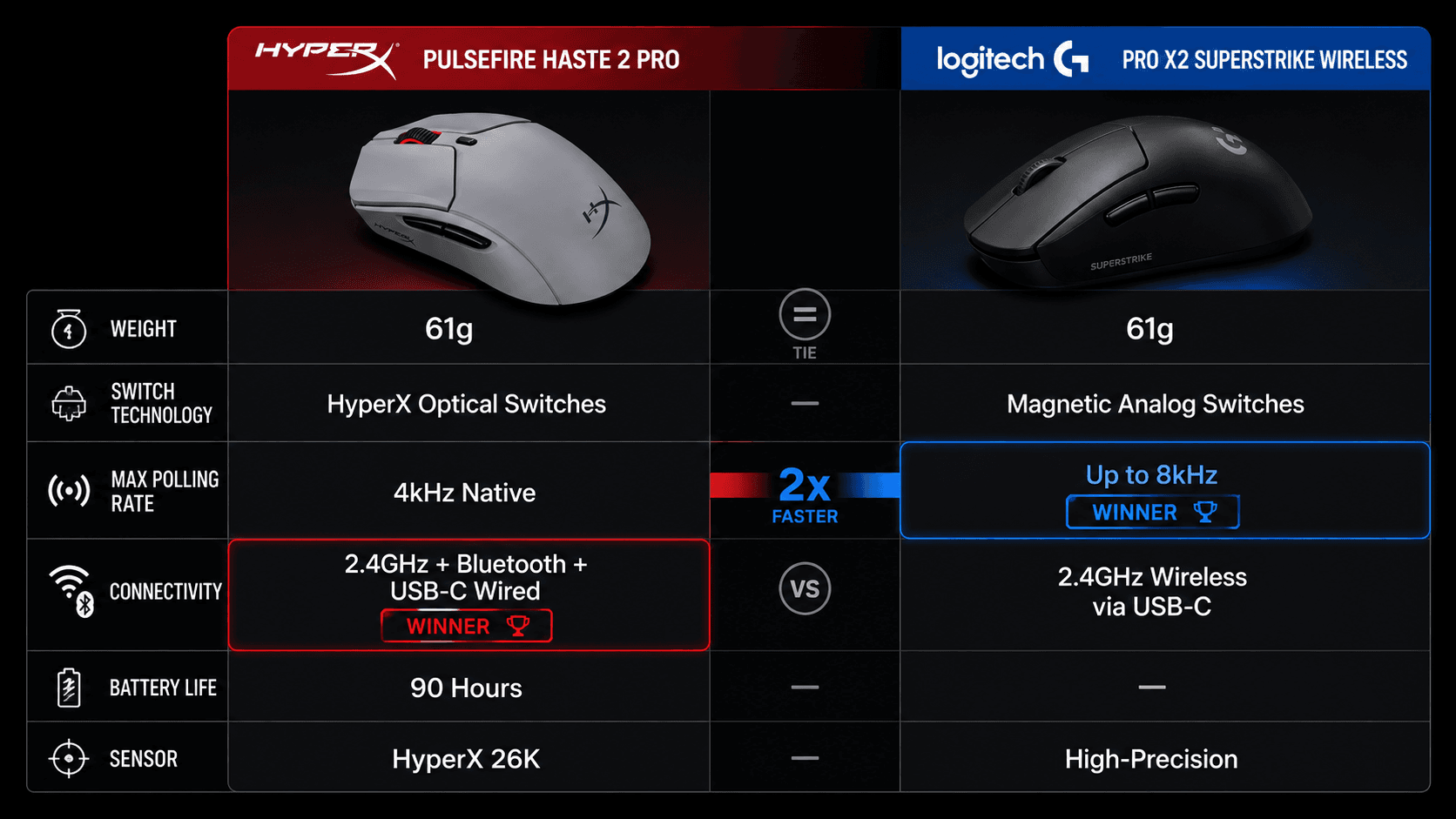
Numbers first, argument second. Here is how the two line up on the specs that genuinely change how a mouse plays — mass, switch type, polling ceiling, connection options, and runtime.
| Specification | HyperX Pulsefire Haste 2 Pro | Logitech G Pro X2 Superstrike Wireless |
|---|---|---|
| Weight | 61g | 61g |
| Switch Technology | HyperX Optical Switches | Magnetic Analog Switches |
| Max Polling Rate | 4kHz Native | up to 8,000 Hz |
| Connectivity Options | 2.4GHz Wireless, Bluetooth, USB-C Wired | 2.4GHz Wireless (USB-C) |
| Battery Life | 90 Hours | — |
| Sensor | HyperX 26K Sensor | HERO 2 sensor |
| Primary Feature Set | Tri-mode wireless, 4K polling rate | Rapid trigger, adjustable click haptics |
| Best For | Multi-machine desks — one mouse shared across a gaming tower, a work laptop, and a travel rig, on an upper-mid budget | Single-rig FPS specialists — CS2 and Valorant players tuning actuation depth on a flagship budget |
Specifications as published by Logitech.
Design & Build Quality
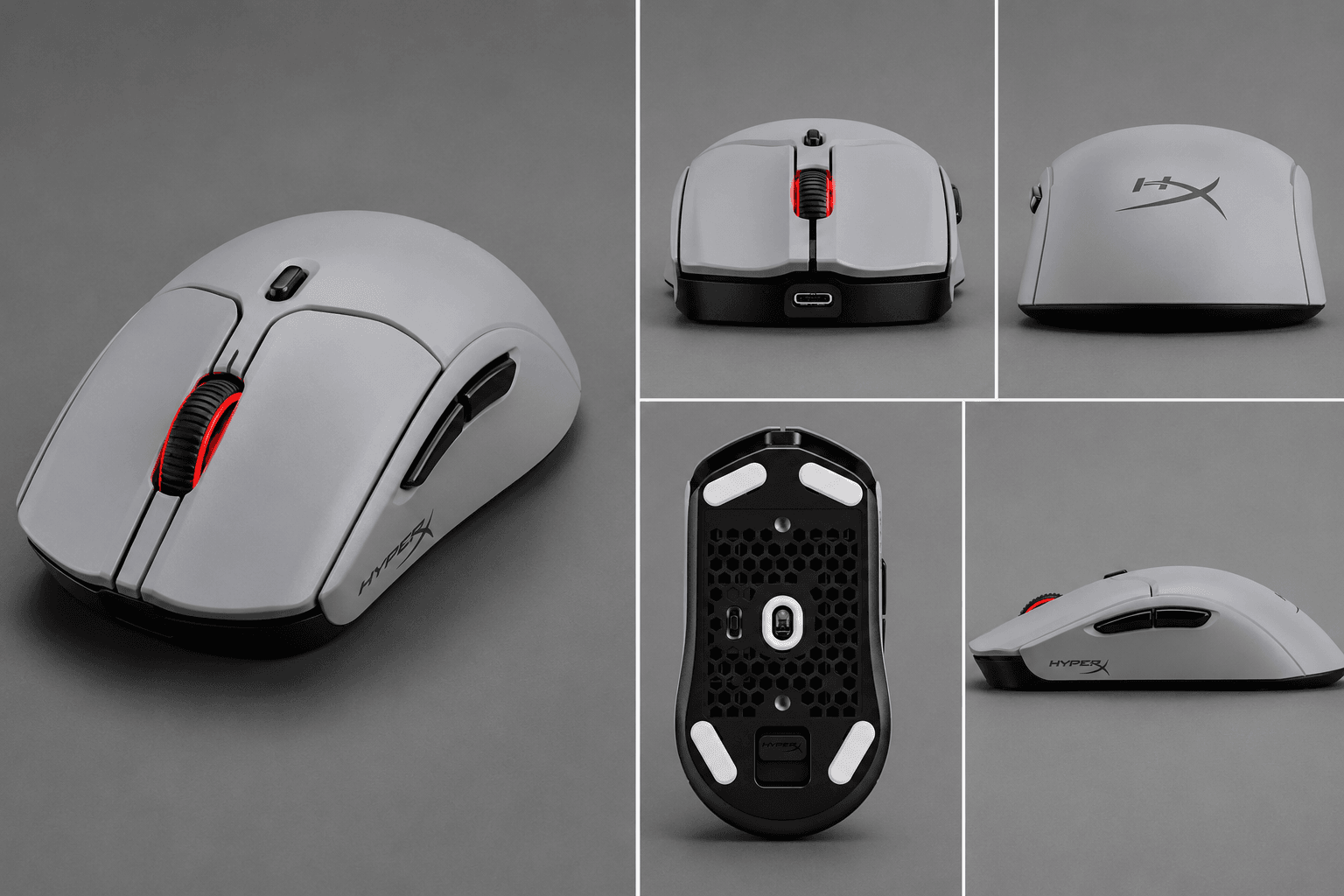
Same weight, opposite intentions. Both mice sit around 61g, which takes wrist fatigue out of the equation on long sessions — and that is where the overlap ends. What each shell is built around splits along completely different lines.
HyperX kept the classic symmetrical shape, which is the safe and sensible call: palm, claw, and fingertip grips all work on it. Less common is the connectivity layout stacked inside — 2.4GHz, Bluetooth, and wired USB-C, all in one body. No extra adapter. No second dongle rattling around in a laptop bag. Move between a desktop tower and a mobile setup and the mouse simply follows you there.
Logitech went the other direction entirely. The Superstrike's chassis serves one master — high-stakes competitive esports — with a streamlined ergonomic shell and a dedicated wireless link over USB-C for low-latency performance. No Bluetooth, and that omission is deliberate. Structural design here bends around the internal hardware, specifically the magnetic analog switches and adjustable click haptics sitting directly under the primary actuation points. Where HyperX spread its bets across connection types, Logitech spent the same engineering budget on tactile customization for dedicated FPS setups.
Performance & Key Features
Sensors first. The Haste 2 Pro 4K runs HyperX's proprietary 26K sensor, topping out at 26,000 DPI — but the figure that actually matters here is the native 4kHz polling rate. Plenty of peripherals reach 4kHz only after you buy a separate dongle upgrade. This one transmits position data to your PC four times faster than the 1,000Hz standard straight out of the box, with no upsell attached. Pair that with HyperX Optical Switches and click registration sidesteps the double-click degradation that eventually catches up with physical leaf springs. Runtime is rated at up to 90 hours, which is multi-day endurance rather than an overnight charge cycle.
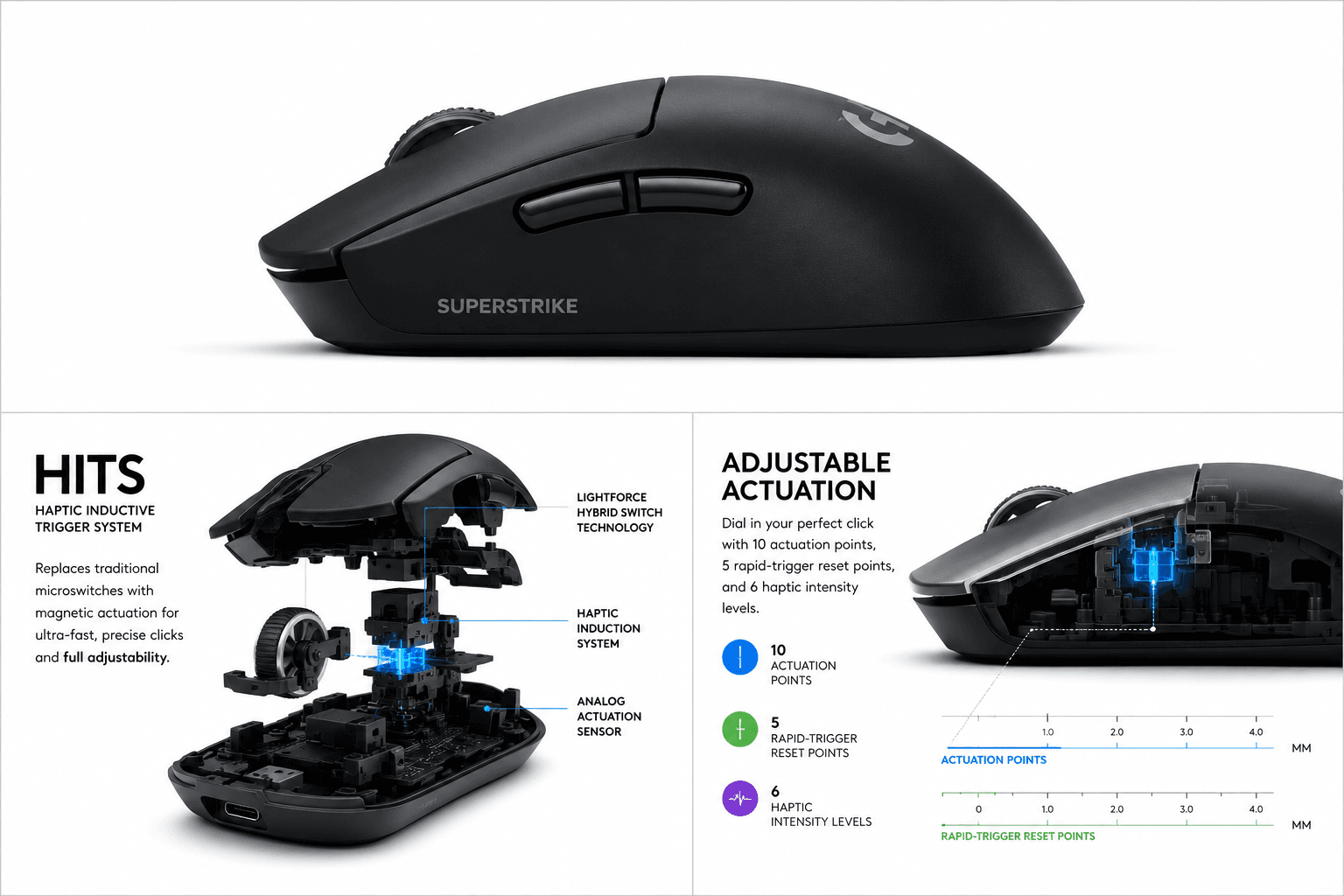
Logitech's play is stranger and more interesting. Magnetic analog switches replace the usual optical or mechanical microswitch, reading the precise travel depth of every press instead of a simple on-off state. That is what makes rapid trigger possible: you set a custom actuation distance, the reset point lands where you want it, and re-triggering a primary input happens faster than a traditional switch permits. Adjustable click haptics ride alongside, letting you fine-tune tactile feedback to personal preference. Polling climbs to 8kHz for anyone running a high-refresh-rate monitor. The trade is scope — no Bluetooth, no multi-device hopping, just one dedicated low-latency wireless connection. Native 4kHz output with proven optical switches, or micro-adjustable magnetic actuation with a narrower connection story? That is the real fork in the road.
Pros & Cons: HyperX Pulsefire Haste 2 Pro
Start with what this one gets right. Native 4kHz polling delivers ultra-smooth tracking updates without the extra cost of a specialized wireless dongle. A 61g build. HyperX Optical Switches. Up to 90 hours of battery life. And connectivity spanning 2.4GHz wireless, Bluetooth, and wired USB-C, which drops it into whatever hardware you point it at.
The gaps are real too. There is no rapid trigger here, so key travel customization is off the table — if tuning actuation depth is the reason you started shopping, look elsewhere. Polling stops at 4kHz, and dedicated esports alternatives push past that ceiling. Neither gap is disqualifying. What you get in exchange is range: high-end wireless speed that works across more than one machine.
Pros & Cons: Logitech G Pro X2 Superstrike
Superstrike's case is narrower and sharper. Magnetic analog switches carry the whole pitch, and customizable rapid trigger functionality plus adjustable click haptics both fall out of that single design decision. Being able to set actuation distances per genre pays off hardest in FPS titles, where instant reset times shape movement and shooting precision. Polling capability reaching 8kHz cuts input latency for high-refresh-rate monitors. The 61g chassis keeps flicks quick during intense play sessions. This is specialist hardware and it makes no attempt to pretend otherwise.
Real Buyer Scenarios
Your genre and your hardware ecosystem pick the winner here, not a spec sheet read in isolation. Buy the Haste 2 Pro 4K if one mouse has to serve a gaming PC, a secondary work laptop, and maybe a mobile setup on the side. Tri-mode connectivity across 2.4GHz, Bluetooth, and wired USB-C makes that switching trivial, and native 4kHz polling means you give up nothing on competitive-grade data tracking to get it. Ninety hours between charges keeps it off the cable for days. Favor standard optical switch reliability and classic symmetrical grip geometry? That is the practical buy.
Dedicated esports competitors should go the other way. Fast-paced tactical shooters live on rapid movement resets and counter-strafing, and the Superstrike's magnetic analog switches with rapid trigger technology hand you mechanical control over exactly that. Adjustable click haptics let you match tactile feedback to your own pressure preference. Yes, you surrender Bluetooth and multi-device flexibility, since it operates strictly via low-latency wireless USB-C. For a single competitive rig, polling up to 8kHz and granular analog switch customization earn that trade outright. Multi-device gamers still get more mileage from the HyperX.
Alternatives Worth Considering
Neither mouse is the obvious answer if your priorities land somewhere between them, so shop the axis that actually constrains you. Chasing polling headroom? Confirm what rate a mouse hits natively versus what it needs a purchased accessory to reach — that distinction gets buried in marketing copy constantly. Want analog actuation without flagship positioning? Check whether a cheaper model exposes genuine adjustable actuation depth or merely adjustable DPI, because those two get conflated all the time. And if multi-device switching is the whole reason you are here, Bluetooth support is the single filter that eliminates most competitive mice from your shortlist, the Superstrike included.
Final Verdict
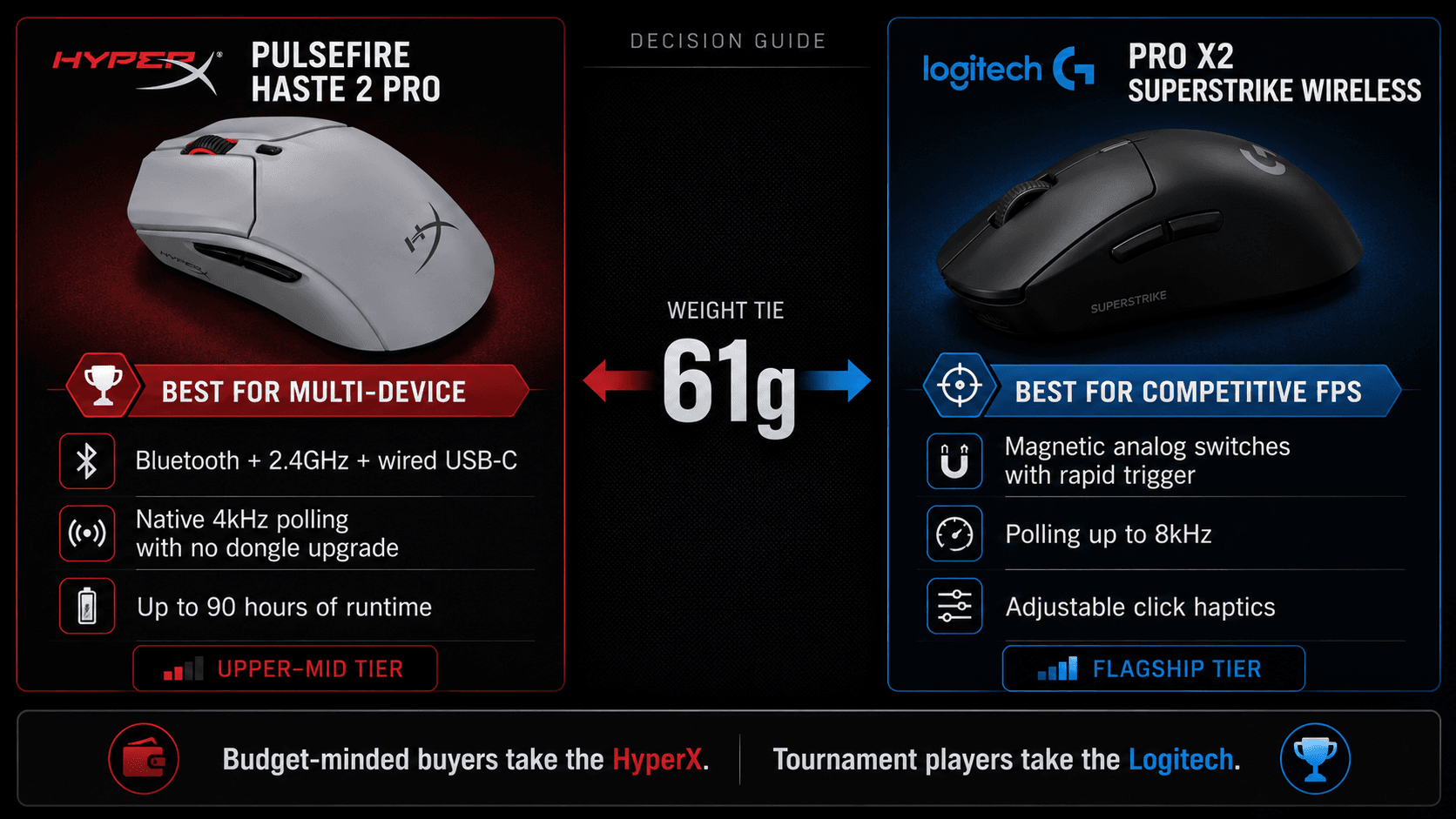
Choose the Logitech G Pro X2 Superstrike if you play tactical shooters and motion response is the thing you are optimizing. Magnetic analog switches deliver rapid trigger functionality, polling runs up to 8kHz, and together they reset actuation the instant you lift a finger — precisely what precise counter-strafing demands. Choose the HyperX Pulsefire Haste 2 Pro if one mouse has to cover more than one system, because native Bluetooth support allows quick toggling between a gaming desktop and a secondary laptop without swapping dongles. For endurance during long gaming sessions, the HyperX model also delivers up to 90-hour battery life at 1 kHz polling while dropping to 30 hours at 4 kHz. On value, HyperX Pulsefire Haste 2 Pro vs Logitech G Pro X2 Superstrike splits cleanly by tier: the Haste 2 Pro positions itself in the upper-mid bracket, while the Superstrike occupies a flagship tier built specifically for tournament environments. Budget-minded buyers take the HyperX. Tournament players take the Logitech.
Sources & References
Specifications and claims in this analysis were cross-referenced against the sources below.
- HyperX Pulsefire Haste 2 Pro Wireless Gaming Mouse ...hp.com
- PRO X2 SUPERSTRIKE Wireless Gaming Mouselogitechg.com
- HyperX Pulsefire Haste 2 Pro - 4K Wireless Gaming Mouserow.hyperx.com
- Logitech G Pro X2 Superstrike review: a pointer that dares ...techradar.com
- HyperX Pulsefire Haste 2 Pro review: So good, it's boringwindowscentral.com
- HyperX Pulsefire Haste 2 Pro reviewtechradar.com
- HyperX Pulsefire Haste 2 Pro – 4K Wireless Gaming Mousehyperx.com
- HyperX Pulsefire Haste 2 Pro Specs, Review & Fit Guide | MouseShapemouseshape.com
Frequently Asked Questions
For most players, yes. It reports position four times faster than the 1,000Hz standard, and it is native, so no dongle upgrade. If you run a high-refresh monitor and want the ceiling, the Superstrike reaches 8kHz.


