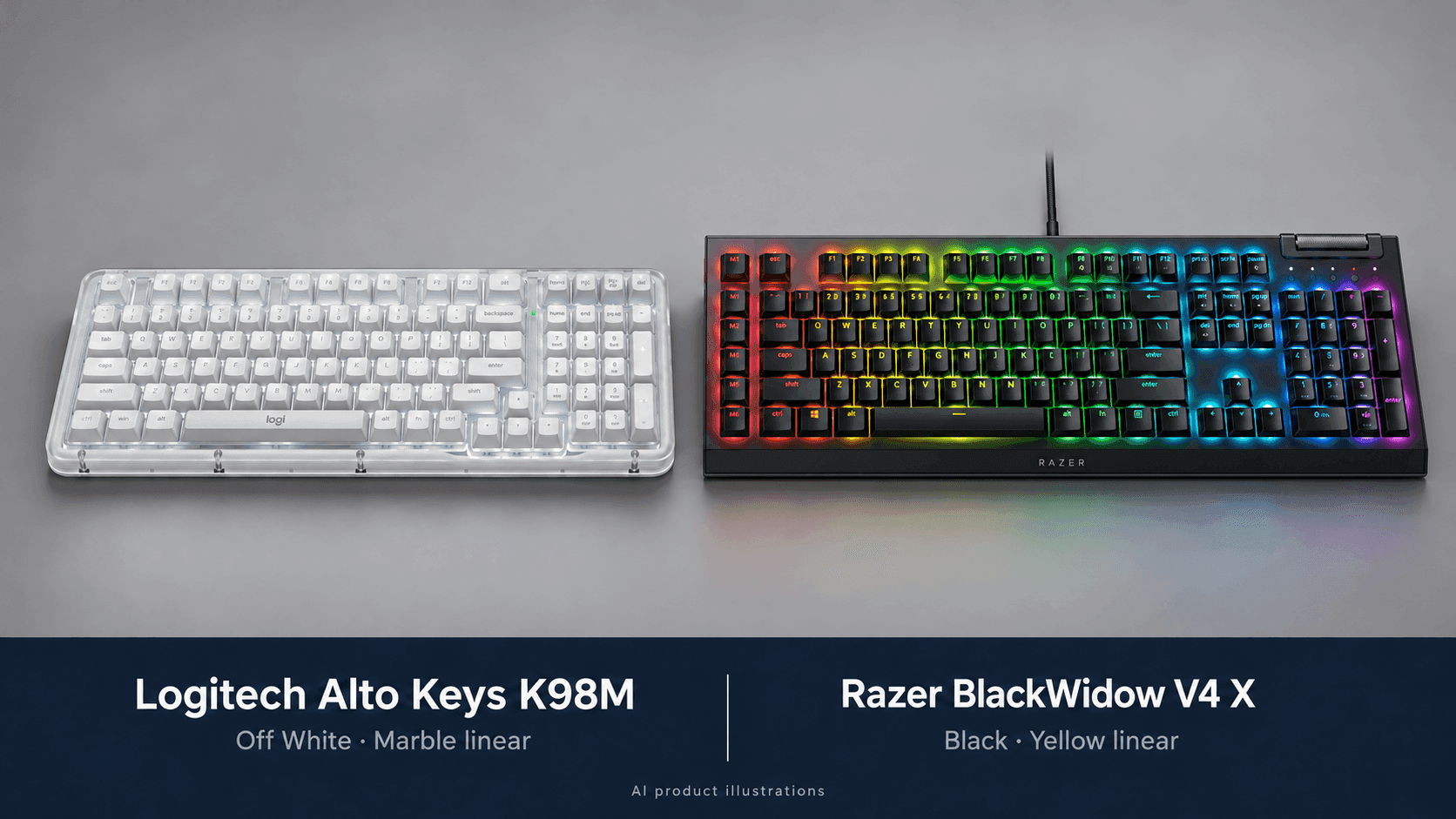
Start by looking at the computers on your desk. In this Logitech Alto Keys K98M vs Razer BlackWidow V4 X comparison, Logitech wins if you switch between a laptop, desktop, and tablet, while Razer wins for a single gaming PC where dedicated macro keys matter. Both keep a number pad, but they use desk space in very different ways.
The K98M squeezes a numpad into a compact 98-key layout and connects wirelessly. Razer's full-size board adds a column of six macro keys and a media roller, and everything runs over an attached USB cable. Pick the convenience you'll actually use every day, rather than assuming either design is simply better.
The switches matter too. The linked K98M is Off White with linear Marble switches, and the linked BlackWidow V4 X is Black with Yellow linear switches. Razer also sells a version with Green clicky switches, but that's not the one linked here. And a gasket mount doesn't automatically make Logitech's keyboard quiet enough for a shared room.
The Quick Take
Get the K98M if you want one keyboard for several devices, a compact layout with a numpad, and swappable switches. Get the BlackWidow V4 X if you want six dedicated macro keys, per-key RGB, and a media roller on a single wired PC. If you need quiet, don't assume the K98M's gasket means quiet typing.
Logitech Alto Keys K98M
Best for a compact work desk that needs a numpad and connects to several devices. Linked version: Off White, linear Marble switches.
Check Price on AmazonRazer BlackWidow V4 X
Best for a gaming desk where you use macros and media controls a lot. Linked version: Black, Yellow linear switches.
Check Price on AmazonLogitech Alto Keys K98M vs Razer BlackWidow V4 X: Specs
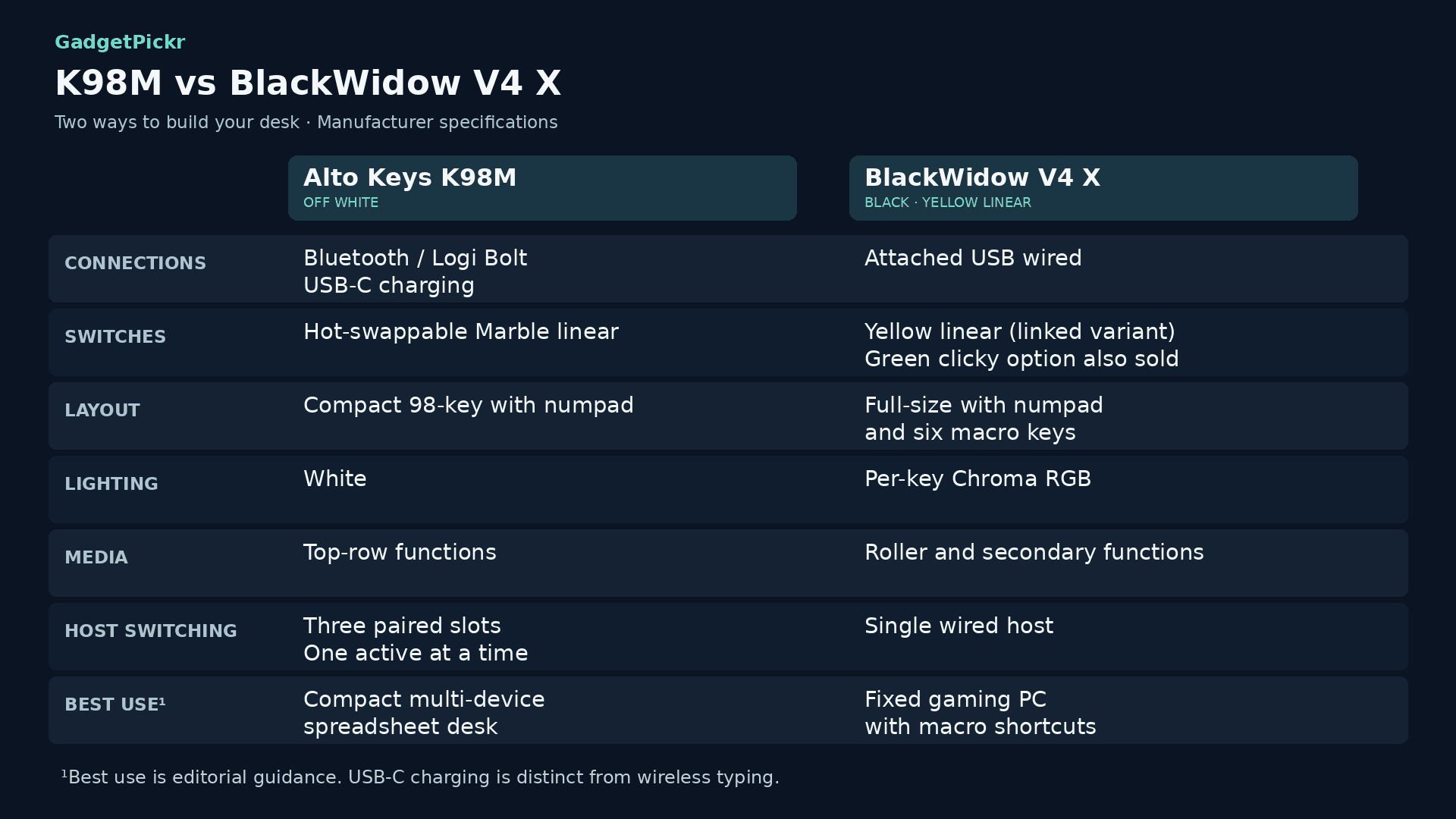
These differences affect how you connect, customize, and fit each keyboard on your desk. Razer's switch specs depend on which version you buy, so don't apply Green-switch specs to the Yellow model linked here.
| Spec | Logitech Alto Keys K98M | Razer BlackWidow V4 X |
|---|---|---|
| Connection | Bluetooth Low Energy or Logi Bolt wireless; USB-C charging | Wired USB with attached cable |
| Layout | Compact 98-key layout with numpad | Full-size layout with numpad, plus six macro keys |
| Switches | Hot-swappable linear Marble | Linked model: Yellow linear; Green clicky also available |
| Construction | UniCushion full-frame gasket to absorb vibration | Aluminum top case, PCB foam, lubricated stabilizers |
| Backlighting | Adjustable white | Per-key Razer Chroma RGB, 16.8 million colors |
| Macro keys | No separate macro column; customizable action keys via Options+ | Six dedicated macro keys on the left edge |
| Media controls | Top-row playback and volume keys; no roller | Multifunction roller plus secondary media functions |
| Actuation point | 1.9 mm | Fixed mechanical actuation; not adjustable |
| Actuation force | 40 g | Depends on switch version; Green figures don't apply to Yellow |
| Total travel | 3.2 mm | Standard mechanical travel; no Rapid Trigger |
| Multi-device | Three paired devices; types to one at a time | One wired computer; no Bluetooth switching |
| Weight | About 1.1 kg | Not listed here (official figures vary) |
| Best for | Spreadsheet-heavy work across laptop, desktop, and tablet on a smaller desk | One gaming PC with frequent macros, RGB profiles, and roller volume control |
Specifications as published by Razer and Logitech.
Design & Build Quality
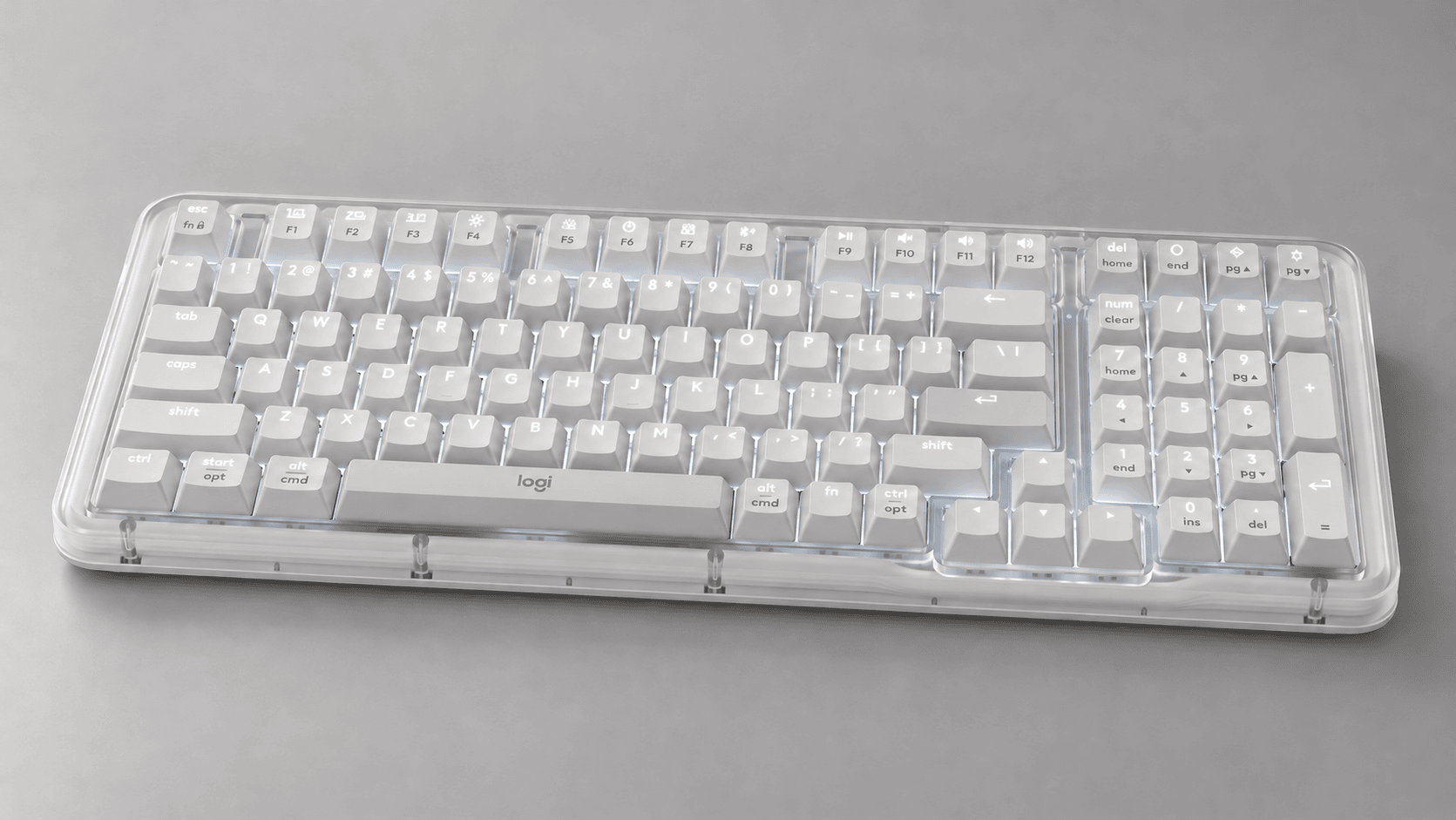
If your desk still needs a numpad, the K98M's compact layout is its biggest draw. It measures 401 x 147 x 39.6 mm and weighs about 1.1 kg. By squeezing the navigation keys closer together, it gives you a smaller keyboard without making spreadsheet users give up a proper number pad.
The linked Logitech listing is Off White, and the case is made partly from recycled plastic. You also get PBT keycaps and a full-frame UniCushion gasket. The gasket absorbs vibration and changes how the keyboard sounds, but it isn't the same as silent switches.
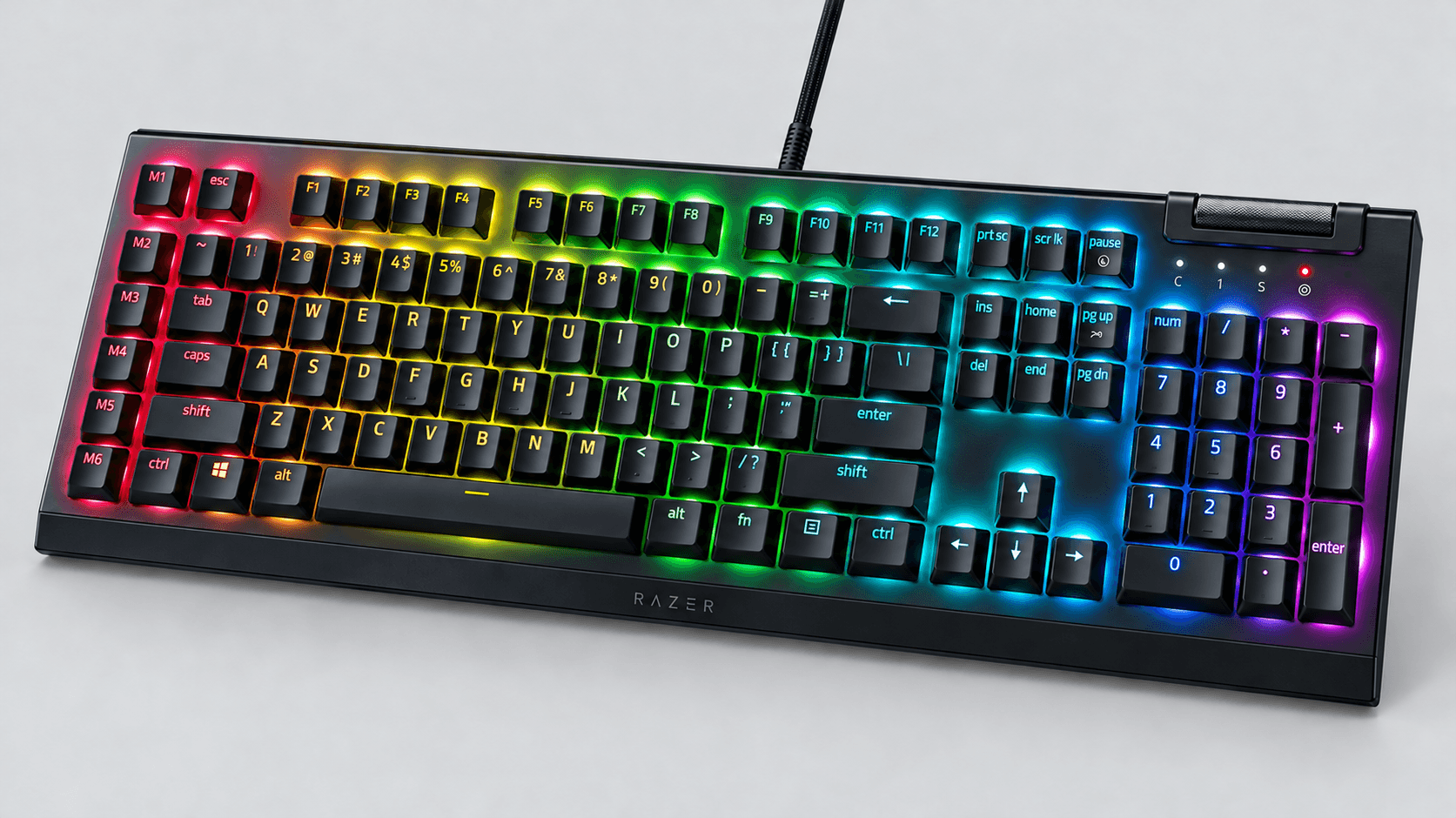
Razer goes the other way on space. The full-size layout and extra macro column on the left take up more room, but those extra keys give you commands without tying up your regular typing keys. It also has an aluminum top case and doubleshot ABS keycaps, which is quite different from Logitech's materials.
The K98M isn't the only one with sound dampening, either. Razer includes PCB foam and lubricated stabilizers, so it's not fair to say it ignores acoustics. The switch you pick still matters most, though. Yellow is linear, while Green adds a tactile bump and an audible click.
Performance & Key Features
Logitech lists 40 g of actuation force, a 1.9 mm actuation point, and 3.2 mm of total travel for the K98M's Marble switches. They're linear, so you get a smooth press with no bump and no click. Just don't take "smooth" to mean "quiet," which we cover below.
Connectivity is more clear-cut. Bluetooth Low Energy and Logi Bolt give you two wireless options, and Easy-Switch lets you jump between three paired devices. You type to one device at a time, though. It doesn't send every keystroke to all three at once.
It supports Windows, macOS, Linux, ChromeOS, iPadOS, iOS, and Android, with some requirements depending on how you connect. Basic typing working on a device doesn't mean every customization feature will too. Check that Options+ works on your system before planning your shortcuts around it.
Logitech rates the battery at up to 12 months with the backlight off. That's an important condition, so don't expect a year of use with the lights on. USB-C is for charging, and you still type over Bluetooth or Bolt.
For gaming, the K98M's limits go beyond just being wireless. RTINGS testing found six-key rollover and higher, less consistent input latency than dedicated gaming keyboards. That makes it fine for work and casual games, but not a great pick for fast competitive games or pressing lots of keys at once.
The BlackWidow V4 X's attached USB cable means no pairing and no battery to worry about. It still has some input latency, since wired doesn't mean instant. Its bigger advantage here is the physical controls: six macro keys, a multifunction roller, and per-key Chroma lighting.
Razer Synapse handles macros and lighting, including effects in games that support Chroma. The linked Yellow switches are linear, and if you choose Green instead, you get a clicky, tactile feel. Neither version gives you adjustable actuation like a Hall-effect keyboard.
Pros & Cons: Logitech Alto Keys K98M
Device switching and the compact numpad layout are the K98M's biggest strengths. If your work moves between computers and a tablet, those features solve a problem you deal with every day. Hot-swappable switches are another bonus, since you can swap in compatible switches without soldering.
Options+ gives you shortcuts without needing an extra column of keys. The white backlight also suits people who just want to see their keys, not customize colors. And the battery life with the lights off is great for a wireless setup, as long as you remember the backlight costs battery.
Noise is the catch its productivity image can hide. RTINGS found its typing noise too loud for quiet or shared workspaces, even with the gasket. Buy it for the connections and layout, not because the word "gasket" suggests silence.
For competitive gaming, six-key rollover and the reported latency make it a weaker pick. You also miss out on a volume roller, a dedicated macro column, and a wrist rest. None of that gets in the way of normal work, but each one is a real reason to think about how you'll use it before buying.
Pros & Cons: Razer BlackWidow V4 X

Six extra macro keys give Razer a real edge for command-heavy games and desktop shortcuts. They keep your main typing area free while giving you a separate spot for repeated actions. If you already know what you'd assign to them, that's a more useful benefit than a generic "gaming" label.
The roller puts volume control right on the keyboard, and secondary media functions handle playback. Per-key RGB also gives you much more lighting control than Logitech's white backlight. All of that suits a fixed desk where the keyboard doubles as a control panel.
That control panel takes up space, though. A full-size layout plus the macro column isn't great if you're trying to free up room for your mouse, and the attached cable is less flexible than a detachable one. There's also no wrist rest in the box.
Keep the switch versions separate when you decide. The Green version's click can be distracting in a shared room. The linked Yellow version doesn't have that click, but that doesn't mean the whole keyboard is silent. Razer wins this comparison on gaming controls, not on noise.
Real Buyer Scenarios
Imagine a work laptop, a personal desktop, and a tablet all sharing one small desk. Get the K98M. Switching between paired devices is the deciding factor, and you still have a numpad for numbers and spreadsheets. With the Razer, you'd have to unplug and move the cable instead of just pressing a button.
Now imagine one gaming PC with a list of commands you use constantly. Get the BlackWidow V4 X, because the macro column and roller give those actions their own dedicated buttons. You can use them for editing shortcuts too, as long as your software supports the assignments you need.
If your desk is already tight on mouse space, Logitech's more compact layout is the better fit of the two. Before you choose it, make sure the squeezed-together navigation keys work for you. A smaller keyboard with a numpad saves space by rearranging keys, not by making every key easier to reach.
For a quiet shared office, neither one is an automatic pick. Logitech's gasket doesn't make up for the noise RTINGS measured, and Razer's Green version is designed to click. If you're comparing the two linked models, remember they both use linear switches, so judge them on how they actually sound rather than on marketing.
Alternatives Worth Considering
If you want features that neither of these combines, start with whatever's missing. A wireless gaming keyboard, a smaller magnetic-switch board, and a full-size Hall-effect option each solve a different trade-off.
The ASUS ROG Strix Scope II 96 Wireless combines a compact layout with a numpad, Bluetooth, gaming-grade 2.4 GHz wireless, wired USB, and hot-swappable pre-lubed switches. It trades the K98M's work focus and Razer's macro column for more connection options.
The SteelSeries Apex Pro TKL Gen 3 adds adjustable OmniPoint actuation and Rapid Trigger on supported keys. To get there, it drops the number pad that both keyboards in this comparison keep, in favor of customizable gaming inputs.
The Keychron K10 HE keeps a full-size layout with a numpad and adds magnetic adjustable actuation, plus Bluetooth, 2.4 GHz, and wired connections. If you want the wood accents, choose the Special Edition, since the Standard version has a different frame.
Before switching to a magnetic keyboard, check the exact switch version and what it's compatible with. Hot-swappable regular switches and hot-swappable magnetic switches are two different systems. Neither the K98M nor the BlackWidow V4 X gets magnetic sensing just because other keyboards offer it.
Final Verdict
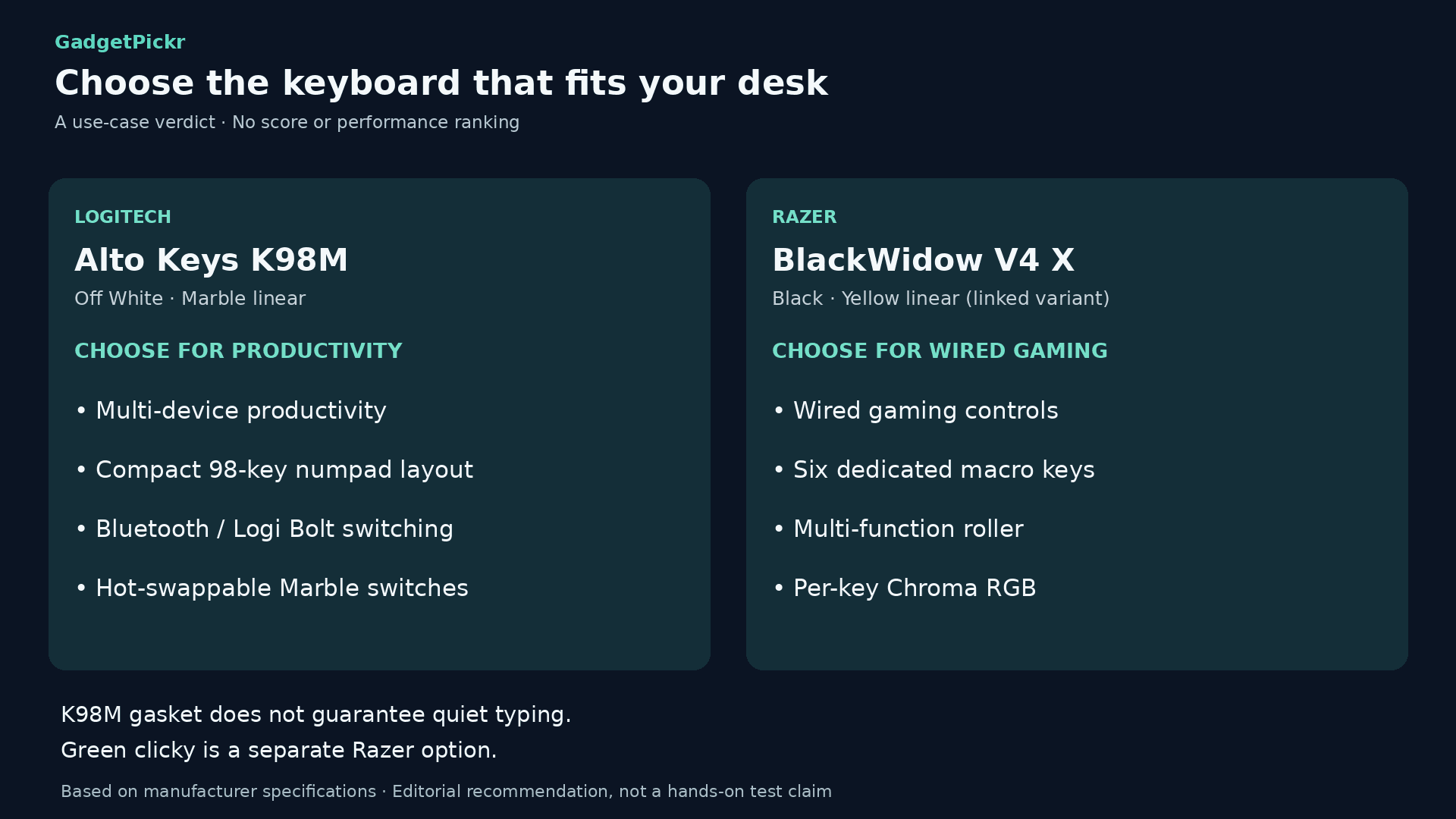
In the Logitech Alto Keys K98M vs Razer BlackWidow V4 X matchup, the K98M wins for work and switching between devices. Pick it if one keyboard needs to handle several devices and you still want a number pad. Wireless device switching in a compact layout is the best reason to buy it.
For a single gaming PC where you use macros and media controls a lot, get the BlackWidow V4 X. Six dedicated macro keys and the roller give it the better set of controls. The Yellow linear version linked here is the one we're comparing. If you specifically want a tactile click, choose the Green version instead.
Neither one is the clear choice for a quiet room. Don't buy the Logitech expecting the gasket to make it silent, and don't judge the Yellow Razer by what you've heard about the clicky Green version. Choose based on connections, layout, and controls first, then think about sound and switch feel separately.
Sources & References
Specifications and claims in this analysis were cross-referenced against the sources below.
- Alto Keys K98M Wireless Keyboard with Gasket Structure - Logitechlogitech.com
- Razer BlackWidow V4 X - Mechanical Gaming Keyboardrazer.com
- Satisfying Sound. Unmatched...logitech.com
- Logitech Alto Keys K98M Wireless Mechanical Keyboard, Customizable Keyboard with Vibration Absorbing Gasket, Backlit Keys, Lilactarget.com
- Logitech Alto Keys K98M Keyboard Review - RTINGS.comrtings.com
- 10 Best Mechanical Keyboards for Streaming (September 2026 ...aerovisiondrones.com
- Logitech Alto Keys K98M Wireless Mechanical Keyboard in ...abt.com
- AULA S99 Wireless Gaming Membrane Creamy Keyboard ... - Targettarget.com
Frequently Asked Questions
The Alto Keys K98M. Bluetooth and three Easy-Switch slots let you move between paired devices. The BlackWidow V4 X uses an attached USB cable and has no wireless switching.


