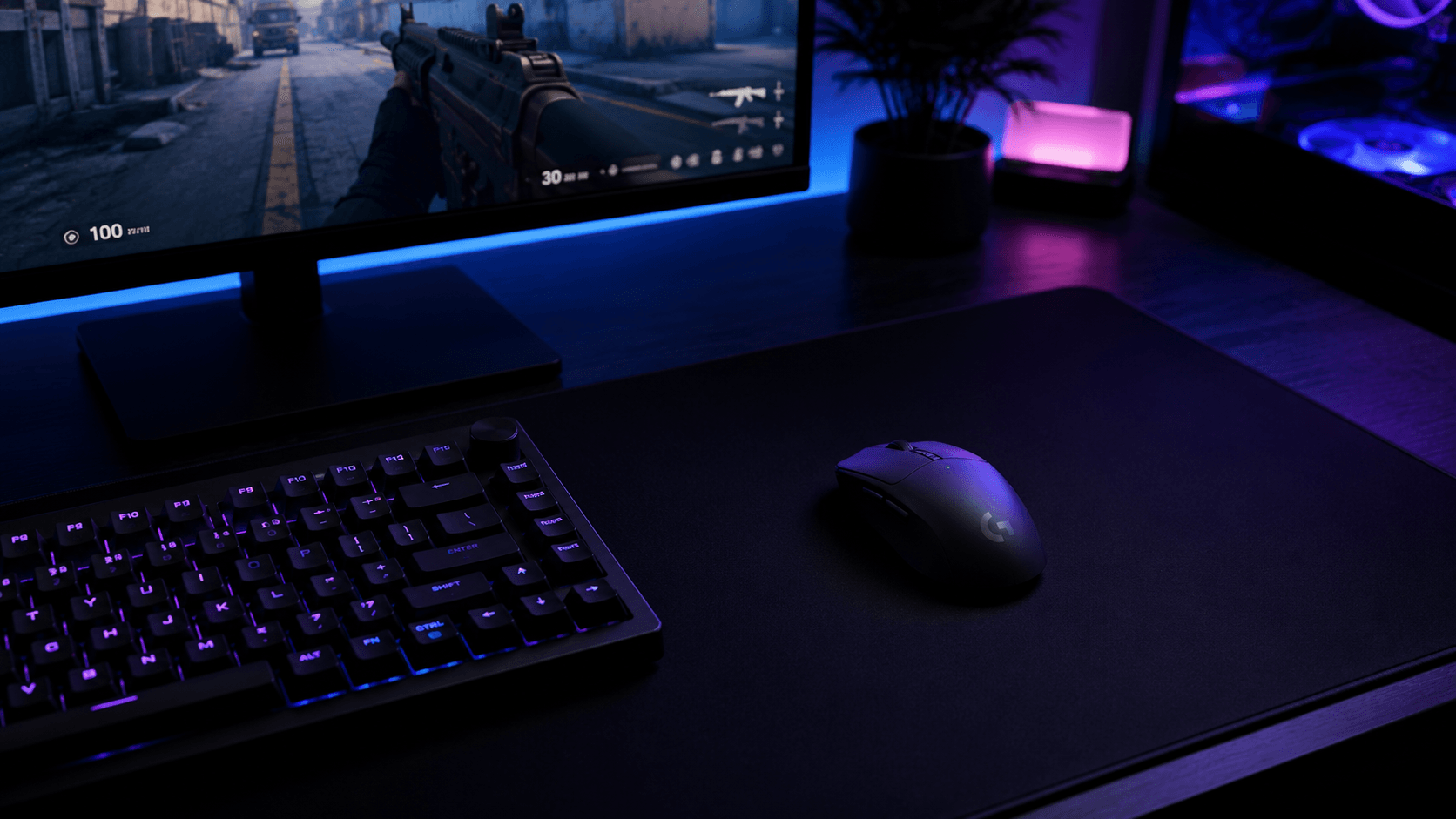
Logitech G Pro X2 Superstrike: Rapid Trigger at 61g
A look at the Logitech G Pro X2 Superstrike wireless gaming mouse, breaking down its 61g chassis, magnetic analog switches with adjustable rapid trigger, and how it stacks up against the Razer Viper V3 Pro and Logitech's own Superlight 2.
Competitive gaming lives and dies by fractions of a millisecond, and that's exactly the market Logitech is chasing with the G Pro X2 Superstrike. This wireless mouse skips the RGB flourishes and stacked side buttons cluttering most gaming peripherals, throwing its entire design budget at shedding weight and cutting latency instead. If you've followed esports-grade mice for a while, you already know the general formula — strip the shell down, chase sub-millisecond response, let the switches do the talking, and let the weight class speak for itself on the scoreboard. This Logitech G Pro X2 Superstrike review breaks down whether its magnetic analog switches and featherweight chassis actually translate into an edge for your grip style and your game.
Some links in this article are affiliate links, which helps support GadgetPickr at no extra cost to you.
The Quick Take
Logitech swapped traditional micro-switches for magnetic analog ones here, adding adjustable rapid trigger and click haptics inside an optimized 61g shell. It skips RGB flair and extra buttons entirely, betting everything on switch responsiveness and low weight. It's a mouse built for one job — competitive precision — and it does that job with very little compromise elsewhere.
Verdict
Here's the bottom line of this Logitech G Pro X2 Superstrike review: do you need switch-level customization badly enough to pay for it? If you're a serious FPS competitor who wants to tune actuation and reset points to your exact reflexes, buy it — the magnetic analog switches are the strongest reason to choose this over nearly anything else in the category. If you're a casual or multi-genre player who wants extra buttons, Bluetooth, or a lower price, skip it — the Superlight 2 or a standard wireless mouse will serve you better for less money and less of a learning curve. Weighed against the Razer Viper V3 Pro and the ASUS ROG Harpe Ace, the Superstrike earns its premium position through adjustable click haptics and wireless connectivity that doesn't buckle under RF noise. It's a specialized tool, not an all-rounder, and it doesn't pretend otherwise.
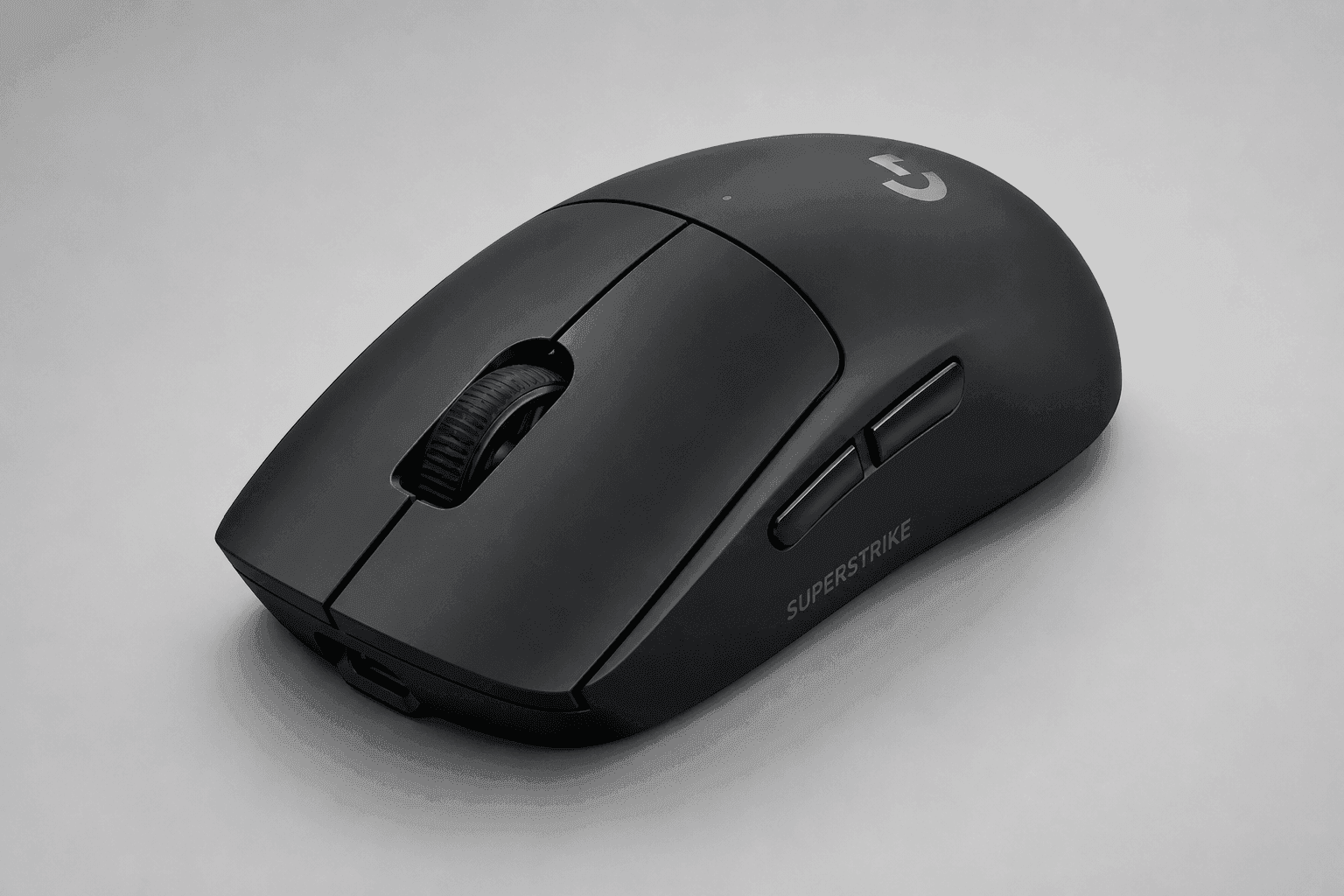
Strip away the marketing copy and the Pro X2 Superstrike is really an exercise in subtraction. Logitech kept the shell solid instead of punching it full of honeycomb holes, and still landed at 61 grams — proof that a sealed shell doesn't have to mean a heavier mouse. That solid construction also keeps dust and moisture out, which matters more than people think over a long session. For low-sensitivity players who make big, sweeping arm movements across a wide desk mat, shaving grams off the chassis translates directly into less physical fatigue by the end of a long match.
Inside the primary buttons is where the real story sits. Instead of the metal-contact switches most mice have used for decades — components that wear down and introduce debounce delay over time — Logitech built in magnetic analog switches. These use Hall effect sensing to track button travel with much finer resolution, which is what makes rapid trigger possible: you set your own actuation point and reset point instead of living with whatever the factory picked. That kind of micro-adjustment matters most in tactical shooters, where instant counter-strafing and split-second re-clicks decide a duel, and it's the kind of tuning you simply can't get out of a fixed mechanical switch no matter how good the spring feels. Adjustable click haptics ride along with this, letting you dial in a crisp, snappy click or something quieter and softer depending on how your hand prefers to work.
Wireless performance runs through Logitech's high-speed protocol, with polling rates that top out just under 8K Hz. Most gaming mice cap out at 1K Hz — a report every millisecond — so pushing that ceiling higher chops input latency down to a sliver of what you're used to, letting the PC register your cursor position and click timing with almost no lag. Pair that with the optical sensor underneath, and tracking holds up cleanly through fast flicks, sharp accelerations, and hard direction changes.
Charging runs over USB-C, which sounds minor until you realize how many mice still lock you into proprietary cables. Efficient power management means sustained high polling doesn't drain the battery in a single session, so you're not tethered to a charging dock mid-match. Add up the weight, the switch tech, and the wireless throughput, and you've got the identity of this mouse in one sentence: everything here serves competitive speed.
Key Specs and Compatibility
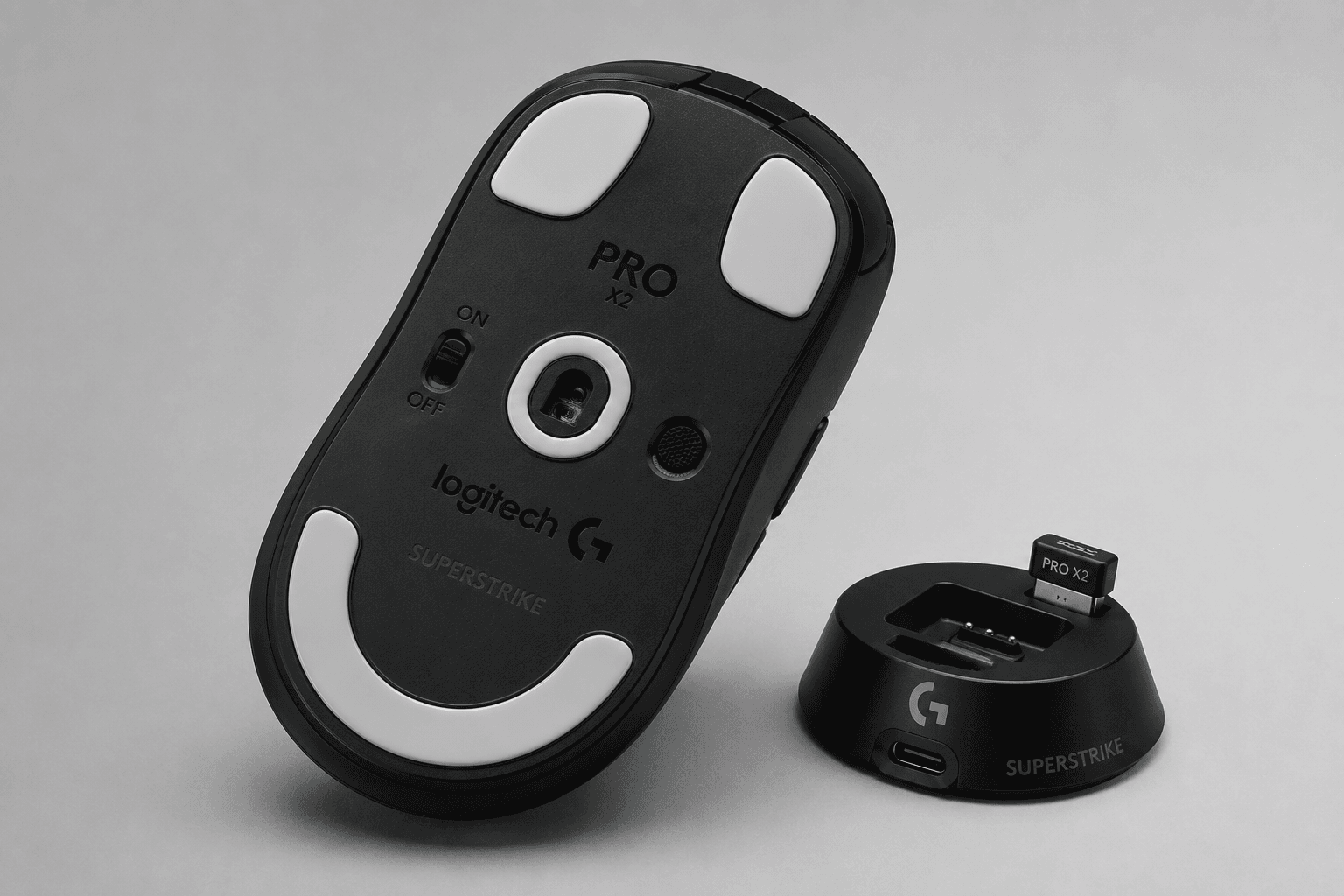
How this mouse fits your desk matters as much as what's inside it. It connects through a dedicated USB-C wireless receiver to keep that low-latency link intact, and Logitech's desktop software is where you actually shape the experience — adjusting analog actuation points, reset curves, and polling rate to match your own reflexes rather than a factory default.
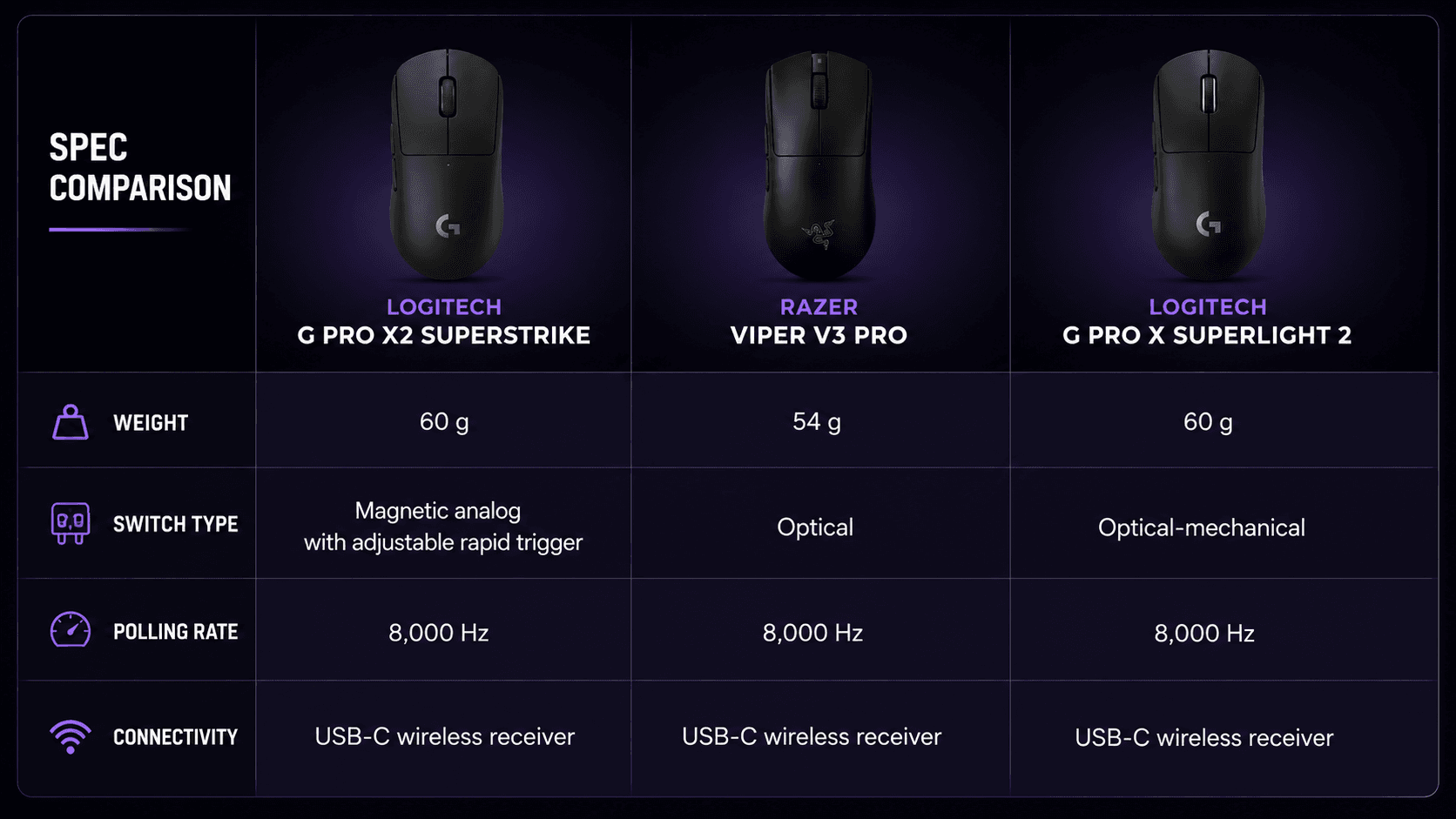
Positioning-wise, the Superstrike sits in a crowded field. Razer's Viper V3 Pro chases the same lightweight, high-polling formula, leaning on raw sensor performance rather than switch customization. The ASUS ROG Harpe Ace leans on aim-training pedigree and a more structured shell. Logitech's own G Pro X Superlight 2 remains the safe, proven pick for anyone who doesn't need analog switch customization and would rather stick with a shape the esports scene already trusts. What separates the Superstrike from all three is that magnetic analog implementation — nobody else in this lineup lets you tune actuation and reset points on the fly, and the adjustable click haptics add a layer of physical customization the Viper V3 Pro doesn't attempt at all.
If you're already running a USB-C-based setup, the charging cable slots right into your existing cable management without adding a new proprietary brick to the desk. Wireless reliability holds up in busy RF environments too, which matters more than it sounds like at a LAN with fifty other 2.4GHz devices competing for the same airspace.
What Stands Out
Magnetic analog switches with adjustable rapid trigger are the headline feature here, and for good reason. Hall effect sensors measure exactly how far you've pressed rather than registering a simple on/off click, so you can set the actuation point wherever suits your reflexes and set the reset point to fire again almost instantly. In fast tactical shooters and real-time strategy games, where clicks per second decide fights, that's a real mechanical edge over switches with fixed travel. Adjustable click haptics sit right alongside it, letting you choose between a soft, rapid-fire feel and a crisp, defined snap depending on the moment.
Weight is the other pillar. At 61 grams, this mouse skips the honeycomb cutouts that expose internals to dust and sweat, relying instead on a solid shell that still comes in lighter than most sealed designs manage. Wireless performance backs this up — Logitech's low-latency protocol runs over the USB-C receiver and pushes polling well past the 1K Hz most mice settle for, closing in on that sub-8K Hz ceiling. The result is tracking data that reaches your PC fast enough to match your hand instead of lagging behind it, even during the kind of rapid flicks that expose weaker sensors.
Strengths
Pick this mouse up and the first thing you'll notice is how little it weighs in hand. That 61-gram frame makes wide, sweeping arm movements feel almost effortless, which is exactly what low-sensitivity players need for consistent flicks across a big mousepad. The shape is symmetrical and low-profile, so it works across grip styles, though claw and fingertip players will feel like it was shaped around their hands specifically rather than as an afterthought.
Sweat isn't much of an issue either, since the solid shell skips the honeycomb gaps that let moisture creep toward the internals during a tense final round. Tracking is where the sensor does its job well — rapid 180-degree flicks and horizontal tracking both come through without acceleration or jitter creeping in. Because the magnetic analog switches let you shorten the reset point, rapid semi-auto fire or fast unit micromanagement in an RTS both feel snappier than switches with fixed mechanical travel. Stack that with wireless that doesn't flinch around other 2.4GHz devices, and the hardware stops being something you have to think about mid-fight.
Weaknesses
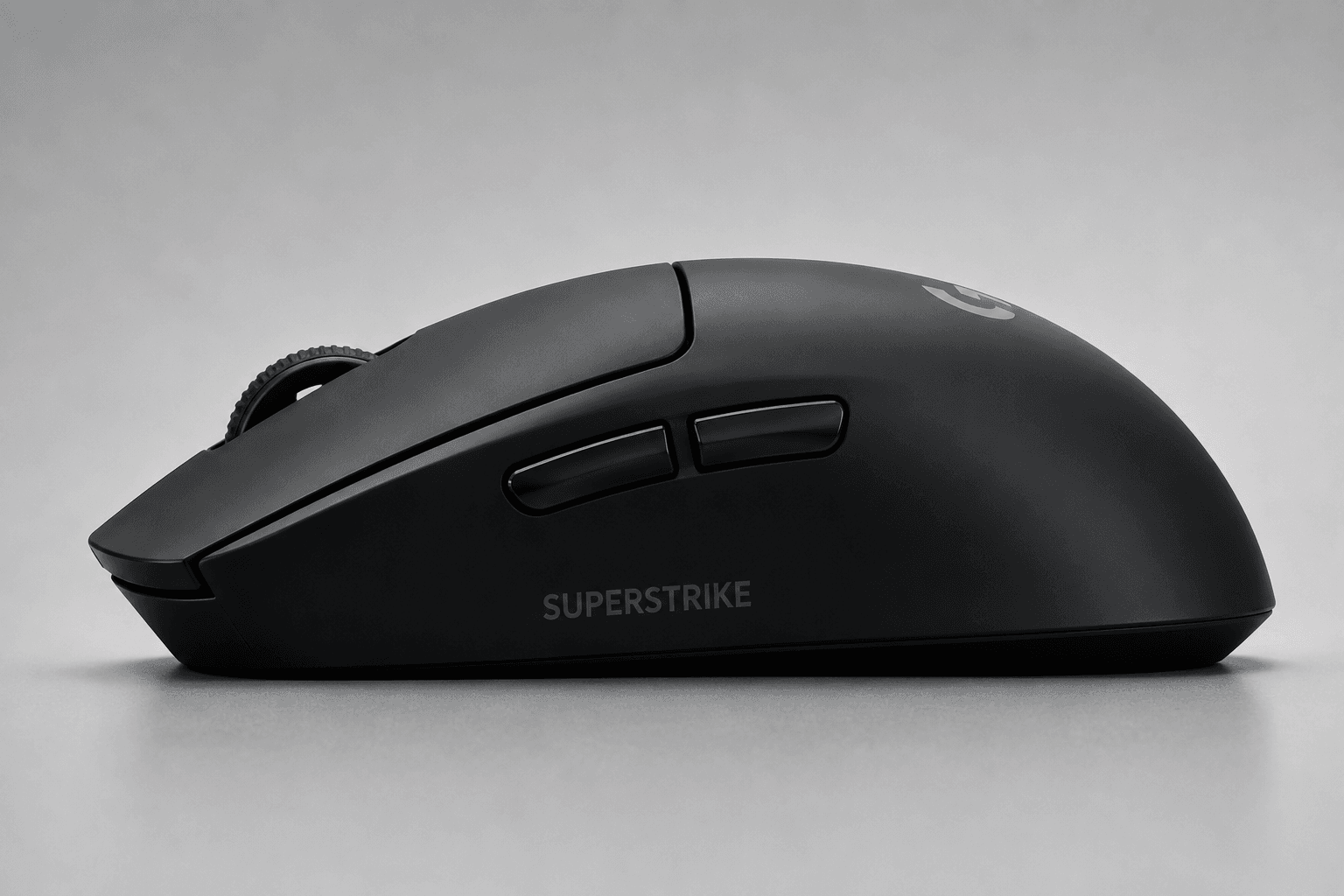
Here's the trade-off nobody puts on the box: everything Logitech cut to hit 61 grams is something a different kind of player might actually want. There's no Bluetooth toggle, so you're tied to the USB-C wireless dongle across every device you use it with — no quick pairing with a laptop across the room. The scroll wheel doesn't free-spin, and button count is minimal — MMO and MOBA players who lean on macro-heavy layouts will find this mouse actively unhelpful for anything beyond core clicks.
Battery life is the other quiet cost. Running the magnetic analog switches and pushing polling toward that sub-8K Hz ceiling draws more power than a standard wireless office mouse, even with efficient management keeping things reasonable during normal play. Switch feel takes adjustment too — if you're used to the sharp, metallic snap of a traditional mechanical switch, the magnetic click will feel different for the first few sessions, and some players may need a week or two before it feels natural. Pricing puts this mouse well above budget and mid-range wireless options, landing it in premium territory alongside rivals like the Razer Viper V3 Pro. If you're not playing competitively, rapid trigger switches and ultra-high polling rates are hard to justify at that cost when a cheaper mouse tracks nearly as well for everyday use.
Best Alternatives
Razer's Viper V3 Pro is the closest rival — same ultra-lightweight, high-polling ambitions, but built around optical switches rather than magnetic analog ones, trading rapid trigger customization for a more aggressive, low-profile shape some hands prefer over the Superstrike's slightly taller hump.
ASUS takes a different angle with the ROG Harpe Ace: shaped with input from aim-training specialists and just as clean in tracking, but without anything like the Superstrike's tunable analog switches, so you're trading click customization for a more structured, conventional shell and a slightly different price point.
And then there's Logitech's own G Pro X Superlight 2 — the safer, more established choice, with the crisp optical-mechanical click gamers already trust, at the cost of giving up rapid trigger and haptic tuning entirely. If your edge comes from micro-adjusting actuation points, the Superstrike is worth the jump over any of these three. If it doesn't, the Superlight 2 will save you money and still perform at a level most players will never outgrow.
Who Should Buy It
If you're grinding ranked Valorant, Counter-Strike 2, or Apex Legends and living or dying by fractions of a second, the rapid trigger magnetic switches are worth the learning curve. Tuning your own actuation and reset points gives you a real mechanical edge on rapid-fire weapons and counter-strafing that fixed switches simply can't match, and that edge compounds over hundreds of rounds.
This is also the mouse for players who want featherweight without a hollow, cheap feel. At 61 grams it glides across a mousepad without ever feeling flimsy, and claw or fingertip grip users will appreciate how the neutral shape supports quick micro-adjustments mid-firefight rather than fighting the shell for control.
If your budget has room for a mouse built purely around competitive performance, and you actually want the magnetic switch tuning and high-polling wireless that come with it, this one is built for your setup specifically — not for the person who just wants a mouse that works out of the box.
Commission may be earned from this link, at no extra cost to you.
Who Should Skip It
Casual players who split time between work, MMOs, and the occasional match will find this mouse over-engineered for what they actually need. No DPI cycle button, no extra side buttons, no tilt wheel — none of the versatility that macro-heavy or productivity workflows depend on day to day.
Budget matters too. You're paying a real premium for niche competitive features like adjustable click haptics and magnetic analog switches, and if you don't play the kinds of games that benefit from rapid trigger, a standard wireless gaming mouse will track just as well for a lot less money. If you've got larger hands and prefer a full palm grip, the compact 61-gram symmetrical shell won't give you the support a bigger ergonomic mouse would — look elsewhere for long-session comfort rather than forcing a grip style that doesn't fit.
Sources & References
Specifications and claims in this analysis were cross-referenced against the sources below.
Not really. Its price and stripped-down button layout target competitive players specifically, so casual or multi-genre gamers will get more practical value from a standard wireless mouse that costs less and does more day-to-day.