Logitech MX Master 3S: Quiet Clicks, 8K DPI on Glass
A look at the Logitech MX Master 3S Bluetooth Edition: 8,000 DPI Darkfield glass tracking, MagSpeed scrolling, quiet clicks, and the buyers who should walk away from it.
Most mouse reviews stop at counting buttons. Fair enough — but a productivity mouse lives or dies on sensor resolution, click acoustics, and how cleanly it hops between machines. This Logitech MX Master 3S review covers the Bluetooth Edition, a pared-back version of Logitech's flagship ergonomic pointer aimed at people who work across Windows, macOS, Linux, and Chrome OS. Inside the shell: an 8,000 DPI Darkfield optical sensor, redesigned quiet-click switches, and the MagSpeed electromagnetic scroll wheel that has anchored this line for years. What is not in the box matters just as much — this SKU ships without the Logi Bolt USB receiver, so your laptop or desktop needs a working Bluetooth radio of its own. Knowing what that omission costs you is the whole ballgame. Working from hardware architecture, sensor specs, and the sculpting of the shell, here is where this mouse earns its keep and where it will get in your way.
Some links in this article are affiliate links, which helps support GadgetPickr at no extra cost to you.
The Quick Take
A high-end productivity peripheral built for people who live in spreadsheets, editing timelines, and multi-monitor layouts. Its real advantage is the pairing of a sculpted right-hand shell with precise, quiet input hardware.
Verdict
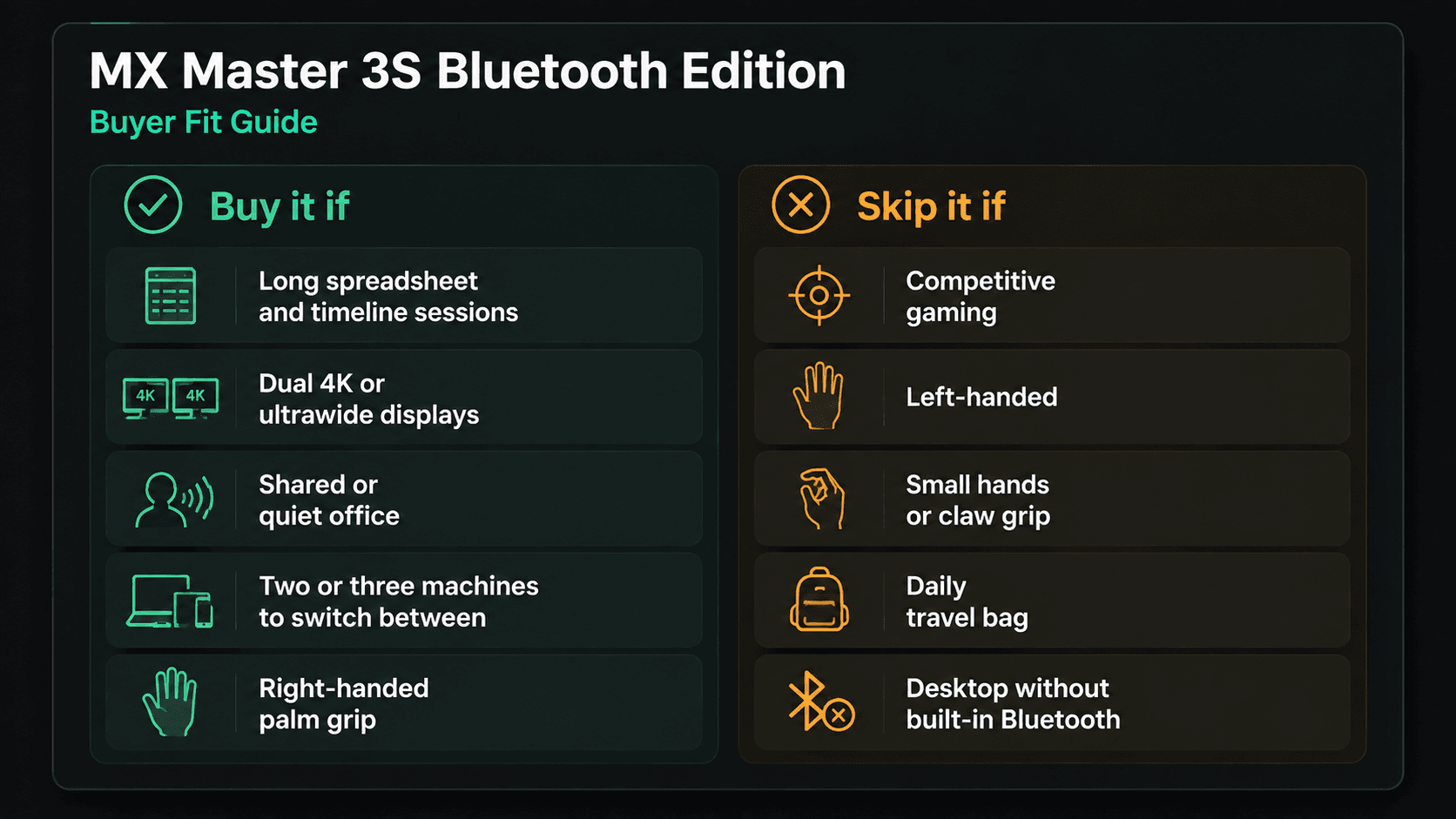
Buy the MX Master 3S if you work long days in spreadsheets, editing timelines, or a multi-monitor layout — the single strongest reason is the combination of an 8,000 DPI Darkfield sensor that tracks on bare glass and a sculpted palm shell that keeps your wrist off the desk. Skip it if you play competitive shooters, and the reason there is just as simple: the polling rate is built for cursors, not crosshairs. Everything else falls between those poles. MagSpeed scrolling flips from line-by-line precision to a free spin that clears thousands of rows in a second. Quiet clicks fix the loudest complaint about the previous generation without deadening the tactile bump. The costs are real and specific: right-handed only, with no mirrored version coming, and a Bluetooth-only box that assumes your machine has a radio in it. This Logitech MX Master 3S review lands on a straightforward recommendation — as a mid-range investment in daily workflow rather than raw speed, it is the strongest sculpted productivity mouse you can put on a desk right now.
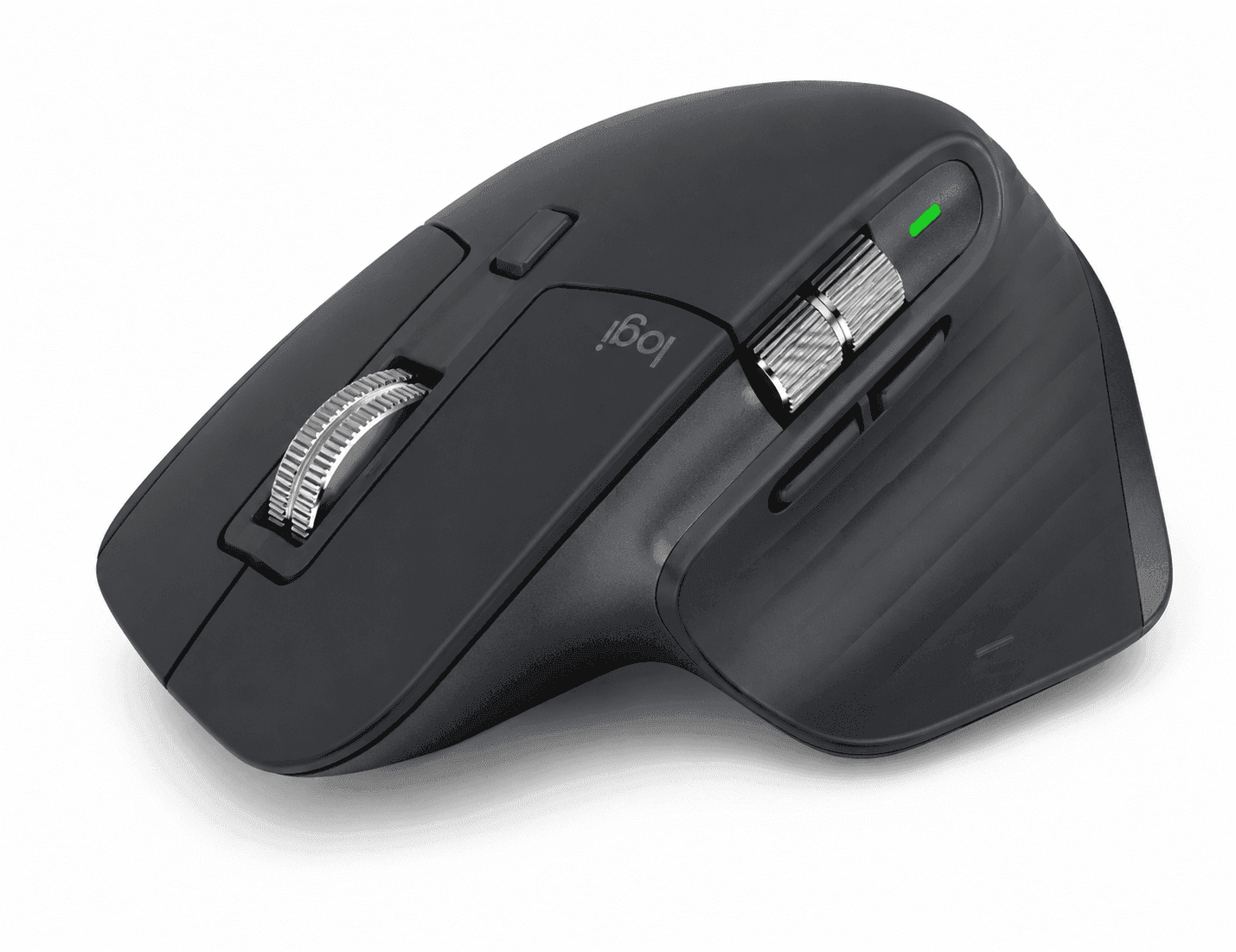
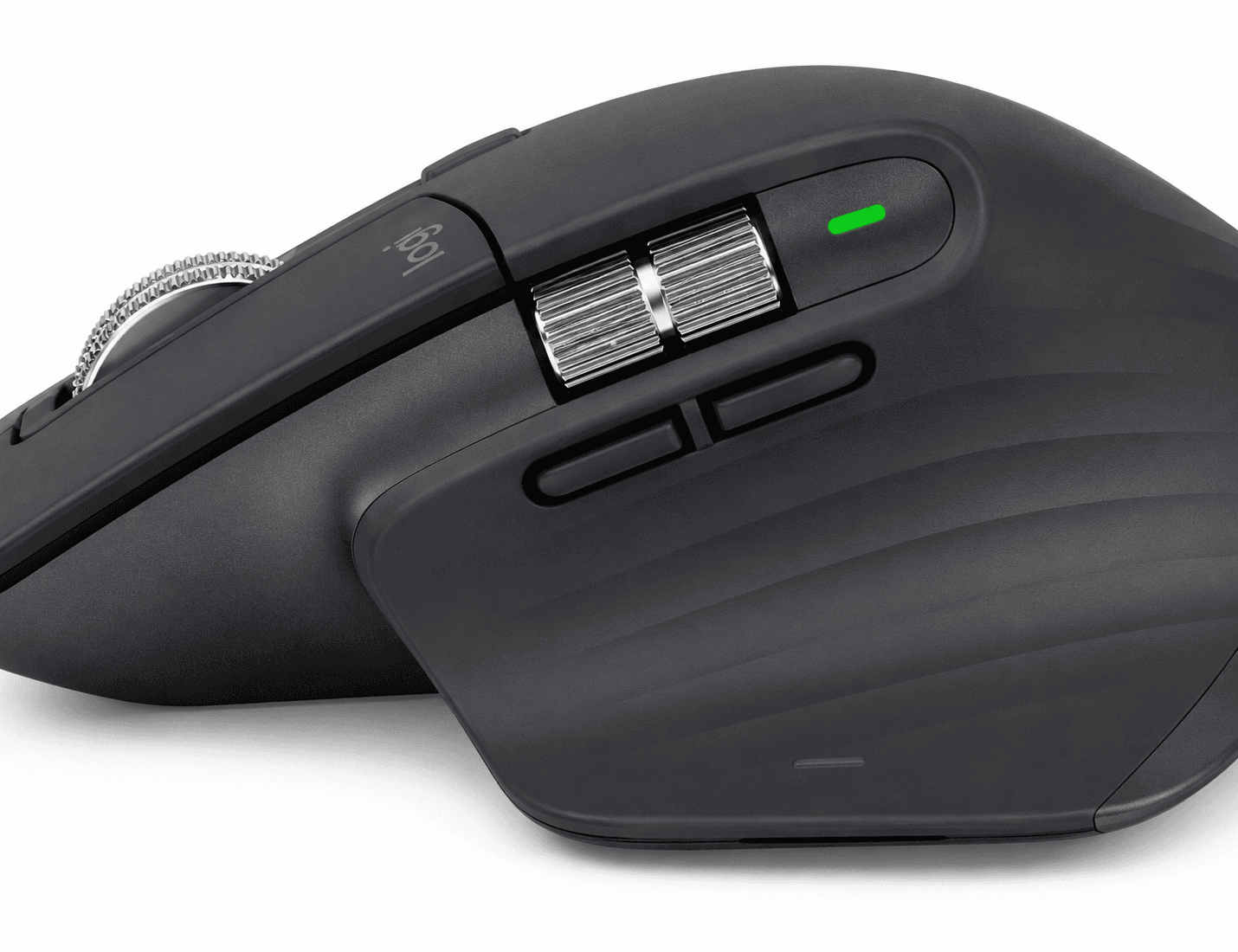
Start with the shape, because that is what you feel first. An asymmetric, right-hand sculpted shell props up the whole palm and holds the wrist at a slight tilt, which is the point of a mouse you use for eight hours instead of eighty minutes.
The thumb rest does double duty. There is a gesture button hiding under it, plus a secondary side wheel for horizontal movement — scrubbing an editing timeline or walking across forty columns of a spreadsheet without a single keyboard shortcut.
Two things separate the 3S chassis from what came before: sensor density and switch noise. Logitech fitted an 8,000 DPI Darkfield optical sensor, double the maximum sensitivity of the MX Master 3. That headroom matters on 4K and 8K panels, where a low-DPI pointer forces you to drag your whole forearm across the desk to reach the far monitor. Darkfield reads micro-reflections instead of surface texture, so it tracks on nearly anything, glass tabletops included, provided the glass measures at least 4mm thick.
Soft-dampened membrane bumpers sit under the left and right switches. Logitech rates the arrangement at 90 percent less click noise than the MX Master 3 while keeping the tactile bump intact. In an open office or a home setup where someone else is on a call three feet away, that trades a sharp snap for a muted thud.
Scrolling runs through the MagSpeed electromagnetic wheel — machined steel, no gear teeth. It flips between ratcheted line-by-line stepping and free spin, and in free spin it clears 1,000 lines per second. No mechanical detents means near-silent operation and fewer parts to wear out.
Power comes from a 500 mAh lithium-polymer cell behind a front-facing USB-C port. Published specifications indicate up to 70 days of operation on a full charge, with a one-minute quick charge delivering roughly three hours of usable power. Wireless duty falls entirely to Bluetooth Low Energy, with Easy-Switch memory for three paired devices. Since the Logi Bolt receiver is not in the box, your host machines need native Bluetooth — a fair assumption for modern laptops, a real question for older desktop towers.
Key Specs and Compatibility
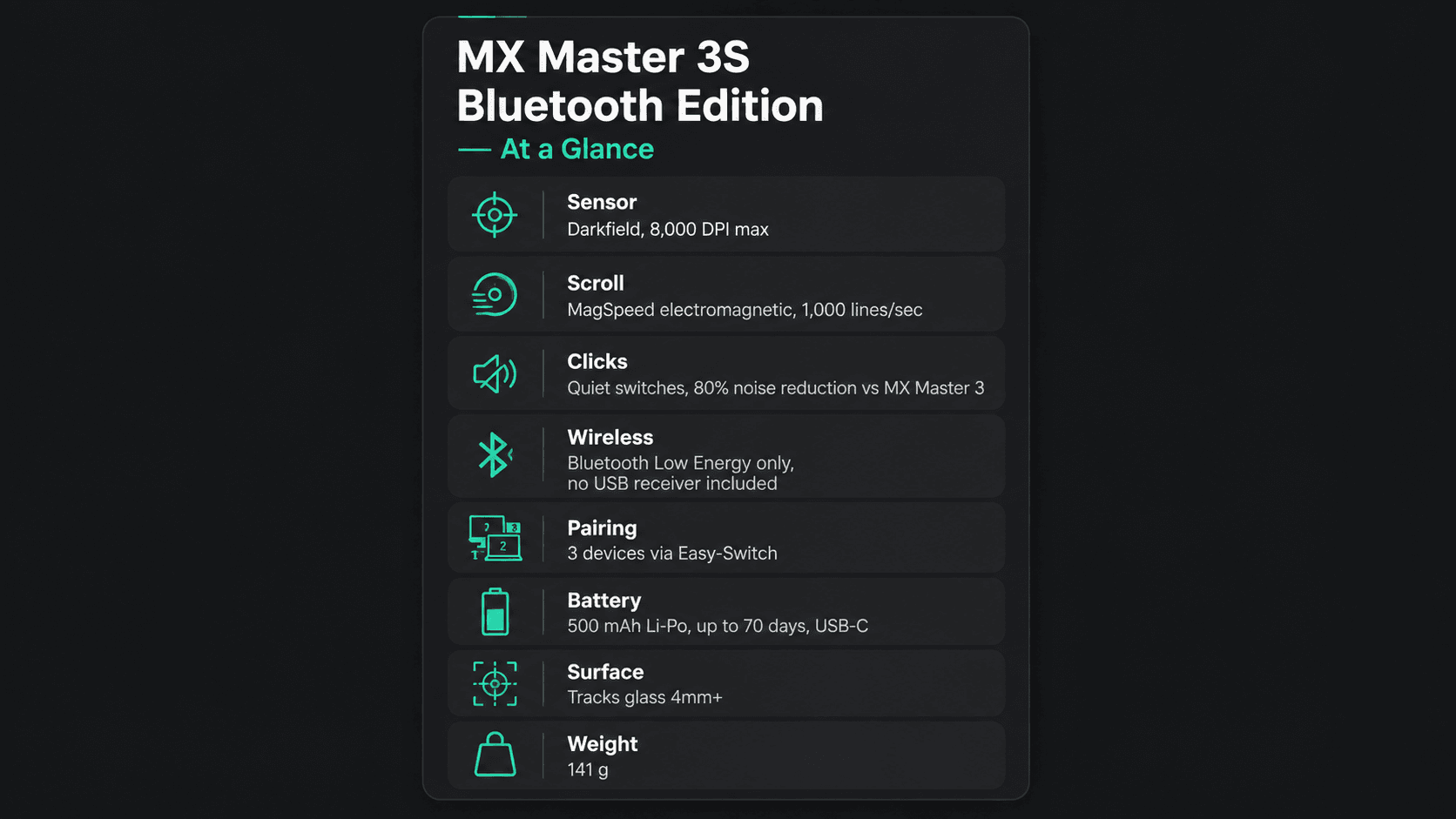
Here is the hardware sheet at a glance. Note the polling rate is absent from this table for a reason — it comes up later, and it is the single spec that disqualifies this mouse for one particular buyer.
Button remapping, per-application profiles, and cross-computer cursor control all run through Logi Options+ on compatible desktop operating systems.
What Stands Apart
Three pieces of hardware do the heavy lifting here, and the sensor is the loudest of them. Going from the 4,000 DPI ceiling of the MX Master 3 to 8,000 DPI is not a rounding error — that is double the pointer travel per inch of hand movement. On dual 4K panels or a 49-inch ultrawide, you cross the whole desktop with a flick instead of a shove, and your wrist notices by mid-afternoon. Darkfield keeps its party trick too: it tracks on high-gloss glass tables at 4mm or thicker, so the mouse pad becomes optional.
Then there is the MagSpeed wheel. Machined steel, electromagnetically controlled detents, and a hard shift from ratcheted precision into free spin at 1,000 lines per second. Because the resistance is generated by electromagnets rather than plastic teeth, the ratchet feel stays consistent whether you are nudging one line in a codebase or dumping a 4,000-row financial model past your eyes. The separate thumb wheel handles the horizontal axis — timelines in Premiere, wide data sets in Excel, artboards in Figma.
Quiet Click switches are the third piece, and arguably the reason existing MX Master 3 owners upgrade at all. The dampening changes the acoustic signature from a sharp click to a soft thud without turning the actuation mushy; you still get a clear confirmation under the fingertip. Round it out with Logi Options+ and Logitech Flow, which pushes your cursor, files, and clipboard across three Windows or macOS machines as if they shared one desktop.
Strengths
Comfort is the headline. That sculpted right-hand contour supports the full hand and tilts the palm slightly off the desk, which takes tension out of the forearm in a way flat, ambidextrous shapes simply cannot. The hidden gesture button under the thumb rest handles desktop switching, Mission Control, or media keys — small savings that add up across a workday of context switching.
Quiet actuation pays off fastest in shared rooms. Primary clicks are near-silent, so you are not broadcasting every selection into a video call, and the horizontal thumb wheel kills the dead time you would otherwise spend dragging scroll bars in Premiere Pro, DaVinci Resolve, or Excel.
Multi-device switching is the sleeper feature. Bluetooth Low Energy handles three paired devices, and an Easy-Switch button on the underside moves you between a desktop workstation, a laptop, and an iPad without re-pairing anything. Add USB-C top-ups measured in minutes, not hours, and the battery essentially stops being something you think about.
Weaknesses
Left-handed users are out. Not "less comfortable" — out. Logitech does not build a mirrored Master series shell, and the whole design premise depends on that asymmetry. Small hands face a milder version of the same problem: the tall palm arch and 141-gram body feel bulky, and fingertip or claw grippers get very little from a shell built for palm contact.
Gaming is the other hard limit. The 8,000 DPI sensor is sensitive enough, but the wireless polling rate is capped at 125 Hz, well short of the 1000 Hz that high-refresh monitors want for low-latency, smooth pointer motion during fast movement. Competitive players will feel the tracking lag behind their hand, and the mass makes quick repositioning a chore.
Packaging deserves a warning label. This SKU is Bluetooth-only and includes no USB receiver, so a desktop without a Bluetooth adapter — or a desk sitting in a crowded 2.4 GHz environment — means buying a Logi Bolt dongle separately. Old Unifying receivers will not help either; Logitech moved the line to the Bolt security standard. One more nit: the soft-touch rubberized palm coating picks up skin oils and wants regular wiping if you care about how it ages.
Best Alternatives
Deep in the Apple ecosystem? The Apple Magic Mouse gives you native multi-touch gestures across macOS spaces, but you give up palm support, the dedicated thumb wheel, and any real click feedback in exchange. Travelers should look at the Logitech MX Anywhere 3S, which carries the same quiet switches, 8,000 DPI Darkfield tracking, and MagSpeed wheel in a flatter, bag-friendly body — the trade is a low-profile grip with no palm arch at all.
If wrist pain is the actual problem you are solving, the Logitech Lift or MX Vertical rotate the hand into a 57-degree handshake position, cutting forearm pronation further than any sculpted mouse can, at the cost of slightly less stable fine cursor work. And for people who mainly want remapping freedom, the Keychron M6 splits the difference between office use and lightweight wireless hardware, trading Logitech's software polish for flexibility. Pick based on which pain point is loudest: wrist strain, desk hopping, macOS gestures, or customization.
Who Should Buy It
Buy it if you spend most of your day inside a desktop OS and switch tools constantly. Video editors and photo retouchers get timeline panning and canvas zoom from the thumb wheel with no keyboard reach. Developers and analysts get the dual-mode MagSpeed wheel, which is the difference between crawling a 3,000-line file and skimming it. Remote workers running two machines get Flow, which moves cursor and clipboard between them without a KVM. If quiet clicks, high-DPI tracking for dense displays, and a palm rest that survives a six-hour session describe your requirements, this is the right pointer for your desk.
Commission may be earned from this link, at no extra cost to you.
Who Should Skip It
Competitive gamers, skip it — 125 Hz polling and a 141-gram body are the wrong tools for flick shots, full stop. Small hands should also be cautious, since stretching forward to the thumb controls gets uncomfortable fast. Anyone packing a bag daily will be happier with the flatter MX Anywhere 3S, and anyone who likes an ultralight mouse gliding across a pad will find this one heavy by hour three. High-speed tracking, portability, or an ambidextrous shape all point somewhere else.
Sources & References
Specifications and claims in this analysis were cross-referenced against the sources below.
No. This SKU connects over Bluetooth Low Energy only, so your computer needs a built-in Bluetooth radio. A Logi Bolt receiver must be bought separately, and older Logitech Unifying receivers are not compatible with the 3S.