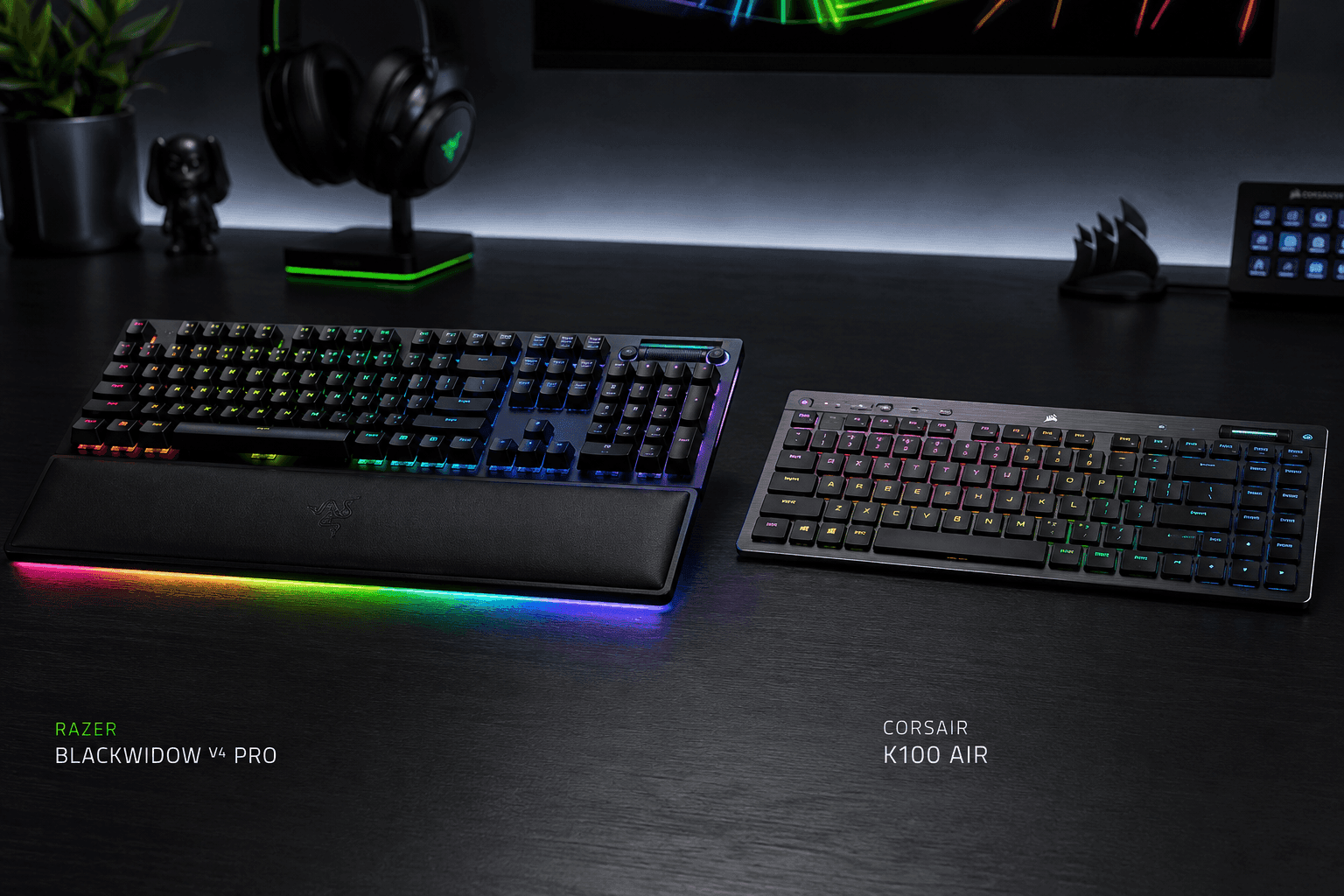
Two full-size flagships, two completely opposite ideas about how much keyboard belongs on a desk. That is the heart of the Razer BlackWidow V4 Pro vs Corsair K100 Air question, and the spec sheets only tell you half of it.
One board is a wired control hub with deep key travel and more programmable hardware than most people will ever finish assigning. Its rival goes the other way entirely: thin, wireless, built to sit almost flush with your desk while keeping real mechanical switches underneath.
What follows breaks down switch architecture, connectivity, ergonomics, and macro hardware so you can tell which board belongs under your hands.
The Quick Take
Your pick comes down to three things: how much key travel you want under your fingers, how much desk space you are willing to surrender, and whether a cable running to your PC bothers you.
Razer BlackWidow V4 Pro
Check Price on AmazonCorsair K100 Air
Check Price on AmazonRazer BlackWidow V4 Pro vs Corsair K100 Air: Specs Compared
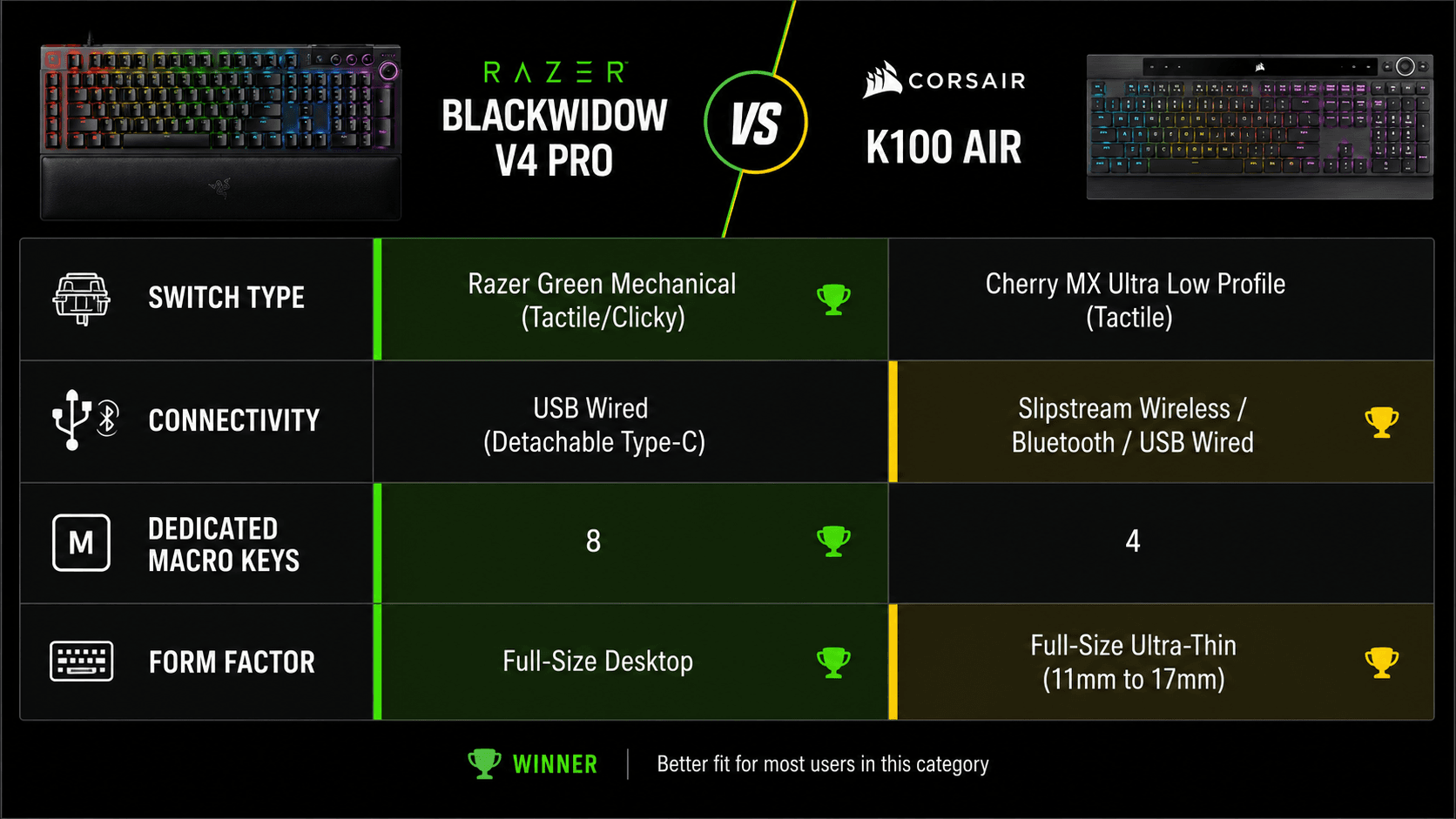
Line the two boards up and the split shows immediately. One row favors the Razer, the next favors the Corsair, and almost nothing lands in a tie.
| Specification | BlackWidow V4 Pro | Corsair K100 Air |
|---|---|---|
| Form Factor | Full-Size Desktop | Full-Size Ultra-Thin |
| Switch Type | Razer Green Mechanical (Tactile/Clicky) | Cherry MX Ultra Low Profile (Tactile) |
| Connectivity | USB Wired (Detachable Type-C) | Slipstream Wireless, Bluetooth, USB Wired |
| Polling Rate | Up to 8,000 Hz | Up to 8,000 Hz (Wired) |
| Dedicated Macro Keys | 8 (5 Keys + 3 Side Buttons) | 4 Dedicated Keys |
| Control Dial | Razer Command Dial | Media Keys & Volume Roller |
| Keycap Material | Doubleshot ABS | Polycarbonate Low-Profile |
| Wrist Rest | Included (Magnetic Leatherette) | — |
| Profile Height | Standard Desktop Height | Ultra-Thin (11mm to 17mm) |
| Passthrough Port | USB 2.0 Passthrough | — |
| Best For | Deep desks and MMO, strategy, or editing work where a dozen shortcuts live on hardware keys | Small or shared desks that switch between a gaming PC and a work laptop without re-cabling |
Specifications as published by Razer and Corsair.
Design & Build Quality
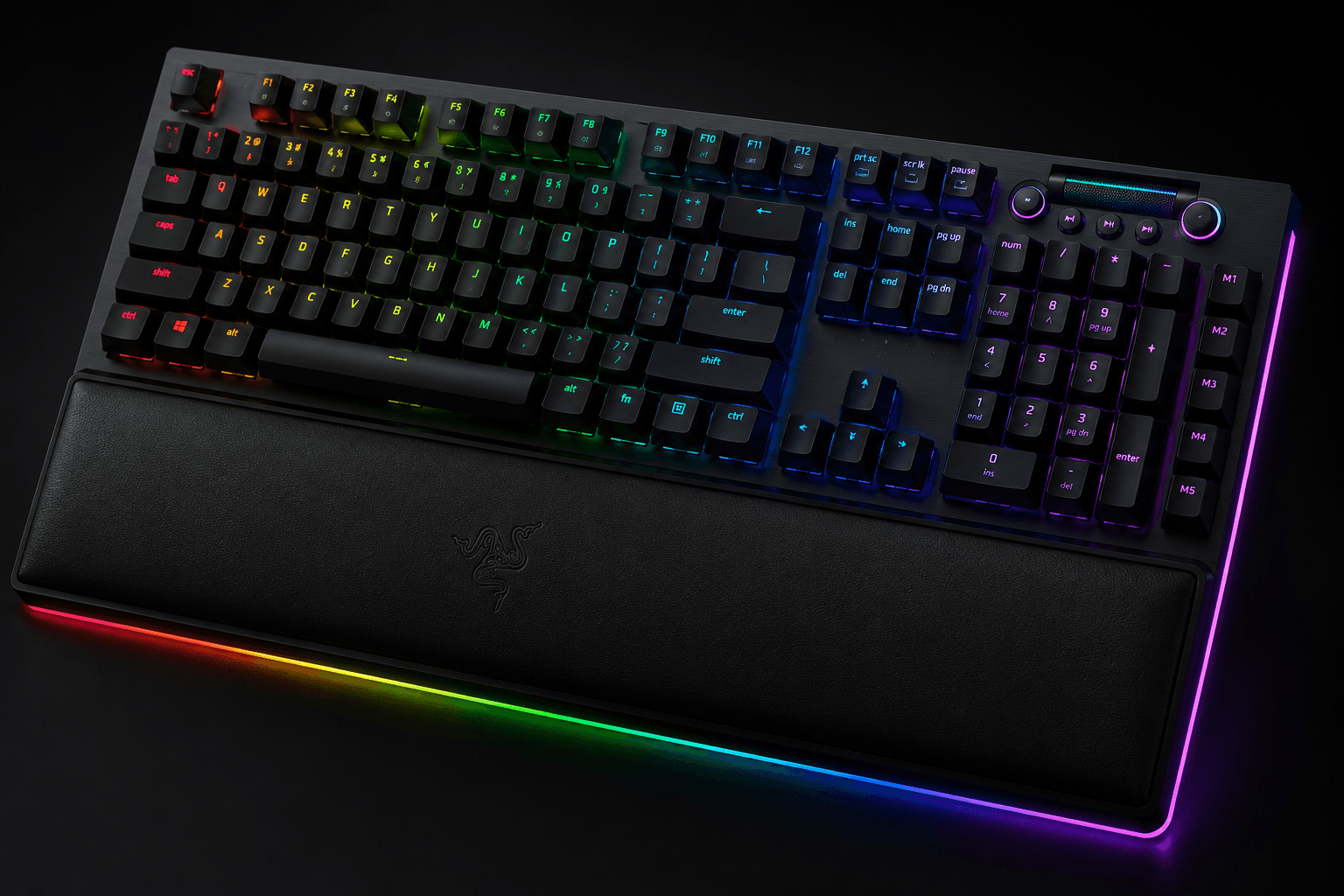
Look at the V4 Pro and you see a full-size chassis built to act as a control panel. A tactile command dial, dedicated macro buttons, custom media controls, and Razer Chroma RGB that wraps the perimeter and the wrist rest. It sits tall, uses classic full-travel keycaps, and makes no attempt to hide.
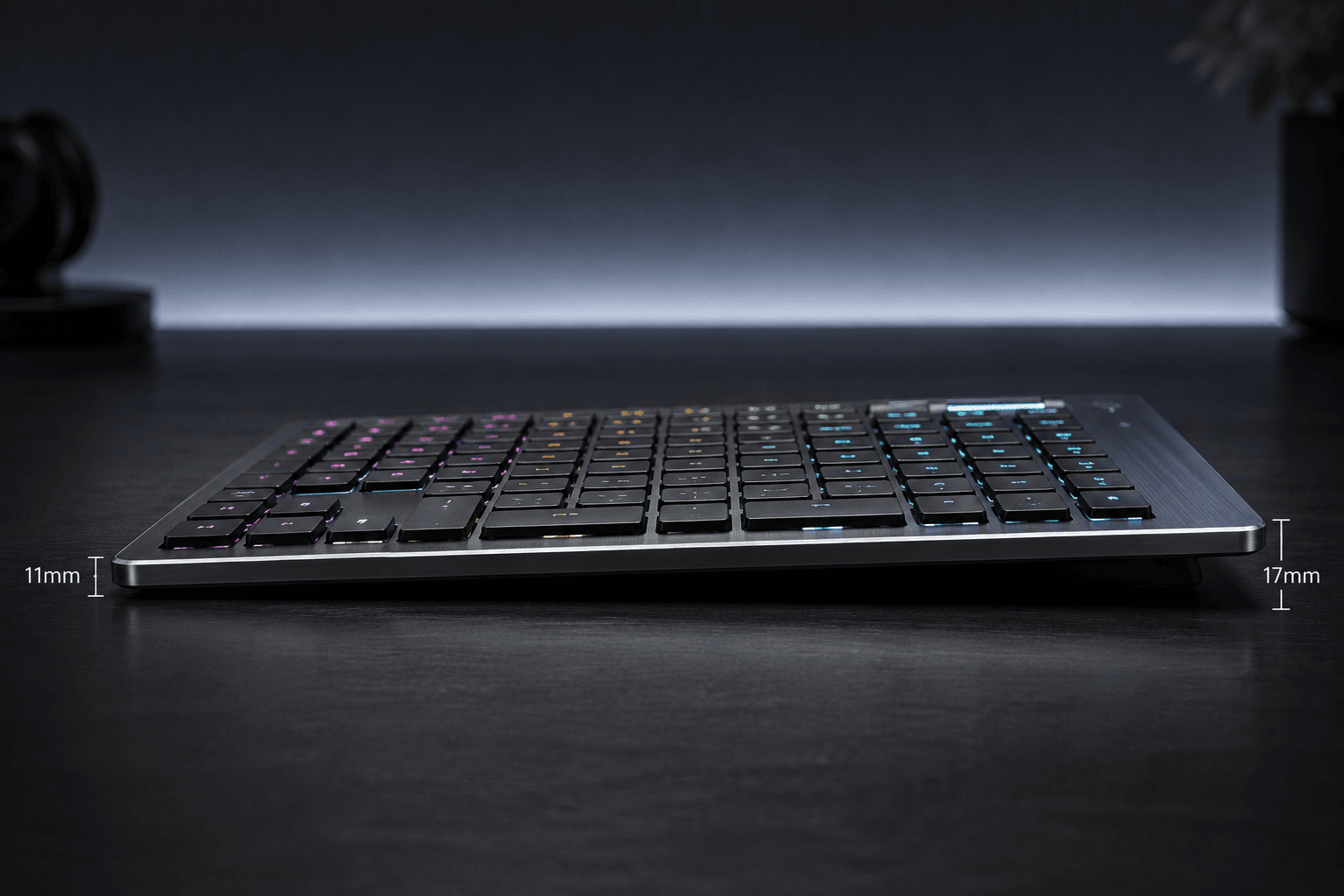
Corsair went the other way. Cherry MX Ultra Low Profile tactile switches sit inside a thin brushed aluminum housing, and the whole board rides close to the desk surface, which is why no thick wrist rest ships with it.
Both use solid materials. They just spend that quality differently — one on maximalist function, the other on a slim frame and wireless freedom.
Performance & Key Features
Macro density is where the Razer pulls ahead, and it is not close. Featuring 8 dedicated macro keys and a multi-functional Command Dial, it lets MMO and strategy players map complex key combinations, application shortcuts, and system controls straight to hardware. Green switches add clear tactile and clicky feedback on full-travel actuations — you hear every keystroke, and that is the point.
Versatility is the Corsair's answer, offering triple-mode connectivity via sub-1ms Slipstream Wireless, Bluetooth, and standard USB wired connections. Short actuation distance and a fast physical reset keep keys responsive during competitive rounds or long typing stretches. Per-key RGB stores per profile, and multi-device Bluetooth lets you jump between a gaming rig, a work laptop, and a tablet without touching a cable.
So which feature set wins? Depends on what you're short of. The Razer gives you macro flexibility and hardware inputs like that dial, at the cost of staying plugged in. Corsair trades away the extra macro banks and tall switches for a fast low-profile feel that moves between devices without cluttering your desk.
Pros & Cons: Razer BlackWidow V4 Pro
Pros: Eight dedicated hardware macro keys cover complex shortcut layouts. The Command Dial gives you a physical control for system and application functions. Chroma RGB with perimeter underglow is the more expressive lighting setup of the two. Full-travel tactile and clicky switches deliver clear, loud key press feedback.
Cons: Large, heavy footprint eats real desk space. No wireless option, so it stays where you put it. Tall profile leans on the included wrist rest for comfortable long sessions.
Pros & Cons: Corsair K100 Air
Slim engineering is the headline. Tri-mode connectivity switches between sub-1ms Slipstream wireless, Bluetooth, and USB wired without much fuss, and the Cherry MX Ultra Low Profile tactile switches give you a responsive feel with minimal travel — a natural landing spot for anyone coming off a good laptop keyboard. Per-key RGB and a full-size layout mean you keep every key and every lighting trick while giving up almost no depth on the desk. Trade-offs follow. The specialized Cherry MX Ultra Low Profile switches feature integrated keycaps, meaning custom keycap swapping is difficult or impossible. Nor is there room for a wrist rest or a macro dial, which power users will notice next to bulkier flagships. And if you're arriving from deep-travel mechanical switches, that short throw takes a week or two to stop feeling strange.
Real Buyer Scenarios

Picture a stationary battlestation: one chair, one monitor array, no plans to move anything. If you run raid rotations in an MMORPG, juggle hotkeys in strategy titles, or edit video with a dozen shortcuts on hardware keys, the V4 Pro's macro bank and Command Dial fold multi-step commands into single presses. Deep travel and clicky feedback suit that kind of desk.
Now picture a desk doing double duty. Gaming PC at night, work-issued laptop by day, maybe a tablet in the mix. Three connectivity modes let the K100 Air swap between them without re-cabling anything, and anyone used to laptop key travel will be comfortable on it within minutes. Thin and light enough to slide into a bag, too.
Alternatives Worth Considering
Neither board is the only answer here. Competitive players chasing analog control and magnetic rapid trigger should look at the Keychron Q1 HE. Featuring Gateron Double-Rail Magnetic Switches in a compact 75 percent layout, it provides customizable actuation points and dynamic keystroke inputs that traditional mechanical switches cannot replicate. Working with a tighter budget but still want rapid trigger? The Aula WIN60 HE is the ultra-compact route. It offers an 8000 Hz polling rate and magnetic hot-swappable switches in a 60 percent frame for around $39. Stick with the Razer for macro control, media dials, and traditional tactile switches; stick with the Corsair for low-profile ergonomics and multi-device wireless. Magnetic switches are a different conversation entirely, and the Q1 HE leads it.
Final Verdict
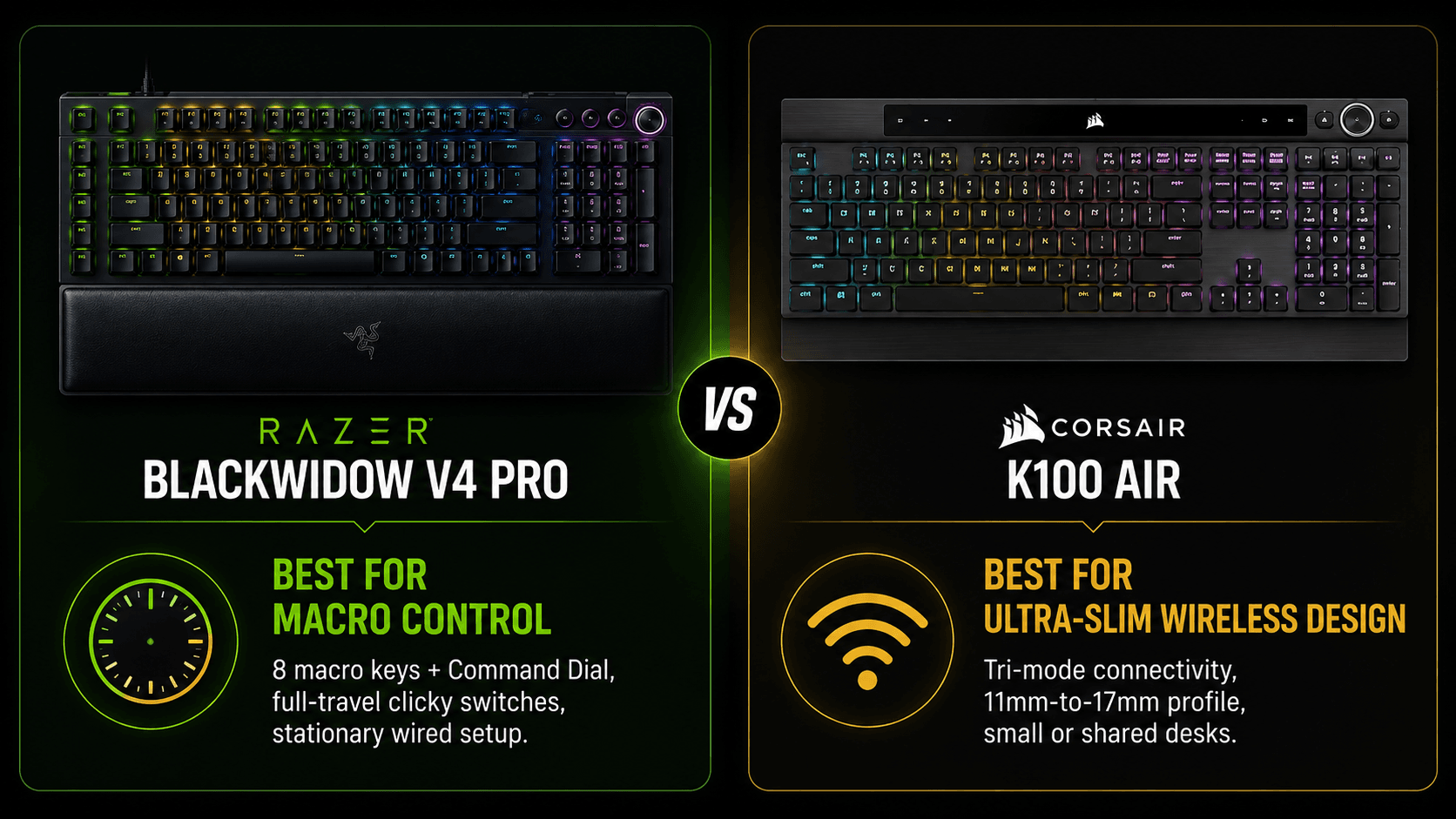
In the Razer BlackWidow V4 Pro vs Corsair K100 Air matchup, the winner splits cleanly by use case. Key travel, desk footprint, and cable tolerance decide it.
Choose the V4 Pro if you want macro hardware and traditional mechanical travel on a desk that never moves — eight dedicated macro keys, the Command Dial, full-height tactile switches, and a magnetic wrist rest for long station-bound sessions. Choose the K100 Air if your desk is short on depth or your day crosses two machines: it wins on slim profile, wireless flexibility, and quiet, fast low-profile keys.
Sources & References
Specifications and claims in this analysis were cross-referenced against the sources below.
- K100 AIR WIRELESS RGB Ultra-Thin Mechanical Gaming Keyboardcorsair.com
- Corsair K100 AIR Keyboard Review - RTINGS.comrtings.com
- Razer BlackWidow V4 Pro | RZ03-0468x Support & FAQsmysupport.razer.com
- Razer Blackwidow V4 Prodl.razerzone.com
- Razer BlackWidow V4 Pro Review: Bringing Macro Backtomshardware.com
- Razer BlackWidow V4 Prouk.pcmag.com
- Razer BlackWidow V4 Pro 75% | RZ03-0513 Support & FAQsmysupport.razer.com
- At a Glance: Razer BlackWidow V4 Pro | RZ03-0468xmysupport.razer.com
Frequently Asked Questions
The BlackWidow V4 Pro, comfortably. It carries eight dedicated macro inputs plus the Command Dial, while the K100 Air offers four dedicated keys and a volume roller. For MMO or editing shortcut layouts, the Razer wins.


