TCL QM8L Review: Buy for Bright Rooms, Mind the Motion
The TCL QM8L suits bright rooms and multi-device setups, with four 4K/144Hz HDMI inputs. Slow pixel transitions, side viewing, and HDR accuracy are the main reservations.
Buy the TCL QM8L for a bright living room, especially if several gaming devices share the screen. Its strongest argument is light output, backed by four HDMI inputs that accept 4K at 144Hz. Skip it if clear competitive gaming motion or a consistent picture from widely spaced seats matters most.
The SQD-Mini LED backlight, quantum-dot color system, and native 144Hz panel give it a substantial feature set for daytime viewing. Unlike the per-pixel illumination of the LG C4, the QM8L controls light through local dimming zones behind an LCD panel. That design offers brightness headroom, though each zone still illuminates multiple pixels.
The QM8L sits above TCL’s QM7L and competes with high-end Mini-LED sets such as the Sony Bravia 9. Its four HDMI 2.1 inputs are particularly useful for a gaming PC, consoles, and an eARC sound system. You can leave that equipment connected without repeatedly swapping cables.
Some links in this article are affiliate links, which helps support GadgetPickr at no extra cost to you.
The Quick Take
The QM8L is a strong fit for bright rooms and several high-bandwidth sources. Its main gaming reservation is pixel response: accepting a 144Hz signal does not ensure clear fast motion. Buyers who prioritize HDR accuracy or side-seat picture consistency should also compare alternatives.
Verdict
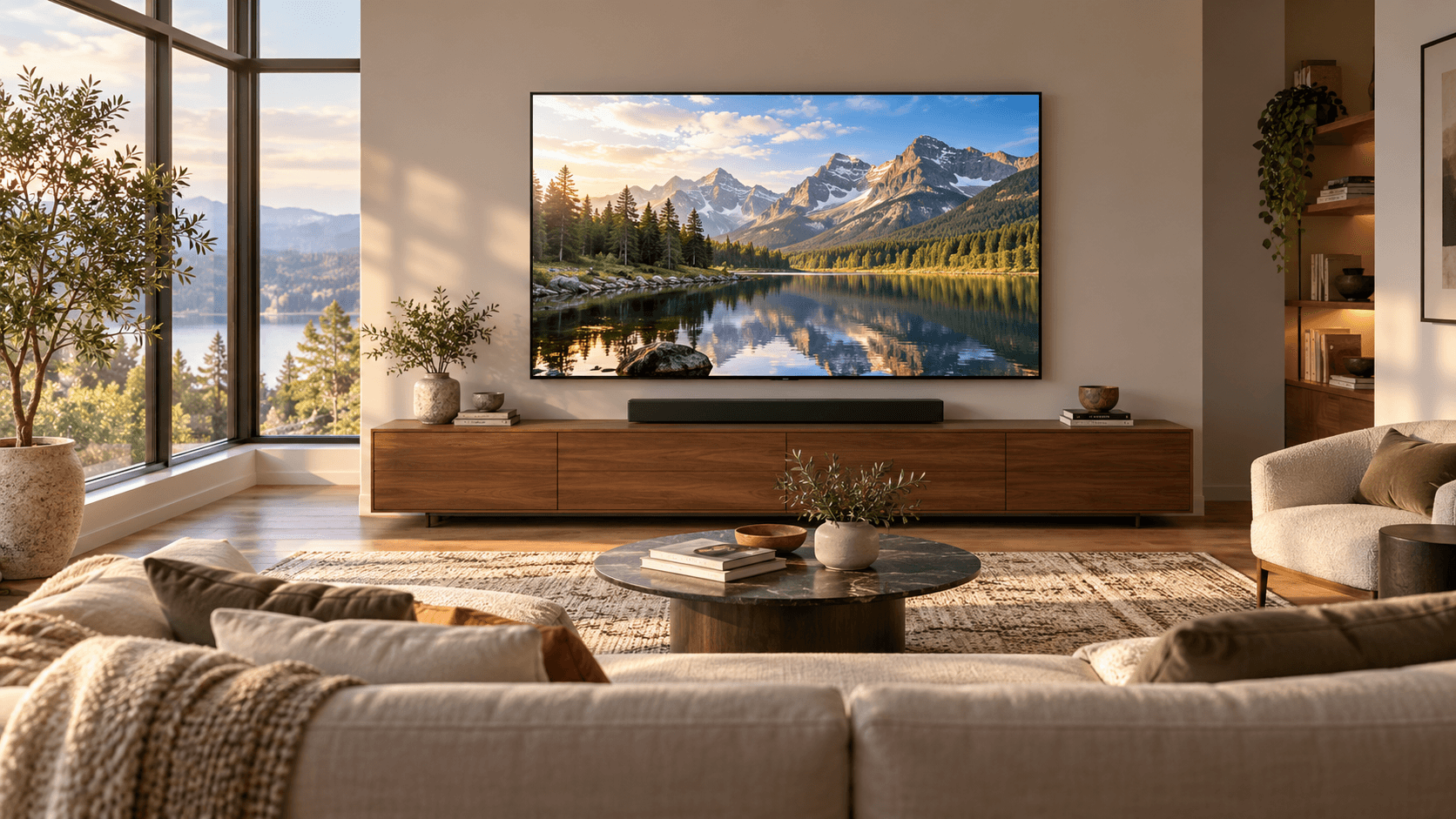
Buy the TCL QM8L for a bright living room with centered seating. High light output is the main reason, and four HDMI 2.1 inputs strengthen the case when several gaming devices share the screen. Google TV, broad HDR support, and eARC complete a useful family-room package.
Skip it when competitive gaming motion clarity comes first. Slow pixel transitions are the clearest reason to choose another model, despite the generous input support. Wide seating and demanding HDR-accuracy requirements are further reasons to look elsewhere.
OLED alternatives such as the LG C4 and Samsung S85H offer per-pixel light control. The QM8L’s buying case rests on brightness and connection flexibility. Choose it when those match your room, while allowing for its motion and side-viewing limitations.
TCL QM8L
Best for centrally seated viewers who want bright-room HDR and several high-bandwidth gaming connections.
Positioned above TCL’s mid-range QM7L series.
TCL QM8L review: Product Overview
The QM8L combines an LCD panel, quantum-dot color technology, and a Mini-LED backlight divided into independently controlled regions. This is a form of full-array local dimming: the backlight can brighten selected areas instead of lighting the whole screen equally.
A sunlit window in a film can therefore receive more backlight than the dark wall beside it. The limitation is the size of each dimming region. An OLED controls light at individual pixels, giving it a different way to handle small bright objects against darkness.
TCL’s TSR picture processor handles upscaling, motion processing, and backlight control. With cable broadcasts or 1080p streams, processing affects how detail looks when adapted to the 4K panel. It also matters when scenes change abruptly and the local dimming system must follow.
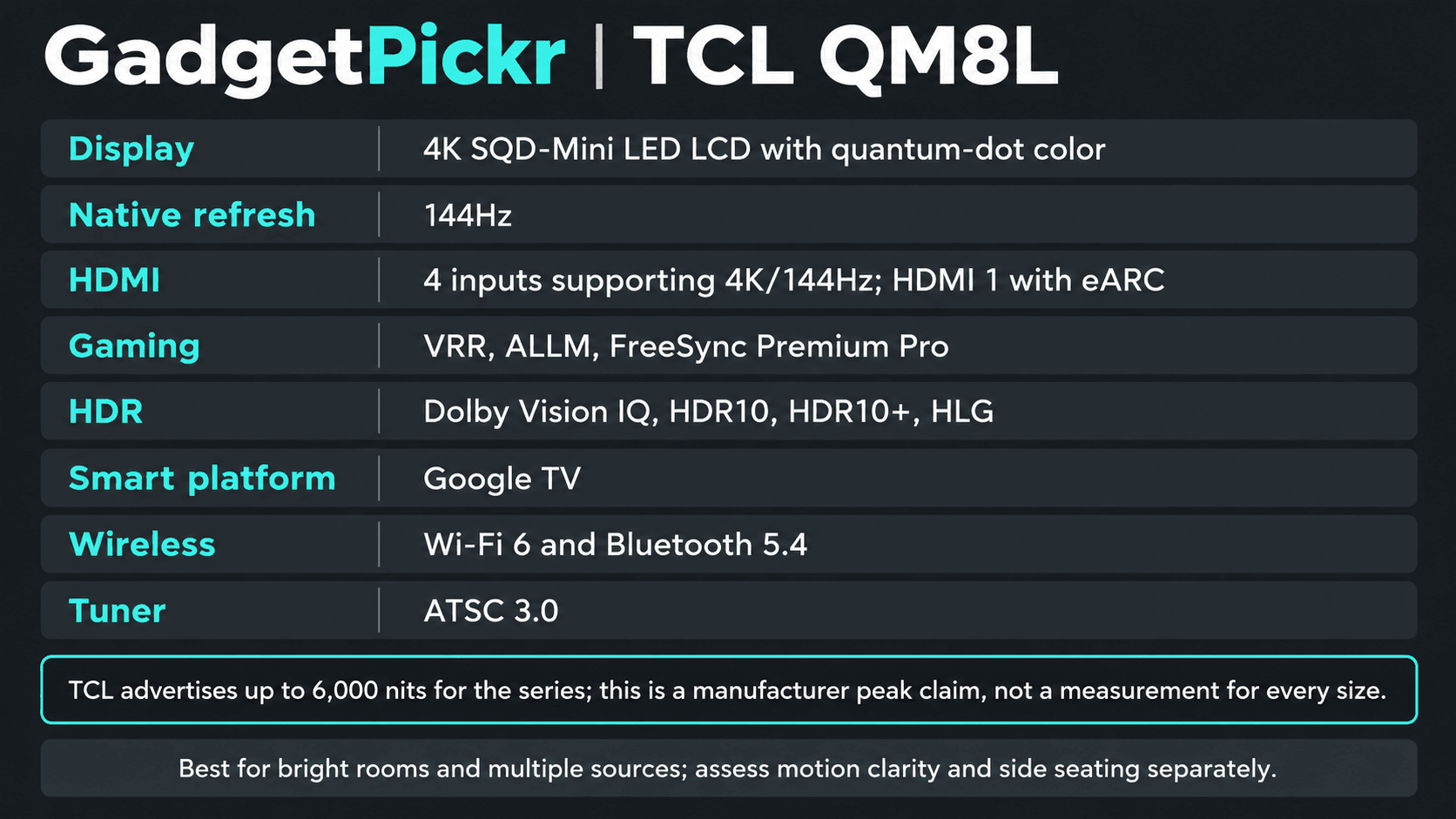
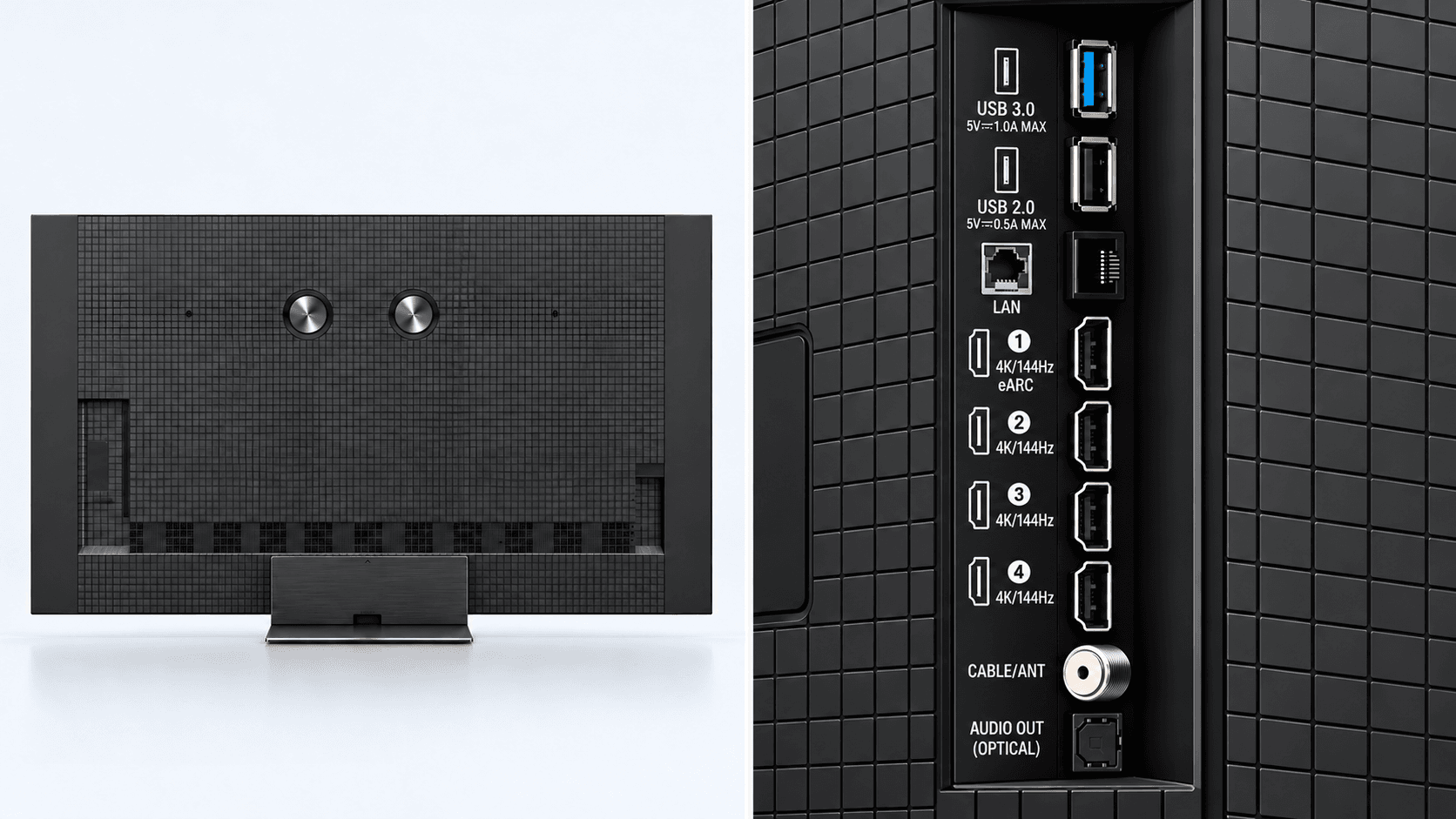
All four HDMI inputs support 4K at 144Hz, and HDMI 1 also provides eARC. Using that port for a compatible soundbar or receiver leaves three high-bandwidth inputs for video sources.
A compatible PC can use the TV’s 4K/144Hz input capability. PlayStation 5 and Xbox Series X gaming output tops out at 120Hz, so those consoles do not use the full input rate. Support for other gaming features also depends on the connected source.
Google TV supplies the streaming interface, casting, and voice-control support. Wireless connectivity includes Wi-Fi 6 and Bluetooth 5.4, and an ATSC 3.0 tuner handles compatible over-the-air services. Local broadcasters determine which channels, resolutions, and programs you can receive.
Key Specs and Compatibility
The HDMI layout matters if you have several sources. For picture quality, keep native refresh rate separate from motion processing, and HDR-format compatibility separate from reproduction accuracy. Each describes a different part of the viewing experience.
Specification
Value
Display Resolution
4K UHD (3840×2160)
Backlight Technology
SQD-Mini LED / QLED
Native Refresh Rate
144Hz
Processor
TCL TSR picture processor
HDR Formats
Dolby Vision IQ, HDR10, HDR10+, HLG
Variable Refresh Rate
AMD FreeSync Premium Pro, VRR
HDMI Inputs
4× HDMI 2.1 supporting 4K/144Hz; HDMI 1 includes eARC
Wireless Connectivity
Wi-Fi 6, Bluetooth 5.4
Smart Operating System
Google TV
Broadcast Tuner
ATSC 3.0 (NEXTGEN TV)
eARC returns audio from the TV to a compatible soundbar or receiver. This is useful with an older receiver whose video inputs cannot pass the gaming format you want: connect the gaming device directly to the TV and return its audio through eARC. Devices connected through the receiver remain subject to its video limits.
What Stands Out
Brightness is the QM8L’s clearest selling point. TCL advertises a series peak of up to 6,000 nits. That is a manufacturer peak claim, rather than sustained full-screen output or a measurement guaranteed for every size and picture setting.
A small reflection from chrome in an HDR film places different demands on the backlight from a mostly bright sports field. The illuminated area and scene brightness affect output, so one peak figure cannot describe every type of viewing.
Four high-bandwidth HDMI inputs offer a practical advantage over sets with only two. An eARC audio connection does not leave you choosing which of several gaming sources gets the remaining fast input. That flexibility is valuable when a PC and multiple consoles share the TV.
Native 144Hz support, VRR, FreeSync Premium Pro, and automatic low-latency switching cover a useful range of gaming functions. They address signal compatibility, tearing, and processing delay. Pixel transition speed still determines how clearly moving objects appear.
HDR support covers Dolby Vision, HDR10, HDR10+, and HLG. That breadth is useful across streaming services, broadcast material, and physical media, where different sources may use different formats.
Wi-Fi 6 provides wireless network connectivity, while Bluetooth 5.4 supports compatible wireless accessories. Those standards do not establish model-specific streaming throughput, peripheral latency, or connection stability.
Strengths
High light output is the strongest reason to choose the QM8L for daytime use. It gives the picture more headroom in ambient light, which matters when the main family television operates throughout the day rather than only in a darkened room.
Placement still makes a difference. A bright image and a window reflected directly in the screen are separate issues. Positioning the panel away from direct reflections makes better use of its brightness.
A PC, two consoles, and an eARC soundbar can each have a permanent connection. For a household with that equipment, the input count solves a real setup problem and reduces the need for an HDMI switch.
Google TV will feel familiar to households already using that interface. Profiles and recommendation rows organize viewing choices, casting supports another route to the screen, and Google Assistant voice control provides an alternative to typing searches with the remote.
Broad HDR compatibility also removes a format restriction from the purchase. Supported HDR10+ and Dolby Vision titles can use their respective formats. How accurately the TV renders them is a separate issue, addressed below.
ALLM reduces the need to select a low-latency setting manually when switching to a compatible gaming source. VRR helps when a supported source’s frame rate varies. These conveniences remain useful for occasional gaming, even if games are not the main reason for buying the TV.
Weaknesses
Fast-motion clarity is the biggest qualification to the gaming specification. RTINGS reports low input lag but uneven pixel transitions, including slow changes that produce blur and edge artifacts. For competitive shooters, racing games, or fast sports action, 144Hz input support does not settle the buying decision.
Side viewing is another limitation. TCL’s WHVA 2.0 Ultra branding does not remove the picture changes seen away from the central seat. A wide sectional or chairs placed beside the screen can make viewing angles more important than extra brightness.
Film-focused buyers should pay attention to HDR accuracy. RTINGS identifies color-mapping and luminance errors despite the broad format support. A television can accept Dolby Vision or HDR10+ without reproducing the intended image accurately.
The local dimming system also controls groups of pixels rather than individual light-emitting pixels. That architectural distinction favors OLED when pixel-level black control is the priority. It does not, by itself, establish how much visible blooming this particular Mini-LED set produces.
For an 85-inch or 98-inch purchase, check the exact model and retailer. TCL officially lists both sizes; current stock and pricing still need a size-specific check. A promotion on a smaller model should not be assumed to apply across the range.
The extra inputs may also offer little value if you use one console and the built-in streaming apps. In that setup, paying more than the QM7L needs to be justified by picture priorities rather than connections that remain unused.
Best Alternatives
TCL QM8K retains Google TV and native 144Hz support but has two high-bandwidth HDMI inputs rather than four, making source connectivity the clearest hardware trade-off.
Sony Bravia 9 is another high-end Mini-LED option, with 4K/120Hz support rather than the QM8L’s 4K/144Hz PC input capability.
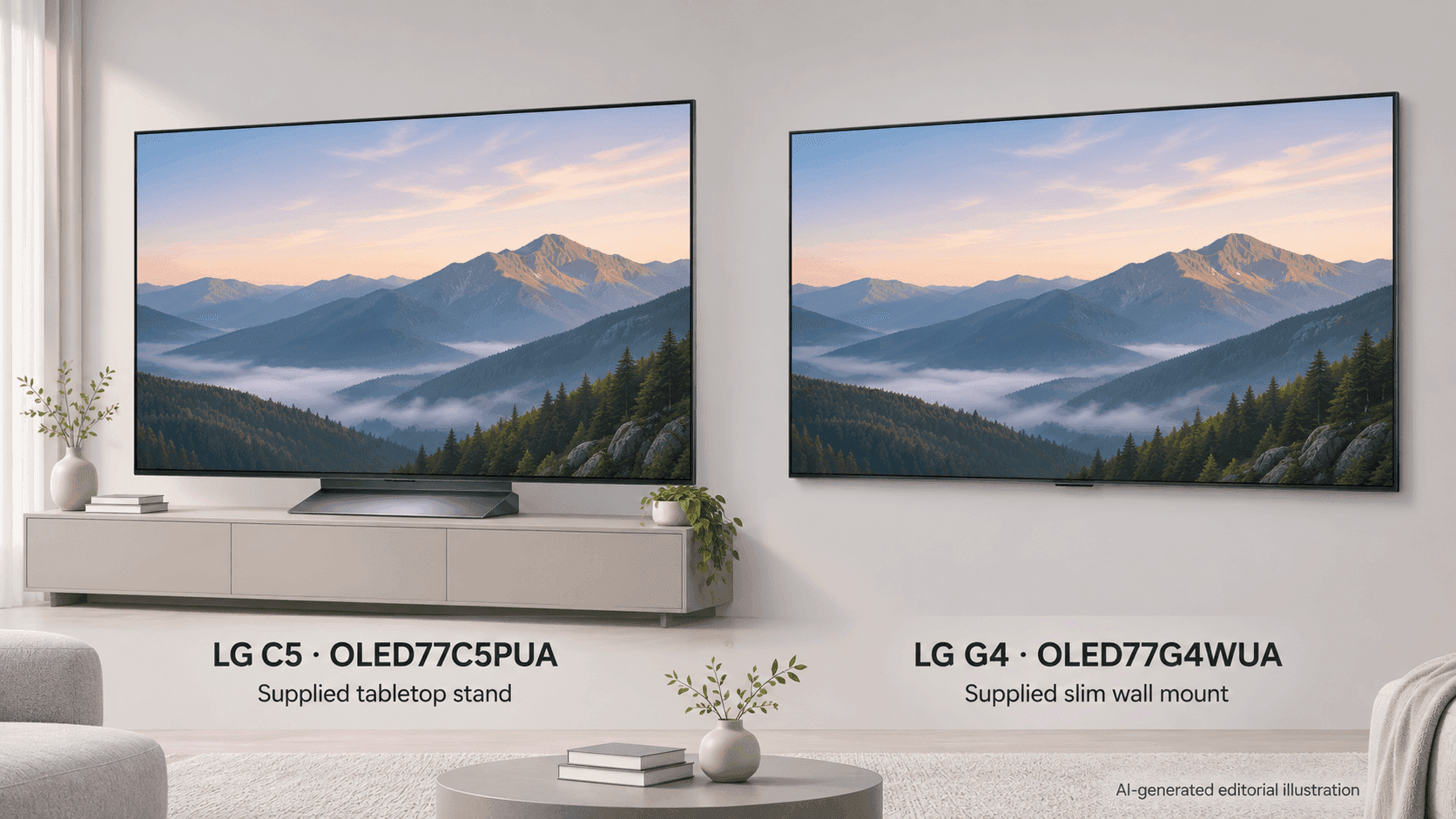
LG C4 combines four HDMI 2.1 inputs and 144Hz support with per-pixel OLED black control, exchanging the QM8L’s brightness-focused LCD design and Google TV for OLED and webOS. LG G4 adds Brightness Booster Max to an OLED design, offering another route when you want pixel-level contrast with greater brightness emphasis than the C4. The Samsung S85H is an OLED alternative with FreeSync Premium and a 120Hz ceiling rather than 144Hz PC input support.
Who Should Buy It
Buy the QM8L for a bright living room where high light output is the priority. That is its strongest reason for purchase, particularly for a family screen used for daytime television, films, and HDR entertainment.
It also suits households with several high-bandwidth sources. A gaming PC, consoles, and an eARC audio system can remain connected without competing for just two fast inputs.
Plan for centered seating. A sofa opposite the screen is a better match than seats spread widely around it. Avoiding a direct reflection from a window or glass door is just as important as choosing a bright television.
Google TV users can keep a familiar interface and casting workflow. The ATSC 3.0 tuner also provides reception for compatible local services. These are useful conveniences when the screen already meets your room and picture requirements.
Who Should Skip It
Skip the QM8L if clearer fast motion is the main reason you are upgrading. Low input delay and high refresh-rate support cannot compensate for slow pixel transitions. Competitive players should give that response behavior more weight than the maximum input rate.
Choose another display if viewers sit at sharply different angles and everyone needs a consistent picture. The far end of a sectional can expose a limitation that is less noticeable from the main central seat.
For a light-controlled movie room, compare HDR accuracy and black-level control carefully. An OLED such as the LG C4 controls light at each pixel. The QM8L’s brightness and format support do not provide the same advantage.
Budget-focused buyers with one source should compare the same-size QM7L before paying for the step up. Start with the picture improvements you need; unused HDMI capacity is a weak reason to spend more.
Sources & References
Specifications and claims in this analysis were cross-referenced against the sources below.
Yes. High light output is its strongest buying argument. Favor centered seating and position the TV to avoid windows reflecting directly in the screen. Brightness does not remove the need for careful placement.