Three power bricks, two continents, one carry-on that already refuses to zip. That is how a trip starts for anyone hauling a laptop, a phone, and a camera. The adapter that shipped with your notebook was built for a desk, not a departure gate, and it swallows the only free socket near your seat.
Your gear also wants different things from a wall outlet. An ultraportable laptop might require 65W, a tablet consumes 20W to 30W, and a modern smartphone benefits from Programmable Power Supply (PPS) dynamic voltage adjustment. Plug all three into an unoptimized power adapter and you get the worst outcome available: reduced performance under sustained load, or power distribution so lopsided that nothing finishes charging by morning.
Fixing that means moving off traditional silicon power supplies and onto high-density Gallium Nitride (GaN) architecture. GaN components conduct higher voltages while producing less heat, which is exactly why manufacturers can squeeze multi-port 65W to 120W power delivery into an enclosure the size of a deck of cards. Choosing the best usb c charger for travel comes down to matching port distribution and total wattage to what is actually in your bag.
The Quick Take
Carrying a thin laptop and a phone? Get a compact 65W three-port charger with two USB-C ports and one USB-A port. That combination hits the sweet spot between weight, footprint, and usable output for the vast majority of trips.
Carrying a higher-draw workstation laptop plus a tablet and a phone? Step up to a 100W to 120W multi-port wall charger so every device keeps charging quickly while they are all connected at once.
How to choose the best USB-C charger for travel, step by step
Picking a travel charger starts with how your devices draw power on the road, not with the biggest number on the box. Work through the sequence below and you will land on something portable and reliable without overpaying or hauling extra grams.
Start by auditing the single hungriest device you carry. Find the highest wattage any one item needs, whether that is a 65W ultraportable or a 100W workstation, and confirm the charger's primary C-port can deliver that figure on its own. Multi-port dynamic allocation scales the main port back the moment you plug anything else in, so the solo rating is your ceiling, never your average.
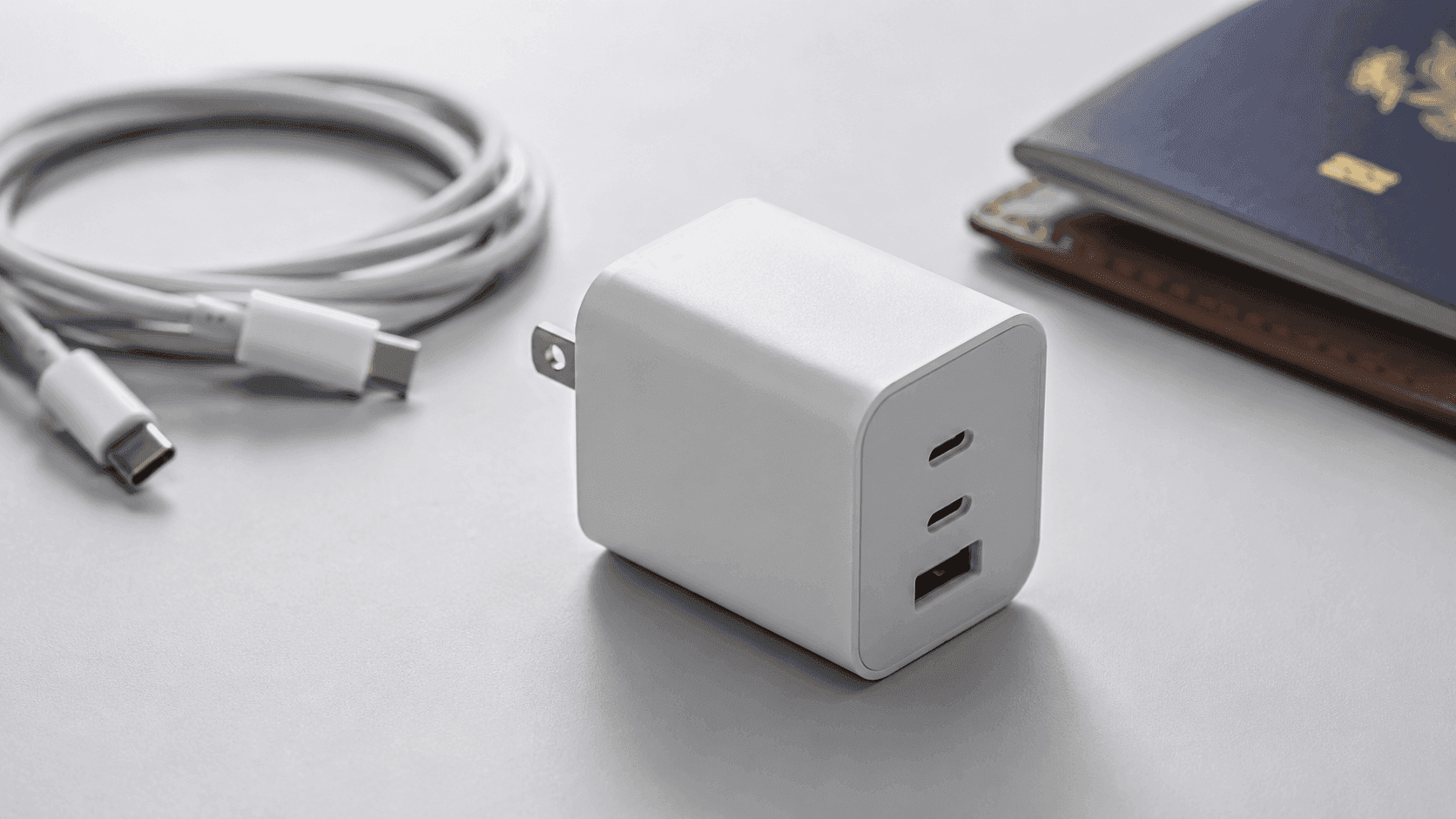
Then pick a port layout that matches your bag. Two USB-C ports plus one USB-A port is the configuration most travelers should default to. It lets you fast-charge a laptop and a phone over the C-ports while the A-port handles legacy gear like camera battery cradles or smartwatch pucks. If everything you own is already USB-C, skip the A-port entirely and buy the smaller block instead.
Recommended product categories
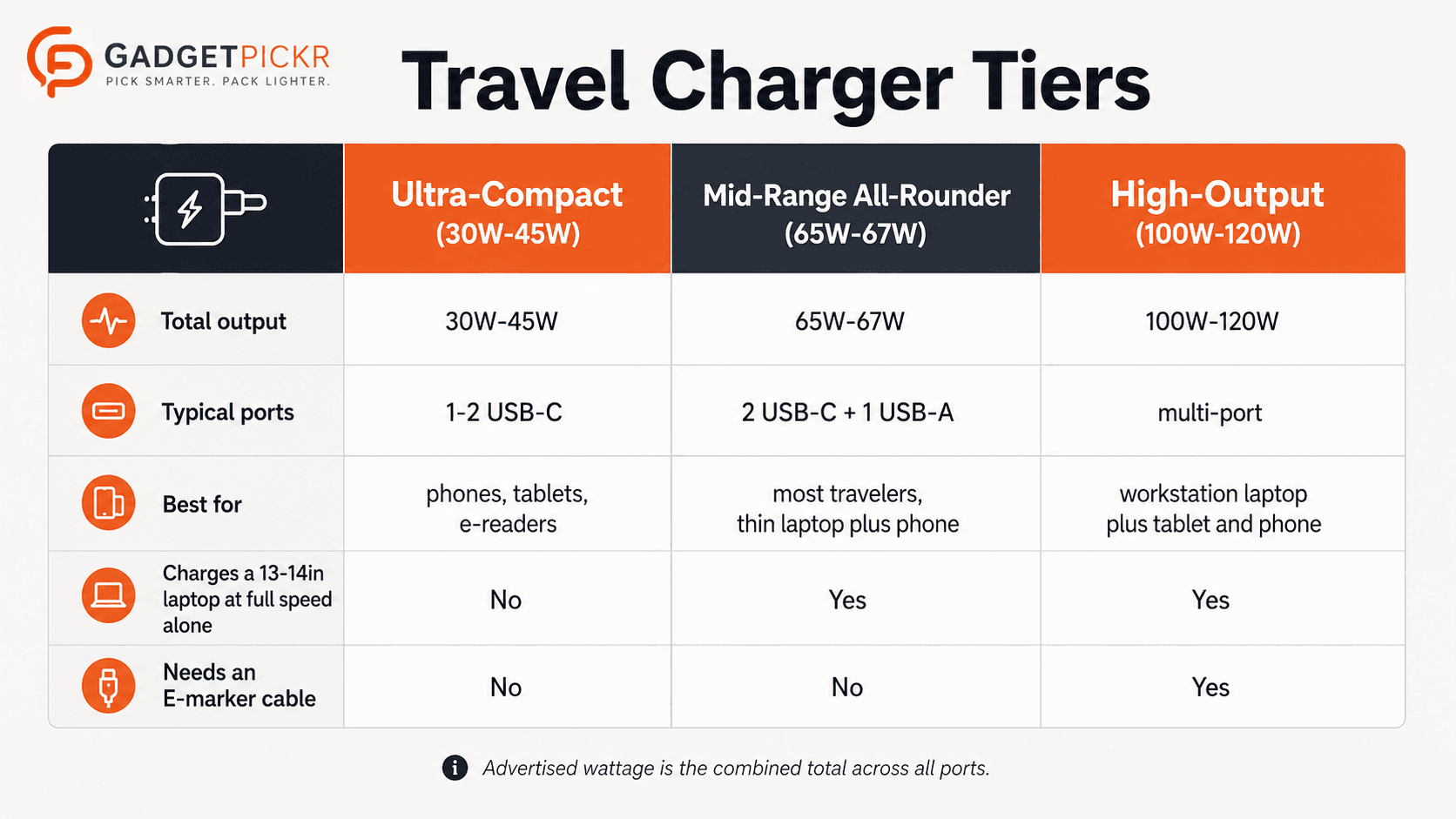
Chargers sort neatly into tiers, and knowing which tier you belong to saves you from buying twice. Match the tier to your luggage space and your heaviest device.
Ultra-Compact Single and Dual-Port Chargers (30W to 45W): built for minimalists, these blocks take up no more space than a golf ball. Choose this tier if you primarily carry smartphones, tablets, and lightweight e-readers, and nothing else. They lack the headroom to fast-charge a full-sized laptop, so treat them as a second charger for the nightstand or a permanent resident of your personal item.
Mid-Range Multi-Port All-Rounders (65W to 67W): the right class for most travel. Units like the Anker Prime 67W 3-Port Wall Charger offer two USB-C ports and one USB-A port. Choose this tier if your laptop is a 13-inch or 14-inch machine, because a 65W-class block charges it at full speed on its own and still splits power sensibly across a laptop and phone during an overnight layover.
High-Output Multi-Port Blocks (100W to 120W): choose this tier if your laptop alone asks for 100W, or if you routinely charge three power-hungry devices at once. The Anker 737 120W sits here. You pay for that headroom in size and weight, so skip it if your heaviest device tops out at 65W.
Common mistakes
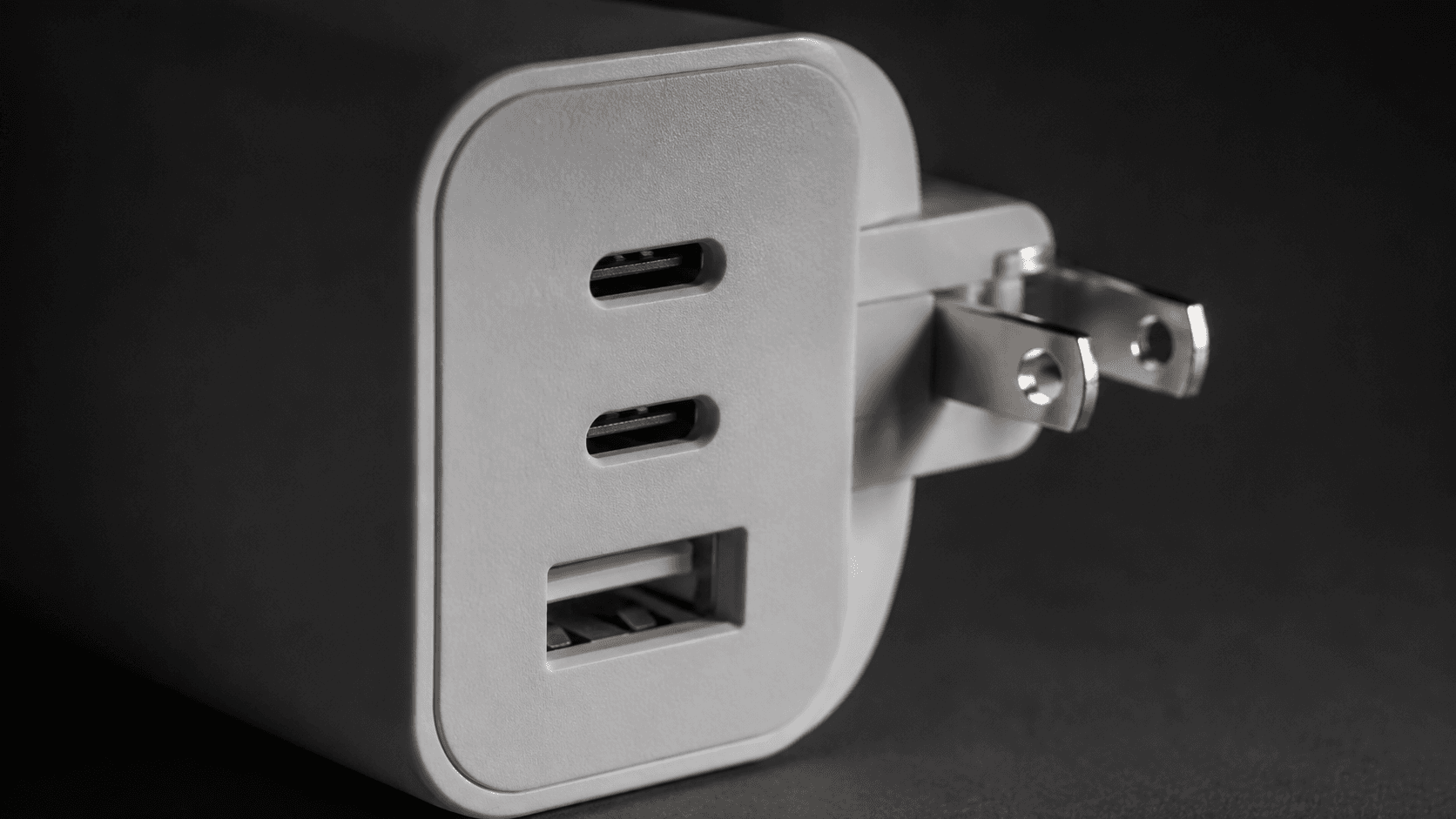
The most frequent error is assuming the advertised wattage applies to every port simultaneously. A 65W or 120W rating is the combined maximum aggregate output across all active taps. Plug in a laptop alongside a phone and a tablet and the allocation logic throttles individual ports. Single-port charging and multi-port charging are entirely different use cases, and overlooking that is how a MacBook drops to a trickle the second something else joins the party.
Weight and plug design get ignored next, usually until a heavy block sags out of a tired hotel outlet at 2 a.m. Look for a firm, recessed folding plug and a balanced body. If the listing photos show a long block hanging off loose pins, pass on it.
Cables trip up plenty of travelers too. Standard USB-C cords are typically capped at 3A or 60W. To safely draw 100W or 120W from chargers like the Anker 737, you must use a proper 100W-rated cable equipped with an integrated E-marker chip. Buy a high-output charger and a budget cable, and the cable becomes your bottleneck.
Buying checklist
Everything below can be checked on the product page itself, before you spend a cent. Open the listing, scroll to the spec table, and confirm each line.
1. Dynamic Power Distribution: find the per-port breakdown chart, which good listings publish. Confirm the primary USB-C port retains at least 45W to 65W when secondary ports are occupied. No chart published? Assume the worst-case split and buy a tier up.
2. Port Configuration: count the ports in the product photo, not the marketing headline. If you still carry legacy accessories, insist on two USB-C ports and one USB-A port. If you do not, buy the two-port block and pocket the space savings.
3. PPS Support: search the spec sheet for "PPS". If your phone relies on PPS for its fastest charging speeds and the listing never mentions it, that phone will charge at a slower fallback rate.
4. Plug and Input Details: verify the pins fold flat and check the input voltage range printed in the specs. That single line tells you whether you need a plain plug-shape adapter abroad or a full converter.
Recommended Products
Three picks follow, each one an example of a rule from the checklist above rather than a blanket recommendation. Read the "Best For" line first and buy the one that matches your heaviest device.
Anker Prime 67W 3-Port Wall Charger
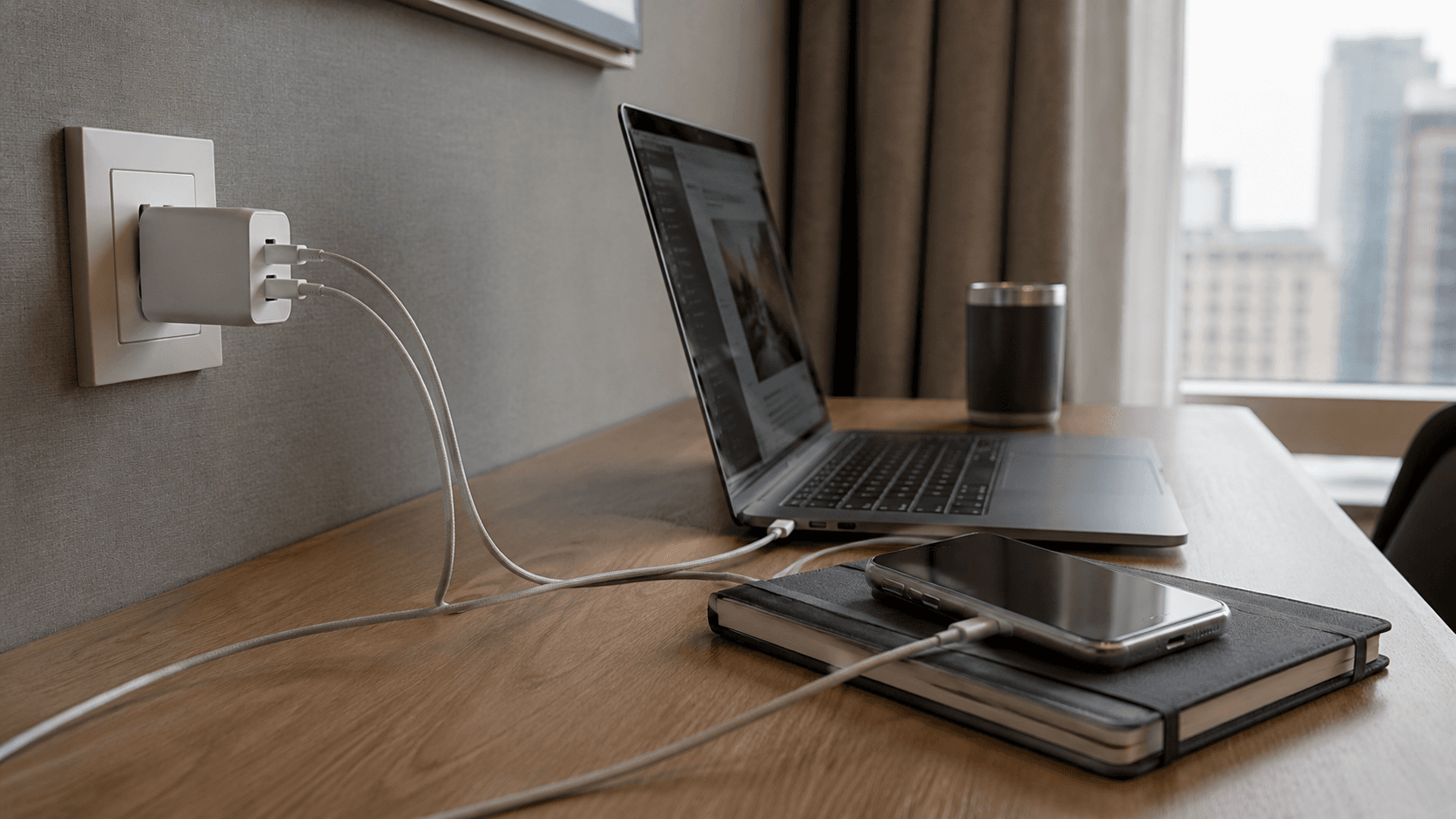
Our default answer for the 13-inch and 14-inch laptop crowd, and the cleanest example of the mid-range three-port rule.
Pros
- Three-port layout covers a laptop, a phone, and one legacy accessory from a single socket
- USB-C output supports a wide range of modern devices
- Compact enough to live permanently in a commuting or travel kit
Cons
- Actual charging speed depends on cable rating and connected-device limits
- Not enough headroom if your laptop alone asks for 100W
Anker 737 120W Wall Charger
Buy this one only if your spec audit landed above 65W, or if three hungry devices share one outlet every night.
Pros
- 120W of headroom keeps a workstation laptop fast even with two devices attached
- USB-C output supports a wide range of modern devices
- One block replaces a laptop brick and a phone charger
Cons
- Requires a 100W-rated E-marker cable to hit its top output
- Larger and heavier than the 65W-class blocks most travelers actually need
2 Pack 65W USB-C Charger Block
Two blocks, one purchase. Pick this if you want a spare that stays home in the wall so you never pack the wrong brick.
Pros
- Two 65W blocks cover a travel bag and a home desk without a second order
- PPS three-port layout suits phones that rely on PPS for their fastest speeds
- Compact charging gear is useful for commuting and travel kits
Cons
- Actual charging speed depends on cable rating and connected-device limits
- 65W ceiling leaves nothing spare for a high-draw workstation laptop
Final Travel Charger Checks
Before you check out, weigh the block against the brick it replaces, confirm the folding pins sit flush, and make sure at least one cable in your bag carries a 100W rating. Those three checks catch nearly every regret people have after buying.
Match the wattage to your heaviest device, the port count to your accessories, and the size to your bag, and the best usb c charger for travel becomes one small block instead of a tangle. That is the whole trick.
Sources & References
Specifications and claims in this analysis were cross-referenced against the sources below.
- I tested out this robot that can charge your phone in mere minutes and it's a triumphtechradar.com
- Anker 735 Charger GaNPrime 65W Review: Why This 4.7-Star ...needforthis.com
- Anker 735 Charger (GaNPrime 65W) Review: Power in the Palm of ...howtogeek.com
- Anker 735 Charger (65W) Review: Worth the Hype? | ErrorEmpireerrorempire.com
- UGreen Nexode Pro 65W Ultra-Slim 3-Port charger review: a stealthy wall charger with phenomenal portabilitytechradar.com
- Anker 735 65W GaN Prime Charger Review — The Traveler's ...chinarealreviews.com
- Anker 735 Charger (GaNPrime 65W)レビュー!3ポート搭載 ...rikupiiii.jp
- I reviewed this UGreen charger and it's phenomenally convenient thanks to this one ingenious featuretechradar.com
Frequently Asked Questions
Match the wattage to your heaviest device. A 65W three-port block covers a 13-inch or 14-inch laptop plus a phone. Step up to 100W or 120W only if your laptop alone demands that much.