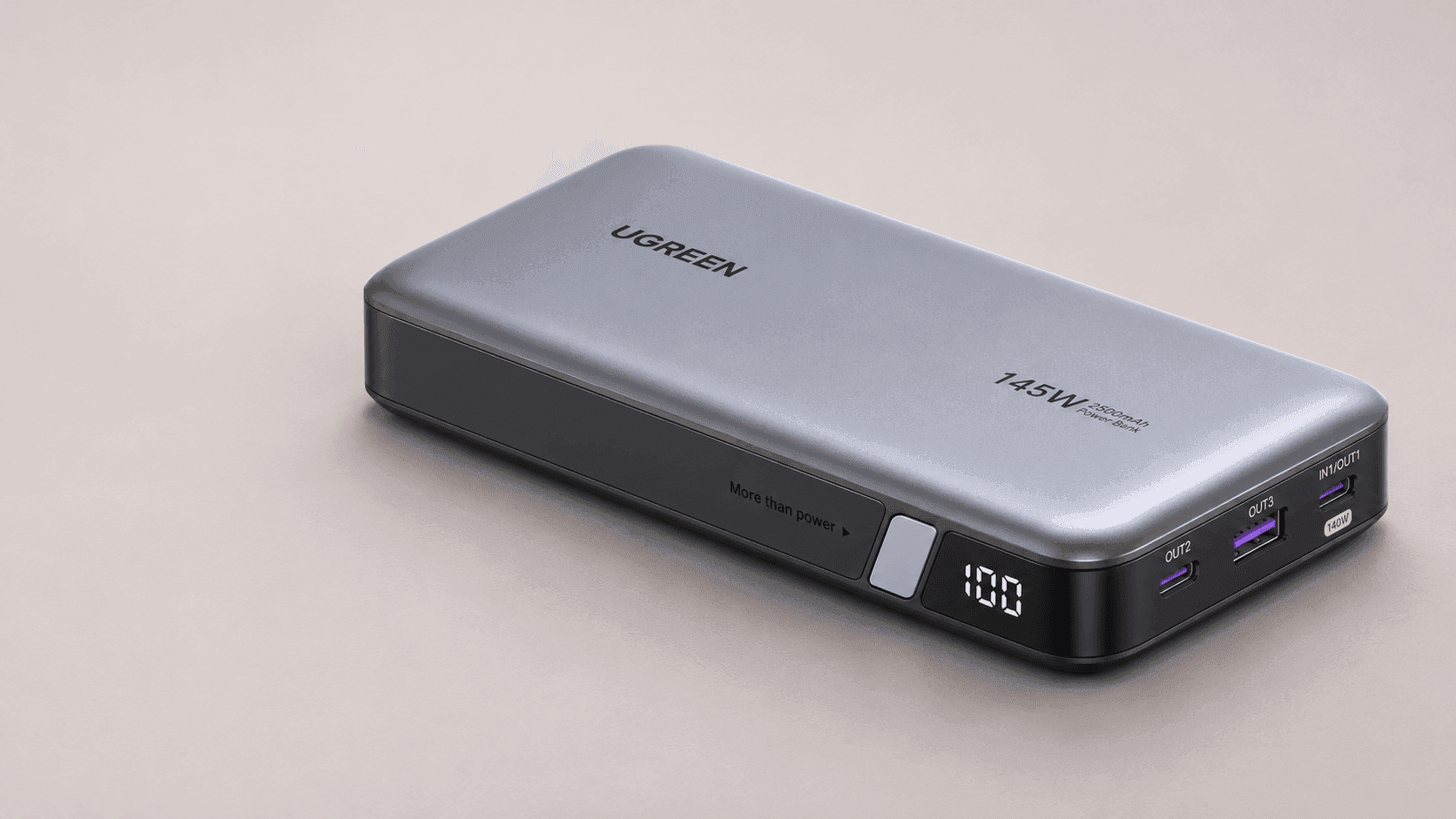
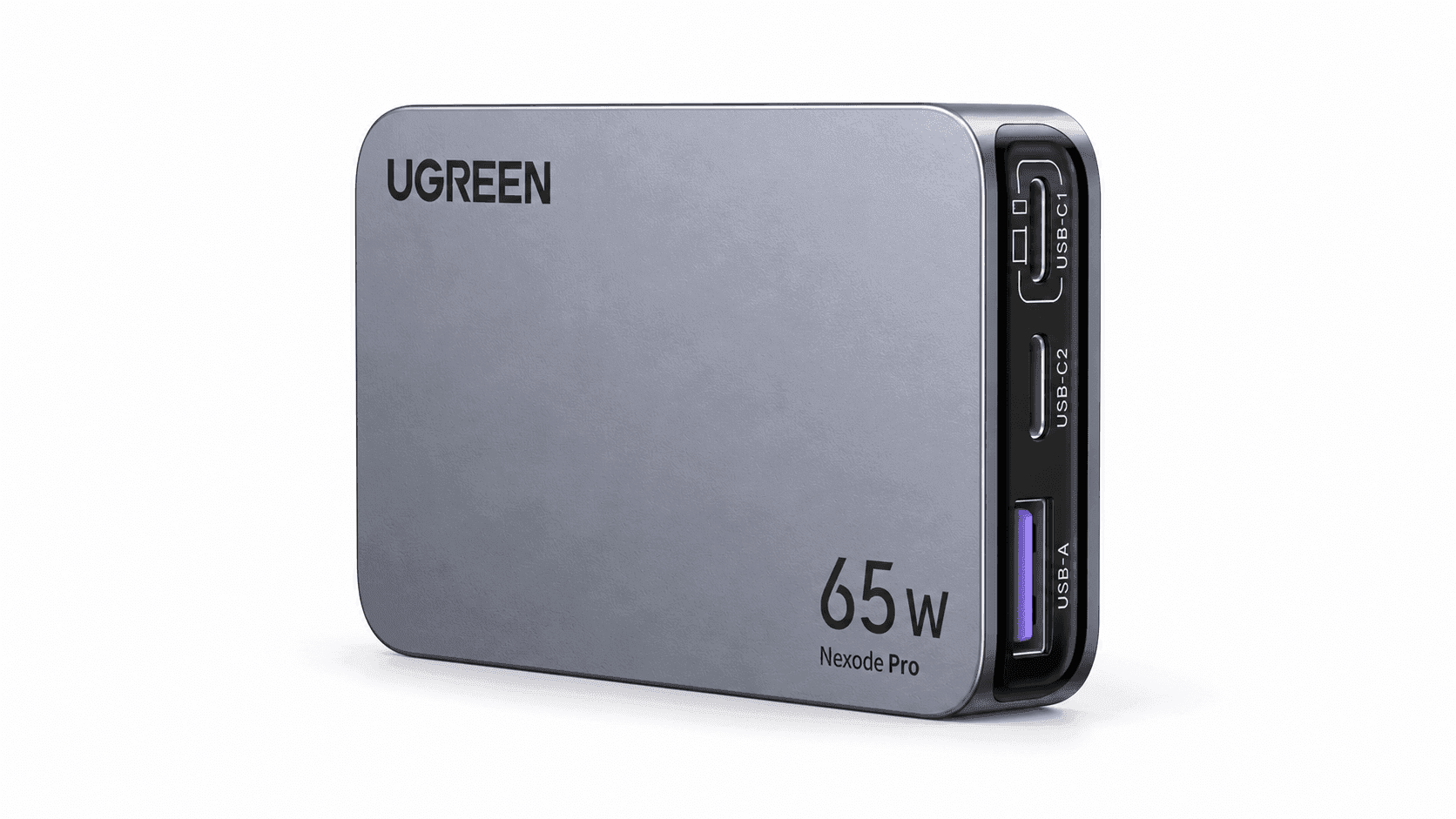
Choose the UGREEN Nexode 145W when a compatible laptop needs more than a typical phone charger can supply. It combines a 25,000mAh reserve with up to 140W from USB-C1, plus a second USB-C port and USB-A for other devices.
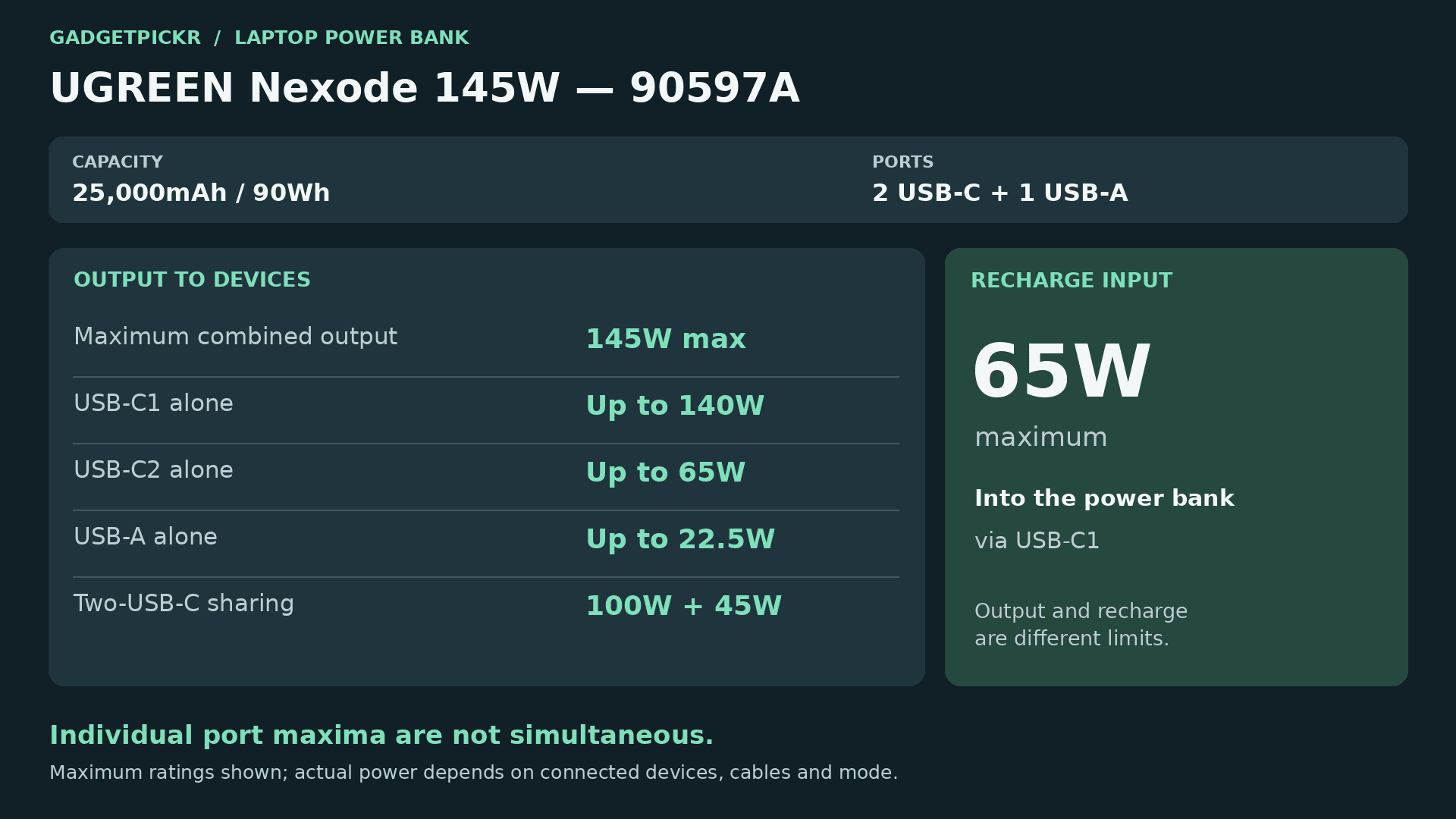
The port allocation matters more than the combined rating. USB-C1 reaches 140W when used alone; connecting both USB-C ports changes their limits to 100W and 45W. The 145W headline describes shared output, not power available to every connected device.
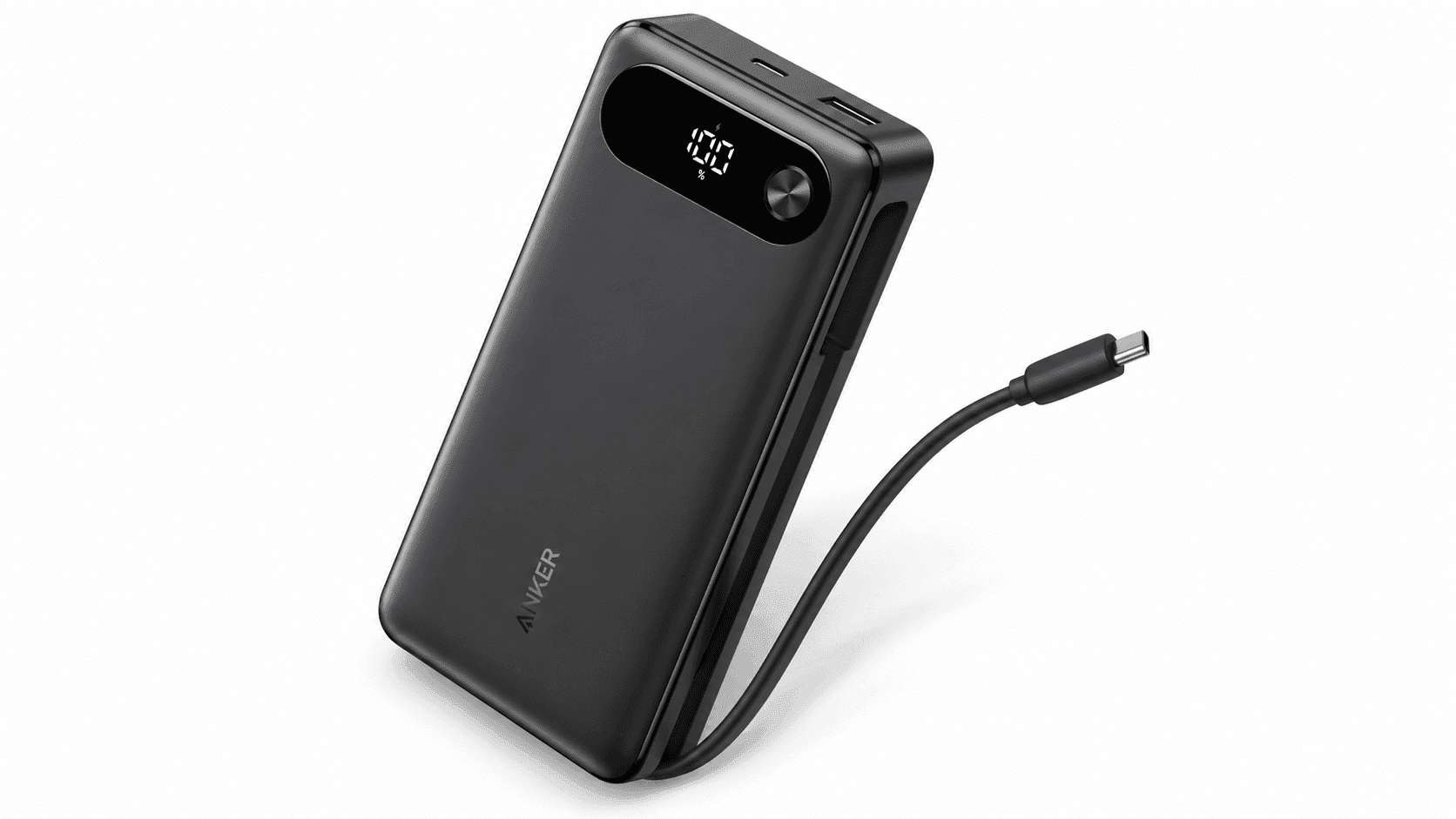
Its higher single-port ceiling is the main distinction from the Anker Laptop Power Bank 25000mAh. Refilling the UGREEN is slower than its maximum output suggests: input tops out at 65W, with an advertised full recharge of roughly two hours. No wall adapter is included, so check whether your existing laptop charger supplies a suitable USB-C PD output.
Some links in this article are affiliate links, which helps support GadgetPickr at no extra cost to you.
The Quick Take
Buy the Nexode 145W for a compatible USB-C laptop when single-device charging speed is the priority. Up to 140W from USB-C1 alone is its strongest feature. For phone-only commuting, choose something smaller: the extra laptop capacity brings weight and bulk that a modest top-up rarely justifies.
Verdict
Buy the UGREEN Nexode 145W for a compatible laptop when single-device charging speed leads the purchase. Up to 140W from USB-C1 alone is its strongest advantage, supported by a 25,000mAh reserve. The 145W combined rating describes another configuration, not additional power beside a laptop already drawing 140W.
Skip it for phone-only daily carry. The 513g weight is the clearest penalty for capability you may rarely use. Include a suitable wall adapter in the budget if needed, since the advertised two-hour refill depends on appropriate input and the bank accepts no more than 65W.
For a notebook-first bag, the UGREEN offers a clear balance of high single-port output and spare connections. Choose Anker's integrated-cable model for less loose-cable packing, or a larger shared output budget for multiple demanding devices. This one makes sense when the laptop can use its 140W capability.
UGREEN Nexode 25000mAh 145W Power Bank
High-output USB-C laptop charging, with spare connections for a phone or tablet.
Mid-range laptop power bank
UGREEN Nexode 145W Product Overview
Model 90597A stores 25,000mAh, or 90Wh, in lithium-ion cells. The linked retailer listing advertises up to 1.3 laptop charges or 5.2 mobile-device charges. Those are reference claims, not fixed results for every device. Compare battery capacities in watt-hours and account for conversion losses and power consumed while charging.
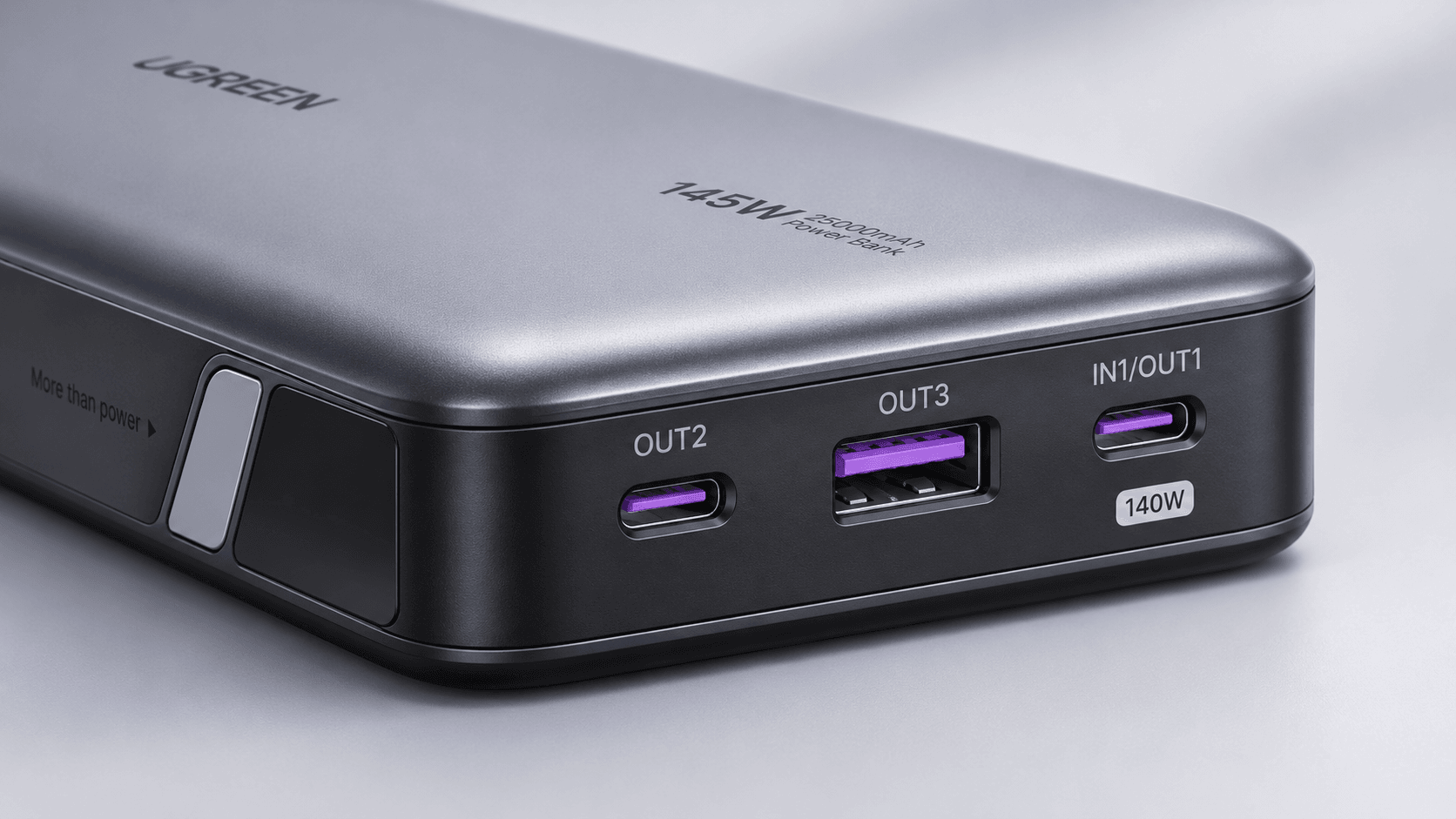
Used individually, USB-C1 supplies up to 140W, USB-C2 up to 65W and USB-A up to 22.5W. You cannot add those maxima together. Both USB-C ports share a specified 100W-plus-45W allocation, and adding USB-A changes the distribution again. Check the combination you intend to use.
USB Power Delivery and Quick Charge support cover compatible notebooks, tablets, phones and handheld gaming systems. PPS needs closer attention: UGREEN's 90597A bundle documentation excludes Galaxy PPS 25W and 45W Super Fast Charging. A matching connector and a high wattage rating do not establish support for a phone's fastest mode.
UGREEN advertises approximately two hours for a full recharge with a compatible 65W PD adapter; the retailer listing quotes up to six hours with 20W. A higher-rated adapter cannot raise the bank's 65W input ceiling. The manufacturer listing specifies an included 240W USB-C cable, suitable for the cable requirements associated with its 140W output.
Key Specs and Compatibility
Separate three figures when comparing power banks: stored energy, device output and recharge input. This model stores 90Wh, supplies up to 140W through USB-C1 alone and accepts no more than 65W when refilling. Conversion losses mean the stored capacity is not delivered intact to another battery.
Specification
Value
Battery Capacity
25,000mAh / 90Wh
Maximum Total Output
145W combined; 100W + 45W across both USB-C ports
Max Single-Port Output
140W via USB-C1 alone
Port Configuration
2x USB-C, 1x USB-A
Supported Protocols
USB Power Delivery including PD 3.1, QC 3.0, PPS
Recharge Time (65W+ Adapter)
Approximately 2 hours claimed; 65W maximum input
Recharge Time (20W Adapter)
Up to approximately 6 hours
Included Accessory
USB-C to USB-C cable; current manufacturer listing specifies 240W
Claimed Capacity
Retailer claim: up to 1.3 laptop or 5.2 mobile-device charges
Device Compatibility
Compatible USB-C laptops, tablets, phones and handheld consoles; USB-A accessories
Reaching 140W requires a compatible PD 3.1 device and suitable cable. Other devices negotiate their supported limits. Check the exact notebook's USB-C charging profiles and connection requirements rather than assuming any Apple or Windows laptop can use the maximum.
What Stands Out
Single-port output is the main reason to choose this model over a bank limited to 65W or 100W. A compatible laptop can draw up to 140W away from an outlet. A notebook that needs a different charging standard or more power still presents a mismatch, so establish compatibility before choosing the bank.
The 90Wh reserve is useful for mobile work, but does not establish a full day's runtime. A sleeping notebook receiving a charge and a laptop running demanding software use that energy differently. The advertised recharge counts also depend on device battery size and should not be transferred from one laptop or phone to another.
Refill time matters if the bank returns to the bag every day. The advertised two-hour turnaround requires suitable input power, compared with up to six hours using a 20W adapter. Its LED percentage display helps you decide whether to recharge before leaving, but does not show the power negotiated by each device.
Strengths
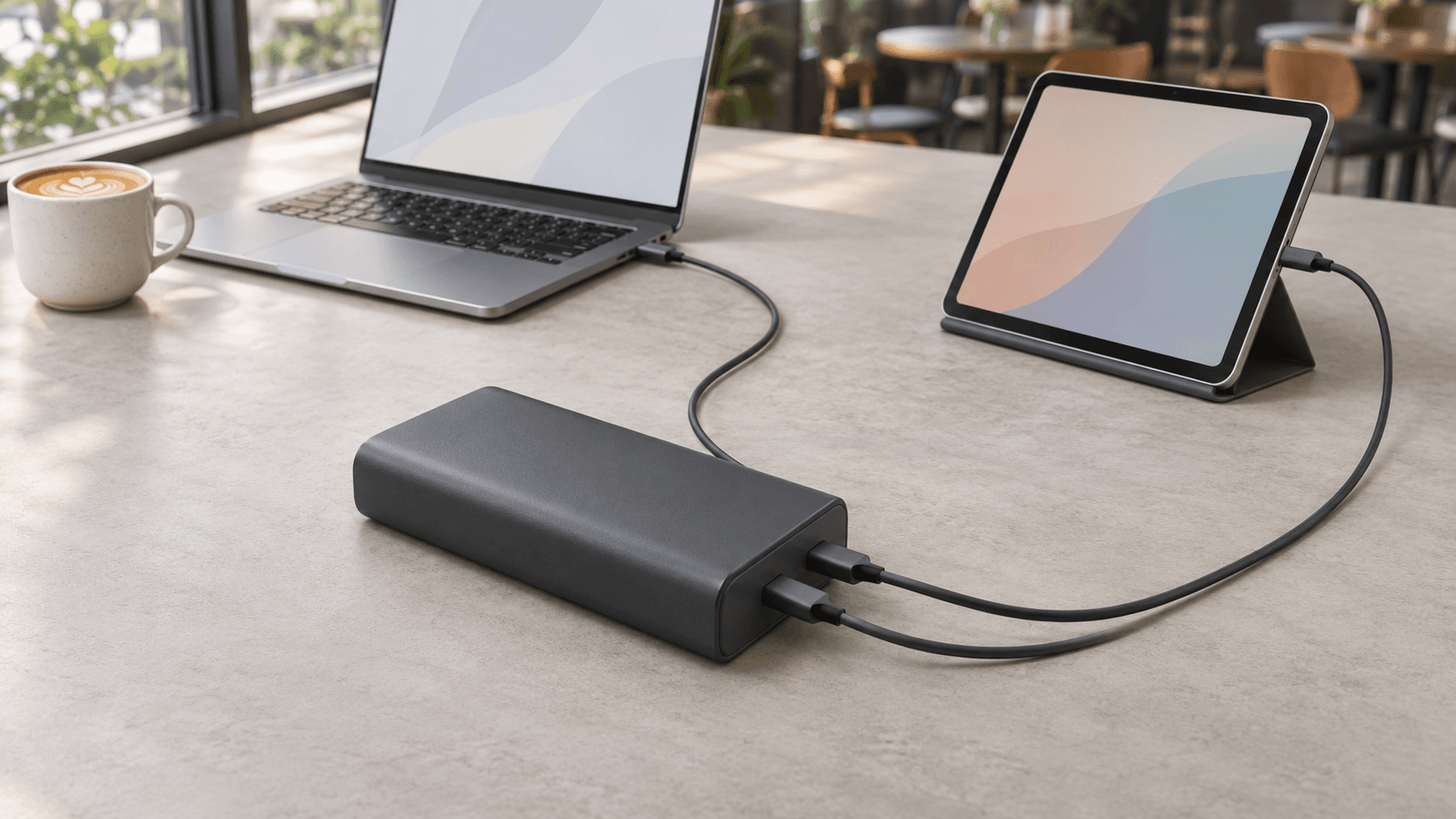
The two-USB-C split gives a laptop-and-tablet or laptop-and-phone setup a defined budget: up to 100W and 45W. That is useful when both devices fit those limits. Assign the connections around their requirements rather than expecting the first laptop to retain its 140W single-port maximum.
For air travel, the 90Wh rating is below the FAA's standard 100Wh threshold for spare lithium-ion batteries without airline approval. Power banks must stay in carry-on baggage and be protected from damage and short circuits. Check the carrier's stricter conditions, including onboard-use rules, before departure.
USB-A keeps older accessory cables useful, while USB-C supports compatible laptops, tablets and handheld consoles such as the Steam Deck. The included USB-C cable covers one connection, not an entire three-device kit. Plan any additional leads around what you actually carry.
Weaknesses
UGREEN lists the US model at 513g and 160 x 80 x 26mm. That makes it a bag item rather than a compact phone battery. Include the wall adapter and extra cables when judging the weight of the complete setup, especially if most trips require only a smartphone top-up.
Multi-port charging reduces the single-device advantage. For the full 140W ceiling, use USB-C1 alone; both USB-C ports together receive the 100W-plus-45W allocation. A laptop's charging symbol does not confirm its input rate, even when no other device is attached.
The wall adapter is a separate purchase unless you already own a suitable one. A basic 20W charger also means accepting the longer advertised refill time. The percentage-only display is another limit for buyers who want detailed power readings. Check replacement cable ratings, too, before swapping the included lead for an older spare.
Best Alternatives
Anker Laptop Power Bank 25000mAh adds built-in cables, the same nominal capacity, approximately two-hour refilling with suitable 100W input and up to 165W combined output, while lowering individual USB-C output to 100W. Sharge Storm 2, renamed Shargeek 100, offers 25,600mAh/93.5Wh, detailed IPS telemetry and adjustable DC output in place of the UGREEN's higher USB-C1 ceiling; its manufacturer listing was marked out of stock. Confirm the exact Baseus 25,000mAh 145W model before considering it: the Baseus EnerFill FC41’s CCC certification is inconsistently documented, and its manufacturer-listed dimensions are 4.7 x 1.2 x 1.6 inches.
Anker Prime 26,250mAh 300W provides a larger combined output budget and smart monitoring for demanding multi-device setups, with greater listed weight than this UGREEN. Anker 737 offers 24,000mAh, detailed charging information and up to 140W two-way charging, trading some capacity for higher supported recharge input. Baseus Blade 100W 20000mAh reduces capacity and peak USB-C output in exchange for a thinner, flatter chassis.
Who Should Buy It
Owners of compatible laptops that accept more than 100W through USB-C have the clearest reason to buy. The 140W single-port ceiling addresses a charging requirement that smaller-output banks cannot match. Confirm the notebook's PD profiles and cable requirements first.
It also suits a laptop-plus-tablet or phone setup when the devices fit the shared allocation and a suitable wall charger is already in the bag. The 25,000mAh reserve and advertised two-hour refill support repeated mobile use, but neither promises a particular workday's duration. Judge capacity against your workload as well as the laptop battery.
Who Should Skip It
Phone-only commuters should compare smaller options. A 513g pack brings little advantage when its laptop output and much of its reserve go unused. Choose a 10,000mAh or 20,000mAh model around the phone's charging needs if that better matches the routine.
Look elsewhere if you need 140W for a laptop while charging other equipment from the same bank. Built-in cables, detailed wattage telemetry and Samsung 25W/45W Super Fast Charging are also reasons to choose a different model. A different lead or stronger wall adapter cannot add those missing features or increase the shared output budget.
Sources & References
Specifications and claims in this analysis were cross-referenced against the sources below.
USB-C1 supplies up to 140W to a compatible device when used alone. The bank accepts up to 65W for recharging, and USB-C2 also has a 65W individual output limit. The 145W rating is combined output.