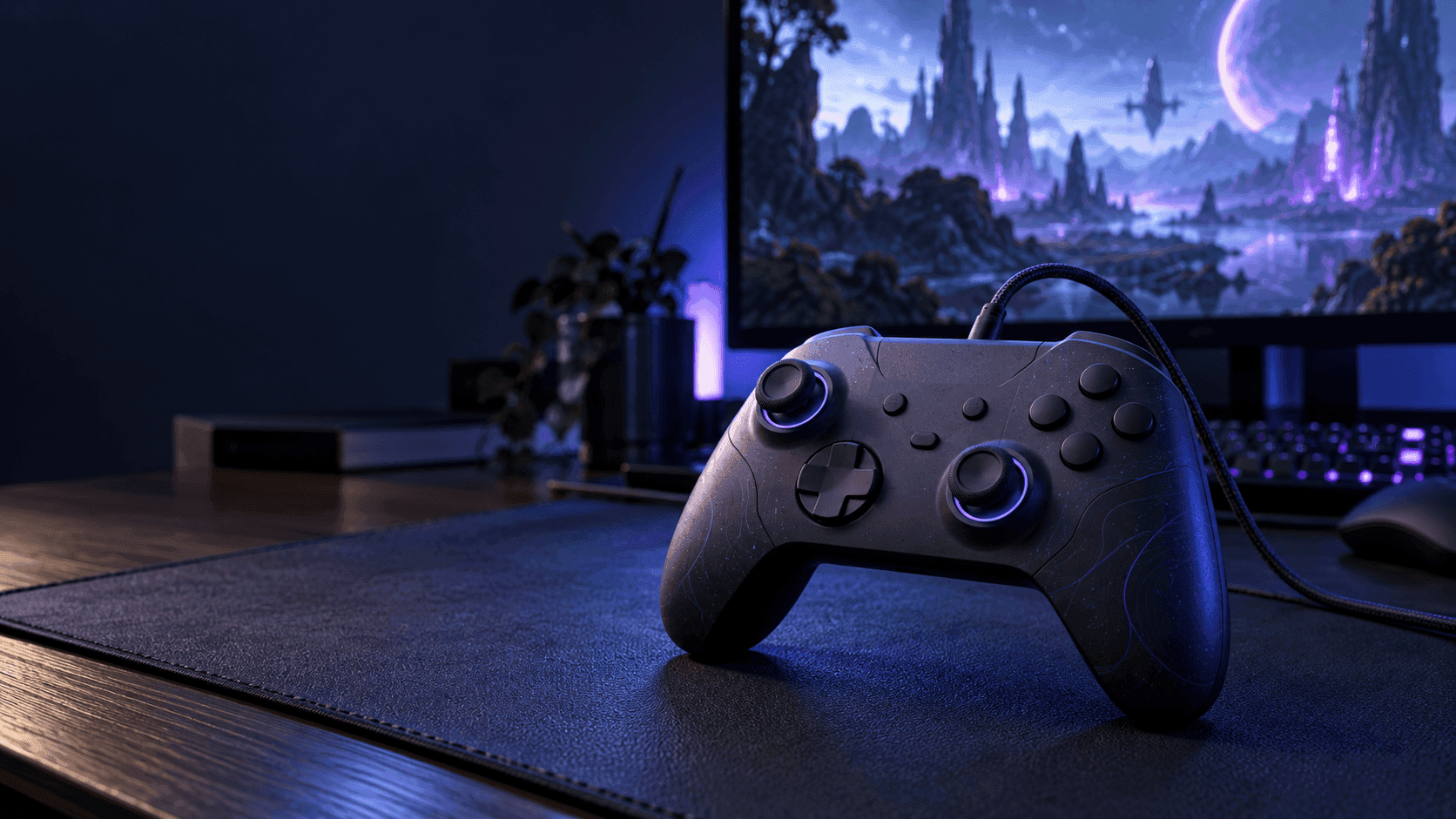
Picking from the best gaming controllers 2026 has to offer starts with your platform, not the biggest polling-rate number on the box. We've ranked these four controllers based on which platforms and connection types they support, their stick and trigger hardware, extra buttons, and how easy they are to charge. If you play on both PC and Xbox, the GameSir G7 Pro takes the top spot. If you're a PS5 player, skip straight to the DualSense.
Magnetic sticks and switchable triggers aren't just for pricey pro controllers anymore. That's great news for choice, but there are some easy-to-miss catches. Wireless on PC doesn't always mean wireless on Xbox, and an Xbox-style button layout doesn't mean a controller actually works with an Xbox. Sort out the connection first, then compare the controls.
The Quick Take
The G7 Pro is the most practical all-rounder here if you game on a Windows PC and play wired on Xbox. Go with the 8BitDo Ultimate 2 Wireless for its charging dock and extra remappable shoulder buttons, or the Cyclone 2 if you need Switch support. If you play on PS5 and want game-specific haptics, the DualSense should be at the top of your list.
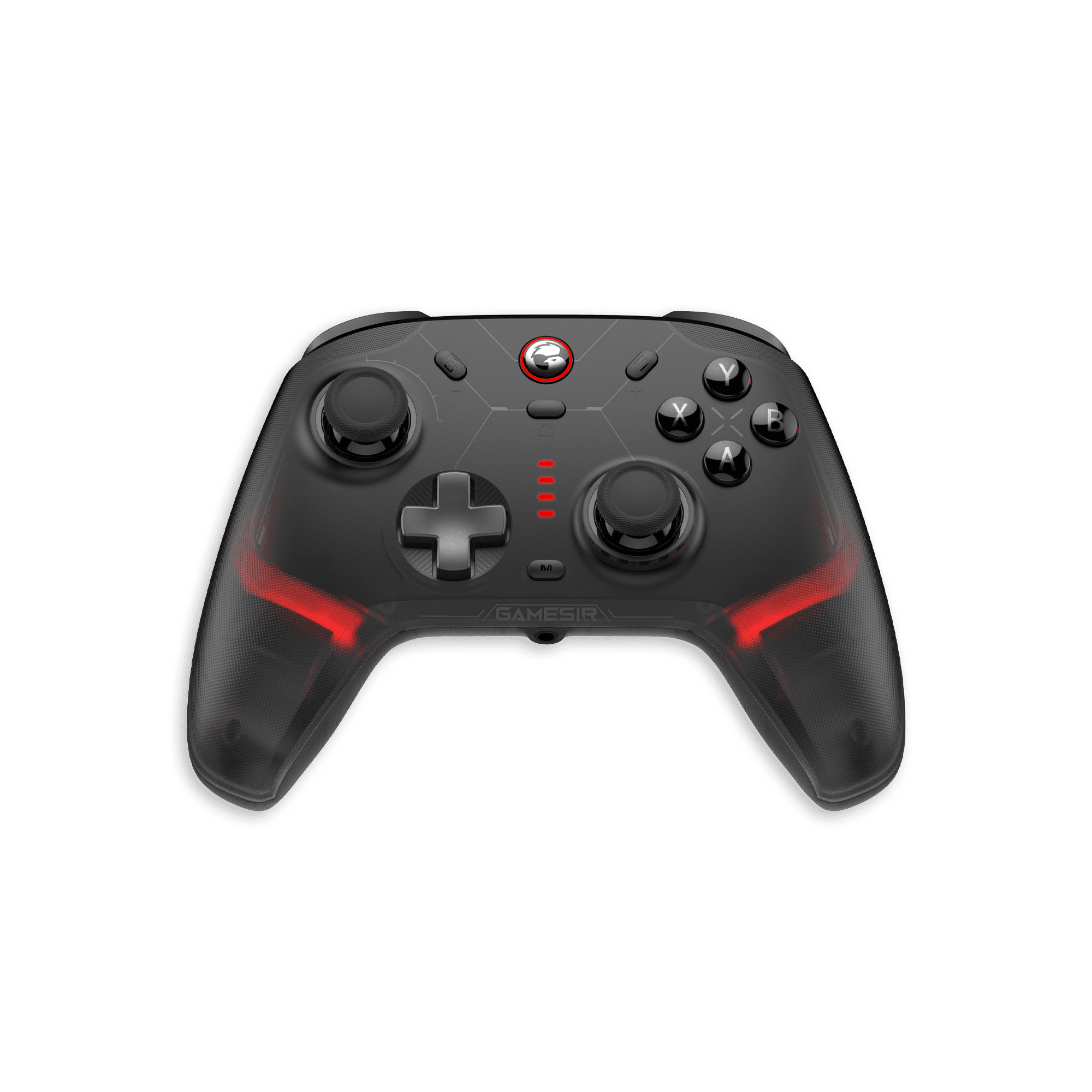
GameSir G7 Pro
Get the G7 Pro if your controller needs to move between a Windows gaming PC and an Xbox. It beats the Ultimate 2 Wireless because it adds official Xbox support while still giving you TMR sticks, switchable triggers, a charging dock, and wireless play on PC. That's a compatibility advantage, not a claim that every button is better.
On this standard Tri-Mode model, you'll need a cable to play on Xbox. On PC, you can use wired USB or the 2.4GHz receiver, and Bluetooth is for Android. Some retailer listings call it a "wireless Xbox controller," but don't take that to mean you can unplug it from your Xbox.
GameSir lists 1000Hz polling on PC, both wired and over 2.4GHz. Its Hall-effect analog triggers can switch to micro-switch mode, so you get gradual pressure control for racing games and a short, quick press for shooters. Remappable back buttons and the Nexus software give you even more control over button mapping and stick response.
Buy it for those controls and the platform support. If you need wireless Xbox play or Switch support, this version isn't the one. Check the exact edition before buying, because not every G7 Pro listing is the same.
Pros
- TMR sticks and triggers that switch between analog and micro-switch
- 1000Hz polling on PC, wired and over 2.4GHz
- Charging dock and remappable back buttons
Cons
- Standard Tri-Mode model needs a cable on Xbox
- No PS5 or Switch support listed
8BitDo Ultimate 2 Wireless
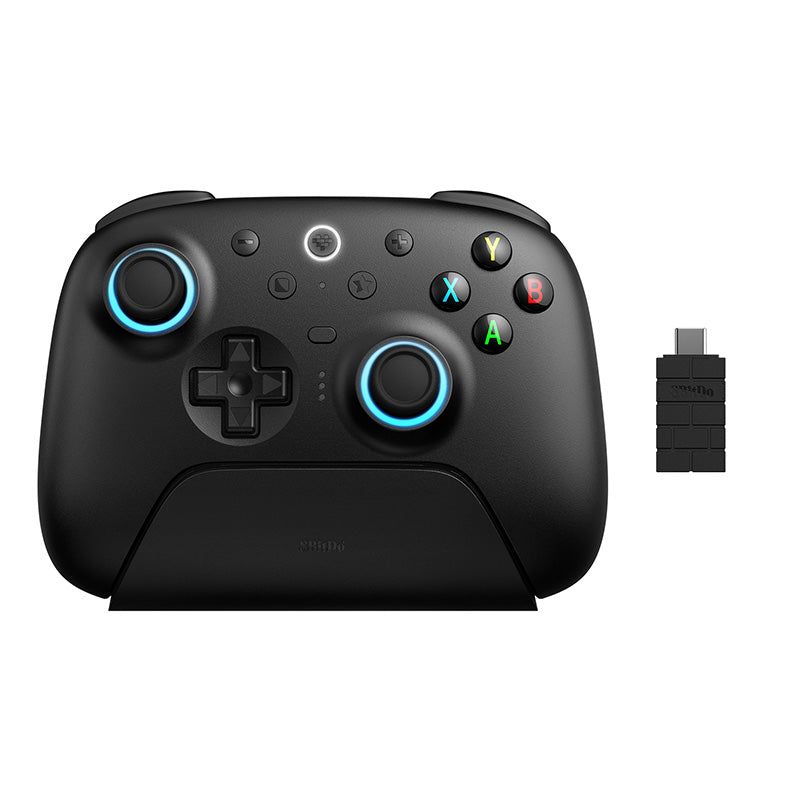
If your setup is mainly Windows but also includes SteamOS, Apple devices, or Android, the Ultimate 2 Wireless is the stronger second pick. On top of its back paddles, it has two extra shoulder buttons, which gives you more remappable buttons than the Cyclone 2 below. It also comes with a charging dock.
Its TMR sticks measure position magnetically, instead of relying on the sliding carbon contact used in traditional potentiometer sticks. That's the main reason people seek them out. 8BitDo still includes calibration tools, though, so don't treat them as completely drift-proof.
The triggers switch between Hall-effect and tactile modes, so you can pick gradual travel or a quick click. The button names are worth getting straight: L4 and R4 are the extra shoulder buttons, and the back paddles are separate. The Ultimate Software V2 app handles button mapping, stick and trigger settings, vibration, and profiles.
On Windows, connect with the 2.4GHz receiver or a USB cable. Bluetooth is for Android and supported Apple devices. 8BitDo's latest documentation also lists SteamOS and gives minimum operating system versions, so check those before pairing. Also note that the Ultimate 2 Wireless is a different controller from the Ultimate 2 Bluetooth, which is the one made for Switch.
8BitDo lists 1000Hz polling both wired and over 2.4GHz. It advertises 8Speed latency as low as 1ms in ideal lab conditions, but that's not the same as the total delay you'll feel in a game. Pick it for the dock, the extra buttons, and the OS support. If Xbox is part of your plans, go with the G7 Pro instead.
Pros
- TMR sticks and triggers that switch between Hall-effect and tactile
- Back paddles plus remappable L4/R4 shoulder buttons
- Charging dock and official multi-OS support
Cons
- No Xbox, PS5, or Switch support on this model
- Connection options and OS requirements differ by platform
GameSir Cyclone 2

If you play on PC, Nintendo Switch, and your phone, the Cyclone 2 is the most obvious fit. It ranks above the DualSense for that mix thanks to Switch support, TMR sticks, and remappable back buttons. Sony's controller is the better pick if PS5 support and haptic effects are what you care about.
GameSir lists 1000Hz polling both wired and through its wireless dongle. The Hall-effect triggers can switch to micro-switch mode, and the 6-axis gyroscope gives you motion controls on Switch. Its face buttons also use micro-switches. You get customizable RGB lighting and an 860mAh battery too.
It connects over USB, Bluetooth, and 2.4GHz, and supports PC, Switch, Android, and iOS. There's no Xbox or PlayStation support. Read the listing carefully too: the controller-only version and the version with a charging station are sold separately, so a photo of a dock doesn't mean your bundle comes with one.
Pick this one for its Switch and mobile flexibility, and don't assume the 1000Hz figure applies to every connection. If you're mainly on Windows and want more extra buttons plus official SteamOS support, the Ultimate 2 Wireless is still the better choice.
Pros
- Works with PC, Switch, Android, and iOS
- TMR sticks and switchable trigger modes
- 1000Hz polling wired or via dongle, plus Switch motion controls
Cons
- No Xbox or PlayStation support
- Charging dock only comes with certain bundles
PlayStation DualSense
Get the DualSense if PS5 is your main console, or if the PC games you play support its adaptive triggers and haptic feedback. It ranks fourth on this PC-focused list because it swaps the other picks' remappable back buttons for Sony's game-dependent effects. If you own a PS5, though, it's the first one to consider out of these four.
It works over USB and Bluetooth with compatible Windows PCs, Macs, and phones, but connecting it doesn't unlock every feature. On PC, Sony says you need a USB connection for haptic feedback, and the game has to support it. Adaptive triggers also only work in games that support them.
Unlike the three magnetic-stick picks above, the standard DualSense has no back paddles. It's for players who want the familiar PlayStation layout and its special effects, rather than extra buttons for competitive play. The linked listing is the Cosmic Red version, so check the color and bundle before you order.
Pros
- Made for PS5
- Adaptive triggers and haptic feedback in supported games
- Works over USB and Bluetooth with compatible devices
Cons
- No back paddles on the standard model
- On PC, haptics need a USB connection and game support
Best gaming controllers 2026: comparison table
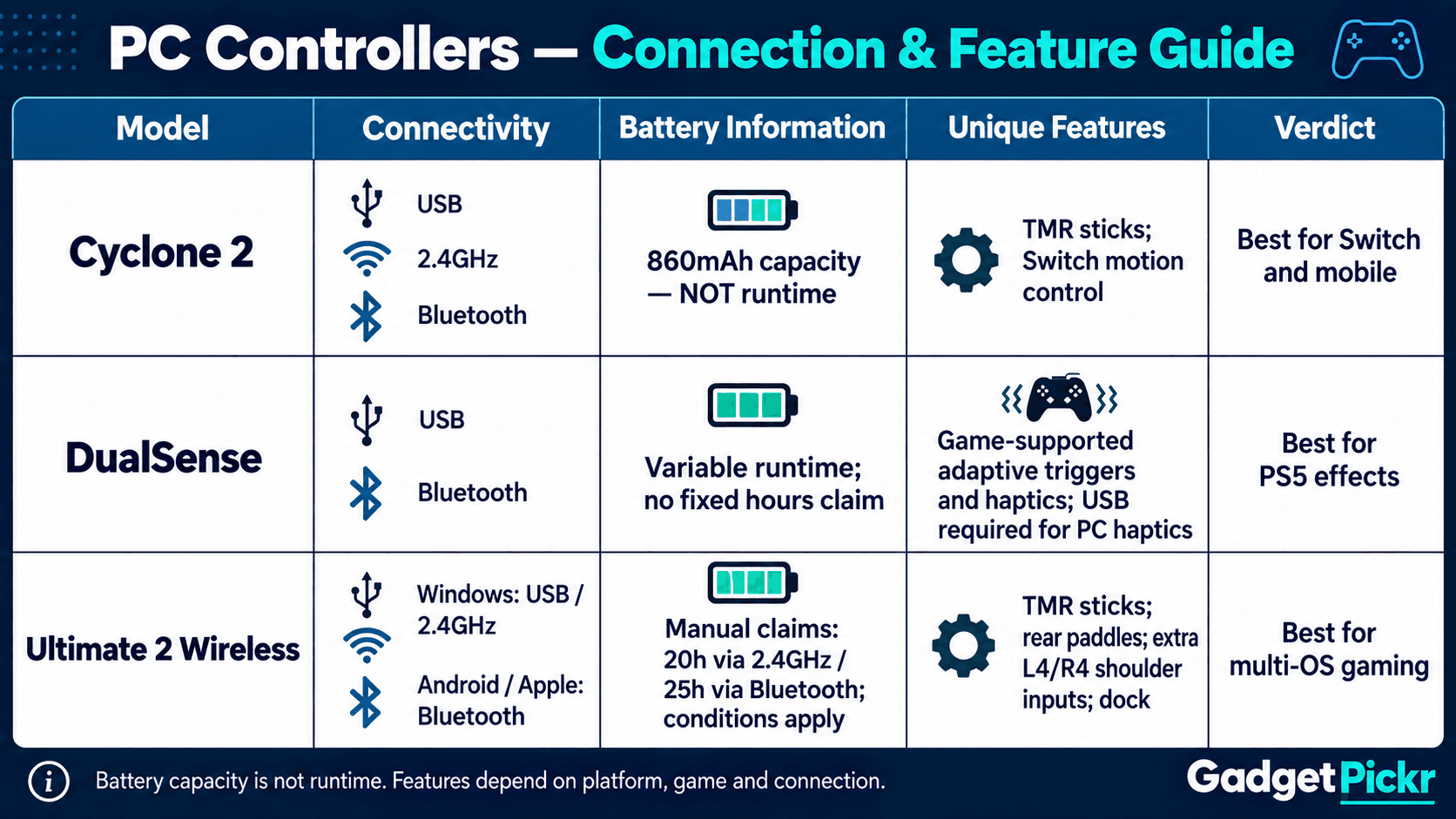
Check platform and connection support before comparing features. These verdicts sum up each controller's strongest selling point. They aren't performance scores.
| Pick | Product | Verdict | Best For |
|---|---|---|---|
| #1 | GameSir G7 Pro | Best overall for PC and Xbox | Wireless PC and wired Xbox; TMR sticks and dock |
| #2 | 8BitDo Ultimate 2 Wireless | Best for multi-OS gaming | Windows, SteamOS, Apple, and Android setups |
| #3 | GameSir Cyclone 2 | Best for Switch and mobile | PC, Switch, Android, and iOS; switchable triggers |
| #4 | PlayStation DualSense | Best for PS5 and supported haptics | PS5 and compatible PC games |
Buying Guide
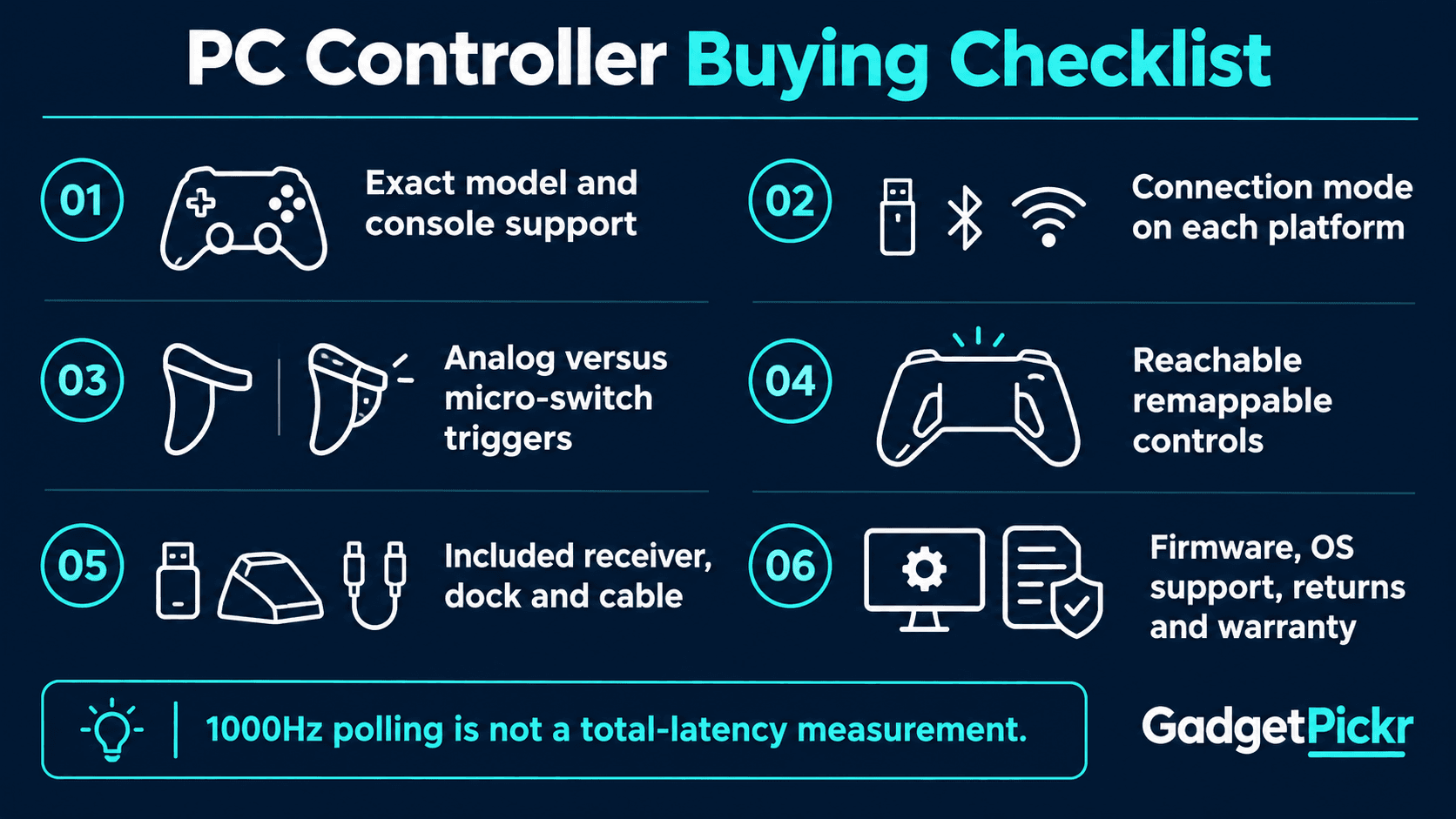
Start with the one thing you can't compromise on: your console or operating system. For Xbox plus PC, choose the standard G7 Pro, as long as you're fine playing wired on the console. For PS5, get the DualSense. For Switch plus PC, look at the Cyclone 2. Just because a controller looks like an Xbox pad doesn't mean it works with an Xbox.
Next, think about which extra buttons you'll actually use. Mapping jump to a back button means you don't have to take your thumb off the right stick, and an extra shoulder button can handle another command you use a lot. If you want adjustable stick tension, the Xbox Elite Series 2 offers that. Don't assume swappable stick caps on another controller do the same thing.
For hardcore PC players, Razer's Wolverine V3 Pro 8K PC advertises 8000Hz polling both wired and wireless, plus remappable back buttons and Synapse software for customization. That makes it worth a look if you need that specific feature, but it's not automatically better than the controllers on this list. When it comes to the best gaming controllers 2026 has to offer, the right one is the controller whose connection and controls suit the games you play.
Key specs to evaluate
"TMR" stands for tunnel magnetoresistance. Like Hall-effect sensing, it tracks stick position using magnets instead of a sliding carbon contact. It's still worth checking calibration and deadzone settings, though, because the sensor type doesn't tell you everything about how the stick feels or how well it centers.
Polling rate is how often the controller reports what you're pressing. On its own, it doesn't measure the total delay between pressing a button and seeing something happen on screen. Compare controllers using the same connection type and platform, because the 1000Hz figure the three third-party picks list for PC doesn't automatically apply on consoles or over Bluetooth.
Pay just as much attention to the triggers. Gradual analog travel is best for accelerating and braking in racing games, while a short, switch-style press suits fast shooters. Before buying, check how the controller switches modes and whether its settings app works on your operating system.
Controller buying checks
Check the exact model name, supported platforms, and whether a receiver is included. The Ultimate 2 Wireless and Ultimate 2 Bluetooth are made for different platforms, and different G7 Pro editions need careful checking too. Make sure the manual matches the controller you're actually ordering.
Then check what's in the box: dock, cable, receiver, and any adapters your computer might need. Battery capacity in mAh doesn't tell you how long it lasts, and lighting and vibration settings affect battery life too. Compare the manufacturer's battery-life conditions before treating two claims as equal.
Finally, read the seller's return policy and warranty. While you're still within the return window, check how easily you can reach the back buttons, which trigger mode you prefer, and whether it works with the games you actually play. From this list of the best gaming controllers 2026 has to offer: choose the G7 Pro for PC and wired Xbox, the Ultimate 2 Wireless for multi-OS gaming, the Cyclone 2 for Switch, or the DualSense for PS5.
Sources & References
Specifications and claims in this analysis were cross-referenced against the sources below.
- www.ign.com › articles › gamesir-g7-pro-reviewGameSir G7 Pro Review - IGNign.com
- GameSir G7 Pro Tri-Mode XBOX & PC Controller | Wireless Gaminggamesir.com
- 8BitDo Ultimate 2 Wireless review | PC Gamerpcgamer.com
- www.techradar.com · gaming · gamesir-g7-pro-reviewGameSir G7 Pro review: brilliant customizability and ...techradar.com
- 8BitDo Ultimate 2 Wireless Controller Review: TMR Sticks And A ...pickstead.com
- GameSir G7 Pro review: More powerful than the Xbox Elite ...tomsguide.com
- 8BitDo Ultimate 2 Wireless Review - hlplanethlplanet.com
- I've tested GameSir's 8K wireless controller and it's good but not as good as its cheaper siblingpcgamer.com
Frequently Asked Questions
Not the standard Tri-Mode G7 Pro. You need a cable to play on Xbox. Its 2.4GHz wireless mode is for PC, and Bluetooth is for Android. Check the exact edition before ordering, because wireless PC support doesn't mean wireless Xbox support.


