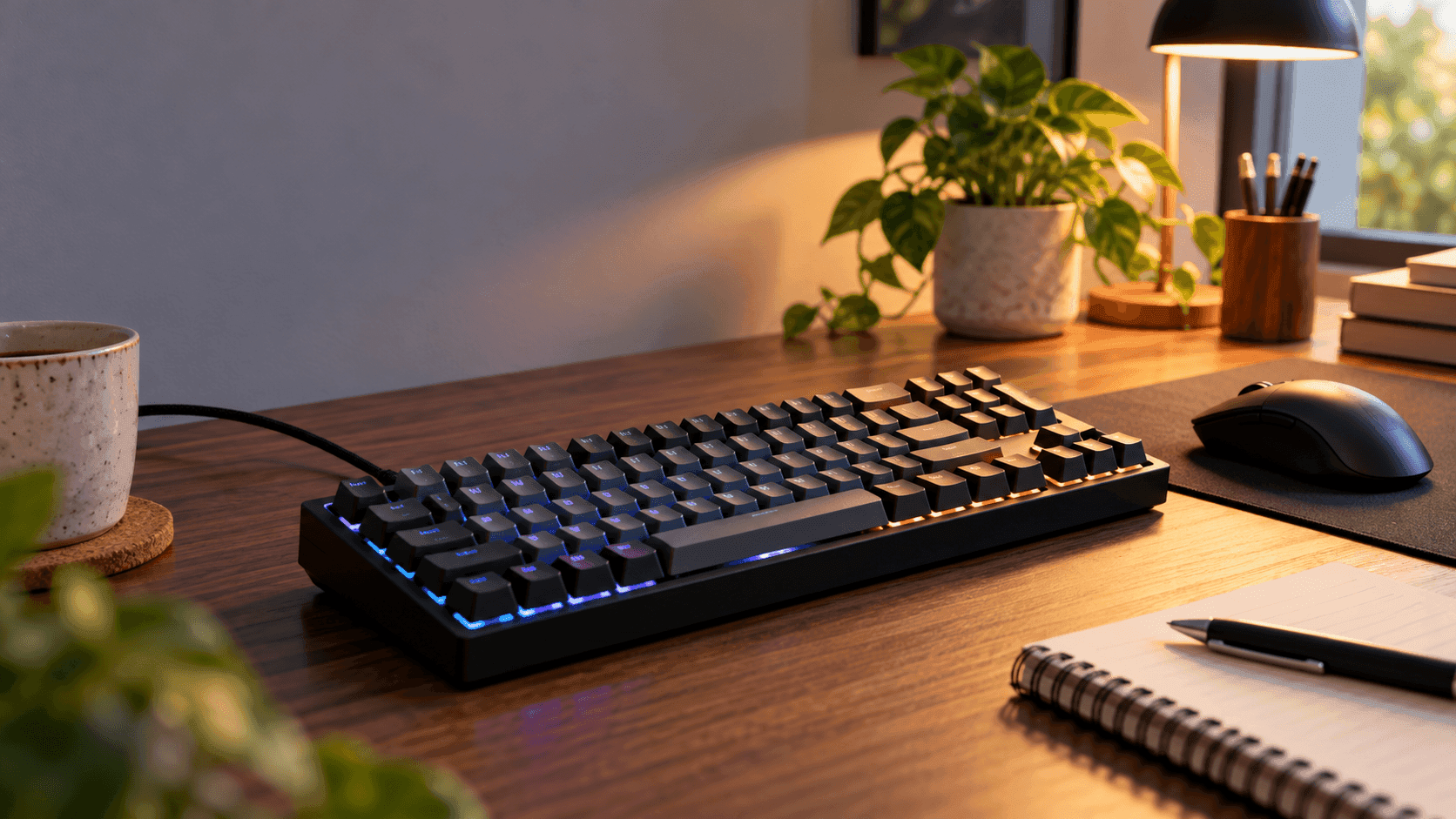
Figuring out how to choose a mechanical keyboard starts with three simple things: the keys you actually use, how much noise your room can handle, and which devices you need to connect. Switch names can wait. If you spend your day typing numbers, keep a numpad. If you want more room for your mouse, look at a smaller layout before you start paying for gaming features.
A keyboard that doesn't fit how you work is frustrating fast, whether it's the wrong layout, software that doesn't run on your system, or a typing feel you just don't like. So look at the whole setup: the keyboard's height, your desk space, the software, and the controls your work needs. A trendy typing sound won't answer any of those questions for you.
The Quick Take
Pick a switch for the feel you want, a layout for the keys you need, and a connection for your devices. If adjustable actuation and rapid trigger matter to you, buy a keyboard that specifically lists them. For a shared room, look for actual noise tests instead of assuming "linear," "tactile," or "gasket-mounted" means quiet.
How to choose a mechanical keyboard in four steps
First, decide whether you want a smooth press, a tactile bump, or an audible click. Linear switches skip the bump, tactile switches add one, and clicky switches add a click on top. If you can't decide, try a switch tester. And if noise matters, look for dampened or silent switches.
If you want adjustable actuation, you'll need to look beyond those standard switch types. Magnetic keyboards like the Keychron Q1 HE let you set how far a key travels before it registers, and they support rapid trigger. Only pay for that if you plan to tweak it. Regular mechanical switches don't suddenly get adjustable actuation just because a keyboard comes with gaming software.
Second, list the keys you use without thinking: arrows, function keys, navigation keys, and the numpad. Full-size keyboards keep these in separate clusters, while 96% and 1800-style layouts squeeze them closer together. TKL drops the numpad, 75% compacts things further, and a typical 60% board moves even more commands onto function layers.
Third, match the connection to your devices. If you switch between computers, get multi-device Bluetooth. For gaming, compare measured latency over the connection you'll actually use, wired or through a receiver. Fourth, check upgrade support. Hot-swap sockets only help if the switches you want to swap in are compatible with that exact board.
Recommended product categories
If you want rapid trigger, start with magnetic gaming keyboards. The Keychron Q1 HE is a good example of a 75% board with adjustable actuation, while the Aula WIN60 HE shows what that looks like in a smaller 60% size. Compare their actual layouts and supported settings before you choose, because a tiny gaming keyboard can still be awkward for everyday navigation.
If you move between a laptop and a desktop, focus on wireless productivity features. Logitech's Alto Keys K98M packs a 98-key layout, Bluetooth, a Logi Bolt receiver, and hot-swappable linear Marble switches. Its UniCushion gasket is designed to absorb vibration, but RTINGS found its typing noise on the louder side, so look elsewhere if you need something quiet for a shared space.
If a flatter keyboard is what you're after, compare low-profile mechanical models. The Logitech G915 X Lightspeed and Corsair K100 Air both use low-profile switches and flatter keycaps, giving you a mechanical feel in a slimmer, lower keyboard. Whether that's more comfortable depends on your desk setup, so check the exact switch version and how tall the front edge is rather than choosing on looks alone.
Common mistakes
Don't buy a clicky keyboard for a room where loud clicks won't go down well. On the other hand, light, short-travel linear switches suit some typists and not others. Check the actuation force and distance rather than assuming every linear switch feels the same, and try a switch tester if you can.
It's also worth checking the keycap material. Some people prefer PBT keycaps, and the Logitech G915 X, for example, uses doubleshot PBT. When you read the keycap specs, keep the plastic type separate from how the letters are made. Razer's BlackWidow V4 X uses doubleshot ABS, so ABS on its own doesn't mean the lettering is cheaply printed.
Buying a 60% keyboard without checking its function layers is another easy mistake. If you rely on dedicated arrow keys or type a lot of numbers, keep those keys in your layout. And a wired-only keyboard like the BlackWidow V4 X can't stand in for multi-device Bluetooth if you want a cable-free desk.
Buying checklist
On the product page, confirm the exact switch type and whether adjustable actuation or rapid trigger is actually listed. Then look closely at the layout photo for arrow keys, function keys, a numpad, and the right regional layout. A size percentage alone doesn't tell you where every key is.
Read the connection specs separately from the charging specs. Check for Bluetooth device switching, whether a receiver is included, or whether it works wired, depending on your setup. When comparing battery life, make sure the figures were measured with the same lighting settings, because lights-off and lights-on numbers aren't comparable.
If you want to customize it, look for clear hot-swap support and a list of compatible switches. Keychron, for example, only supports compatible Gateron double-rail magnetic switches on the Q1 HE. It won't take every magnetic switch, or any regular mechanical switch. Check keycap stems, key sizes, and profile before buying a replacement keycap set too.
Finally, check the software requirements and warranty. Make sure remapping, macros, and lighting controls work on your operating system, and don't confuse white backlighting with RGB. Look at the keyboard's dimensions alongside where it'll sit on your desk. OSHA recommends setting up your workstation so your wrists stay in a neutral position.
Recommended Products
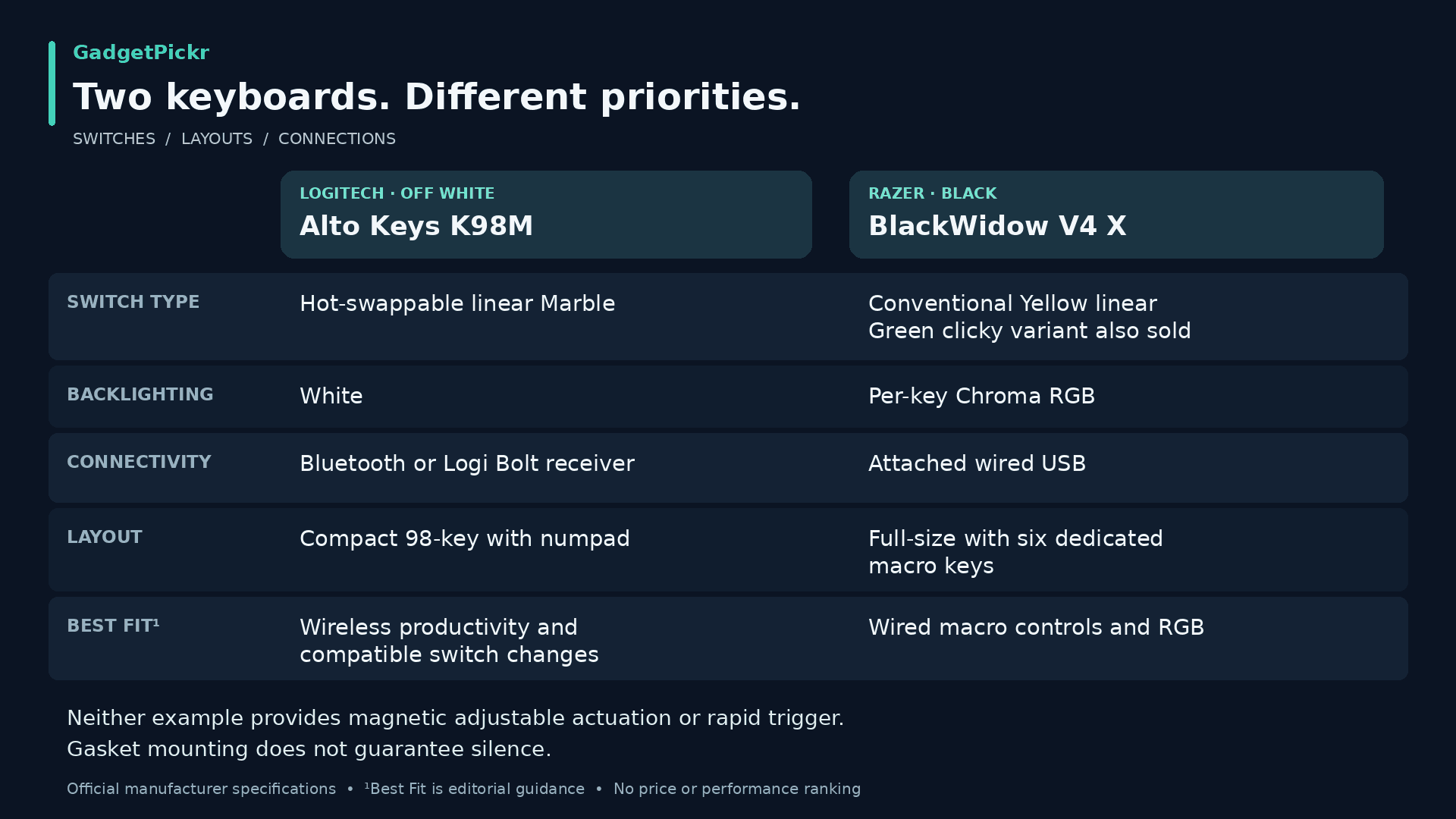
These two keyboards show two very different priorities. Get the K98M for wireless productivity and swappable switches, or the BlackWidow V4 X for a wired setup with dedicated macro keys. Neither one is a magnetic rapid-trigger keyboard.
Logitech Alto Keys K98M
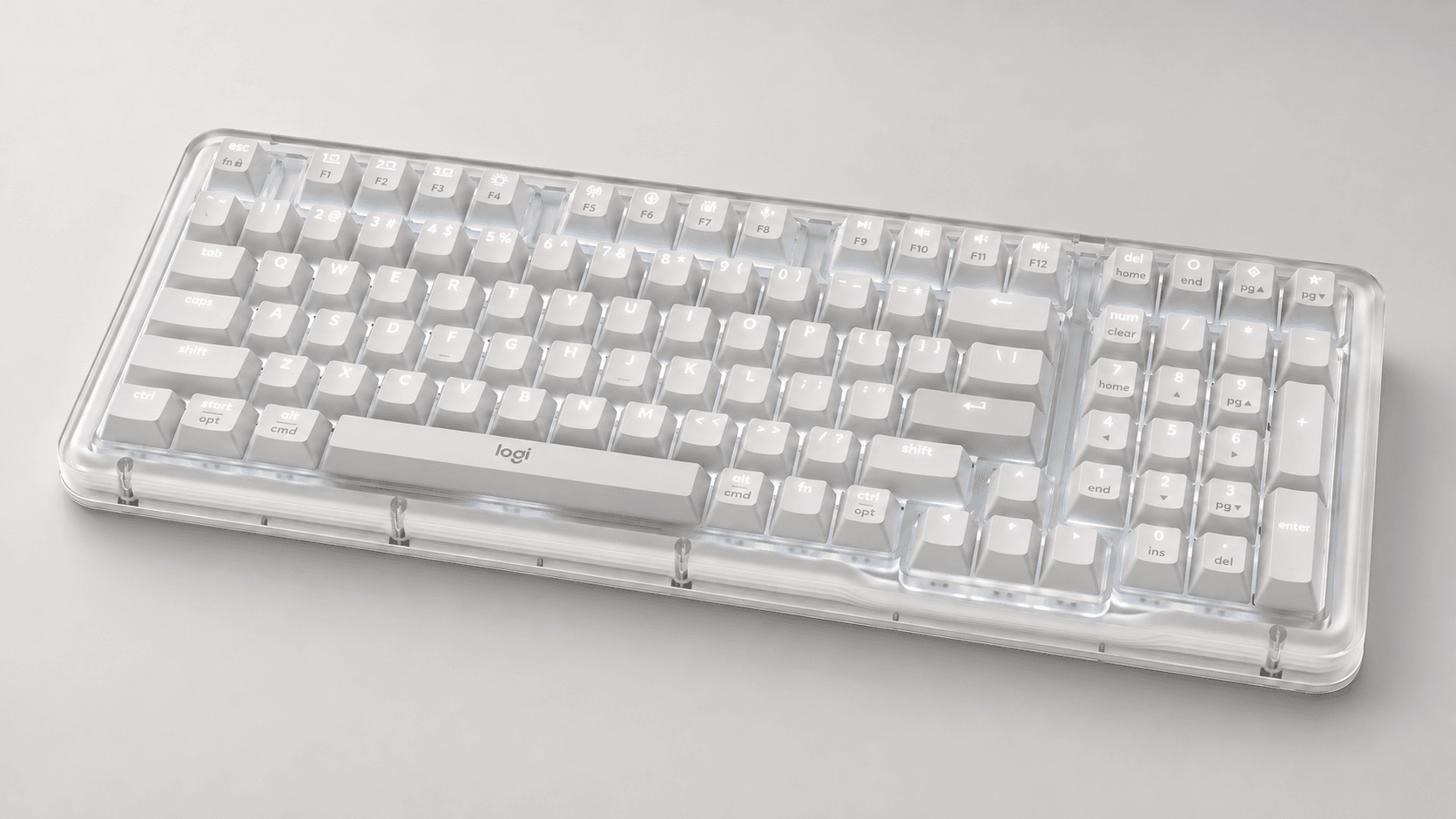
Consider the K98M if you want a numpad in a compact 98-key layout, plus wireless connections for everyday work. Logitech lists hot-swappable linear Marble switches, PBT keycaps, and white backlighting. Buy it for that combination, not for adjustable magnetic actuation or RGB effects.
Bluetooth and the Logi Bolt receiver give you two ways to connect wirelessly, and the Options+ app lets you customize supported action keys. The gasket is a construction feature, not a promise of silence. If you work in a quiet office, keep its reported typing noise in mind before ordering.
Pros
- 98-key layout keeps the numpad
- Hot-swappable linear Marble switches
- Bluetooth and Logi Bolt connections
Cons
- Reported typing noise makes it less ideal for quiet offices
- White backlighting, not RGB
Razer BlackWidow V4 X
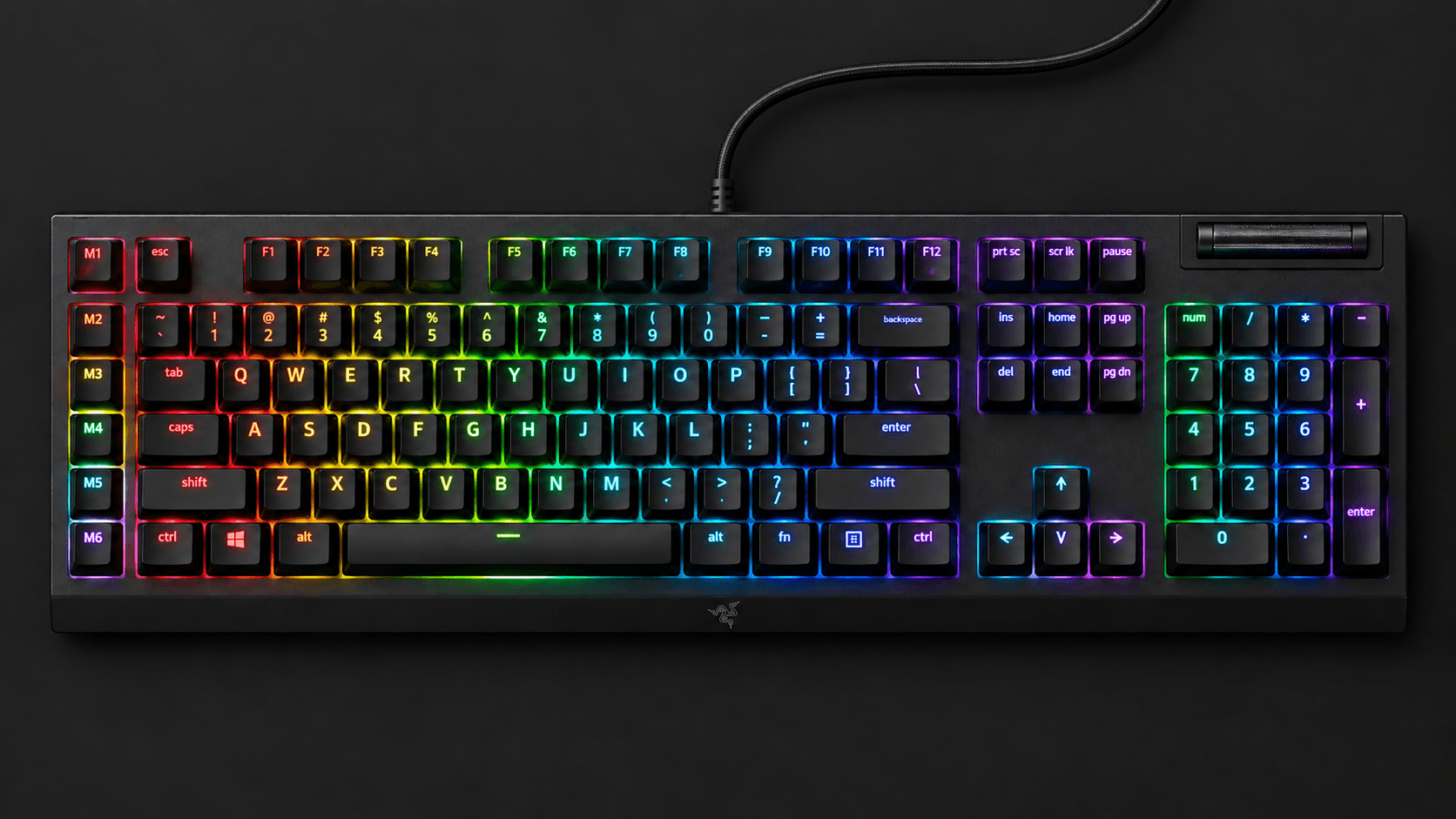
Pick the BlackWidow V4 X if dedicated macro keys and a media roller matter more to you than switching between wireless devices. Razer sells it with either Green clicky or Yellow linear switches, and the linked listing has Yellow switches. Choose your version carefully, because the product name alone doesn't tell you which switch you're getting.
It's a full-size keyboard with six dedicated macro keys, Chroma RGB, doubleshot ABS keycaps, and an attached cable. Razer's Synapse software handles customization. If rapid trigger or a cable-free desk is a must, this one isn't for you.
Pros
- Six dedicated macro keys and a media roller
- Choice of clicky or linear switches
- Per-key Chroma RGB and doubleshot ABS keycaps
Cons
- Attached cable rules out a wireless setup
- No magnetic adjustable actuation or rapid trigger
Once you know how to choose a mechanical keyboard, narrow your list by layout and connection before comparing extras. Keep the keys your work needs, pick a feel and noise level that suits your room, and only pay for magnetic switches if you'll actually adjust them. Always check the exact version before you buy.
Sources & References
Specifications and claims in this analysis were cross-referenced against the sources below.
- Keychron Q1 HE QMK Wireless Custom Keyboardkeychron.com
- Keychron Q1 HE 8K Magnetic Switch Keyboardkeychron.com
- Keychron Q1 QMK Custom Mechanical Keyboard - Version 2keychron.com
- Logitech G915 X LIGHTSPEED Low-Profile Wireless ...target.com
- Logitech Alto Keys K98M Wireless Mechanical Keyboard, Customizable Keyboard with Vibration Absorbing Gasket, Backlit Keys, Lilactarget.com
- The 5 Best Logitech Keyboards of 2026: Reviewsrtings.com
- Keychron Q1 HE [Q5 HE, Q6 HE, etc.] Review - RTINGS.comrtings.com
- Logitech G915 X Low-Profile Wired Mechanical Gaming Keyboard ...target.com
Frequently Asked Questions
Go linear for a smooth press with no bump, tactile if you want to feel a bump, and clicky only if a loud click won't bother anyone. If you can't decide, try a switch tester. For quiet spaces, look at dampened switches and noise tests of the whole keyboard.


