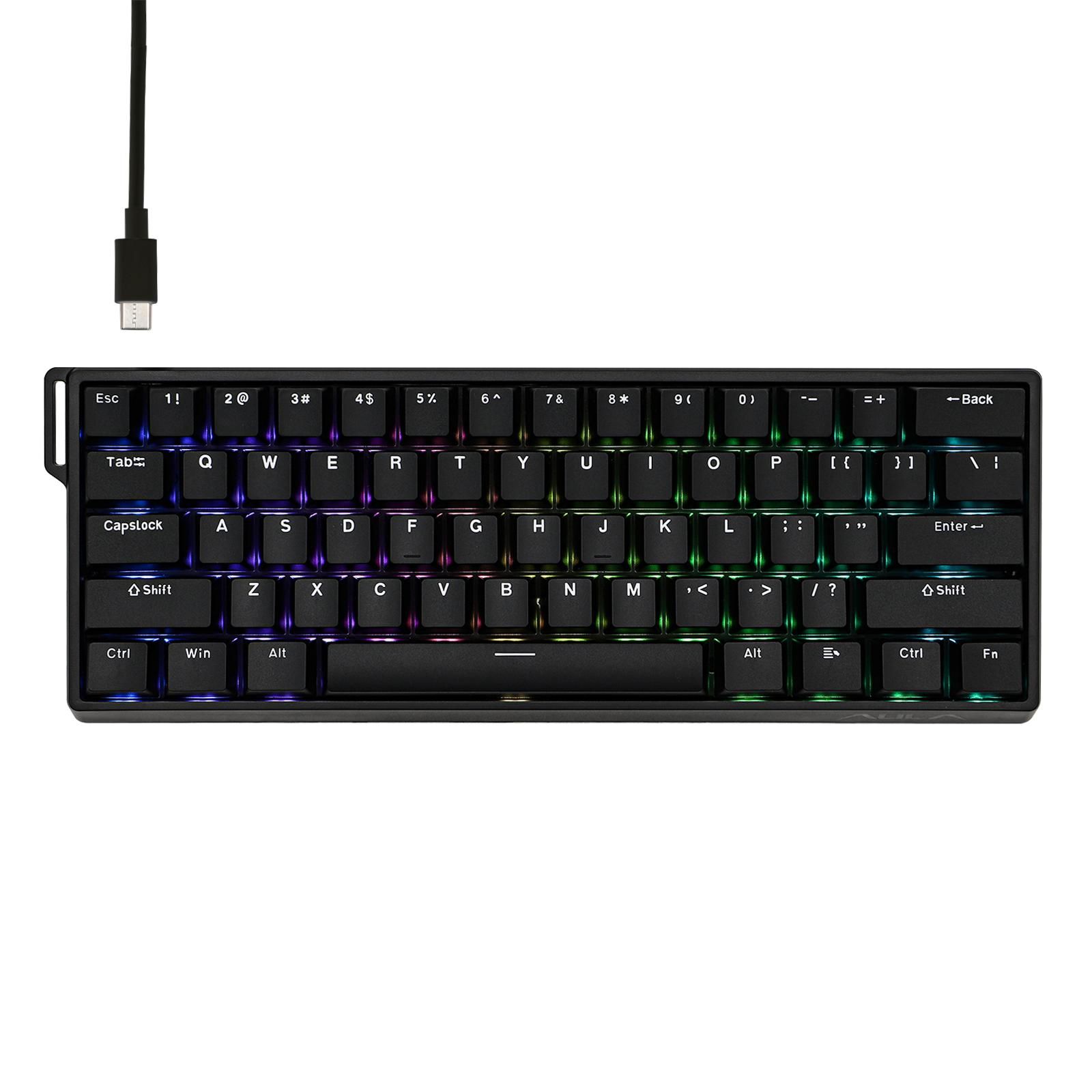
A look at the Logitech G915 X low-profile wireless mechanical keyboard: PBT keycaps, USB-C charging, switch dampening, triple-mode connectivity, and exactly who should skip it.
Thin keyboards used to mean mushy keyboards. That trade-off has mostly evaporated, and the Logitech G915 X is one of the clearest examples of why — a slim aluminum board aimed at people who want fast wireless input without a two-inch key tower parked between them and their monitor. The original G915 proved low-profile wireless could survive competitive play. It also shipped with a micro-USB charging port and ABS keycaps that went shiny within months.
This second pass fixes both complaints. Charging moves to USB-C, the keycaps are now double-shot PBT, and Logitech added internal switch dampening to tighten up the sound. It sits near the top of the low-profile market, chasing the same buyers as the Razer DeathStalker V2 Pro and the ultra-thin Corsair K100 Air.
What follows in this Logitech G915 X review is a close read of what changed in the hardware, and how those changes land for three very different buyers: competitive players, people juggling two machines, and anyone whose wrists have opinions about key height.
Some links in this article are affiliate links, which helps support GadgetPickr at no extra cost to you.
The Quick Take
Call it a maintenance release with teeth. Logitech kept the slim aluminum top case and spent the update budget on the two things owners actually griped about — swapping painted ABS keycaps for double-shot PBT and dropping the micro-USB port for USB-C. Nothing here is reinvented. Everything that aged badly got fixed.
Verdict
Buy the G915 X if you want a slim, rigid, triple-mode wireless keyboard and you're done babysitting keycaps — that's the clearest case for it, and the PBT-and-USB-C combination is the single strongest reason. Skip it if adjustable actuation is what wins your games, because magnetic Hall Effect boards beat it there outright. Clicky low-profile switches suit gamers and fast touch-typists who like minimal travel; they suit almost nobody in a shared office.
Weigh the money against what the competition offers, because it isn't cheap. Buyers who want tunable actuation depth or rapid trigger will get more from the Keychron Q1 HE or the Aula WIN60 HE, and anyone who wants full-height switches with a wall of macro keys should be looking at the wired Razer BlackWidow V4 Pro instead. Where this Logitech G915 X review lands is simple: for a thin desk, dependable wireless, and mechanical feedback that holds up across work and play, the G915 X earns a solid recommendation.
Logitech G915 X
Low-profile desktop gaming, wireless multi-device typing, fast mechanical key response
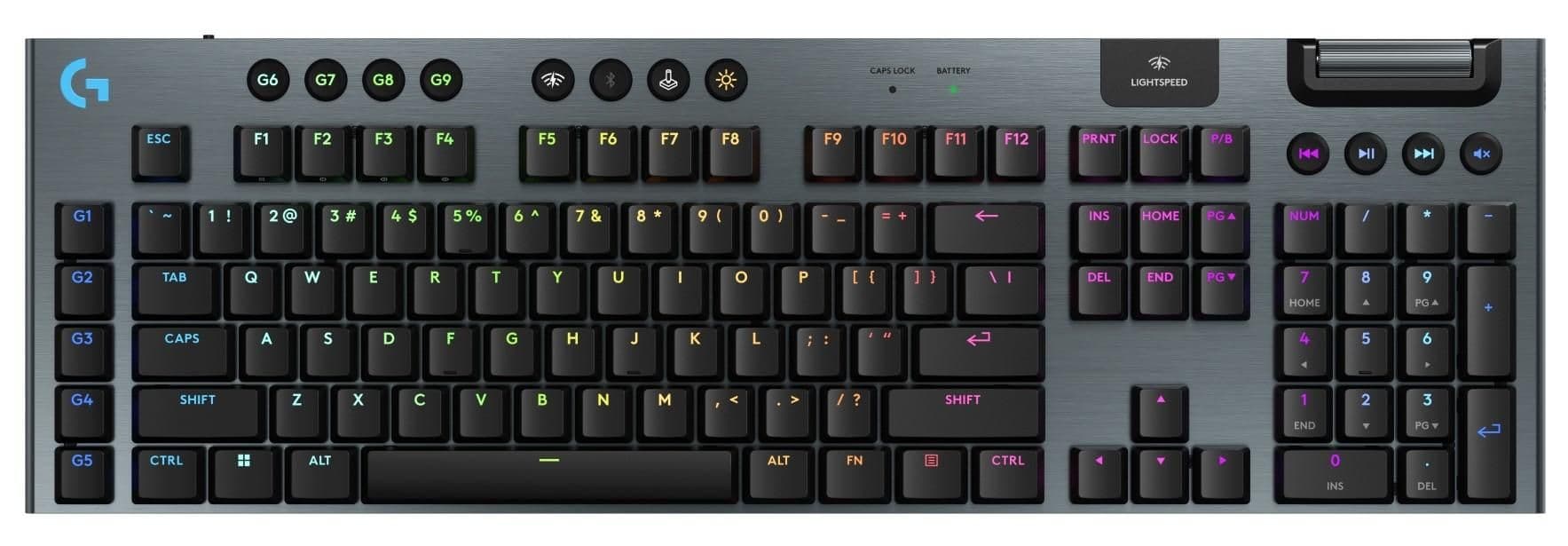
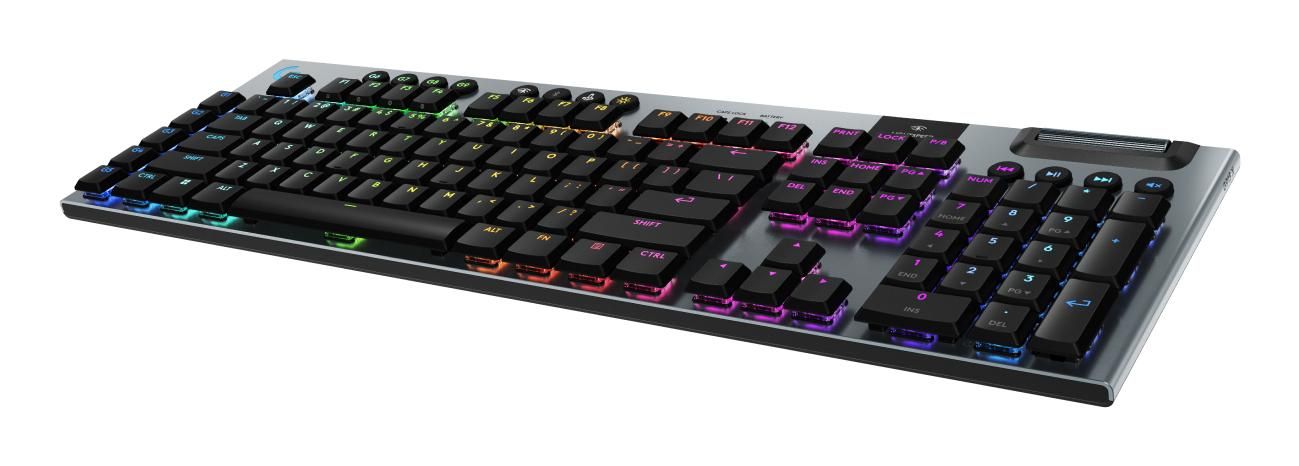
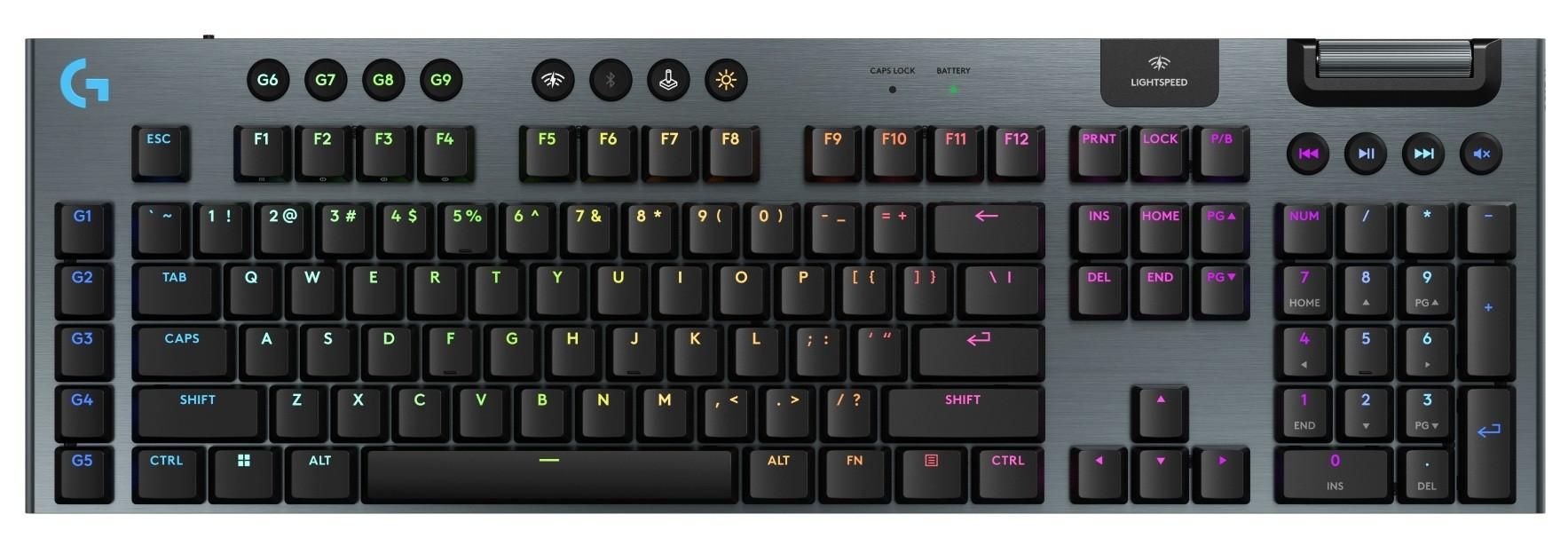
Underneath the anodized aluminum top case sits a low-profile mechanical switch bed and not much else — that is the whole point of a board this thin. Height stays low enough that your wrists rest closer to flat, so a separate palm rest becomes optional rather than mandatory. Aluminum handles the torsional load a slim frame can't get from plastic, and the plate underneath carries added dampening to soak up vibration during fast keypresses.
Travel distance is the headline difference. Low-profile mechanical switches actuate earlier and bottom out sooner than standard desktop switches, and the clicky variant in this revision gives you both a tactile bump and an audible click at the actuation point. Sitting on top are double-shot PBT keycaps, which matter more than they sound. The original's painted ABS legends wore through and greased up; double-shot molding puts the legend into the plastic itself, so the matte texture survives and the letters can't rub off.
Connectivity is the other structural pillar. Logitech's LIGHTSPEED 2.4 GHz receiver handles the primary wireless link, engineered to deliver up to 1ms latency for competitive gaming environments. Bluetooth covers everything else — a work laptop, a tablet, a second desktop — with dedicated top-row buttons for switching between them. Wired use and charging both run through a native USB-C port, finally retiring the micro-USB connector.
Lighting and control run through LIGHTSYNC RGB and the G HUB software. Per-key illumination reads cleanly through the clear PBT legends, and effects sync across other Logitech G gear on the same desk. Dedicated media keys and a textured volume roller stay along the upper plate, so you can drop the volume mid-match without alt-tabbing. Against ultra-thin rivals like the Corsair K100 Air or full-height mechanical boards, this one leans on its switch feel, the PBT upgrade, and triple-mode wireless.
Macros, lighting profiles, and per-device settings all live in G HUB, which runs on Windows and macOS regardless of whether you're connected over USB-C, Bluetooth, or the LIGHTSPEED dongle.
What Stands Out
Keycaps first, because that's the change original-G915 owners will notice within a week. Shine, oil retention, and fading legends were the predictable failure mode of the old painted ABS set. PBT resists all three, holds a rougher texture under fingertips, and keeps its legends because they're molded in rather than printed on. The aluminum top case backs it up with enough rigidity that the board doesn't flex under a heavy hand.
Logitech also reworked what happens beneath the keys. Clicky low-profile switches plus the added dampening produce a crisp keystroke without the hollow rattle a thin metal chassis usually amplifies. Thin boards are unforgiving here — there's no foam-stuffed cavity to hide sloppy tolerances in. This one gets the click without the metallic ping.
Three connection modes cover nearly every desk arrangement: LIGHTSPEED 2.4 GHz for the gaming rig, Bluetooth for anything else, USB-C when you'd rather not think about batteries. That USB-C port is the quiet win — one fewer legacy cable in the drawer. Add per-key LIGHTSYNC lighting that syncs to the rest of your Logitech G kit and the picture is a slim flagship built for longevity rather than novelty.
Strengths
Day to day, this board straddles two jobs that usually demand different hardware. Shorter travel means the switch registers sooner, which is what fast-paced play rewards. For long writing or editing sessions, the low key height keeps your wrists closer to neutral without bolting a wrist rest to the front edge.
Clicky low-profile switches give you an unmistakable confirmation at the actuation point, which helps accuracy when you're moving fast across applications. Anyone running two machines gets the bigger benefit, though. Gaming PC on the LIGHTSPEED dongle, work laptop on Bluetooth, one button to jump between them — that's a genuinely useful arrangement for a dual-rig desk.
Longevity gets easier too. PBT keycaps keep their matte, non-slip surface through workdays that would have polished the old ABS set smooth. And because charging runs over USB-C, you can plug in mid-session with whatever cable is already on the desk and keep playing in wired mode.
Weaknesses
Trade-offs start with the switches. Shallow travel is a genuine preference divide, and typists coming from deep, full-height mechanical boards or gasket-mounted customs often find it abrupt rather than fast. Worse for tinkerers: the low-profile stem design rules out most aftermarket keycap sets. You're keeping the stock caps.
Noise is the second issue. Clicky switches broadcast every keypress, which is fine alone in a room and considerably less fine in an open office or a shared bedroom at midnight. If quiet matters, a tactile or linear low-profile variant is the better call.
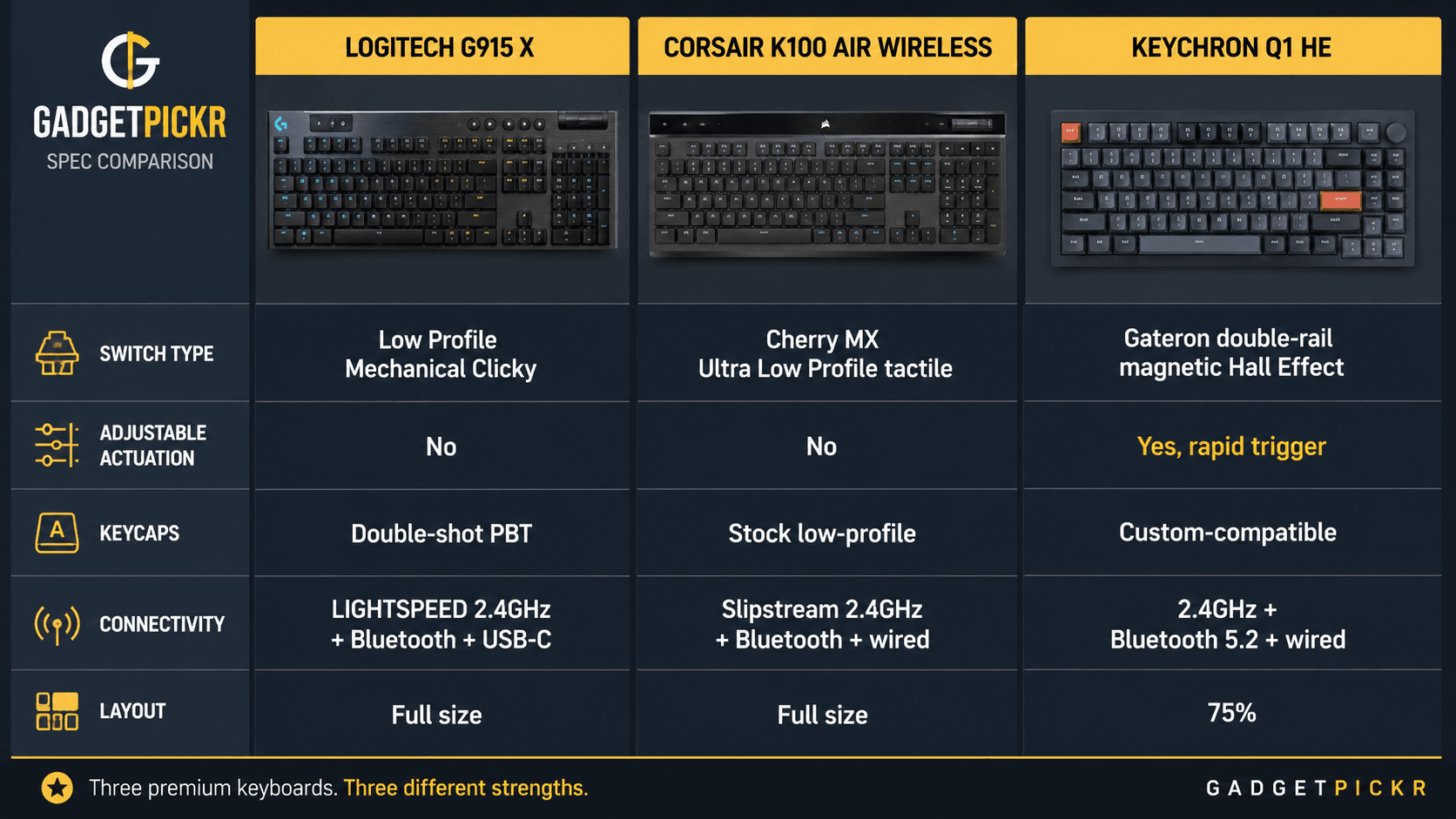
Rivals attack from two angles. Corsair's K100 Air goes even thinner with Cherry MX Ultra Low Profile switches, while Hall Effect boards like the Keychron Q1 HE offer adjustable actuation and rapid trigger that fixed mechanical switches simply cannot replicate. Sitting near the top of the low-profile market, the G915 X asks a serious sum — enough to put it alongside high-end custom builds and dedicated esports hardware. The question is whether slim ergonomics and multi-device wireless beat deep customization and magnetic actuation for how you actually use a keyboard.
Best Alternatives
Shoppers cross-shopping this board usually land on one of three things: another low-profile flagship, a magnetic-switch option, or a full-height mechanical monster. Corsair's K100 Air Wireless is the closest direct rival, pairing an ultra-thin full-size layout with Cherry MX Ultra Low Profile tactile switches across sub-1ms SLIPSTREAM wireless, Bluetooth 4.2, and USB. The trade-off: it goes thinner still, but its ultra-short tactile feel is a different animal from standard low-profile mechanical stems, so switch preference decides this one.
Chasing adjustable actuation instead of slimness points somewhere else entirely. The Keychron Q1 HE runs a 75 percent layout with Gateron double-rail magnetic switches and Hall Effect technology, enabling adjustable actuation and rapid trigger functionality across 2.4 GHz, Bluetooth 5.2, and wired connections. Trade-off: you give up the low-profile wrist angle and gain tunable actuation plus real custom-keyboard build quality.
Full-height boards still win on sheer control count. Razer's BlackWidow V4 Pro brings tactile and clicky green switches, doubleshot ABS keycaps, a Command Dial, and eight dedicated macro keys — trade-off: it's wired and tall, but no low-profile board matches that many physical controls for MMO players or macro-heavy work. Budget-focused buyers hunting fast triggers in a small footprint should look at the Aula WIN60 HE, a compact 60 percent wired board with magnetic switches and an 8000 Hz polling rate; trade-off: far cheaper and quicker to actuate, with no wireless and no number pad. Pick the G915 X when slim ergonomics, PBT keycaps, and triple-mode wireless are the priorities.
Who Should Buy It
Buy this if you want low-profile typing without giving up wireless performance. Owners of the original G915 are the clearest case — the single strongest reason is that PBT keycaps and USB-C charging fix the exact two things that made the old board feel dated, with better dampening as a bonus. Anyone bouncing between a gaming rig and a work laptop gets the second-best argument: LIGHTSPEED, Bluetooth, and wired USB-C all live on one keyboard.
It also suits people whose wrists prefer shallow travel and a low approach angle, which cuts the need for an external rest during long sessions. Rigid aluminum keeps a minimal desk looking tidy, and the clicky switches give you clear confirmation on every press.
Commission may be earned from this link, at no extra cost to you.
Who Should Skip It
Skip it if you play competitively at a level where actuation timing decides fights. The single strongest reason: Hall Effect magnetic boards with rapid trigger and adjustable actuation points do something fixed mechanical switches physically cannot, and no amount of dampening closes that gap in twitch shooters.
Modders should also walk away, since the low-profile build blocks switch swapping and most keycap sets. Typists who love deep, cushioned travel will find these shallow keystrokes unsatisfying over a long writing day. And if your budget is tight or you never unplug your keyboard anyway, wired traditional boards and compact magnetic models deliver more gaming performance per dollar.
Sources & References
Specifications and claims in this analysis were cross-referenced against the sources below.
Yes, if shiny ABS keycaps and micro-USB charging annoyed you. Double-shot PBT caps, a USB-C port, and added switch dampening are the real changes. The layout, aluminum case, and low-profile feel stay essentially the same.