HyperX Pulsefire Haste 2 Mini: One Mouse, Desk and Bag
A look at the HyperX Pulsefire Haste 2 Mini Wireless — dual-radio connectivity, a shrunken shell built for fingertip and claw grips, and who it actually fits.
Small hands and small bags are a problem the mouse industry took its time solving. For years, going compact meant surrendering either tracking quality or wireless freedom, and usually both. The Pulsefire Haste 2 Mini Wireless is HyperX's answer to that: the lightweight design language of its full-size sibling, scaled down, carrying two wireless radios instead of one. Fingertip and claw grips are the obvious target audience. Cramped desks are the other.
Two things decide whether a mini mouse works for you — the shell and the radio — so that is where this evaluation spends its time. Here is the ground rule up front. What follows weighs the chassis, the dual-radio setup, and the connectivity claims against the portable mice buyers actually cross-shop, mainly the Razer Orochi V2 and the Logitech G305 LIGHTSPEED, so you can work out whether the shape and the wireless story fit your grip and your workflow.
Some links in this article are affiliate links, which helps support GadgetPickr at no extra cost to you.
The Quick Take
A compact, dual-radio pointer built for people who want one mouse for a gaming desktop and a laptop bag, positioned well below the enthusiast tier. The 2.4GHz USB receiver covers competitive play. Bluetooth covers everything else, with no dongle to misplace.
This HyperX Pulsefire Haste 2 Mini Wireless review lands on a clear recommendation: buy it if you carry a mouse between a gaming desktop and a laptop and your grip is fingertip or claw. The single strongest reason is the dual-radio setup — a dedicated low-latency 2.4GHz receiver for competitive play plus Bluetooth for every other machine, in a body that fits an accessory pocket. That combination is rare below the enthusiast tier.
Do not buy it if you play with a full palm grip on medium or large hands. The single strongest reason there is equally simple: the shell is too short to support the hand, and long sessions turn into cramping. High-end esports players wanting higher DPI ceilings, stronger polling, and deeper software will also pay more and carry more, which is a fair trade for them and a waste for most buyers.
Measured against the Orochi V2 and the G305 LIGHTSPEED, this one holds its position by pairing a light chassis with two wireless modes at a competitive entry point — better balance consistency than the battery-swapping Razer, more device flexibility than the Bluetooth-free Logitech. For student-gamers, remote workers, and FPS players who want cable clutter gone across several devices, it is a practical pick.
HyperX Pulsefire Haste 2 Mini Wireless Gaming Mouse
HyperX Pulsefire Haste 2 Mini Wireless Review: Product Overview
Shrinking a mouse is easy. Shrinking one without turning the shell into a creaky plastic shortcut is the hard part, and that is the design problem this model organizes itself around. A matte black frame, narrower across the waist and shorter front to back than the standard Haste, changes who the mouse is for — smaller hand measurements, fingertip grips, aggressive claw grips. Less mass on the mat means quicker micro-corrections and less wrist load three hours into a session.
Two radios sit inside, and they do different jobs. At the desktop, the 2.4GHz link runs through the bundled USB receiver and keeps input delay low through fast swipe-and-recenter movements. Pack up for a trip and Bluetooth takes over, so the receiver never has to migrate between machines. Bluetooth carries a latency penalty against a dedicated 2.4GHz link — that is physics, not a design flaw — but it stretches runtime and leaves your laptop's USB ports free.
Against the portable field, this model lines up directly with the Razer Orochi V2 and the Logitech G305 LIGHTSPEED. Older designs in this bracket lean on removable AA or AAA cells, which drag the balance point toward the rear and change the feel depending on which cell you install. A fixed internal layout avoids that entirely. You get the same center of gravity on every flick, every day.
Packing matters here too. A full-size gaming mouse in a laptop sleeve creates an awkward bulge and a real risk of side buttons getting pressed against a textbook; a shell this size drops into an accessory pocket and stays there. On a tight desk or a small mousepad, the reduced footprint simply leaves more room for wide arm sweeps. Dual wireless plus a genuinely compact body is an unusual pairing at this level.
Key Specs and Compatibility
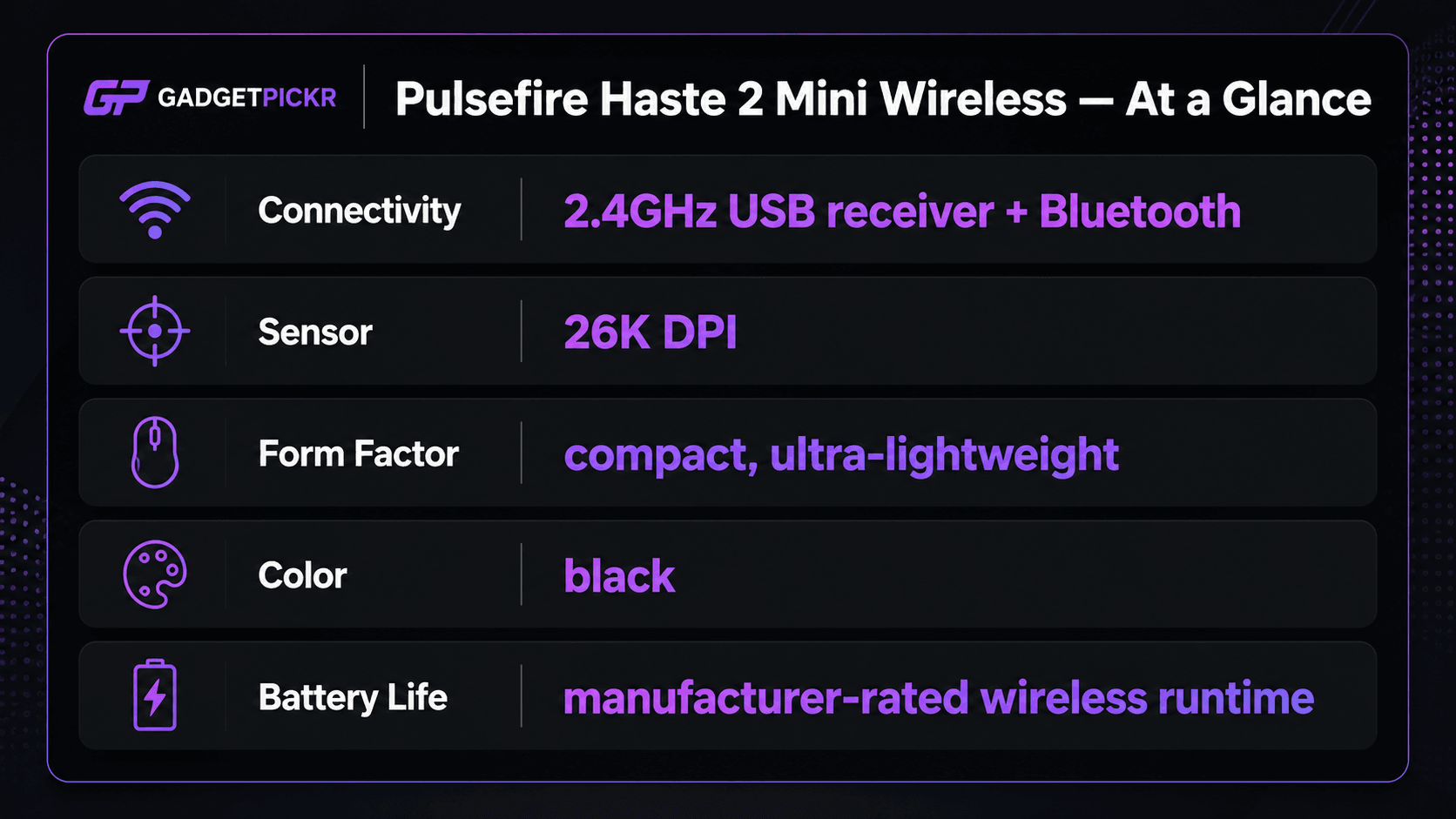
Nothing exotic on the sheet, which is the point — this is a focused feature set rather than a spec-sheet arms race. Here is what the manufacturer lists.
Connection happens through the standard 2.4GHz USB receiver or universal Bluetooth pairing across desktop and mobile operating systems, with configuration handled in HyperX NGENUITY software.
What Stands Out
Dual-mode wireless in a shell this small is the headline. Both radios in one body — low-latency 2.4GHz for the games, Bluetooth for everything with a screen — is a combination normally reserved for full-size desktop peripherals. Put it in a mini chassis and you get one pointer that covers a gaming rig and an ultrabook. No second mouse in the bag, no USB port surrendered on a machine that only has two.
Size is the other half of the pitch. Mouse dimensions drive aiming control more than most buyers expect, especially in shooters where the difference between a hit and a miss is a few millimeters of wrist. Trimming the footprint while keeping the frame rigid means fast micro-adjustments and quick cross-pad swipes without the arm fatigue that builds through a long queue. Direction changes cost less effort. That adds up.
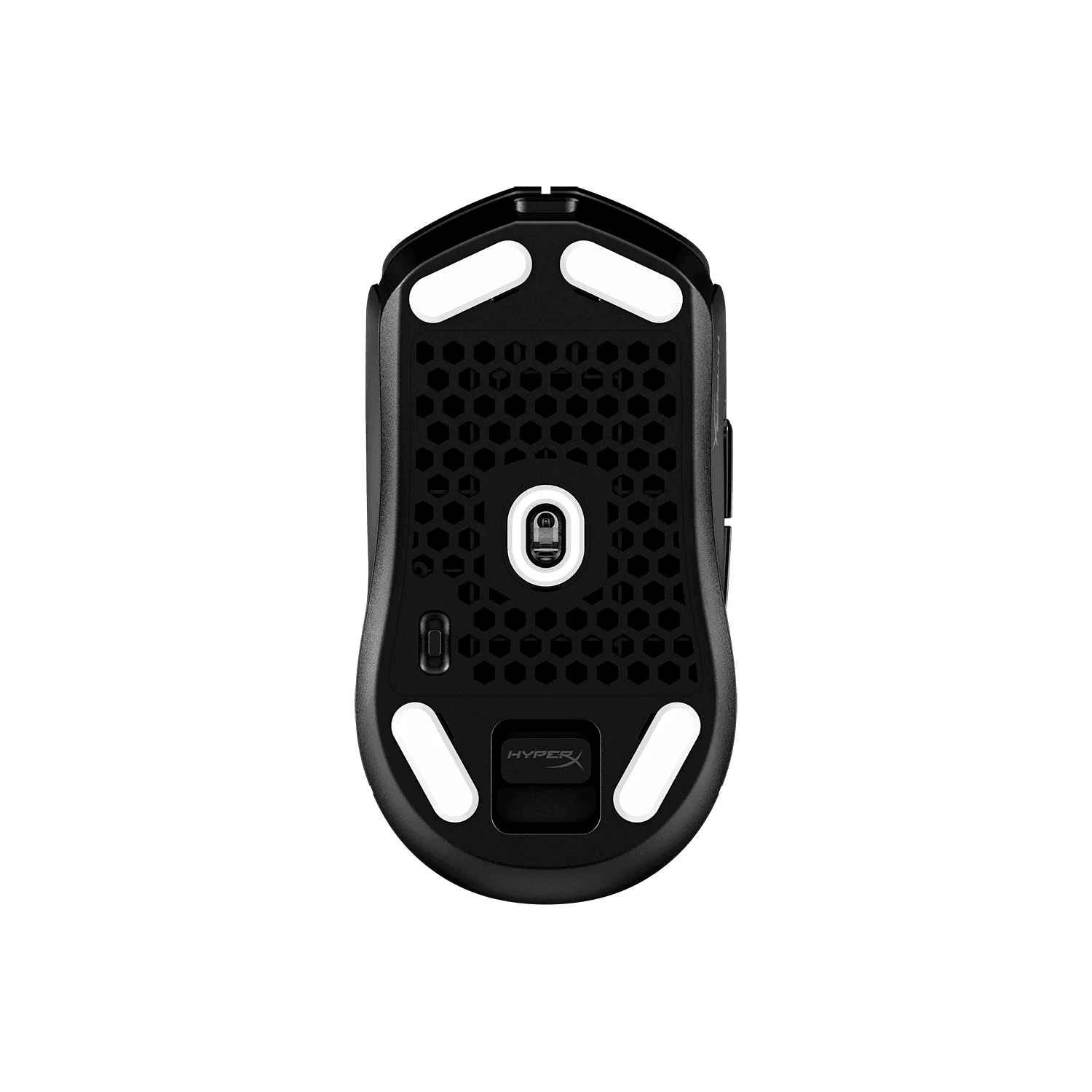
Restraint helps too. The plain black finish and unbroken exterior let it sit on a work desk without announcing itself, and the absence of decorative honeycomb cutouts keeps dust and crumbs out of the internals while the mass stays low. Plenty of small wireless mice hit their weight target by cheapening the shell or the sensor. This one keeps the structure solid and skips the cosmetics instead — a practical trade in the budget-performance tier.
Strengths
Multi-device workflows are where this design earns its keep. Leave the 2.4GHz receiver plugged into the desktop permanently, then flip to Bluetooth mode when the laptop comes out at a coffee shop or a hot desk. No unplugging. No hunting for a receiver the size of a fingernail in a coat pocket at the airport.
Compact geometry pays off specifically for fingertip and claw users. Full-size shells force smaller hands into an unnatural palm stretch, and that stretch turns into joint strain across a long evening. A shorter body puts the fingers in control of small vertical drags in a shooter and fine cursor work in high-DPI applications. Light mass means large desk mats need very little force to cross, which spares the forearm on long days.
Travel durability rounds it out. Based on the published feature set, a compact peripheral slides into a tech pouch, a laptop sleeve, or a backpack pocket without claiming real space. A solid shell shields the switches from the pressure of a packed bag, which matters at LAN events, on business trips, and in library study sessions. Pair that with efficient wireless power draw and you have a low-maintenance daily driver.
Weaknesses
Small is a commitment, not a setting. Medium-to-large hands running a full palm grip will find this chassis genuinely uncomfortable — fingers hang past the main clicks and start dragging on the pad, and cramping follows on long sessions. If you like a mouse that fills the palm and provides resting support, this is the wrong shape and no amount of software tuning changes that.
Then there is the Bluetooth caveat. Bluetooth runs at higher latency and lower polling rates than the 2.4GHz mode, so competitive shooters played over it will show cursor smoothing and input delay. That makes the receiver a required accessory rather than an optional one, and it makes remembering to toggle modes part of your routine. Lose the dongle and you lose the competitive half of the product.
A smaller shell also caps what fits inside it — battery capacity and elaborate onboard feature sets both need volume this body does not have. Running the high-performance wireless mode at high polling rates draws more power than an office mouse ever will, so anyone who leaves those settings pinned should expect to charge more often. Compact hardware buys agility by spending physical space, and the bill comes due in ergonomics and endurance.
Best Alternatives
Start with the Razer Orochi V2, the closest structural rival. It runs dual wireless too, 2.4GHz alongside low-energy Bluetooth, but powers itself from a single AA or AAA cell — a recurring battery cost and a balance point that shifts depending on which size you load, where a fixed internal layout keeps weight distribution constant.
Logitech's G305 LIGHTSPEED is the other staple, built on a rigid symmetrical body with a long track record for tracking consistency across surfaces. Two trade-offs come with it: a larger, heavier profile that feels less nimble in a packed bag, and no built-in Bluetooth at all, so a USB-A port has to be available on every machine you use.
Staying in the family, the full-size Pulsefire Haste 2 Wireless is worth a look if the mini shell scares you off. Same lightweight design approach, same wireless idea, but a taller and longer body that actually supports a palm grip — you trade pocketability and quick handling for hand support.
Who Should Buy It
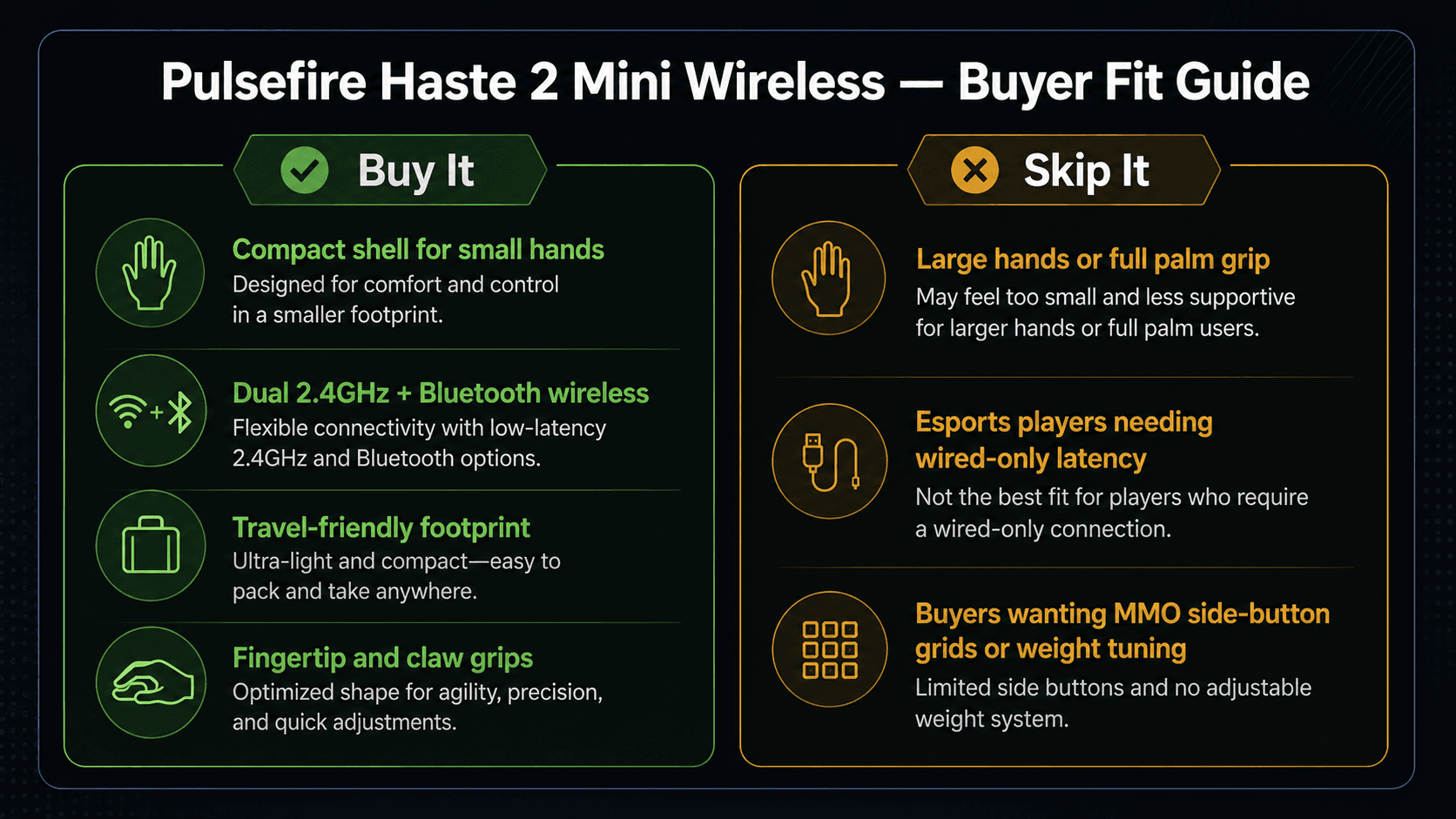
Buy this if you are a hybrid gamer, a frequent traveler, or someone whose hands were never served well by standard-size mice. A small footprint moves easily between an office, a lecture hall, and a home setup without eating bag space. Fingertip and aggressive claw users get the nimble control a downsized chassis provides, which is exactly what rapid micro-adjustments in fast titles demand.
Multi-platform workflows are the second strong case. Toggling between low-latency 2.4GHz on the desktop and power-efficient Bluetooth on a tablet or ultrabook means one device covers both jobs. If you need a space-saving mouse that handles daily productivity across operating systems while keeping the tracking responsiveness FPS sessions require, this is a balanced answer.
Commission may be earned from this link, at no extra cost to you.
Who Should Skip It
Skip it if your hand is large or your grip is strictly palm. The downsized dimensions cannot support a full hand, and that shows up as finger fatigue and cramping well before a long session ends. Anyone who leans on a large-profile shell for desktop stability will find nothing here to rest on.
Dedicated esports players chasing absolute minimum latency should also look elsewhere — a wired or 2.4GHz-only tournament mouse removes the mode-switching question entirely. Same for anyone whose setup never leaves one desk, or who prefers dense mice with adjustable weight systems. Tilt-scroll wheels, dense MMO side-button grids, and glass feet all live in higher-tier, more specialized designs.
Sources & References
Specifications and claims in this analysis were cross-referenced against the sources below.
For most medium and large hands, yes. The shortened shell suits fingertip and claw grips; a full palm grip leaves fingers overhanging the clicks and invites cramping on long sessions. Consider the full-size Pulsefire Haste 2 Wireless instead.