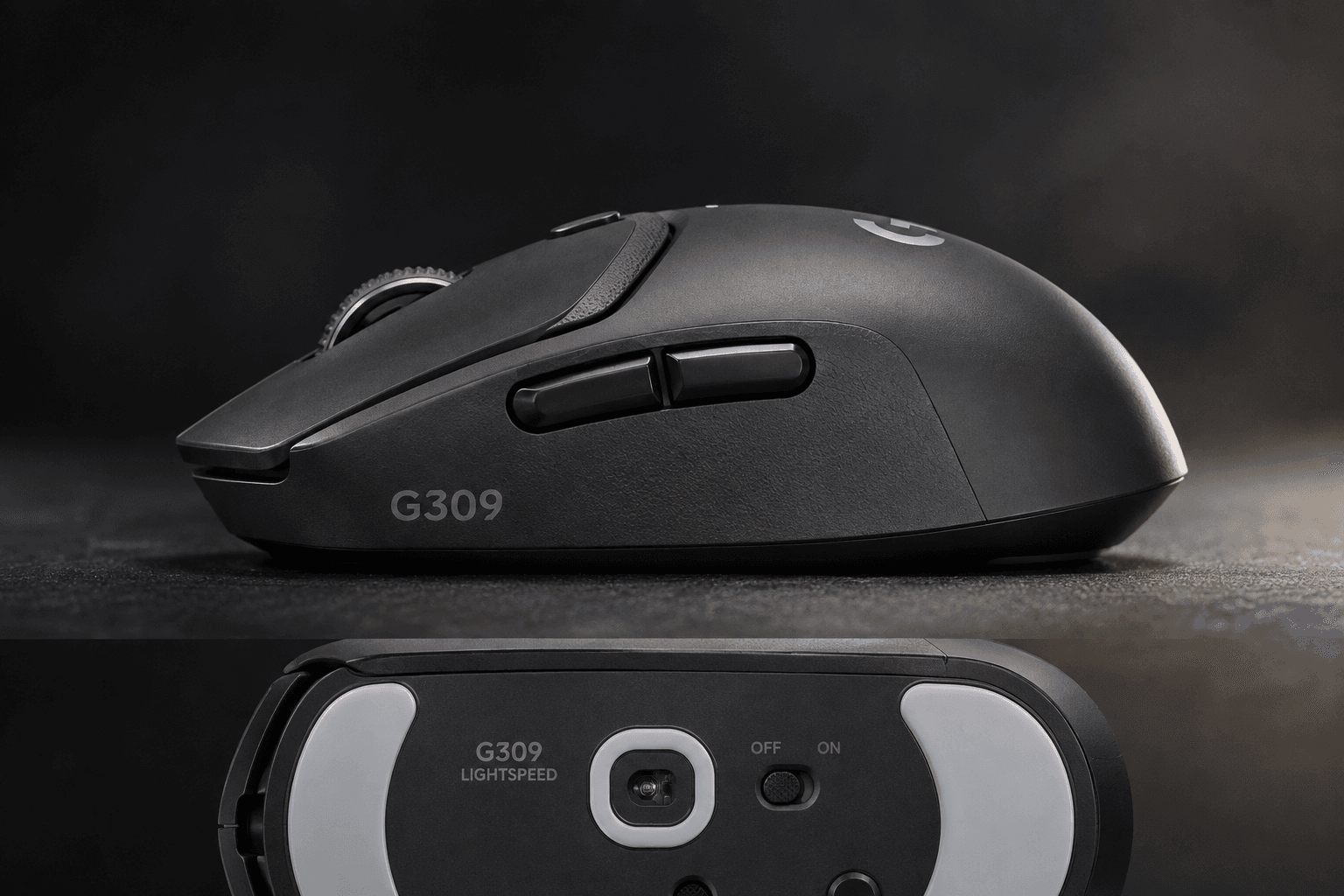
A look at the Logitech G309 Lightspeed: 86g on a AA cell with 300+ hours of runtime, or 68g on a PowerPlay mat. We break down who that flexibility actually serves.
Every wireless gaming mouse forces the same three-way argument: latency, weight, battery. Pick two. What makes the Logitech G309 Lightspeed interesting is that it hands the third variable back to you — after you've already bought it. Drop in an AA cell and you get a self-contained mouse that runs for months. Pull the cell out, set it on a PowerPlay mat, and the same shell becomes an 18-gram-lighter pointer that never needs charging at all. This Logitech G309 Lightspeed Wireless Gaming Mouse review reads the published numbers — weight, switch mechanics, runtime, connectivity — and works out which kind of player actually benefits from that flexibility, and which kind is paying for a feature they'll never turn on. It sits above budget wireless mice and below the sub-60g esports specialists, and the whole pitch lives in that gap.
Some links in this article are affiliate links, which helps support GadgetPickr at no extra cost to you.
The Quick Take
Two mice in one shell, and that's the whole argument. Run it on a AA battery for months of hands-off use at 86 grams, or ditch the cell, add a PowerPlay pad, and drop to 68 grams with power that never runs out. Buy it for the flexibility. Skip it if you want light out of the box.
Verdict
Buy the Logitech G309 Lightspeed if you want low-latency wireless that you can reconfigure — the single strongest reason being that no other mouse near this price lets you choose between a months-long AA runtime at 86 grams and a 68-gram, never-charges setup on PowerPlay. Skip it if you play with a full palm grip on large hands, because the shell simply doesn't have the rear volume to support you, and that's a physical limit no firmware update touches.
Under the hood, the combination of the HERO 25K sensor and LIGHTFORCE hybrid optical-mechanical switches ensures accurate tracking and crisp, reliable actuation. The optical half removes the wear-driven double-click failure that retires most gaming mice early. The click is firmer and louder than a soft mechanical switch, so expect a short adjustment window if you're coming from something quieter.
No RGB, no internal rechargeable pack, no charging port — omissions that will bother some buyers and delight others. What this Logitech G309 Lightspeed Wireless Gaming Mouse review keeps coming back to is that the mouse solves a real problem rather than an invented one: it removes charging from your routine entirely, in whichever of the two ways suits you. For competitive players who value reliability and flexible power over spec-sheet theatre, that's a solid recommendation.
Logitech G309 Lightspeed Wireless Gaming Mouse
Competitive PC Gaming, Low-Latency Wireless Gaming, Long-Battery Travel Mouse
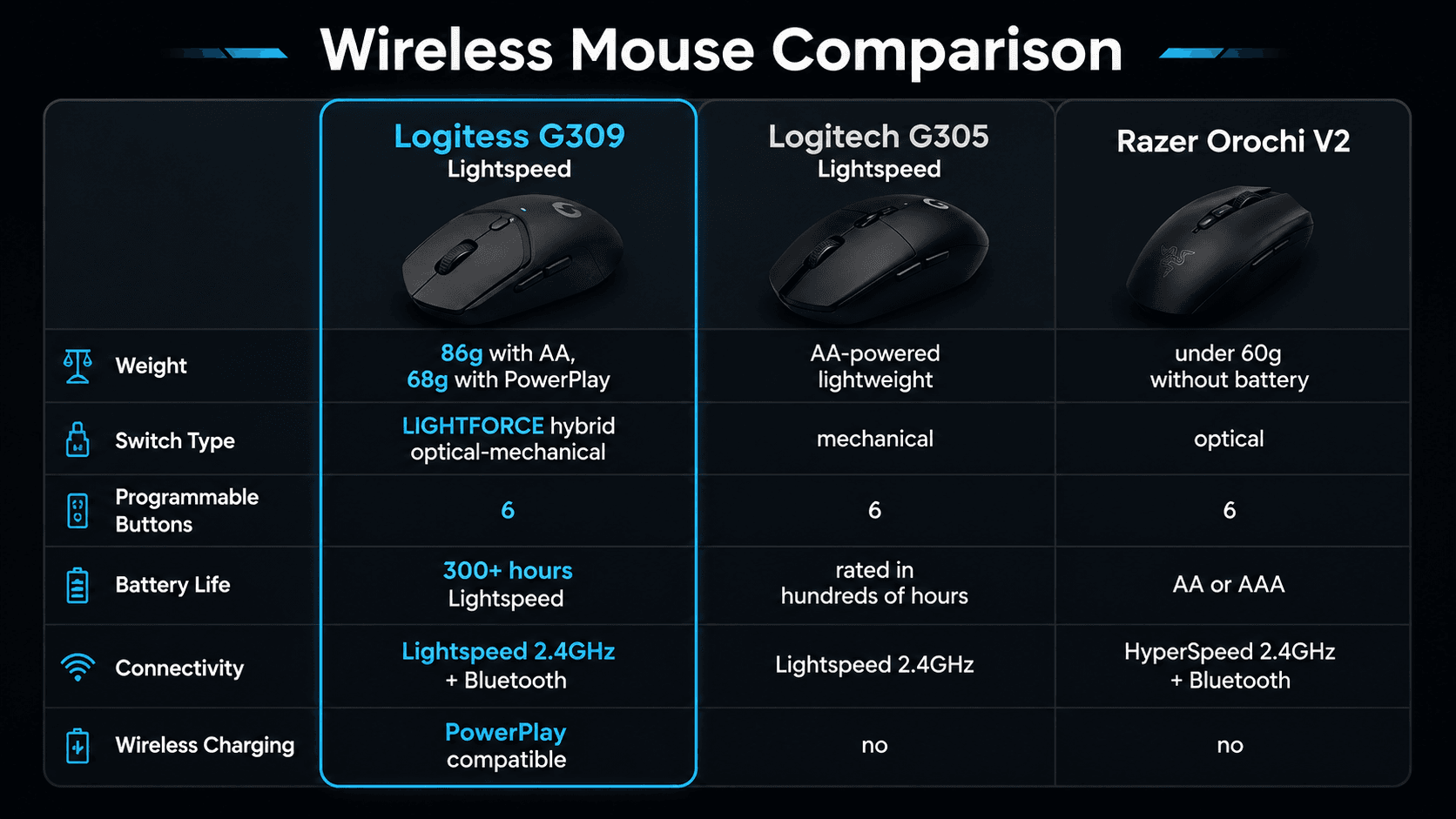
Most wireless mice bake the battery into the chassis and call it done. This one doesn't. A single AA cell puts total weight at 86 grams. Remove it, pair the mouse with an optional PowerPlay charging mat, and the number falls to 68 grams — an 18-gram swing on a mouse you already own, decided by which accessory sits under your hand.
Actuation comes from LIGHTFORCE hybrid optical-mechanical switches. Breaking a light beam instead of closing a metal contact sidesteps debounce delay and, more usefully for anyone who's replaced a mouse over a phantom double-click, sidesteps the contact wear that causes it. The mechanical half of the design keeps the click feel and the reset travel intact.
Two radios cover two jobs. Lightspeed runs over a 2.4GHz USB receiver for competitive play. For travel or non-gaming desktop tasks, switching to Bluetooth conserves energy while freeing up a USB port on laptops or secondary systems.
Runtime is the headline number: over 300 hours of continuous operation on one AA cell in Lightspeed mode, and longer again on Bluetooth. That's not "charge it Sunday night" territory. That's forget-it-exists territory.
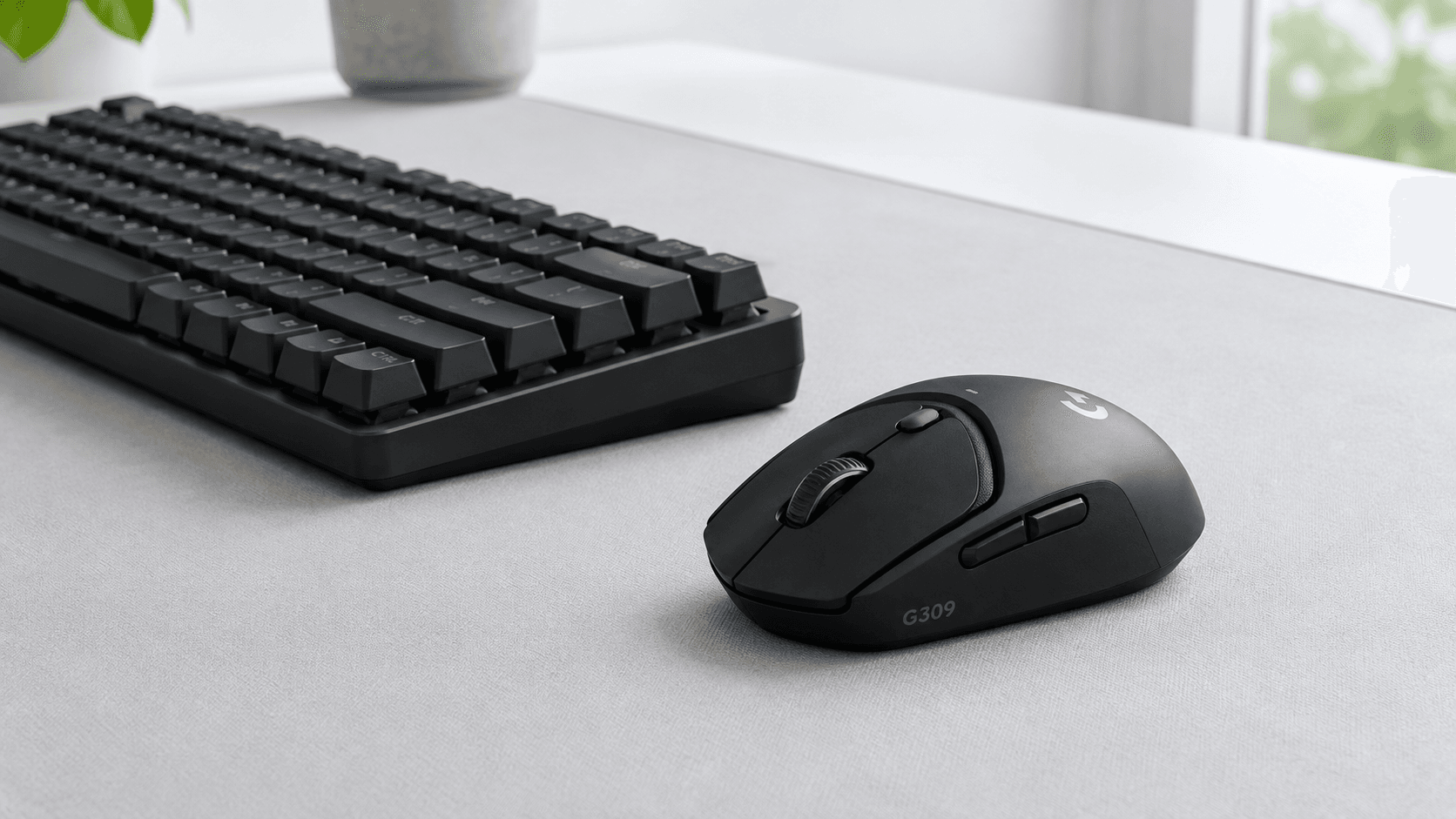
Shape-wise, you get a neutral symmetrical shell that suits claw and palm holds, plus 6 programmable buttons mapped through desktop software for macros, keybinds, or DPI steps. Against a G305 Lightspeed or a Razer Orochi V2, the trade is fewer gimmicks for better switch hardware and a power system you can reconfigure.
Key Specs and Compatibility
Here's the short version of what Logitech publishes for this model — the numbers that decide whether it fits your setup.
Software sits on Logitech G HUB for macro mapping and onboard profile storage, and the shell pairs natively with the PowerPlay charging ecosystem. Compatibility covers PC and Mac.
What Sets It Apart
Dual-power versatility is the feature nobody else in this bracket really matches. Run a AA cell and you get roughly 86g with a rating past 300 hours over Lightspeed, stretching further on Bluetooth. Pull the cell, add PowerPlay, and you're at 68g with power that simply never stops — a different mouse for fast-flick shooters, same shell.
Switch choice matters just as much. Optical actuation removes the mechanical contact bounce that turns a two-year-old mouse into a double-clicking liability, while the mechanical half preserves the click character competitive players tune their timing around. Complementing the switch technology is the onboard HERO sensor, which offers zero-smoothing tracking precision across high DPI ranges to ensure accurate cursor translation during fast swipes.
Six buttons. No more, no less — primary pair, wheel click, two thumb buttons, DPI. The connectivity toggle underneath flips between the Lightspeed dongle and a Bluetooth host, so one mouse covers the desktop and the work laptop. And because there's no sealed lithium cell inside, there's no capacity fade three years in. You replace a battery, not the mouse.
Strengths
Long-term reliability is the strongest argument here, and it's a hardware argument rather than a marketing one. Optical actuation removes the physical contact that degrades, which is the specific failure mode that kills most gaming mice before anything else does. Buy once, keep it.
Then there's the battery story. Past 300 hours on a single AA in high-performance mode means a typical player swaps cells a few times a year, not a few times a month. Travel with it and Bluetooth stretches that further while leaving your laptop's USB port free. Dead-mouse-at-the-worst-moment stops being a category of problem.
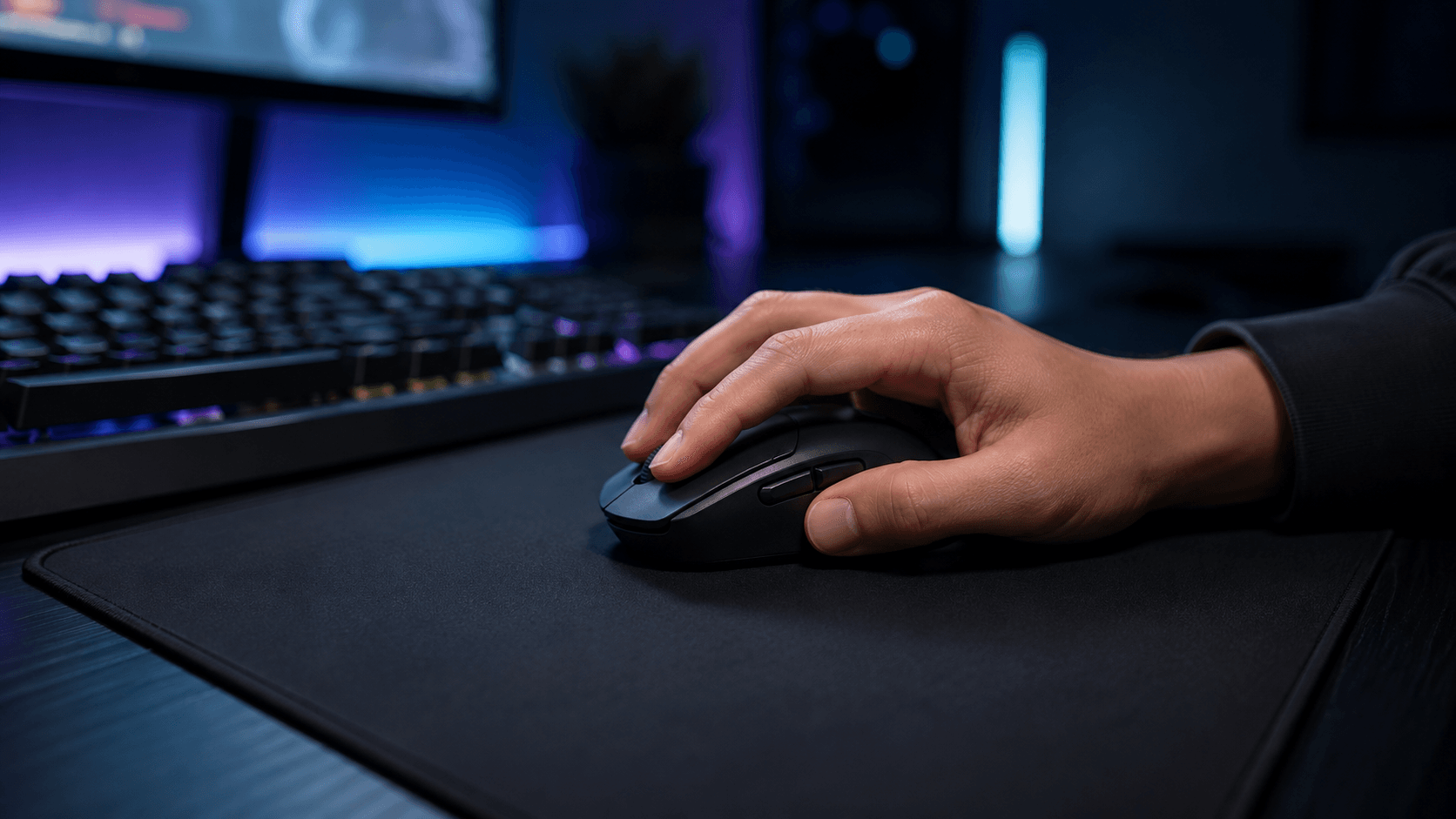
At 68g on PowerPlay, the mass reduction is meaningful for anyone who plays long sessions — less inertia to fight on every lift and reset. The symmetrical shell reads as accommodating rather than opinionated, and the six-button layout keeps everything within reach for medium-sized palm and claw holds. Nothing exotic. Just a shape that doesn't fight you.
Weaknesses
Start with the obvious one: 86g is heavy by 2026 standards. Competitive shells routinely land between 50g and 60g out of the box, and this mouse only gets close to that territory if you buy an accessory. Placing a single cell toward the rear also alters the center of gravity, so claw and fingertip players may notice a tail-heavy bias on quick lifts.
Which leads to the second problem. That 68g figure requires the PowerPlay system, sold separately, and it pushes the real cost of the setup well past what the mouse alone suggests. Without it you live with 86g, or you fiddle with AAA-to-AA adapters to claw back a few grams.
No USB-C port, either. Rechargeable rivals let you plug in and keep playing; this one wants a fresh cell or an induction mat, full stop. The hybrid switches also actuate louder than conventional mechanical ones, which is fine in a headset and less fine in a shared room. And the conservative sculpting — no deep thumb groove, no aggressive contouring — leaves larger hands without much rear-palm support.
Best Alternatives
Staying inside Logitech, the G305 Lightspeed is the obvious cheaper sibling: same AA power concept, same Hero sensor lineage, meaningfully less money. However, it relies on older mechanical switches that are more prone to double-clicking over time, lacks native Bluetooth support, and does not feature PowerPlay wireless charging compatibility. Pay the difference for the G309 only if switch longevity or the PowerPlay path matters to you.
Razer's Orochi V2 attacks the same portable niche from a smaller angle. It features an ultra-compact, aggressive egg shape designed specifically for fingertip and smaller claw grips, coming in at under 60 grams without a battery. The trade is straightforward: the Orochi wins on packability and low mass, the G309 wins on shell length for medium palm and hybrid claw holds during long sessions.
SteelSeries offers the Rival 3 Wireless in roughly the same bracket. It features dual wireless connectivity and extremely long battery life using two AAA batteries, but its operating weight is noticeably heavier, often exceeding 100 grams with both batteries installed. You gain RGB accent lighting and lose the latency edge of the Lightspeed dongle, the optical switch durability, and any route to inductive charging.
Who Should Buy It
Competitive PC players who want low-latency wireless without flagship pricing are the core audience, and the single strongest reason is switch durability — optical actuation removes the double-click failure that ends most gaming mice. Hybrid claw and fingertip players with small-to-medium hands get a shell that suits them.
Multi-device users and anyone who travels should look hard at this too. One toggle moves you from a tournament-grade dongle to a work laptop over Bluetooth, no re-pairing dance required. Already own a PowerPlay mat, or planning to? Then the 68-gram configuration with permanent power is the version of this mouse worth buying, and it changes the value calculation entirely.
Commission may be earned from this link, at no extra cost to you.
Who Should Skip It
Large-handed full-palm players should walk away, and the reason is dimensional rather than debatable: the rear of the shell doesn't provide enough support for a big hand, and that means cramping on long sessions. No amount of software tuning fixes a shape mismatch.
Skip it too if you want sub-60g out of the box without buying a mat, or if you need a USB-C port and integrated lighting. Both were traded away to hit the 300-plus-hour target. Anyone who resents swapping disposable cells and has no interest in an inductive pad will be happier with a conventional rechargeable in the same bracket.
Sources & References
Specifications and claims in this analysis were cross-referenced against the sources below.
No. The G309 runs on a single AA battery at 86 grams with no accessories required. PowerPlay is optional, and buying it drops the mouse to 68 grams with continuous power instead of battery swaps.