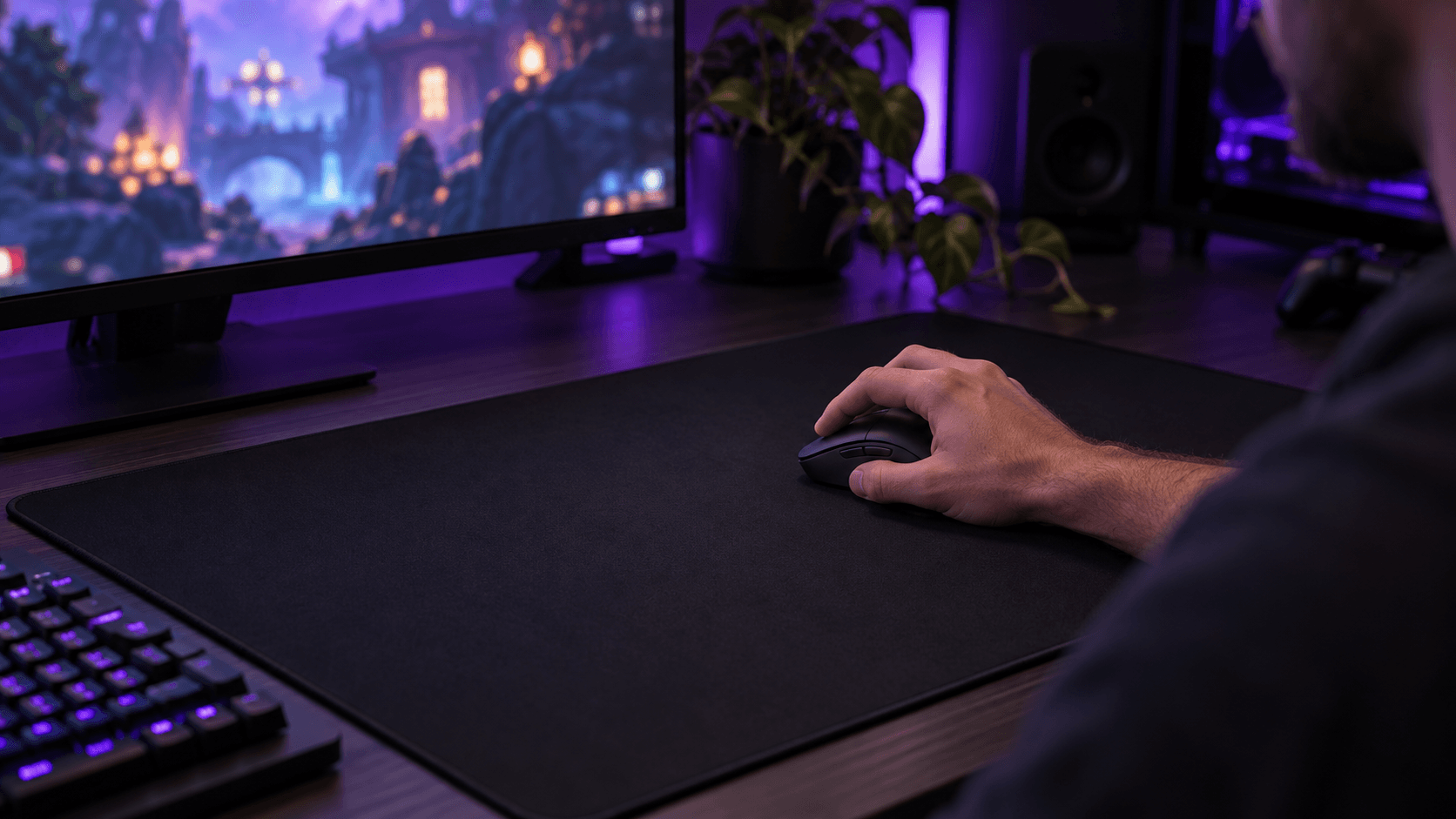
Its roughly 49-gram solid shell makes the Viper V4 Pro a strong pick for competitive shooters. The 8000 Hz option costs battery life, and there's no Bluetooth.
Buy this mouse for how light it is, not for its polling rate. This Razer Viper V4 Pro review makes the strongest case for competitive shooter players who want a wireless mouse of about 49 grams with a solid shell and a claw or fingertip grip. If you need Bluetooth to switch between computers, though, look elsewhere. That missing connection matters a lot more than the sensor's headline sensitivity.
At this end of the market, picking a gaming mouse is really about deciding which compromises you can live with. Razer spends its budget on optical buttons, fast wireless, and low weight. In return, you get no RGB lighting and no cluster of thumb buttons. It's a deliberate trade, and it only makes sense if those priorities match yours.
Some links in this article are affiliate links, which helps support GadgetPickr at no extra cost to you.
The Quick Take
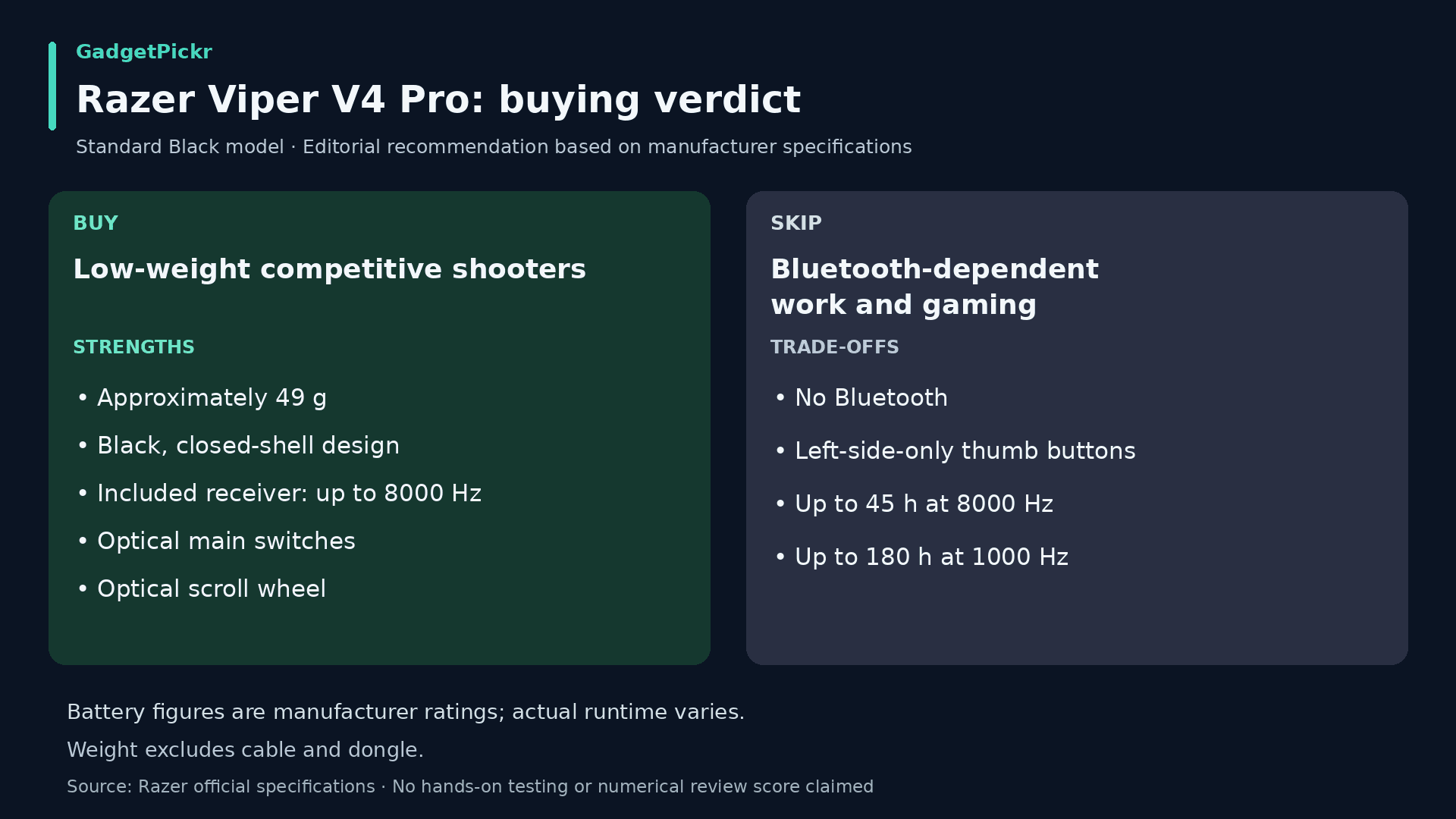
Get the Viper V4 Pro if low weight is your top priority and its right-handed layout suits you. The included receiver supports up to 8000 Hz, but for everyday use, a lower polling rate with longer battery life may make more sense. Skip it if you need Bluetooth, more thumb buttons, or a mouse built for work shortcuts.
This Razer Viper V4 Pro review comes down to a clear recommendation: buy it for a light, solid-shell competitive shooter setup, as long as its right-handed claw or fingertip shape suits you. About 49 grams in black is its biggest selling point. The optical buttons and included 8000 Hz receiver back that up without needing RGB or extra accessories.
Skip it if your work-and-gaming setup depends on Bluetooth. The missing connection is something you'll feel every day, while max polling is an optional extra that costs you battery life. Run a lower setting when battery matters, and save the highest one for a setup that can actually use it.
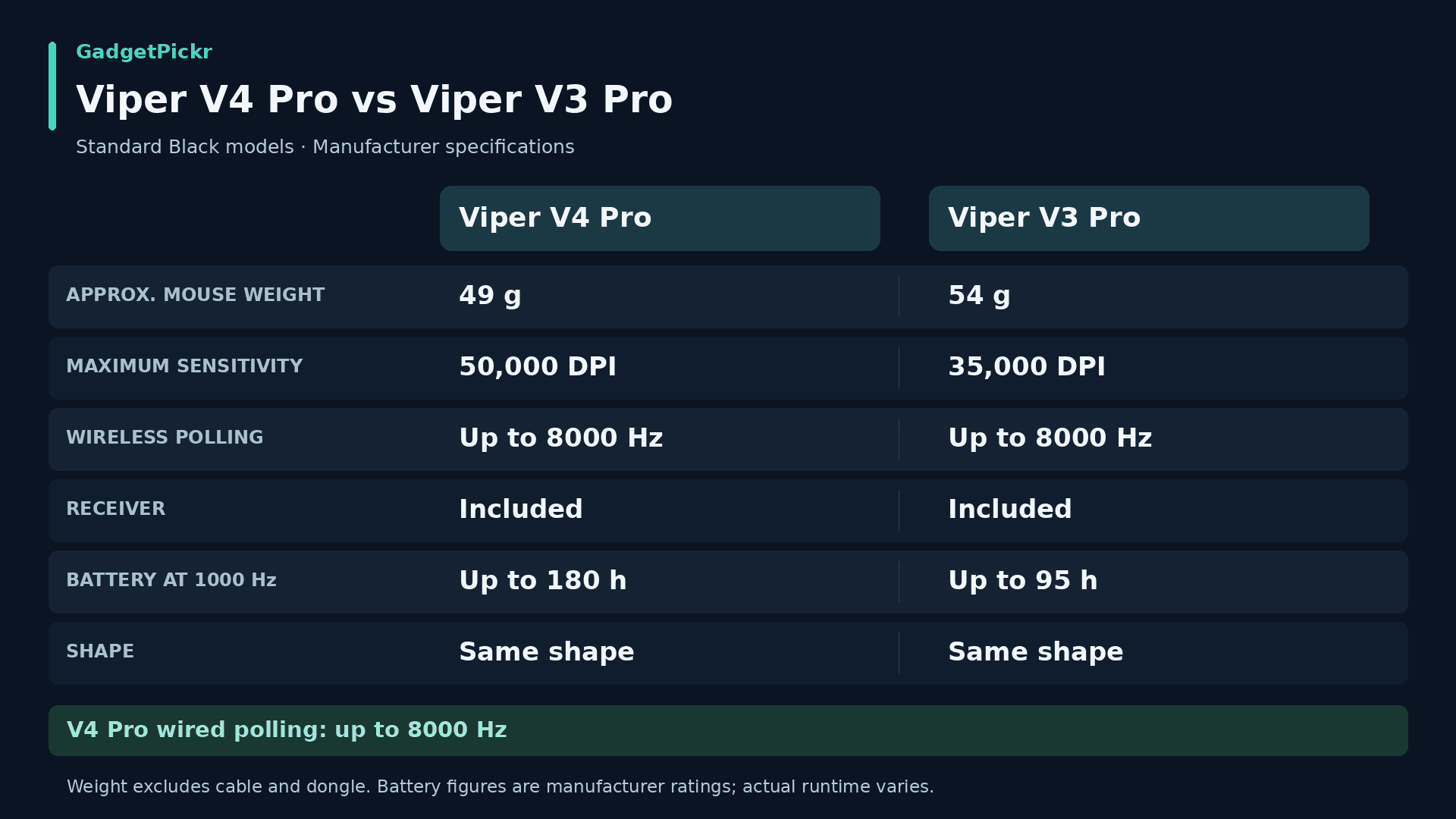
Compared with the Superlight 2, this comes down to weight, shape, and software, since both now offer 8000 Hz. Against the G502 X Plus, it's about whether you want simple aiming or more buttons. Buy the Viper because its priorities match yours, not because it has the biggest sensitivity number on the list.
Razer Viper V4 Pro
A focused pick for competitive PC shooters, especially if you want a light mouse for a claw or fingertip grip.
Tracking is handled by Razer's Focus Pro 50K Optical Sensor Gen-3. On paper, it tops out at 50,000 DPI, 930 inches per second, and 90 G of acceleration. Those are the sensor's limits, not settings you should actually aim for when lining up a shot.
For everyday setup, calibration matters more than max sensitivity. Asymmetric cut-off lets you set lift-off and landing distances separately, which helps if you lift and reposition your mouse a lot. Razer's own guide warns that setting those distances too low can cause tracking issues on some surfaces, so a great sensor spec doesn't mean perfect tracking on every mouse pad.
The main buttons use Gen-4 optical switches, which Razer rates for 100 million clicks. Because they register clicks with light instead of metal contacts, they avoid the mechanism behind the double-clicking problems that mechanical switches can develop. Just treat the click rating as a durability spec, not a promise that every part of the mouse will last as long.
HyperSpeed Wireless Gen-2 supports up to 8000 Hz through the included dongle, and wired mode goes up to 8000 Hz too. Compared with 1000 Hz, that shrinks the gap between reports from 1 millisecond to 0.125 milliseconds. That's only the time between reports, though, not the total delay between moving your hand and seeing it on screen.
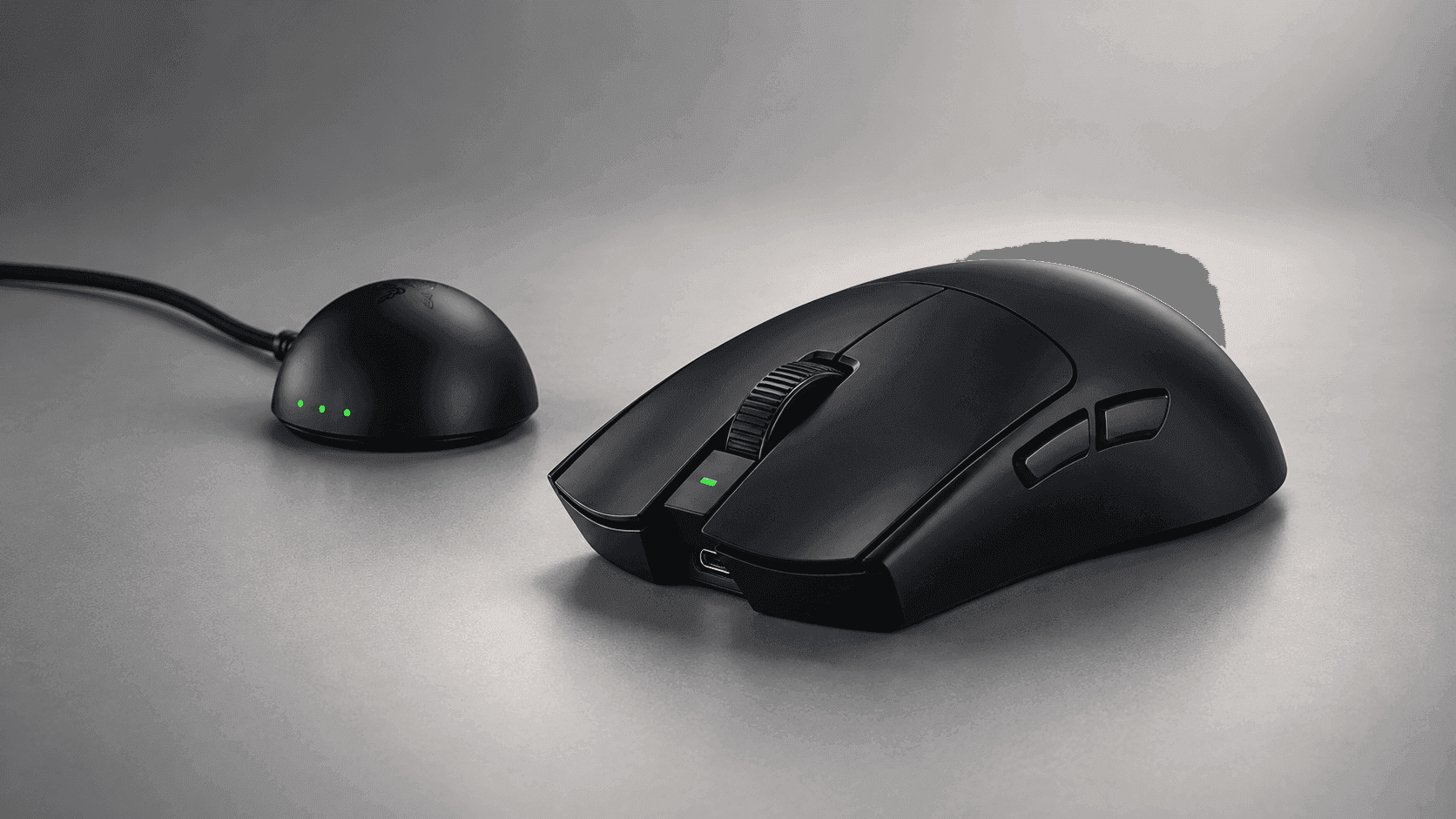
The mouse measures 127.1 mm long, 63.9 mm wide, and 39.9 mm tall, and Razer designs it for claw and fingertip grips. The black version weighs about 49 grams and the white one about 50 grams, not counting the cable or receiver. Both have a solid shell with no honeycomb holes.
Even though the outline is symmetrical, this is a right-handed mouse. The thumb buttons are only on the left side, and the optical scroll wheel scrolls in steps, without a free-spinning mode for productivity. In short, it's built for aiming and basic game commands, not spreadsheets or MMOs with dozens of keybinds.
Key Specs and Compatibility
Here are the specs that matter when comparing the Viper V4 Pro with other wireless gaming mice. Battery figures are Razer's maximum ratings at each polling rate, and weights are for the mouse alone.
Spec
Razer Viper V4 Pro
Sensor
Focus Pro 50K Optical Sensor Gen-3
Max sensitivity
50,000 DPI
Max speed
930 IPS
Max acceleration
90 G
Polling rate
Up to 8000 Hz, wired and wireless
Weight
About 49 g (black) / 50 g (white), without cable or dongle
Dimensions
127.1 x 63.9 x 39.9 mm
Switches
Razer Optical Mouse Switches Gen-4, rated for 100 million clicks
Battery life
Up to 180 hours at 1000 Hz / 45 hours at 8000 Hz
Connectivity
2.4 GHz wireless / USB wired; USB-C port on the mouse
A USB-A to USB-C cable comes in the box for charging and wired play. Razer Synapse lets you adjust sensitivity, polling rate, and button mapping, and one onboard profile saves your last-used settings. There's also Synapse Web for tweaking settings in your browser, so you're not stuck with the desktop app.
Before a tournament or switching to a different PC, save your settings and check them on the new setup. Onboard memory is handy, but not every software feature will carry over identically between machines. Keep your core aim settings simple enough to recreate quickly, rather than relying on a complicated set of app-specific commands.
Razer Viper V4 Pro Review: What Stands Out
Low weight is the clearest reason to put this mouse on your shortlist. At about 49 grams, you're moving less mass with every swipe, and you don't have to put up with a shell full of holes to get there. That's a much more meaningful difference than choosing between two DPI limits you'll never actually use.
The optical tech isn't just in the main buttons, either. The scroll wheel uses it too, and Razer says it's designed to prevent accidental scrolling when you're switching weapons or picking abilities. For a shooter-focused mouse, that's a smart place to put the effort, because an accidental scroll can swap you to the wrong weapon at the worst moment.
Having the high-polling receiver in the box also makes buying simpler. You don't need to pay extra for a separate receiver to get the full wireless speed. Still, 8000 Hz is an option, not something you have to run all day.
Think of the polling setting as a trade between update speed and battery life. Razer rates the battery at up to 180 hours at 1000 Hz and up to 45 hours at 8000 Hz. You can save the higher setting for competitive games instead of burning through battery while checking email or browsing.
Strengths
A light mouse with a solid shell is a real strength if you want less weight without a mouse full of holes. It also keeps the decision simple: buy it because you like light mice, not because a spec sheet suggests it'll make you better at everything.
At about 49 grams, there's simply less mass to lift and move, which is the whole appeal for low-sensitivity players who swipe and reposition a lot. If you're coming from a much heavier mouse, think about your grip as well as the weight. Shape and weight go hand in hand.
Battery flexibility is another practical plus. 1000 Hz gets you the longest rated battery life, and the higher polling rates are there when you want them. That's better than forcing one setting on people whose work and gaming have different needs.
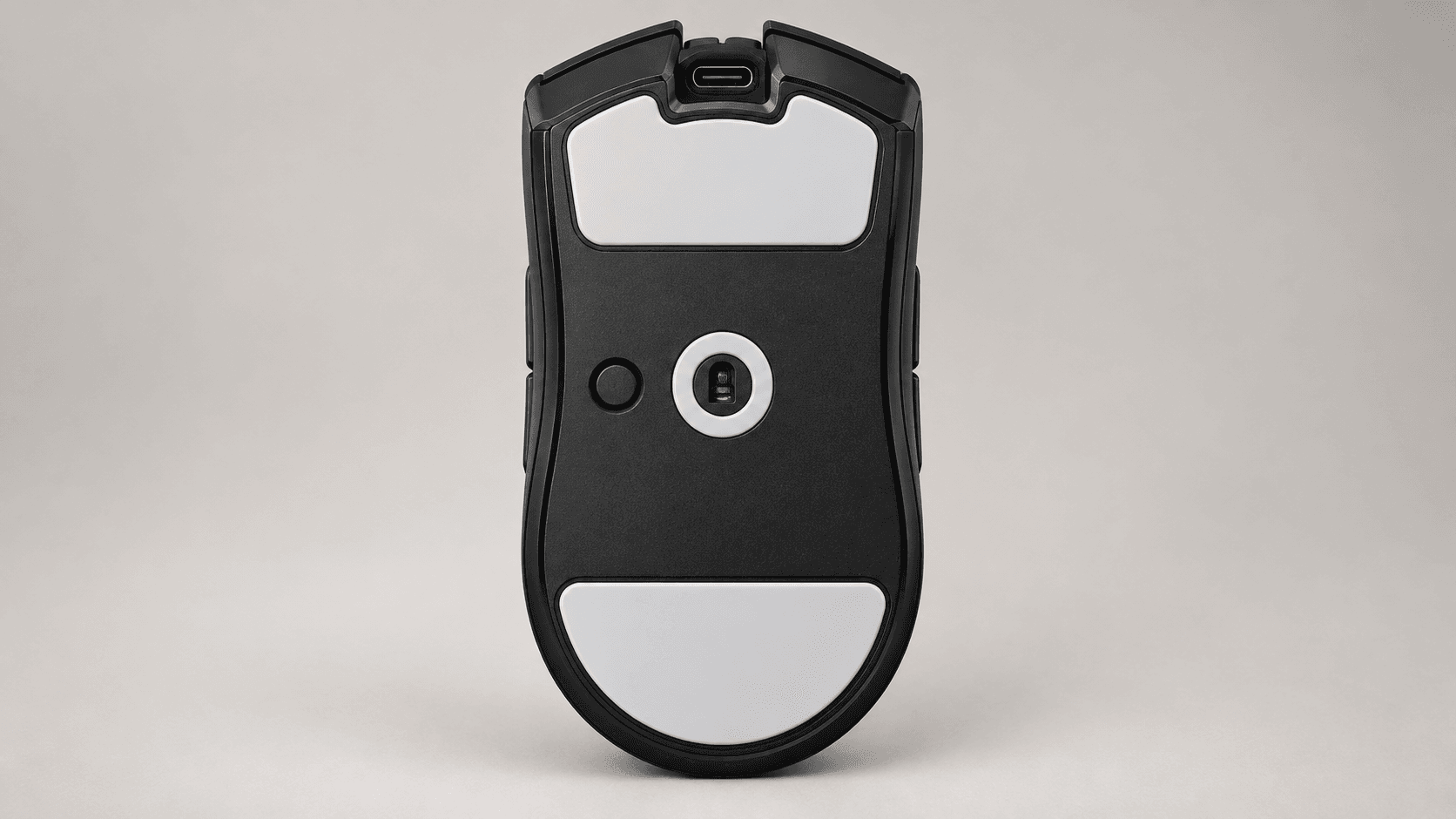
PTFE feet, onboard settings, and wired mode cover the basics for gaming on the go. You charge it through the same cable you use for wired play, and saved settings mean less setup when you switch computers. None of that replaces checking your setup before a match, but it does make the mouse easier to live with.
Skipping RGB lighting also makes sense for the people this mouse is made for. If you care more about your aim than matching your desk lighting, losing RGB is no loss at all. Every hardware choice here serves one narrow purpose, instead of trying to be everything to everyone.
Weaknesses
The lack of Bluetooth is the biggest practical downside if you use the same mouse for work and gaming. A laptop needs the receiver or a cable instead of connecting directly, so switching between machines takes more effort. If you do that several times a day, the esports-focused design starts to get in the way.
Maxing out the polling rate also costs a lot of battery. The 8000 Hz rating is just a quarter of the 1000 Hz rating, and Razer warns that some PCs can't keep up with that many reports. Start with a setting your games run smoothly on, then raise it if your system can handle it.
Six programmable buttons don't make this a mouse for lots of shortcuts. With thumb buttons only on the left and no free-spinning scroll mode, it's less flexible than mice built for productivity or games with lots of keybinds. If you want lots of actions right under your fingers, put button layout at the top of your list.
Its high-end price is another hurdle. Know exactly which feature you're paying for before spending more. A 50,000 DPI ceiling isn't worth much if what you actually want is a different shape. And if your current mouse already supports 8000 Hz, that's not a reason to upgrade either.
Best Alternatives
Compare these based on the specific feature you'd gain or lose. The real question is which mouse better fits your grip, the controls you want, and the software you prefer, not which brand prints the biggest number on the box.
The Logitech G PRO X Superlight 2 weighs about 60 grams and now supports up to 8000 Hz as well. So the real trade-off is its different shape and Logitech's G HUB software versus the Viper's lower weight.
The Logitech G502 X Plus swaps the Viper's light, shooter-focused design for a heavier body with more programmable buttons, RGB lighting, and a dual-mode scroll wheel. It's better suited to a wider mix of games and desktop work.
The Logitech G PRO X2 Superstrike offers adjustable actuation on its main buttons, rapid-trigger reset points, and haptic click feedback. That gives you click customization that the Viper's standard optical buttons don't offer.
Who Should Buy It
It's best for competitive shooter players who specifically want a light, right-handed mouse for a claw or fingertip grip. The biggest selling point is the solid shell at about 49 grams, backed by a high-polling receiver in the box. You don't need to be a pro to want that combo, but you should know why you want it.
If you mainly play Valorant, Counter-Strike 2, Apex Legends, or Overwatch, a focused layout makes a lot of sense. A couple of thumb buttons may be all you need, so shape and weight can drive your decision. Extra buttons only matter if you actually have something to put on them.
Razer's own guidance ties the benefits of 8000 Hz polling to high-refresh-rate monitors, so it makes the most sense if you already have something like a 240Hz or 360Hz screen. Even then, whether you'll actually notice the difference depends on your PC, the game, and your own eyes, so treat it as something to try rather than a guaranteed upgrade. And keep the battery cost in mind either way.
If your current mouse feels too heavy for you, the Viper's priorities make a lot of sense. If you're already happy with a light esports mouse, the case for upgrading is much weaker. Figure out what's actually holding you back with your current setup before treating a newer sensor as a must-buy.
Commission may be earned from this link, at no extra cost to you.
Who Should Skip It
Pick something else if you need Bluetooth switching. That's the biggest reason for anyone who works and games on the same mouse to pass, because no amount of DPI or polling speed fixes a missing connection you need every day. A receiver-based mouse can work across computers, but it won't give you direct Bluetooth pairing.
Left-handed players who want usable thumb buttons should look elsewhere too. "Symmetrical" describes the shape, not the button layout. The side buttons are only on the left.
Razer designs this mouse for claw and fingertip grips. If you rest your whole palm on your mouse, or prefer a heavier, more planted feel, it may not suit you, so try one in person if you can. If your current mouse already fits your hand well, going lighter isn't automatically an upgrade. Think about how you hold your mouse before comparing sensor specs.
If you're on a budget, you need a better reason to buy than the highest polling setting. If you mostly play slower-paced games or rely on lots of shortcuts, spend your money on the shape and button layout you actually want. This mouse is a specialist, and that's worth a lot less if your priorities are elsewhere.
Sources & References
Specifications and claims in this analysis were cross-referenced against the sources below.
No. It connects through its 2.4 GHz wireless receiver or a USB cable. If you need to pair it directly with a work laptop over Bluetooth, choose another mouse. A high polling rate doesn't make up for that.