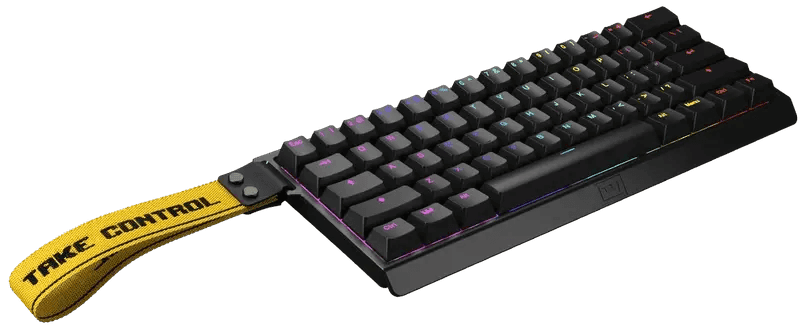
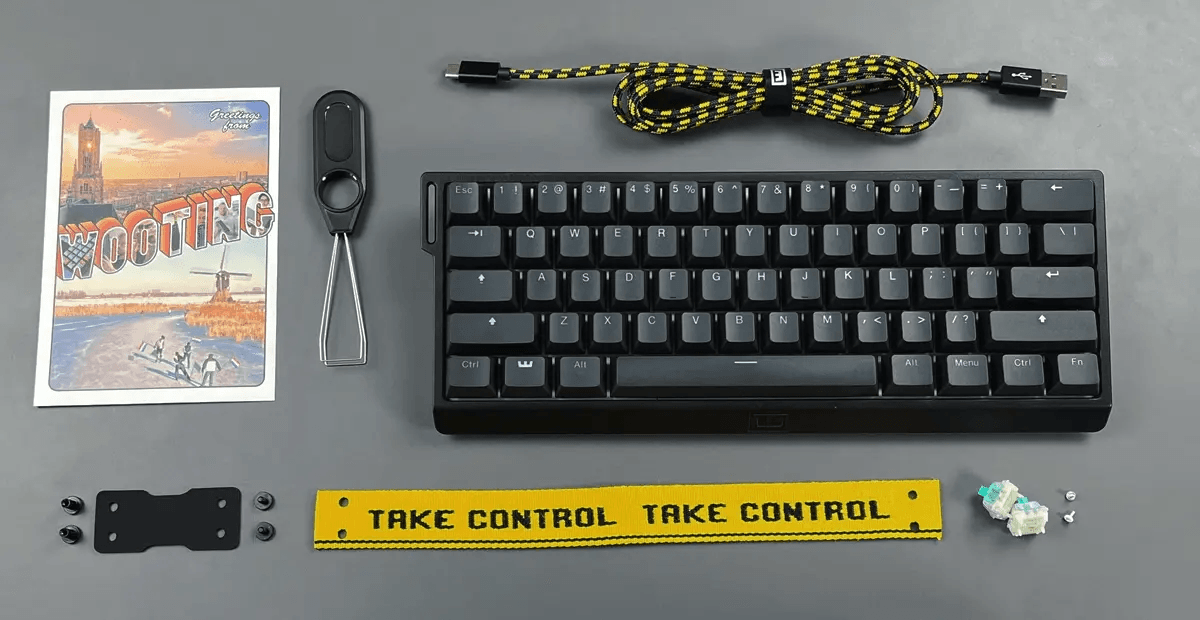
Analog Hall Effect switches, Rapid Trigger, and actuation tuning from 0.1mm to 4.0mm in a 60% shell. A look at what the Wooting 60HE+ gets right, what the compact layout costs you, and which alternatives make more sense.
Sixty-percent keyboards usually ask you to give something up. Wooting's counter-offer is a switch that reports how far down it is rather than simply whether it has been pressed — and that one change drives nearly everything worth discussing in this Wooting 60HE+ review. Counter-strafing, key resets, even how you bind sprint. All of it flows from analog sensing.
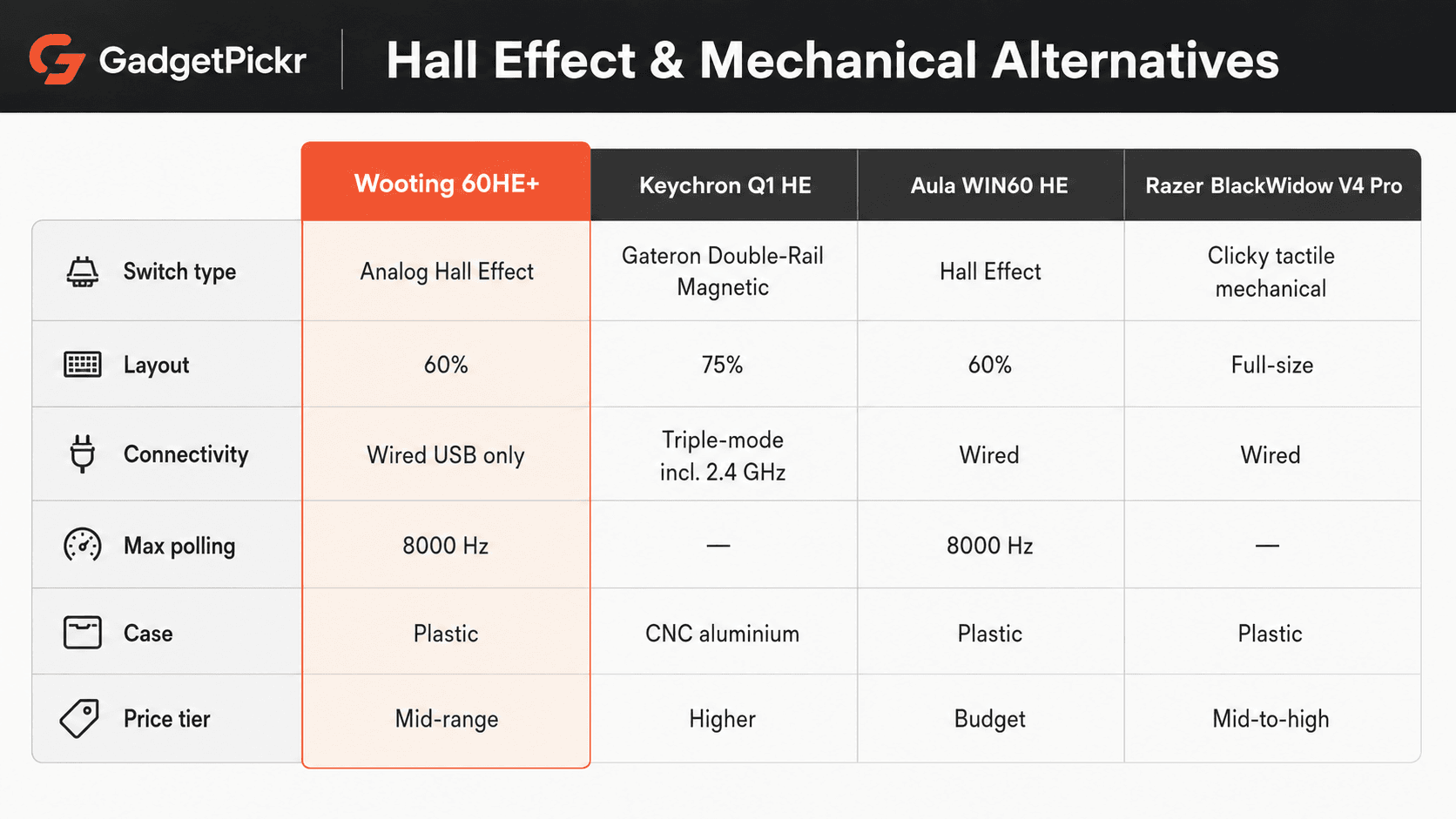
Among Hall Effect boards this one sits as a mid-range option — positioned above bargain magnetic keyboards like the Aula WIN60 HE, below heavyweight CNC aluminum builds like the Keychron Q1 HE — and it sells on firmware depth rather than materials. So the questions that matter are actuation range, polling rate, stabilizer mounting, and whether a 60 percent layout survives contact with how you actually use a computer.
Some links in this article are affiliate links, which helps support GadgetPickr at no extra cost to you.
The Quick Take
Analog magnetic switching in a compact 60 percent shell, with per-key actuation tuning and Rapid Trigger that kills reset latency. Competitive FPS players get a real mechanical advantage here. Everyone else is paying for headroom they will never touch.
Buy it if you play competitive shooters seriously. That is the clear position of this Wooting 60HE+ review, and the single strongest reason is Rapid Trigger: tying key reset to stem movement instead of a fixed hysteresis point removes latency that no software setting on a conventional mechanical board can recover. Per-key actuation from 0.1mm to 4.0mm and 8000 Hz polling reinforce the same advantage.
Skip it if you spend most of your day writing, coding, or working in spreadsheets. The single strongest reason there is the layout: no arrow keys, no function row, no numpad, which pushes routine navigation into FN layers you will resent by the second week. Linear-only magnetic switches compound that if you want tactile feedback.
The "+" revision earns its name with screw-in PCB stabilizers, added dampening foam, and a configurator that never installs anything. Need Hall Effect sensing with dedicated arrows? The Keychron Q1 HE gives you a 75 percent layout instead. Just curious about magnetic switches? The Aula WIN60 HE lowers the entry barrier substantially. For raw responsiveness and deep switch tuning, though, the Wooting 60HE+ delivers strong performance for where it sits in the market.
Wooting 60HE+
Analog Hall Effect switches, Rapid Trigger, 60% layout — built around competitive FPS movement
A mid-range option within the Hall Effect keyboard category
Wooting 60HE+ Review: What You Are Actually Buying
Strip away the marketing and this is a 60 percent keyboard whose switches contain magnets instead of metal leaves. Hall sensors on the PCB read the magnetic field as the stem travels, so the board knows the key's depth continuously rather than registering a single binary contact event. That is the whole trick, and every headline feature is downstream of it.
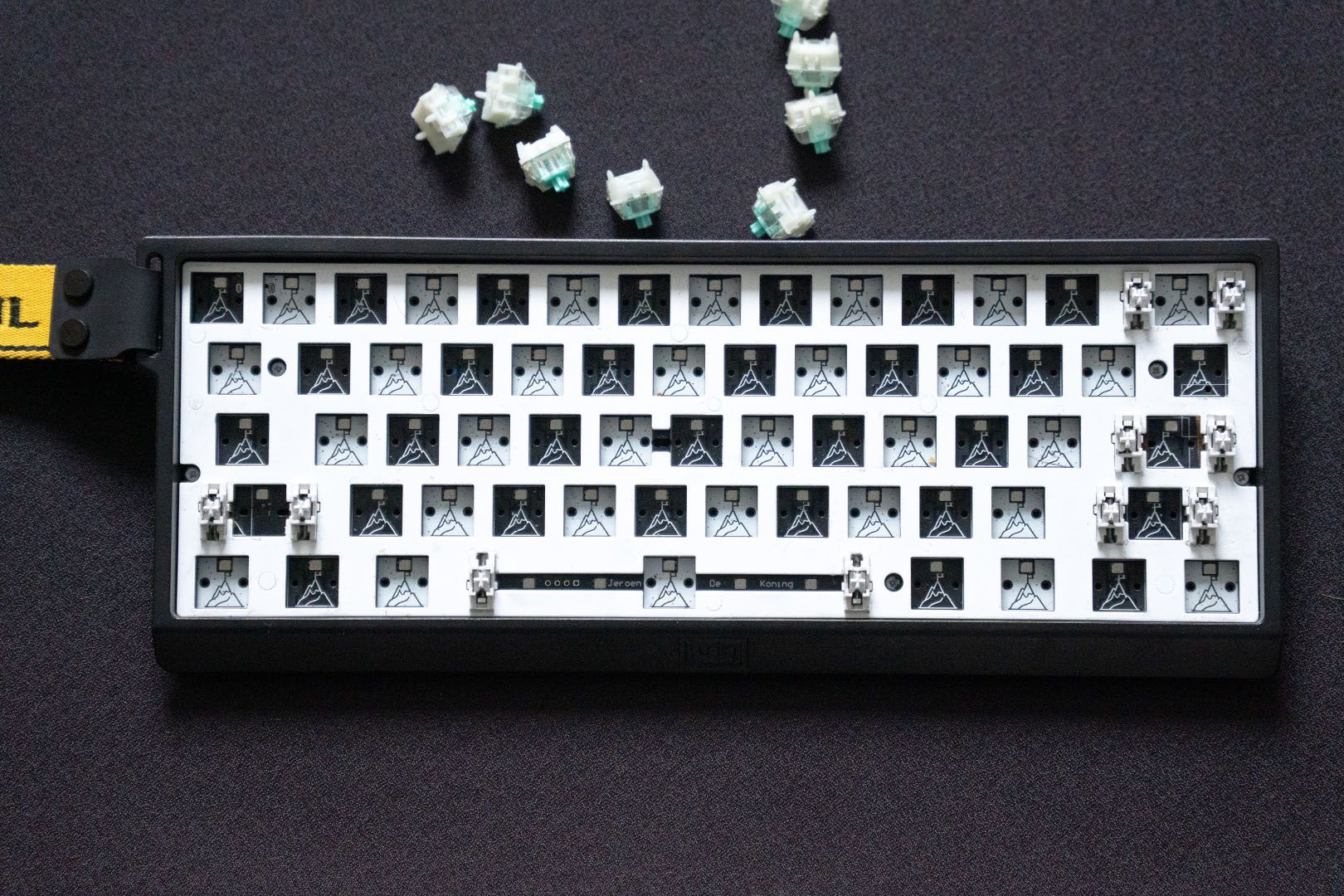
The "+" revision targets the complaints owners of the original 60HE aired loudest. Stabilizers are now screw-in and PCB-mounted rather than clipped to the plate, which cuts the wobble that plagued the spacebar and the shift keys. Internal sound-dampening foam and factory-lubricated switches round out the changes.
Configuration happens in Wootility, a browser-based configurator that writes settings to onboard flash memory. No resident driver package, no background service quietly eating RAM. Move the board to a different machine and your profiles travel with it.
One deliberate omission: there is no wireless mode. Power delivery stays constant and signal latency stays low over a wired USB connection, which is the trade Wooting made on purpose. Hot-swappable magnetic sockets and a standard tray-mount 60 percent footprint keep the door open for keycap sets and third-party cases.
Key Specs and Compatibility
Here is the short version of what the board offers on paper, before we get into what any of it means in practice.
Because the shell follows the community-standard tray-mount 60 percent pattern, the PCB transplants into aftermarket aluminum and acrylic housings, and mainstream keycap sets fit without hunting for oddball kits.
What Stands Out
Rapid Trigger is the feature people buy this board for, and it deserves the attention. On a conventional mechanical switch, releasing a key means waiting for the stem to climb back past a fixed reset point before the next press counts. Here the reset is tied to movement itself — the instant upward travel is detected, the key deactivates.
In practice that collapses the dead time between releasing D and pressing A. Counter-strafing in Counter-Strike 2 or Valorant stops being a timing exercise governed by spring return and starts being governed by how fast your finger moves. That is a structural difference, not a marketing one.
Beyond rapid deactivation, the keyboard offers complete customization of actuation points across a granular scale from 0.1mm to 4.0mm. Set WASD feather-light for movement. Push utility binds — grenades, flashbangs, the abilities you cannot afford to fumble — deeper down the travel so a resting finger never fires them by accident.
Then there is the genuinely unusual part: one key, two actions, split by depth. A soft press walks your character; bottoming out the same key breaks into a sprint, no second bind required. Polling climbs to 8000 Hz, which drops the input reporting interval well below what a standard 1000 Hz board manages. Stack those against a fixed-actuation mechanical like the Razer BlackWidow V4 Pro and the gap is not incremental — it is a different category of control.
Strengths
Profile switching turns out to be the underrated feature for anyone who does more than frag. Assign a 0.2mm actuation point for gaming, keep a 2.0mm profile for writing, and flip between them. Those accidental keystrokes that make hair-trigger switches miserable for document work simply stop happening.
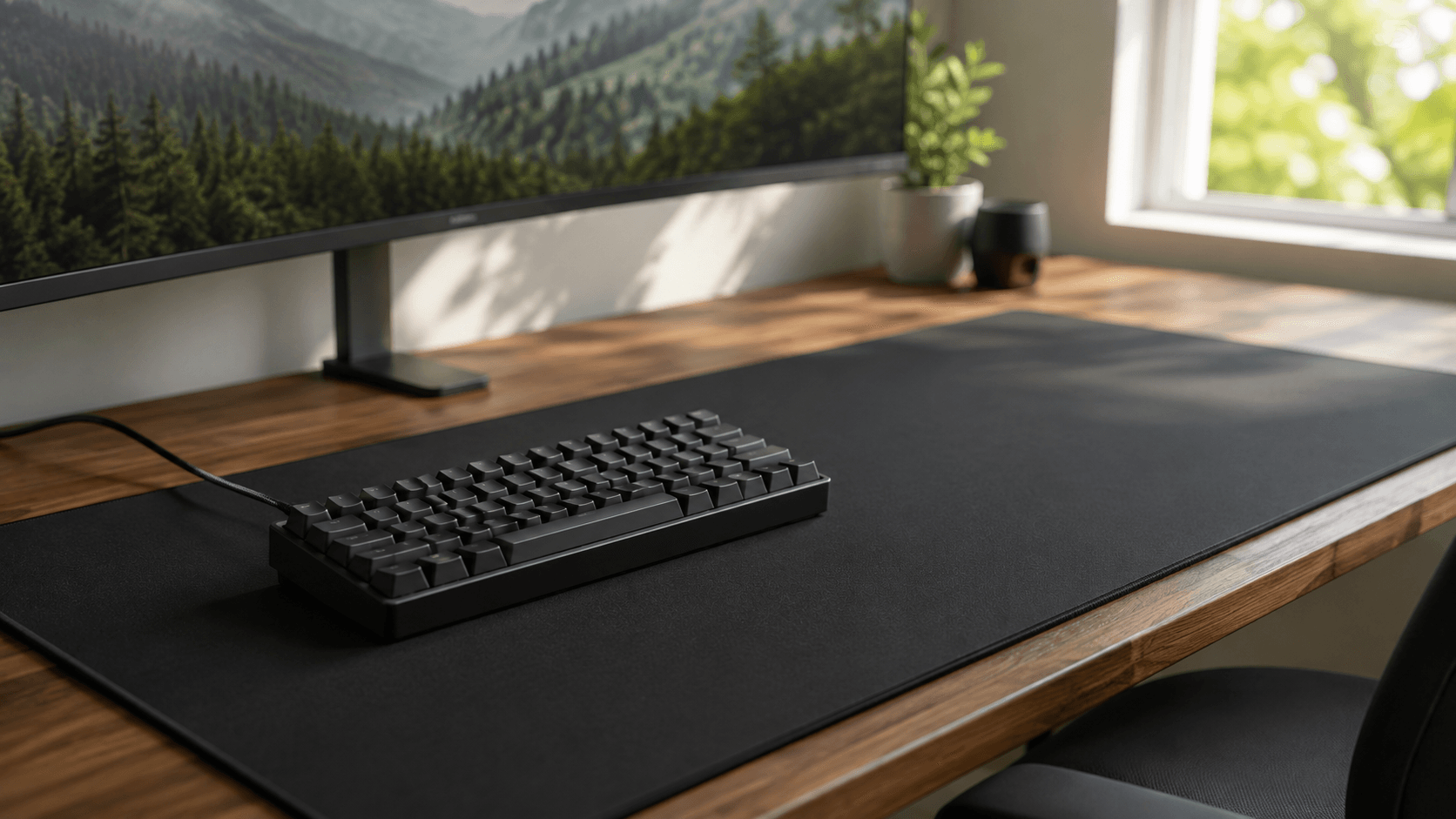
Desk space is the second win. A 60 percent footprint clears a lot of surface for low-DPI mouse sweeps, which matters if you play at sensitivities that require half a mousepad per flick.
Losing the navigation cluster hurts less than you would expect, thanks to Mod-Tap. A single key behaves as a normal letter on a quick tap and as a modifier or arrow when held, so your hands stay anchored on home row instead of migrating rightward.
Acoustics benefit from the absence of metal leaves. Nothing brushes together during travel, so the stroke stays friction-free, and with dampening foam plus factory lube the sound signature lands lower and less harsh than typical clicky or tactile boards. The Keychron Q1 HE ships with a larger 75 percent layout out of the box, but on firmware flexibility and desk efficiency the 60HE+ is hard to beat.
Weaknesses
That 60 percent form factor cuts both ways, and the downside is real. No arrow keys, no function row, no numpad. If your day involves Adobe Premiere shortcuts, CAD hotkeys, or heavy numeric entry, you will spend it fighting FN layers that a full-size board like the Corsair K100 Air Wireless RGB never asks you to think about.
Build materials are the second compromise. The stock plastic case is sturdy but light, and it lacks the heft of CNC-machined aluminum boards in a similar bracket. Getting there means buying a third-party enclosure and disassembling the board yourself.
Want a clean wireless desk? Look elsewhere entirely. This board runs over wired USB, a deliberate choice in service of stable power and low-latency polling, but a hard limitation nonetheless.
Value is worth scrutinizing too. Wooting's firmware remains the strong option for analog precision, yet low-cost entries like the Aula WIN60 HE deliver basic magnetic rapid triggering for a small fraction of the outlay — which makes the spend hard to justify if you do not play competitively. And magnetic switches come in linear only. No tactile bump, no click. Typists who need that feedback will find long sessions monotonous.
Best Alternatives
Three of these compete on different axes, so pick based on what your actual bottleneck is.
The Keychron Q1 HE is the pick for buyers who want Hall Effect performance with better acoustics and a fuller layout — you trade the 60HE+'s compact footprint and firmware depth for a 75 percent layout, triple-mode connectivity including 2.4 GHz wireless, Gateron Double-Rail Magnetic Switches, and an aluminum chassis that sounds deeper, at a meaningfully higher price.
Budget shoppers should look at the Aula WIN60 HE, which trades refined software, keycap quality, and internal mounting for adjustable actuation, Rapid Trigger, and a 1000 Hz polling rate in plastic at a small fraction of the cost — the right call if you are only sampling magnetic switch technology.
Prefer feedback over analog control? The Razer BlackWidow V4 Pro swaps fine-grained actuation tuning for dedicated macro keys, a command dial, and clicky tactile switches, and it sits above budget boards but below high-end custom builds. The ultra-slim Corsair K100 Air Wireless takes the opposite approach again, trading analog sensing entirely for low-profile Cherry MX switches across a full-size productivity layout with wireless freedom.
Who Should Buy It
Competitive FPS players, first and foremost. If your library revolves around Valorant, Counter-Strike 2, Apex Legends, or Overwatch 2, the instant key reset from Rapid Trigger offers a measurable edge — counter-strafes land faster because you are no longer waiting on spring travel.
Keyboard modders are the other natural audience. Standard tray-mount 60 percent dimensions and hot-swappable magnetic sockets mean the PCB can fit many aftermarket aluminum or acrylic cases with the right mounting, keycaps swap freely, and switch tuning stays on the table. You get custom-build freedom without giving up firmware capability.
Anyone allergic to bloatware should also take note. Wootility handles analog deadzones, per-key actuation depth, and layered remapping from a browser tab, with settings stored on the board rather than in a background process.
Commission may be earned from this link, at no extra cost to you.
Who Should Skip It
Office workers, writers, and anyone tied to dedicated navigation hardware should walk away. Reaching for FN combinations every time you need Delete, Page Up, or a cursor move adds friction to spreadsheet editing, coding, and long-form drafting that no actuation setting compensates for.
Acoustics-first buyers are the other mismatch. Magnetic switches travel smoothly, but the stock sound signature runs lighter and clackier than gasket-mounted aluminum boards built specifically for sound. And if you mostly play slow single-player RPGs, sub-millimeter actuation tuning solves a problem you do not have — a standard mechanical or low-profile wireless board will serve you better for less.
Sources & References
Specifications and claims in this analysis were cross-referenced against the sources below.
Yes, if you play them competitively. Rapid Trigger resets keys the moment the stem moves upward, which speeds up counter-strafing noticeably. Casual players in slower titles will not see enough benefit to justify the spend.