Picking a new camera can feel like being handed an instruction manual instead of a shopping list. Megapixel counts, sensor sizes, autofocus points, frame rates — the spec sheet throws a wall of numbers at you before you've even picked the thing up.
Numbers on paper don't always translate into a camera that fits how you shoot. A body that looks great in a comparison chart might bury basic settings three menus deep.
Plenty of first-time buyers overpay for 8K video they'll never export, then wonder why their photos look muddy in a dim restaurant. Others grab the cheapest body on the shelf and get frustrated within a month when the autofocus can't keep up with a toddler running across a yard.
Learning how to choose digital cameras really comes down to one thing: matching the hardware to your actual workflow, not the one you imagine you'll have. Whether that's travel snapshots, portrait sessions, or solo vlogging, the specs that matter change depending on what you point the lens at. The rest of this guide walks through which numbers deserve your attention and which ones are just noise on a spec sheet.
The Quick Take
Three specs actually move the needle: sensor size, autofocus system, and lens ecosystem. Everything else is secondary. For most buyers, APS-C hits the sweet spot between image quality, body size, and cost — full-frame only pulls ahead if you're shooting in near-darkness or chasing that shallow, blurred-background look for a living.
Step-by-step guide: how to choose digital cameras that fit your workflow
Start with what you actually shoot, not what you wish you shot. If your output is mostly stills — portraits, landscapes, product photos — prioritize sensor resolution and dynamic range over anything video-related. If you're shooting mostly video, frame rates, autofocus tracking, and thermal limits matter more than raw megapixels.
Next, pick your sensor format. If you want a lighter kit, more affordable lenses, and still-strong low-light performance, go APS-C. If you're shooting weddings in dim churches or need maximum background blur for portraits, step up to full-frame and accept the extra weight and cost that comes with it.
Then look hard at the autofocus system. If you shoot kids, pets, or sports, choose a camera with real-time eye and subject tracking — it's the difference between a sharp shot and a blurry miss when something moves fast. Cameras that lean on older contrast-detection autofocus alone will frustrate you here.
Check the lens lineup before you check the body. If your system's mount doesn't already have an affordable wide prime and a decent portrait lens on the market, walk away — a great sensor bolted to mediocre glass still produces mediocre photos.
Finally, weigh grip depth and button layout, not just the photos on the box. If you need to adjust exposure without digging through menus, choose a body with physical dials for aperture, shutter speed, and ISO instead of a touchscreen-only interface.
Recommended product categories
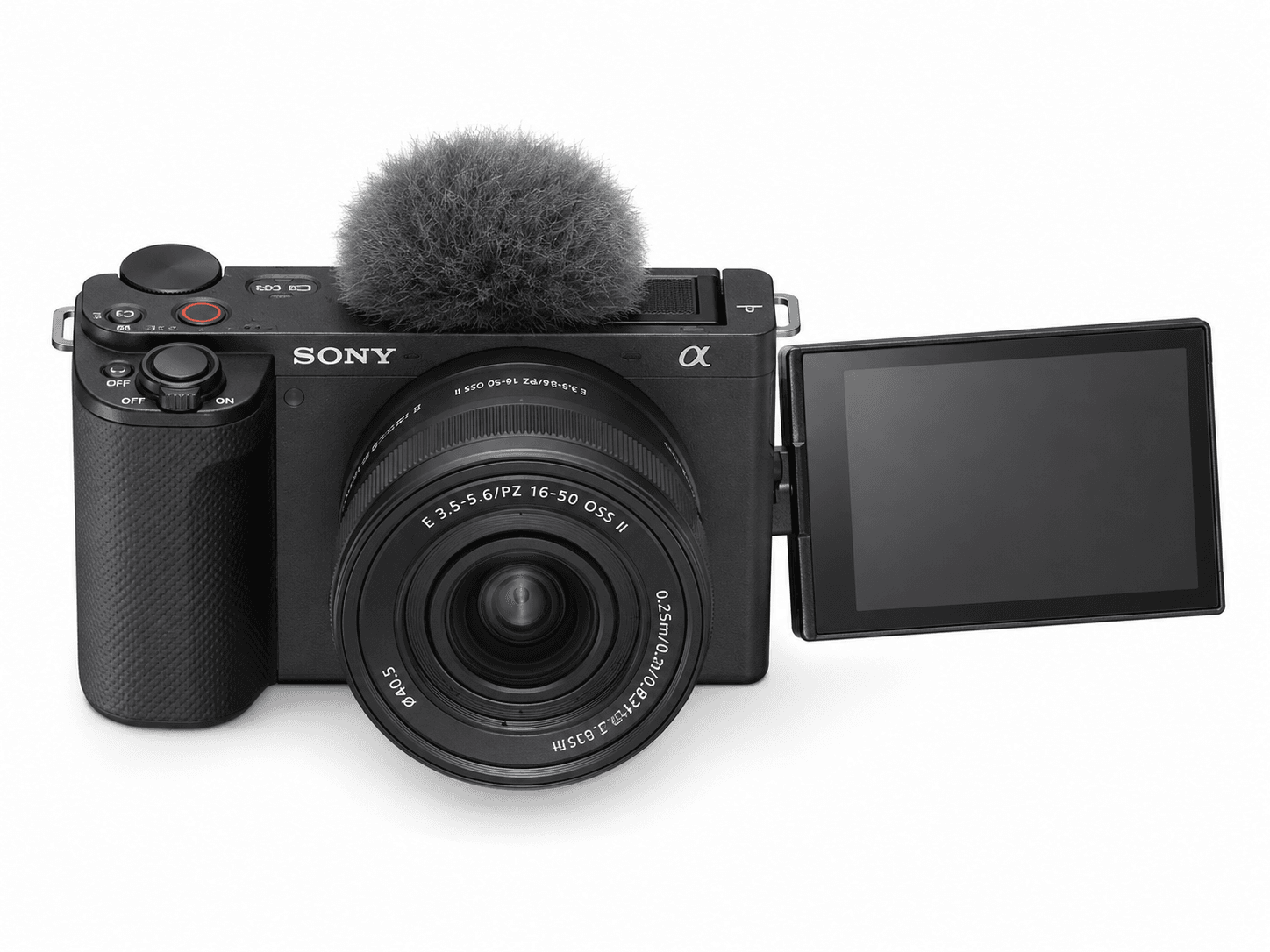
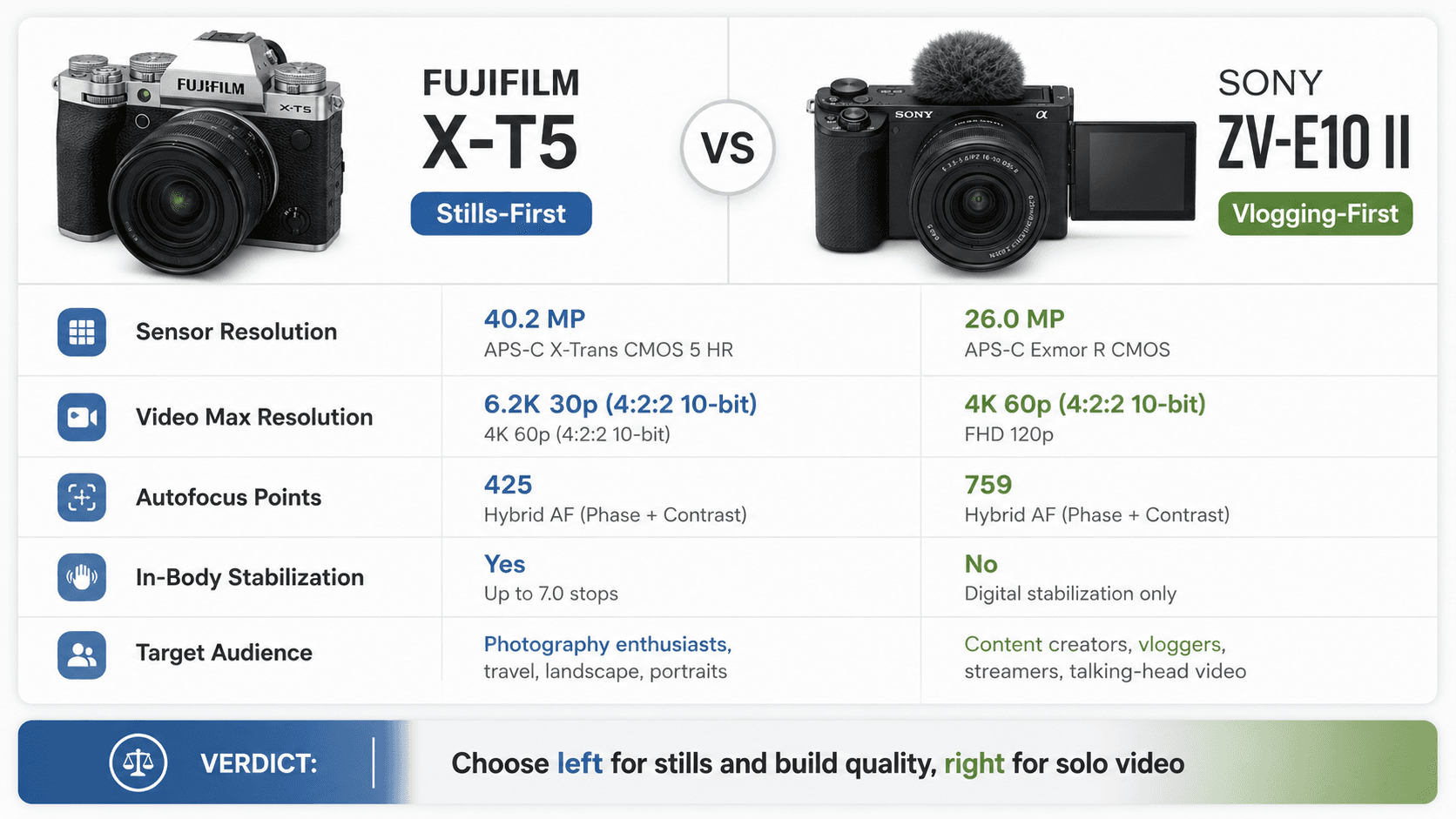
Once you know your primary use case, the category picks itself. If you're vlogging, traveling light, or producing solo content, look at the mirrorless vlogging bundle category. The Sony ZV-E10 II is a good example of what that category prioritizes: a 26.0MP APS-C Exmor R CMOS sensor paired with a 759-point phase-detection autofocus system, 4K video up to 60p, and built-in support for external mics and LED lights, so a one-person crew can actually run the show.
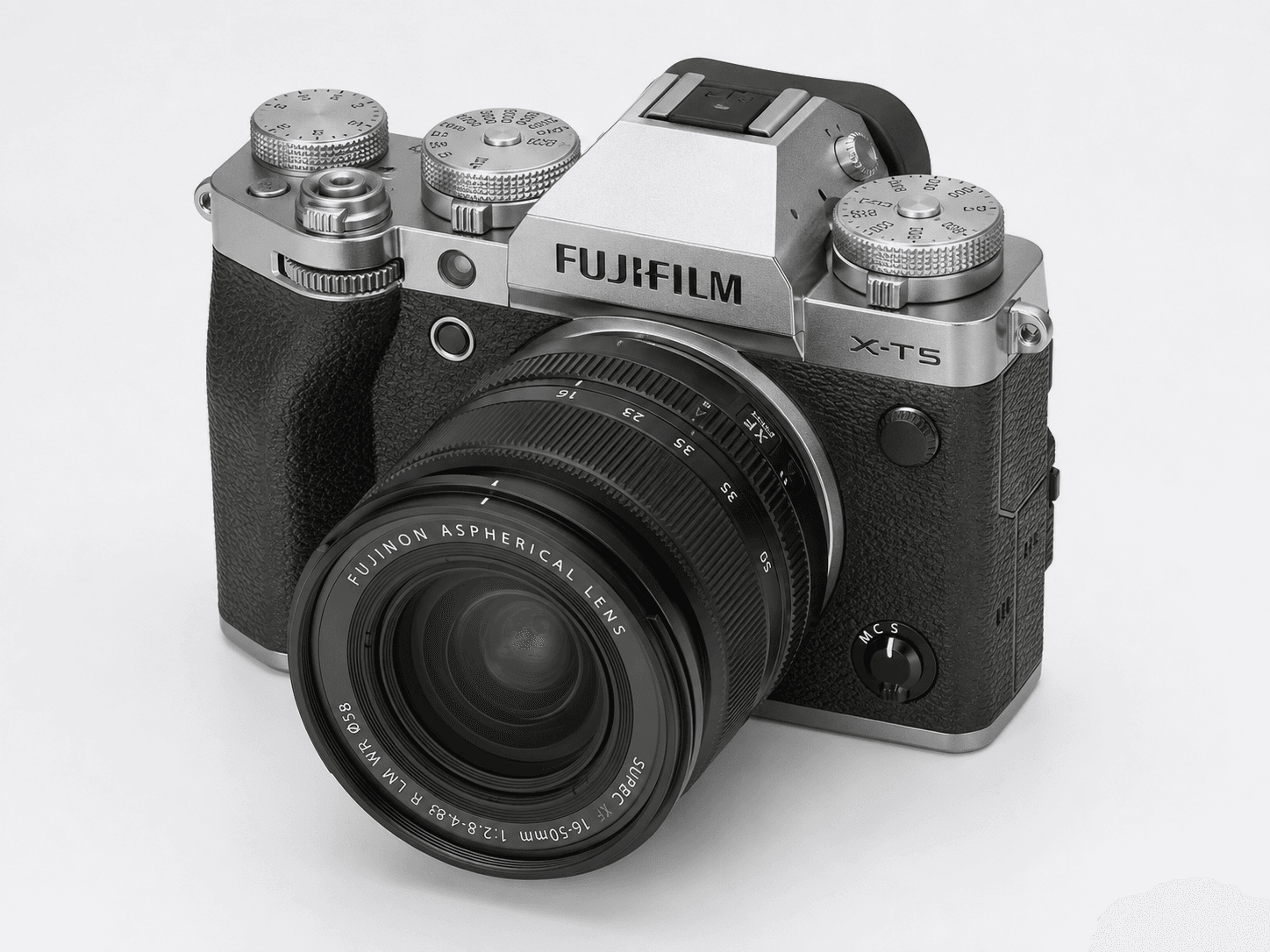
If pure image quality, tactile controls, and build quality matter more to you than vlogging conveniences, look at the high-end mirrorless category instead. The Fujifilm X-T5, often sold with the XF16-50mmF2.8-4.8 R LM WR zoom, leans into a high-resolution sensor, mechanical dials for every core setting, and Fujifilm's color science — the kind of setup landscape, street, and portrait shooters gravitate toward when they want full manual control over raw files.
The trade-off is straightforward: a vlogging-first bundle like the Sony hands you automation and video-ready hardware, while a stills-first body like the Fuji trades some of that convenience for tactile control and image quality. Pick whichever trade-off you'll resent less six months from now.
Common mistakes
Megapixels get too much credit. A higher count doesn't automatically mean a sharper photo — cram too many pixels onto a small sensor and you actually increase noise in low light. The 26.0MP APS-C sensor in the Sony ZV-E10 II is a decent illustration of the real trade-off: moderate resolution on a reasonably sized sensor usually beats a high-megapixel point-and-shoot with a sensor the size of a fingernail.
Ignoring total cost of ownership is another classic trap. Buyers blow their whole budget on the body, then get stuck shooting on a basic kit lens for the next two years because there's nothing left over. Glass is what actually unlocks what a sensor can do — a mediocre lens on a great sensor still looks mediocre.
Ergonomics get overlooked too. A kit like the Fujifilm X-T5 brings serious dials and build quality, but if that bulk doesn't fit in your bag for a daily commute, it's going to sit in a drawer. Match the camera's physical footprint and menu complexity to how often you're realistically willing to carry and use it, not to how it looks in a review photo.
Buying checklist
Before you buy, run the camera through this list. Every item here is something you can actually confirm on the product page.
Check the primary use case first. If video is the priority, look for 4K recording listed explicitly — the Sony ZV-E10 II lists 4K video up to 60p — along with phase-detection autofocus and subject tracking in the spec sheet.
Check the sensor size listed under "Image Sensor." APS-C sensors handle dim environments better than the smaller sensors common in point-and-shoots; full-frame does better still, at a cost in size and price.
Check the lens mount page on the manufacturer's site and count how many affordable primes and zooms are actually listed for it. A mount with three lenses total is a dead end no matter how good the body is.
Check the ports section for a microphone input, and ideally a headphone jack, if you're recording audio. Check whether wireless transfer is listed too — it saves you from pulling the memory card every time.
Check what's included in the bundle listing — cards, straps, extra batteries, microphones. A bundle with an SD card and tripod already included can beat buying the body alone and sourcing accessories separately.
Camera Buying Checks
When you're working through how to choose digital cameras, treat the spec sheet as a starting point, not the final word. Compare lens ecosystem, autofocus behavior, video limits, stabilization, battery life, storage media, and ergonomics side by side — the best value usually depends on the lenses and accessories you already own or plan to buy, not just the number on the box.
Also pin down whether you're buying mainly for stills, video, travel, or studio work, since each prioritizes different trade-offs, from compact size and weather sealing to recording formats and microphone support.
Sources & References
Specifications and claims in this analysis were cross-referenced against the sources below.
- A Beginner's Guide to Buying a Camera (2024 Edition)digital-photography-school.com
- Why Specs Are No Longer an Important Criteria in Choosing a ...fstoppers.com
- What, specifically, makes a “good” camera? : r/AskPhotographyreddit.com
- Watch this BEFORE you buy a Camera! - YouTubeyoutube.com
- How to Choose the Best Digital Camera For You | 8 Questions to Askdigitalphotomentor.com
- Forget megapixels: The one spec that actually matters in a cameraamateurphotographer.com
- Camera Sensor Size & Image Quality Guide [2026]davemorrowphotography.com
- What specs to look for when buying a camera? - Facebookfacebook.com
Frequently Asked Questions
Sensor size matters most for image quality, but autofocus system matters most for usability. If you shoot anything that moves — kids, pets, sports — prioritize autofocus tracking over chasing extra megapixels.